What is latency vs bandwidth? Latency is the delay before a response starts, while bandwidth is the maximum amount of data a connection can carry at once. For a 4G proxy, knowing the difference tells you whether to improve the radio path, reduce request round trips, or simply give a large transfer more capacity.
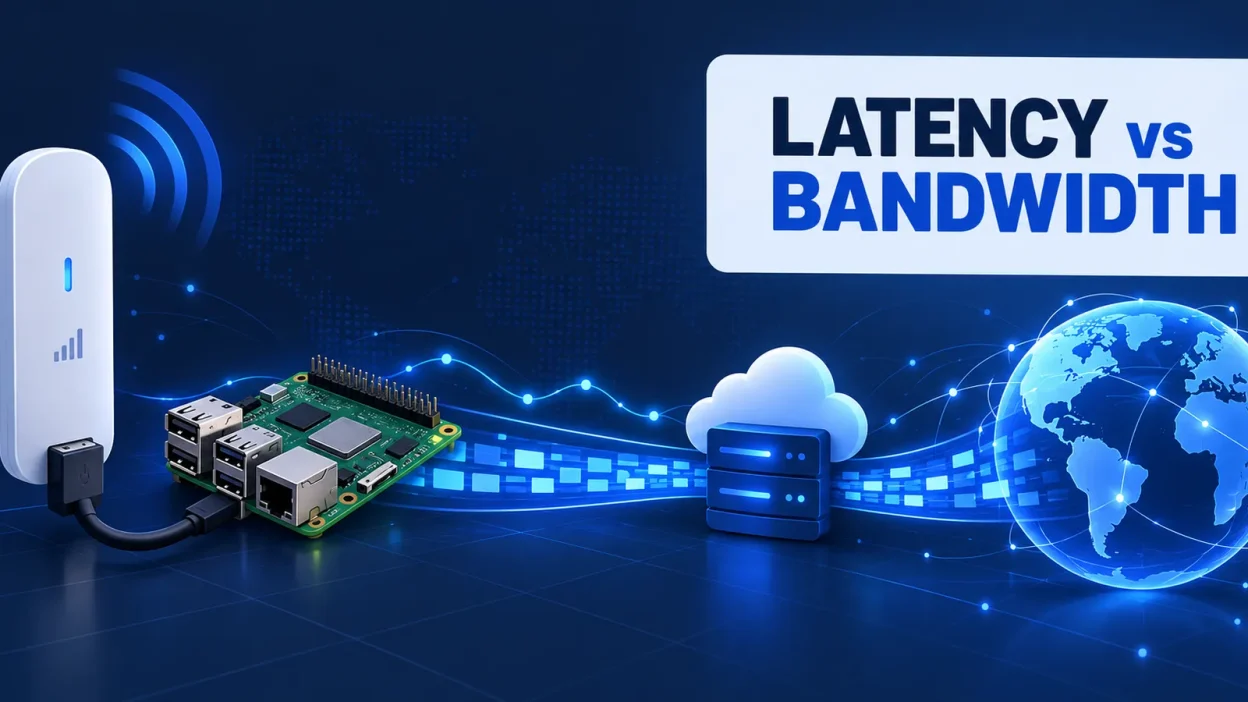
Latency vs bandwidth in one picture
Think of a road. Latency is the time before the first vehicle reaches its destination. Bandwidth is the number of lanes. A wide road can still have a long journey, and a short journey can still carry a lot of traffic if it has enough lanes.
| Metric | What it measures | Usually matters most for |
|---|---|---|
| Latency | Time for a packet or request to travel between endpoints, usually measured in milliseconds | Small requests, login flows, APIs, page navigation, interactive tools |
| Bandwidth | The maximum data-carrying capacity of a link, usually measured in Mbps or Gbps | Large downloads, media, backups, many concurrent transfers |
| Throughput | The data rate you actually achieve during a transfer | Real proxy performance under current signal, load, and destination conditions |
| Jitter | How much latency changes from one sample to the next | Applications that make many sequential requests or need steady timing |
Latency is a time measurement. Bandwidth is a capacity measurement. They are related, but one does not substitute for the other.
For example, a 4G link with 50 Mbps of available bandwidth can still feel slow when an application makes many small requests and each request waits 150 ms for a response. Conversely, a link with 20 ms latency can take a long time to deliver a large file if its effective throughput is low.
The Cloudflare latency guide describes the same distinction between latency, bandwidth, and throughput, and points out that round-trip time includes the trip to the server and back. That round trip is important for proxy work because many workflows send a request, wait for a result, then make another request.
Throughput and jitter: the two numbers people call “speed”
Bandwidth is often the number shown in a mobile plan or speed test. Throughput is what your proxy actually delivers to a particular destination at a particular time. It is lowered by radio conditions, congestion, packet loss, TCP or TLS overhead, the destination server, and the extra proxy path.
You can estimate a large transfer with this simplified formula:
transfer time ≈ fixed request delay + payload size ÷ effective throughputSuppose a 100 MB file transfers at 10 Mbps. Ignoring protocol overhead, it takes about 80 seconds because 100 MB is roughly 800 megabits. Improving latency from 100 ms to 50 ms will barely change that result. Improving the effective rate from 10 Mbps to 20 Mbps roughly halves the transfer time.
Now consider 20 small requests made one after another. If each one adds about 150 ms of round-trip waiting, the waiting component alone can approach 3 seconds. Reusing connections, sending requests concurrently, and reducing unnecessary redirects can matter more than adding download capacity.
Jitter is the variation around your normal latency. A stable 70 ms path may work better than a path that alternates between 25 ms and 500 ms. High jitter can come from a busy cell, radio retransmissions, queueing, or congestion in the route. Record several samples and look at the median and the slowest results instead of trusting a single ping.
Typical 4G numbers versus fibre
There is no universal “4G speed” or “fibre latency”. The result depends on country, carrier, spectrum, tower load, indoor signal, time of day, destination, and the test method. Treat published figures as context, not as a guarantee for your dongle.
Ofcom’s 2024 UK mobile research measured median 4G response times from 18.3 ms to 23.7 ms across the operators it reported, in areas with cellular coverage. Its report also found that a 2 MB download took 0.8 seconds on 4G on average in the measured sample. The test was made on consumer mobile devices, so a USB dongle, a different carrier, and a remote destination can produce a different result. Fixed fibre can offer high capacity and a steadier local path, but its end-to-end latency still depends on the distance and route to the target server. A fibre plan does not make a distant server local.
| Situation | What to expect | How to use the number |
|---|---|---|
| Local fixed or fibre destination | Often a short, steady path, but the exact result depends on the provider and route | Useful baseline for the box’s wired internet path |
| 4G dongle to a nearby destination | Often responsive when signal and cell load are good | Measure from the actual dongle and SIM, not from a phone on another network |
| 4G dongle to a distant destination | Extra distance and carrier routing can dominate | Test in the same geography as your customers and target sites |
| 4G proxy through a cloud router | Adds a client-to-router leg and a router-to-dongle leg | Measure through the public proxy endpoint as well as from the box |
For a proxy farm, the useful comparison is not “4G versus fibre” in the abstract. It is the direct path from your box, the path through the proxy endpoint, and the end-to-end result seen by the customer.
Where a mobile proxy adds latency
A request through a mobile proxy can cross several segments:
your client → cloud proxy endpoint → 4G dongle → carrier network → target websiteThe response follows the path back. Each segment can add propagation, routing, processing, queueing, or connection setup time.
The 4G radio leg is the part most operators notice first. Signal strength and quality, indoor placement, cell congestion, handovers, and retransmissions can change both latency and throughput. A weak or busy radio link may show a reasonable speed test at one moment and a very different result minutes later.
The carrier network can add another variable: the mobile connection may use carrier-grade NAT and a route that is not the shortest path to the destination. This is normal for mobile data. It does not mean that the proxy is broken; it means that the route must be measured from the place where the SIM is connected.
The cloud endpoint adds a hop, but it also avoids requiring a static IP or inbound port forwarding at the customer site. In a ProxyKite setup, the box only needs outbound internet access, and the cloud router exposes the HTTP and SOCKS5 proxy endpoint. That is useful behind CGNAT, where opening a port on the local connection is not a practical option.
Connection setup matters too. A new DNS lookup, TCP connection, TLS handshake, and proxy tunnel can cost more than the transfer itself for a tiny request. Persistent connections and an application that reuses them can make a larger difference than a small change in raw bandwidth.
What you can improve
Start with the parts you control at the box and the radio link.
- Improve dongle placement. Move the 4G dongle away from metal, dense wiring, and the Raspberry Pi’s hottest area. A short USB extension can let you place it higher or nearer a window. Compare repeated samples after each change.
- Use a suitable powered USB hub. For several dongles, stable power and sensible spacing prevent the USB setup from becoming the limiting factor. Keep the box and hub ventilated.
- Measure at busy and quiet times. If latency and throughput worsen at predictable times, the cell or route may be congested. Record the time, signal state, target, latency, and throughput before changing software.
- Use the right proxy protocol. HTTP proxying is a good fit for HTTP and HTTPS requests. SOCKS5 is useful when the application needs a more general TCP proxy. The protocol choice is about compatibility and DNS handling; it is not a promise that one is always faster.
- Reuse connections and control concurrency. Keep-alive, connection pools, and reasonable parallelism reduce repeated handshakes. Too much concurrency can fill queues and make jitter worse, even when a speed test looks fast.
- Choose targets sensibly. A target close to the proxy’s geography usually has fewer network kilometres and hops. If your legitimate use case needs a far-away target, measure that route directly rather than judging it from a nearby speed-test server.
You cannot tune distance out of the network, turn a carrier plan into fibre, or guarantee a fixed latency for every destination. You can make the radio environment cleaner, choose stable hardware and power, reuse connections, and identify whether the bottleneck is the SIM path or the software around it.
For the hardware and power side of a multi-dongle box, see 4G Proxy Farm Setup: Hardware, Power and Software. If you are starting from one dongle, How to Build Your Own Mobile Proxy with 4G and Raspberry Pi covers the broader setup.
Measure latency with ping and curl
Use more than one test. ping is useful for a quick ICMP round-trip sample from the box, but some networks or destinations filter ICMP. It also does not measure the complete HTTP transaction through your proxy.
From the Linux box, run several samples to a stable test host:
ping -c 20 1.1.1.1Save the packet-loss, minimum, average, and maximum values. Repeat at different times. This tests the box’s current internet path, not necessarily the route to your target site.
For an HTTP proxy, use curl’s write-out fields to separate connection stages from the total request:
PROXY_URL='http://USER:PASSWORD@HOST:PORT'

curl --proxy "$PROXY_URL" --silent --show-error --output /dev/null \
  --connect-timeout 10 --max-time 30 \
  --write-out 'dns=%{time_namelookup}s connect=%{time_connect}s tls=%{time_appconnect}s first_byte=%{time_starttransfer}s total=%{time_total}s download=%{speed_download}B/s\n' \
  'https://example.com/'
For SOCKS5, use socks5h when you want DNS resolution to happen through the proxy rather than on the test machine:
SOCKS_URL='socks5h://USER:PASSWORD@HOST:PORT'

curl --proxy "$SOCKS_URL" --silent --show-error --output /dev/null \
  --connect-timeout 10 --max-time 30 \
  --write-out 'connect=%{time_connect}s tls=%{time_appconnect}s first_byte=%{time_starttransfer}s total=%{time_total}s download=%{speed_download}B/s\n' \
  'https://example.com/'
The curl documentation defines time_connect as the time until the TCP connection to the remote host or proxy completes, time_starttransfer as the time until the first byte arrives, and time_total as the complete operation time. Run the same command 10 or more times and compare medians. Do not paste real proxy credentials into a shared terminal, shell history, ticket, or article.
To isolate the added proxy cost, run the same target once directly from the box and once through the proxy, then compare like with like. A direct request may use a different DNS result, protocol, or route, so treat the difference as an operational estimate rather than a laboratory measurement.
You can also use ProxyKite’s proxy formats guide to confirm whether your client expects an HTTP URL, a host:port:user:pass export, or a SOCKS5 endpoint. The features page lists the traffic insights and controls available when you need to watch a fleet over time.
Common mistakes when diagnosing proxy speed
Mistaking bandwidth for latency
Running a speed test and seeing a high Mbps result does not prove that a scraper or API client will have low response time. Test the actual request pattern, especially if it makes many small calls.
Measuring the wrong endpoint
Pinging the router, the SIM’s carrier gateway, or a nearby speed-test server does not tell you how fast a target website will respond. Measure the path your application uses and record the target geography.
Using one sample as a baseline
Mobile performance changes with location, time, radio conditions, and load. Use a small time series with median and maximum values, and note whether the request was direct or proxied.
Blaming the proxy for a slow target server
The target can spend time in its own queue or application code after the network connection is ready. Curl’s time_starttransfer includes time waiting for the first byte, so compare several targets or a controlled endpoint before changing the dongle setup.
Creating too much concurrency
More workers can raise aggregate throughput until the link is full. After that point, queues, retransmissions, and rate limits can increase latency for every worker. Increase concurrency gradually and watch both throughput and p95 or maximum latency.
FAQ
Is lower latency or higher bandwidth more important for a 4G proxy?
It depends on the workload. Latency usually matters more for many small, sequential requests; bandwidth matters more for large responses or many concurrent transfers. Measure the request size and pattern before deciding what to optimise.
Does a faster 4G download speed mean a faster proxy?
No. A speed test measures throughput to its own test server. A proxy request also includes connection setup, routing, carrier conditions, target-server response time, and sometimes an additional cloud-router hop.
How can I reduce 4G proxy latency?
Improve dongle placement and power, test during different cell-load periods, reduce unnecessary handshakes, reuse connections, and choose a sensible proxy endpoint and target geography. You can reduce avoidable delay, but you cannot guarantee one latency value for every carrier and destination.
Does SOCKS5 have lower latency than an HTTP proxy?
Not automatically. Both can add a proxy hop, and the result depends on the client, DNS mode, connection reuse, and target protocol. Choose the format your application supports, then compare repeated curl timings using the same target.
What is a good way to monitor a proxy farm over time?
Record repeated request timings, transfer rates, error counts, target host, SIM or dongle identifier, and timestamp. Separate direct box measurements from end-to-end public proxy measurements so you can tell whether a change is in the radio link, cloud route, or target path.