err_proxy_connection_failed means Chrome tried to use a proxy but could not establish the proxy connection. The fix depends on whether you never meant to use a proxy, or whether you are diagnosing a real HTTP or SOCKS5 endpoint that you operate.
What the error means
Chrome chooses a route for each URL: direct to the website, or through a proxy. ERR_PROXY_CONNECTION_FAILED usually appears before the destination website can respond, so changing DNS or clearing the website’s cookies is rarely the first move. The useful question is: which link in the chain failed?
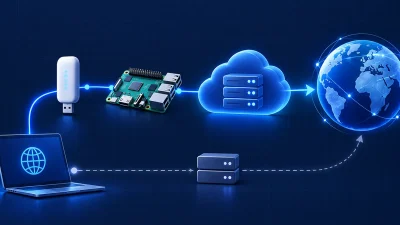
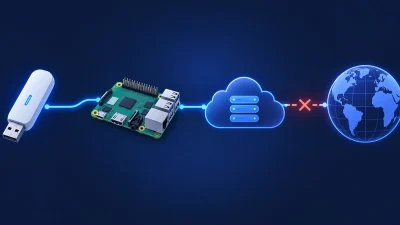
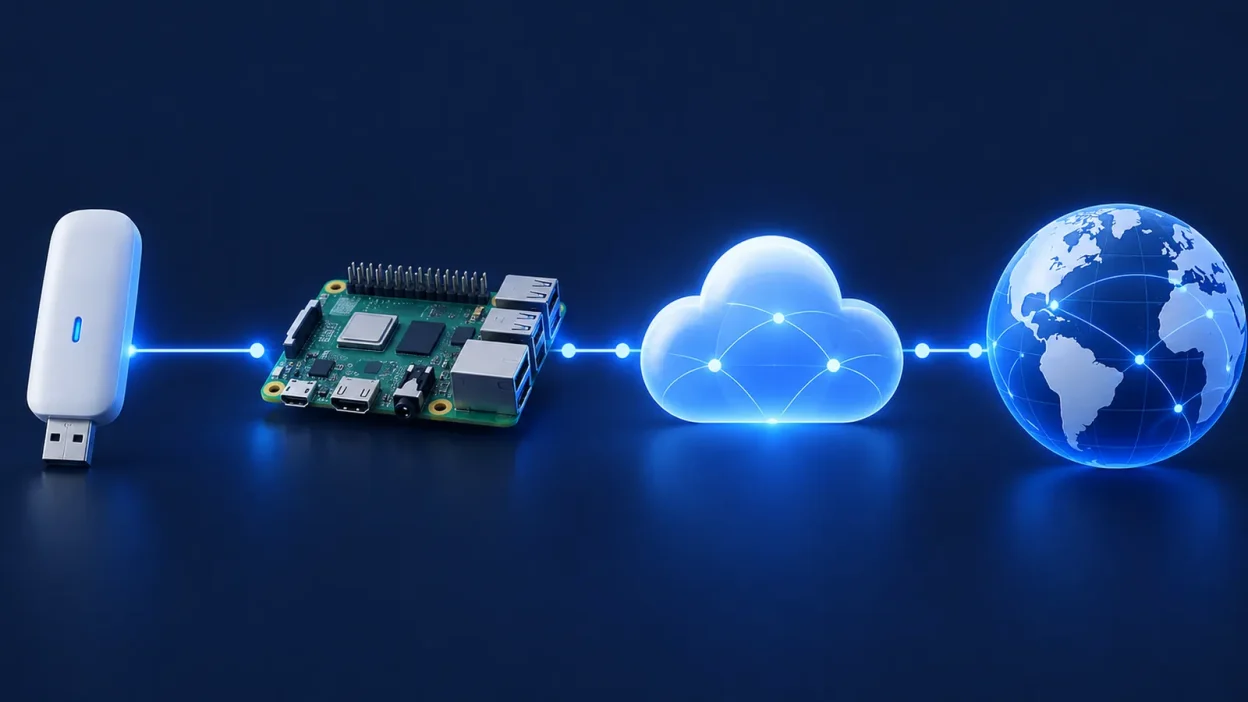
For an intentional 4G proxy, the chain can look like this:
Chrome or curl → proxy host:port → cloud router → Linux box → 4G dongle → target websiteChrome can obtain proxy settings from manual system settings, a PAC file, a managed policy, a command-line flag, or an extension. Chromium’s proxy documentation lists these sources and explains that an unreachable configured proxy can produce this exact error. Read the Chromium proxy overview when you need to trace a more complex setup.
What you need before troubleshooting
Collect the proxy details before changing anything. You need the proxy scheme, hostname or IP address, port, username, password, and whether the endpoint is HTTP or SOCKS5. If the endpoint comes from a 4G dongle farm, also keep access to the box or proxy panel that shows the active endpoint.
Use a harmless HTTPS URL for tests, such as https://example.com/. Do not paste a real proxy password into a public issue, screenshot, shell history, chat transcript, or verbose log. If you need help from an operator, redact the password and share only the hostname, port, time of the test, and the error returned.
Step 1: Decide whether you meant to use a proxy
Why this matters: a stale manual proxy or extension can break every website even though the normal internet connection is fine.
- In Chrome, open
chrome://settings/system. - Select Open your computer’s proxy settings.
- If you do not intentionally use a proxy, turn off the manual proxy or setup script. Leave the setting managed by your workplace, school, VPN, or security product alone until you know who owns it.
- Close and reopen the affected tab, then load
https://example.com/.
On Windows, you can inspect the separate WinHTTP configuration from an elevated Command Prompt:
netsh winhttp show proxyIf the output shows a proxy you do not need, the documented reset command is:
netsh winhttp reset proxyThat command changes WinHTTP, which is used by some applications and services; it is not a universal reset for every browser proxy source. Microsoft documents both commands and the distinction between showing and resetting WinHTTP settings in its netsh winhttp reference.
Success looks like: Chrome opens the test page directly, and the error disappears without a proxy enabled. If Chrome still reports the same error, continue to Step 4 because an extension, policy, VPN, or launch flag may be restoring the proxy.
Step 2: Check the host, port, scheme, and authentication
Why this matters: one wrong character can make a healthy proxy look unreachable.
Check the endpoint against the source that issued it. Confirm all four items:
| Check | What to verify | Common mistake |
|---|---|---|
| Host | The current hostname or IP | Copying a dashboard label instead of the endpoint hostname |
| Port | The proxy’s listening port | Using the target website’s port, usually 443, as the proxy port |
| Scheme | HTTP or SOCKS5 | Selecting SOCKS5 for an HTTP endpoint, or adding https:// because the destination is HTTPS |
| Credentials | Username and password, if required | Swapping proxy credentials with the login for the website you are visiting |
An HTTPS destination does not automatically mean you have an HTTPS proxy. An HTTP proxy can carry an HTTPS request using the CONNECT method. For Chrome, use the endpoint format supplied by the proxy operator. Do not assume that credentials embedded in a system proxy field will work: Chromium notes that Chrome does not use cleartext username and password embedded in manual proxy settings; authentication follows Chrome’s normal proxy-authentication flow.
For a ProxyKite endpoint, compare your client configuration with the proxy format guide and the authentication guide. A typical record has a host, port, username, and password. ProxyKite supports HTTP and SOCKS5 access for each active dongle, so the client must use the format that matches the endpoint you selected.
Success looks like: the browser is pointed at the right host and port, the scheme matches the endpoint, and the proxy accepts the supplied credentials. If the browser still fails, test the endpoint without the browser.
Step 3: Test the proxy outside the browser with curl
Why this matters: curl separates network reachability, proxy authentication, and browser configuration. It also gives you an error that identifies the failing layer.
First test the direct connection. --noproxy "*" prevents curl from silently using a proxy from your environment:
curl --noproxy "*" -I https://example.com/If you receive HTTP headers, the computer has a direct path to the test site. Now test an HTTP proxy. Replace the placeholders, but leave the password out of the command so curl can prompt for it:
curl -v --proxy "http://PROXY_HOST:PROXY_PORT" \
  --proxy-user "PROXY_USERNAME" \
  -I https://example.com/
For a SOCKS5 endpoint where the proxy resolves the destination hostname, use:
curl -v --socks5-hostname "PROXY_HOST:PROXY_PORT" \
  --proxy-user "PROXY_USERNAME" \
  -I https://example.com/
curl reads proxy environment variables such as http_proxy, HTTPS_PROXY, ALL_PROXY, and NO_PROXY. The explicit --proxy or --socks5-hostname option makes the test easier to reason about. If results still look unexpected, inspect the current environment without printing secret values:
env | grep -i proxyOn Windows PowerShell, inspect the variables this way:
Get-ChildItem Env: | Where-Object Name -match 'proxy'The curl documentation covers --proxy, --noproxy, and proxy environment variables and warns that credentials supplied directly on a command line can be visible to other users on the same machine.
Interpret the result in order:
| curl result | Likely layer | Next action |
|---|---|---|
| Direct test fails too | Local network, DNS, or target access | Fix the ordinary connection first, then retest the proxy |
Could not resolve host for the proxy | Proxy hostname or DNS | Check spelling, DNS, and whether the endpoint is still active |
Connection refused | Nothing is accepting that host/port | Recheck the port and inspect the proxy service or router |
Operation timed out | Route or firewall problem | Try from another network and check outbound filtering |
407 Proxy Authentication Required | Proxy reached you but rejected authentication | Re-enter the proxy username and password; do not change the target site’s login |
| Target returns HTTP headers | Proxy connection works | Look for browser settings, extension rules, or a URL-specific issue |
curl’s official scripting guide shows the same separation between the proxy address, destination address, and proxy credentials. Use that guide for additional proxy-authentication modes if your provider explicitly requires NTLM, Digest, or another method.
Success looks like: the explicit curl command returns headers from the target through the proxy. Once that works, the proxy service is reachable and the remaining problem is inside Chrome’s configuration or a browser-specific rule.
Step 4: Check extensions and competing system settings
Why this matters: two proxy controllers can each look correct while the effective setting is different from what you intended.
Use a clean browser test:
- Open a Guest window, or temporarily use a fresh Chrome profile.
- Load the same test URL.
- If it works there, open
chrome://extensionsin your normal profile. - Disable proxy, VPN, privacy, traffic-filtering, and user-agent extensions one at a time.
- Retest after each change, then remove or reconfigure the extension that changes the result.
Chrome’s official extension guidance is available in Install and manage extensions. Do not install a second proxy extension just to test the first one; that adds another decision-maker.
If the setting returns after you turn it off, open chrome://policy. A managed policy may be applying the proxy. Also inspect the Chrome shortcut or launcher for a --proxy-server argument. Chromium lists policies, command-line flags, extensions, and system settings as separate sources of effective proxy configuration.
VPN and security software can also install a system proxy or PAC script. Check its documented network-filtering setting and restore protection after the test. On a managed work or school computer, ask the administrator for the approved proxy rather than deleting a policy.
Success looks like: the same endpoint works in the profile you actually use, with one clear source controlling proxy settings. If the clean profile also fails, move to the proxy service and device chain.
Step 5: Check the proxy service and 4G device chain
Why this matters: when curl fails from more than one client, the problem is usually between the proxy endpoint and the device supplying the connection.
For a proxy that runs on your own Huawei E3372 HiLink dongle and Raspberry Pi or Linux box, check the chain in this order:
- Confirm the dongle is powered and visible to the box. For a Linux box, start with
lsusband confirm the expected USB device appears. - From the box, test ordinary outbound internet access without a proxy:
curl --noproxy "*" -I https://example.com/- Check that the SIM is inserted, registered, and has working data under its carrier’s terms. A browser on your laptop cannot repair a dongle that has no data session.
- Check the proxy panel or service configuration for the current host, port, protocol, and credentials. Copy a fresh endpoint instead of reusing an old port from a previous rotation.
- If several dongles share a hub, check the hub’s power supply and USB connections. Test one dongle by itself before adding the rest back.
- Retest the same explicit curl command from the original client.
ProxyKite is designed for this owner-operated model: the customer supplies the dongle, SIM, hardware, and data plan, while the licence provides software and cloud routing. It does not require a static IP or inbound port forwarding; the box needs outbound internet access. If you are using ProxyKite and the box passes its direct curl test but a fresh proxy endpoint still fails from two networks, send support the redacted host and port, protocol, timestamp, and curl error at support@proxykite.com. Never send proxy passwords.
For hardware-specific context, see Huawei E3372 proxy: HiLink to 4G proxy and CGNAT proxy: why 4G port forwarding fails. CGNAT is not itself an error here: the important distinction is whether the box can make outbound connections and whether the cloud route can reach the box’s active session.
Success looks like: the box has data access, the endpoint is current, and the explicit curl test returns the target response. At that point, put the same host, port, protocol, and credentials into Chrome and reload.
Verify the final fix
Why this matters: a single successful page load can hide a split configuration where HTTP works but HTTPS, SOCKS5, or a particular profile still uses another route.
Run these checks in sequence:
- Load an ordinary HTTPS page in Chrome.
- Open a second HTTPS site in a new tab.
- Test the application that originally showed the error.
- If only one site fails, compare its URL with the proxy bypass list and inspect the browser’s network log instead of resetting the whole computer.
- If you rotate the 4G IP, repeat the curl test after rotation and confirm that the client still uses the same proxy host and port.
Keep a short record of the working protocol, endpoint format, authentication method, and any bypass rules. That makes the next rotation or device replacement much faster to diagnose.
Common mistakes and fast fixes
| Symptom | Fast fix |
|---|---|
| Every site fails immediately | Check for an unintended system proxy, PAC script, VPN, or extension |
| Direct curl works but proxy curl cannot connect | Verify proxy host, port, firewall path, and service state |
| curl returns 407 | Fix proxy credentials; the destination website account is unrelated |
| HTTP URLs work but HTTPS URLs fail | Confirm the client is using an HTTP proxy correctly and can establish HTTPS CONNECT tunnels |
| Chrome works in Guest but not your profile | Disable extensions and inspect chrome://policy |
| One machine fails but another works | Compare proxy settings, DNS, outbound filtering, environment variables, and browser profile |
| Error returns after a reboot | Find the program, policy, launcher flag, or PAC script that reapplies the setting |
FAQ
What does ERR_PROXY_CONNECTION_FAILED mean?
It means the browser could not establish a connection to the configured proxy. It does not by itself prove that the destination website is down. Check the proxy host and port first, then use curl to separate the proxy path from Chrome.
Why does Chrome say proxy connection failed when I do not use a proxy?
Chrome may still receive a proxy from system settings, automatic configuration, a VPN, a managed policy, a launch flag, or an extension. Open chrome://settings/system, then test in Guest mode and inspect chrome://policy if the setting keeps returning.
How do I test a proxy without Chrome?
Use curl with an explicit proxy option, such as curl -v --proxy "http://HOST:PORT" --proxy-user "USER" -I https://example.com/. Leave the password out of the command so curl can prompt for it, and do not share verbose output containing credentials.
What is the difference between a proxy port and a website port?
The proxy port is where your client connects to the proxy service. The website port belongs to the destination, commonly 443 for HTTPS. Put the proxy port in the proxy setting; do not replace it with 443 just because the URL starts with https://.
Can CGNAT cause ERR_PROXY_CONNECTION_FAILED?
CGNAT can prevent inbound connections to a device, but it does not automatically prevent the device from making outbound connections. For a 4G proxy box, test outbound internet from the box and then test the public proxy endpoint from the client. If the box works directly but the endpoint does not, inspect the cloud route, endpoint details, and service state.