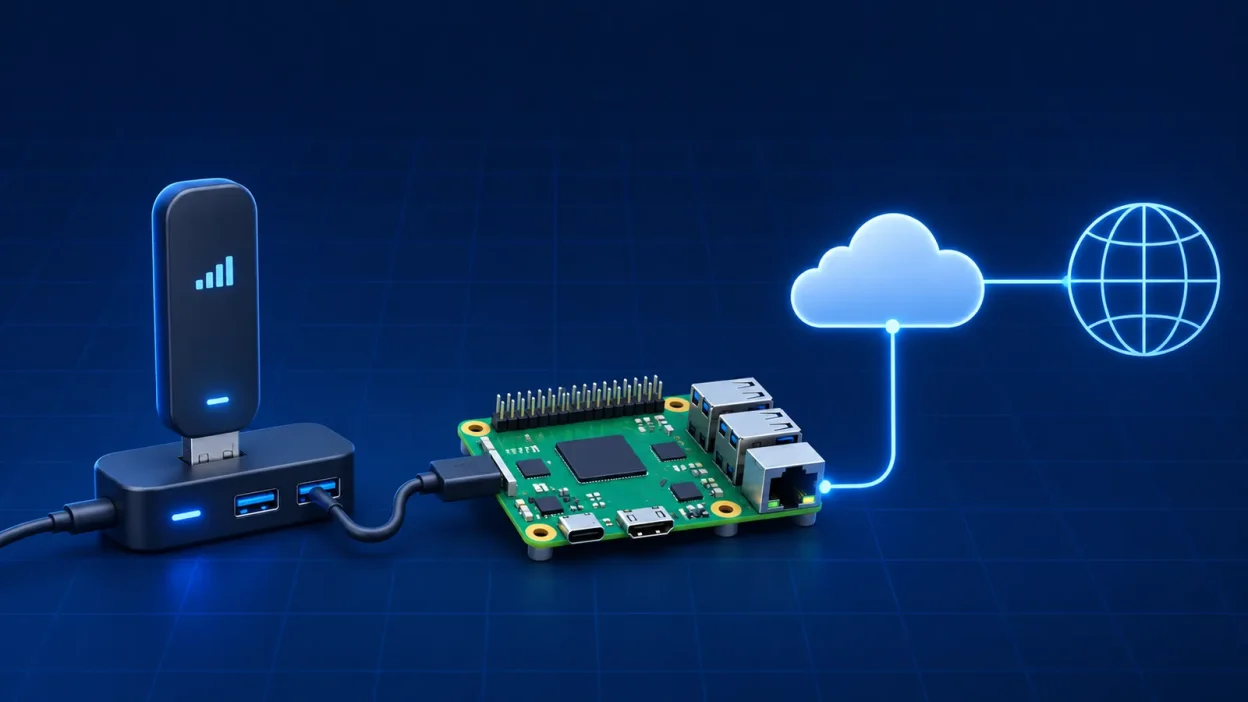
uhubctl raspberry pi setups let you power-cycle a stuck 4G dongle without travelling to the box or rebooting every modem. The important detail is that uhubctl controls USB hub power, so you must identify a hub that can actually switch VBUS on the required port.
Why a soft reboot is not always enough
A Linux restart, modem reconnect, or network-service restart only resets software state. A Huawei E3372 HiLink dongle can remain powered while its USB interface is no longer responding, which means the same broken state can survive a service restart.
A real USB power cycle removes power from the port, waits, and turns it back on. The dongle then starts its USB enumeration and network connection from scratch. That is useful for a remote proxy box, but only when the hub has a physical power switch for that port.
This is a recovery tool for equipment you own or operate. It does not repair a weak signal, a full SIM data plan, a damaged cable, or a hub that never cuts VBUS. Check those causes before adding an automatic reset loop.
What you need
Prepare these items before you run a power command:
- A Raspberry Pi or Linux box that you can reach over SSH.
- The affected 4G/LTE USB dongle, such as a Huawei E3372 HiLink, connected to a powered USB hub.
- A hub with documented per-port power switching. A generic powered hub is not automatically a switchable hub; see the powered USB hub guide for farm hardware and power planning.
- SSH access with
sudo, plus a keyboard or another recovery path if you are testing the Pi’s built-in ports. - A known-good proxy or application health check to run after the cycle.
ProxyKite supplies software and cloud routing; you provide the dongles, SIMs, hub, and data plans. Once the hardware is online, its per-dongle licence can expose HTTP and SOCKS5 proxy ports, rotation controls, and monitoring without requiring a static IP or inbound port forwarding.
Does your hub support per-port power?
Do this check before installing automation. uhubctl distinguishes between no power switching, ganged switching, and per-port switching. Only the last one lets you isolate one dongle from its neighbours.
Run these commands on the Pi:
lsusb
sudo lsusb -v
In the verbose output, find the hub’s wHubCharacteristic value. The useful values are:
| USB hub capability | Meaning for a dongle farm |
|---|---|
0x000a | No power switching; uhubctl cannot remove VBUS from the port. |
0x0008 | Ganged switching; several or all ports turn off together. |
0x0009 | Per-port switching; suitable for isolating one dongle, if VBUS really drops. |
The descriptor is only the first check. Plug a USB light, fan, or phone into the same hub port, then turn that port off during a controlled test. If the light stays on or the phone keeps charging, the hub may only disconnect USB data while leaving VBUS powered. The official uhubctl support test treats that as unsupported for a true power cycle.
If the test hub is not your production hub, map the port numbers separately. Physical port 1 is not guaranteed to be logical port 1.
Step 1: Install uhubctl on the Pi
Why: the current upstream build gives you the hub listing and the cycle action used for a remote reset.
Install the build dependencies, fetch the upstream source, compile it, and put the binary in the system path:
sudo apt update
sudo apt install -y build-essential git libusb-1.0-0-dev pkgconf
git clone https://github.com/mvp/uhubctl.git
cd uhubctl
make
sudo make install
The upstream project documents Linux compilation and requires libusb 1.0.13 or newer, with a newer libusb recommended. It also notes that Linux normally needs sudo or a suitable udev rule for USB hub access; start with sudo while you are identifying hardware. See the official uhubctl README if your distribution uses a different package manager.
Success looks like a version or help response instead of command not found:
uhubctl --helpStep 2: List hubs and map the dongle
Why: the -l location identifies the hub in the USB topology, while -p selects a port. Guessing either value can cut power to another device.
List supported hubs as root:
sudo uhubctlYou should see entries similar to this, although the bus and location values will be different on your Pi:
Current status for hub 1-2 [xxxx:yyyy, USB 2.00, 4 ports, ppps]
  Port 1: 0100 off
  Port 2: 0503 power highspeed enable connect
  Port 3: 0100 off
  Port 4: 0100 off
Record three things:
- The hub location, such as
1-2. - The port where the target dongle is connected, such as
3. - The other devices that would be affected if the hub reports ganged switching.
Use lsusb -t alongside sudo uhubctl when you have several hubs or a daisy chain:
lsusb -t
sudo uhubctl -l 1-2 -p 3 -a off
The last command is intentionally an off test. Run it only after confirming that port 3 is the target dongle. Do not switch a port used to link one internal hub to another; the upstream project warns that doing so can confuse the hub chain.
Success looks like the target dongle disappears from the hub status and its power indicator or attached test load goes off. If every port changes state, stop and move the dongles to an external per-port-switching hub.
Step 3: Power-cycle one 4G dongle
Why: cycle performs the off, delay, and on sequence in one command, so the remote reset is repeatable.
Replace the example location and port with the values you recorded:
sudo uhubctl -l 1-2 -p 3 -a cycle -d 5Here, -l 1-2 selects the hub, -p 3 selects the dongle port, -a cycle turns power off and back on, and -d 5 asks for a five-second delay. The upstream tool also accepts off, on, and toggle; cycle is the safer single action for recovery.
Watch the result:
sudo uhubctl -l 1-2 -p 3
sleep 20
lsusb
Success means the dongle appears again after the delay and the HiLink interface or proxy service reconnects. Re-enumeration can take longer than the power-off interval because the modem must boot and register on the mobile network.
If the dongle is in a ProxyKite farm, confirm the proxy from the application side as well. Use the host, port, and authentication format shown in the proxy formats guide, then run your own permitted endpoint check through that proxy.
Step 4: Account for Raspberry Pi USB quirks
Why: a Raspberry Pi’s built-in ports do not always behave like independent switched ports, even when the command accepts a port number.
On a Raspberry Pi 4B, the USB2 hub at 1-1 and the USB3 hub at 2 represent the same group of four built-in ports. The upstream documentation shows both locations as ganged and says an older VL805 firmware can prevent power switching. Check the firmware before troubleshooting the command:
sudo rpi-eeprom-updateIf an update is offered, apply it during a maintenance window and reboot:
sudo rpi-eeprom-update -a
sudo reboot
The Raspberry Pi firmware documentation explains the update command. The uhubctl README specifically calls out VL805 firmware older than 00137ad for Pi 4 USB power switching.
For a production farm, use an external smart hub attached to the Pi and place each dongle on a known port. That gives you a stable target such as 1-2 and avoids cycling the Pi’s keyboard, storage, Ethernet path, or every modem at once.
On Raspberry Pi 5, the four built-in ports are grouped despite advertising separate logical hubs. The uhubctl documentation says VBUS only drops when the relevant onboard hubs and ports are all disabled, so the built-in ports are not a good choice for single-dongle recovery. An external switchable hub is the cleaner layout.
Step 5: Automate from a health check
Why: automation should reset only a dongle that has failed a real service check, with a cooldown to prevent repeated power cycling.
First, make a one-dongle script and test it manually. Replace the placeholder proxy URL and the hub values:
#!/usr/bin/env bash
set -euo pipefail

LOCATION="1-2"
PORT="3"
PROXY_URL="http://user:password@host:port"

if curl --proxy "$PROXY_URL" --silent --show-error --fail --max-time 10 \
    https://your-authorised-health-endpoint.example/health >/dev/null; then
  exit 0
fi

logger -t dongle-recovery "proxy check failed; cycling $LOCATION port $PORT"
sudo /usr/sbin/uhubctl -l "$LOCATION" -p "$PORT" -a cycle -d 5
sleep 20
sudo /usr/sbin/uhubctl -l "$LOCATION" -p "$PORT"
Use an endpoint that you are authorised to query and that gives a meaningful response for your workflow. If your proxy is SOCKS5, use the scheme your client supports, such as socks5h://user:password@host:port.
Add a lock and a cooldown before putting this behind a timer. A simple systemd timer or cron job should record the last reset, avoid a second reset while the first is still settling, and alert you when the same dongle fails repeatedly. ProxyKite can also send webhooks and Telegram alerts; see the guide to monitoring 4G dongles for the broader monitoring pattern.
Do not automate against a Pi’s built-in hub until you have proved which ports are ganged. A health check can be correct while the reset command still affects unrelated equipment.
Verify the modem and proxy after the cycle
Power returning is not the same as service recovery. Verify each layer in order:
sudo uhubctl -l LOCATION -p PORTshows the port powered and connected.lsusbshows the dongle again.- The HiLink network interface or modem service has returned.
- The proxy responds through the expected host and port.
- Your monitor records a recovery event and stops retrying.
If the dongle stays absent, compare the result with 4G dongle disconnecting fixes. A power cycle cannot compensate for an underpowered hub, a loose connector, overheating, poor signal, or a SIM/data-plan problem.
Troubleshooting common failures
uhubctl lists no usable hub. Run sudo uhubctl and inspect sudo lsusb -v. If the hub has no per-port power switching, use a supported external hub. Do not force an unknown hub in production merely because the command accepts -f.
You get a permission error. Run the command with sudo first. Once it works, create a narrowly scoped udev rule for the hub and its Linux 6.0+ port-disable interface, then reload udev; the upstream README’s Linux permissions section shows both approaches.
The port goes “off” but the dongle LEDs stay lit. The hub is probably cutting data, not VBUS. Test with a USB light or phone and replace the hub with one that physically removes power.
Several dongles disappear together. You have found a ganged hub or a Raspberry Pi internal topology limitation. Move the farm to an external hub with per-port switching and remap the location and port values.
Power returns a few seconds after turning it off. On older Linux kernels, a driver can try to restore the port. The upstream FAQ documents the -r N retry option and a Linux 5.x workaround; on newer Linux 6.0+ systems, use a current uhubctl build and retest.
The dongle returns to USB but the proxy does not. Check the HiLink interface, routing, SIM registration, and the service that consumes the dongle. Use the power guide for the physical layer, then your ProxyKite setup documentation for the software layer.
FAQ
Can uhubctl power-cycle a USB dongle on a Raspberry Pi?
Yes, when the selected USB hub exposes controllable power and actually switches VBUS. The Pi’s built-in ports can be ganged, so an external powered smart hub is usually the safer way to reset one dongle.
What does uhubctl -a cycle do?
It turns the selected port off, waits for the configured delay, and turns it back on. Use -l for the hub location, -p for the port, and -d to adjust the delay.
How do I find the USB port number for my 4G dongle?
Run sudo uhubctl and lsusb -t, then correlate the connected device with the hub status. Confirm the mapping with a controlled off test before using cycle in automation.
Why does uhubctl say the hub is unsupported?
The hub may advertise no per-port switching, may provide only ganged switching, or may not have circuitry that cuts VBUS. Check wHubCharacteristic with sudo lsusb -v and perform a physical VBUS test before choosing different hardware.
Does a power cycle change the mobile IP?
It restarts the dongle, but the resulting carrier session and IP are controlled by the mobile network. Treat IP change as a possible outcome, not a guaranteed result; use your normal rotation workflow when you need a deliberate rotation.