
A cgnat proxy is a proxy hosted on a mobile connection that sits behind the carrier’s shared NAT, so it can make outbound connections but cannot accept ordinary inbound connections. That is why port forwarding on a 4G dongle often looks correctly configured and still fails from the public internet.
What CGNAT is
Carrier-Grade NAT, or CGNAT, is an extra IPv4 translation layer inside the mobile operator’s network. Your dongle receives an address that is not globally routable, while many subscribers share one or more public IPv4 addresses at the carrier edge.
The usual home-network picture has one NAT: your router translates a device’s private address to the router’s public address. With a mobile connection behind CGNAT, there are usually two layers:
Proxy client on the internet
            |
   carrier's public IPv4
            |
       carrier CGNAT
            |
      mobile WAN address
            |
     4G dongle or router
            |
     Raspberry Pi / proxy
The IETF defines CGN as a NAT function used to share one IPv4 address among several subscribers. The subscriber does not manage that NAT. The common CGN requirements in RFC 6888 also describe the two-layer case, where a customer-side NAT sits below the carrier’s NAT.
For the carrier-to-customer side, the special shared range is 100.64.0.0/10, which covers 100.64.0.0 through 100.127.255.255. This range was reserved for service-provider use by RFC 6598. It is a strong clue that you are behind CGNAT, not a public address that can receive arbitrary traffic.
CGNAT is not the same thing as a proxy. NAT translates packets at the network edge. A proxy accepts a client connection and creates a separate connection to the destination. When operators say “cgnat proxy”, they usually mean a proxy service whose node is behind CGNAT and needs a relay, tunnel, or hosted router to publish a reachable endpoint.
How to tell if your SIM is behind CGNAT
You need to compare the address shown by the mobile device with the public IPv4 address seen by a server on the internet. The labels differ between Huawei HiLink interfaces, travel routers, and Linux network tools, but the test is the same.
- Open the dongle or router status page and note its mobile WAN IPv4 address. If the dongle is connected directly to a Linux box, inspect the address on the interface used for cellular traffic.
- From the same box, ask an external service for the address it sees:
curl -4 https://api.ipify.org; echo- Compare the two values. A WAN address in
100.64.0.0/10is a clear CGNAT indicator. A WAN address in10.0.0.0/8,172.16.0.0/12, or192.168.0.0/16means there is a private upstream NAT; with a mobile link, that can also be part of a carrier NAT design. - If the device reports one address but the external service reports another, an upstream translation exists. It may be your own router, a carrier NAT, or both. The mismatch alone proves that the device’s displayed address is not the public endpoint.
If the WAN status shows a public-looking address but it does not match the external result, do not assume port forwarding will work. Some carriers use addresses outside 100.64.0.0/10 for the customer-facing side of their translation. A traceroute can provide another clue: an intermediate hop in the shared range between your local network and the public address is strong evidence of CGNAT.
Do this check from the proxy box or dongle path you intend to use. Checking a laptop on Wi-Fi can test a different NAT path and produce a misleading result.
Why port forwarding cannot work
Port forwarding only changes the NAT rule on the device you control. It does not create a rule in the carrier’s CGNAT, which is the first public-facing translation that an internet client encounters.
Suppose your HiLink dongle has 100.78.12.34 and you forward port 8080 to the Raspberry Pi. A remote client cannot send a packet directly to 100.78.12.34:8080 because that address is not globally routable. Even if the carrier’s public address is 203.0.113.50, the carrier must still know that traffic for a particular public port belongs to your subscription. That mapping is outside the dongle’s admin page.
The packet path looks like this:
| What you configure | What still blocks the connection |
|---|---|
Dongle forwards 8080 to the Pi | The carrier has no matching inbound mapping |
Pi listens on 0.0.0.0:8080 | No public route points to the dongle’s shared address |
Firewall allows TCP 8080 | The carrier may drop unsolicited traffic before it reaches your link |
| Dynamic DNS points to the observed public IP | That IP is shared, so DNS cannot identify your subscription |
The IETF’s RFC 6269 discussion of IP address sharing makes the dependency explicit: if a CGN is present, the port must also be opened in the CGN. The carrier would need to offer a public IPv4 option, a customer-controlled mapping mechanism such as PCP, or a managed service that creates the mapping for you.
This explains two common symptoms. Local tests succeed because they never cross the carrier NAT. A remote test fails because the connection arrives at the carrier edge without a state entry that identifies your dongle. Repeating the port-forwarding rule, changing the Pi firewall, or adding another dynamic-DNS hostname cannot solve that missing mapping.
Workaround: VPS plus a reverse tunnel
A VPS reverse tunnel works by reversing who opens the first connection. Instead of waiting for the internet to connect into the mobile link, the Raspberry Pi makes an outbound, persistent connection to a VPS with a public IPv4 address.
The flow becomes:
Proxy client -> VPS public port -> reverse tunnel -> Pi -> 4G dongle -> destinationThe CGNAT device allows the Pi’s outbound connection because it looks like normal client traffic. The VPS keeps the public listener. When a proxy client connects to that listener, the VPS sends the stream down the already-established tunnel to the Pi, and the Pi sends the request out through the SIM.
This approach gives you control over the relay, but you must operate both ends. Typical work includes:
- choosing and securing a tunnel protocol;
- keeping the client reconnecting after a mobile session changes;
- exposing only the intended VPS ports;
- authenticating proxy users separately from tunnel authentication;
- monitoring the tunnel and VPS resources; and
- mapping each dongle to a stable public port or hostname.
It is a sound architecture when you want to manage your own relay. It is also a separate server-and-network project from installing a proxy on the dongle box. A VPS does not make the mobile link public by itself; the reverse tunnel is the part that carries the connection across CGNAT.
Workaround: a hosted router with outbound-only setup
A hosted router applies the same networking idea as the VPS, but packages the public endpoint, tunnel management, proxy ports, and operator controls into one service. The local box still makes the outbound connection. You do not need a static IP or an inbound port at the mobile site.
For a 4G proxy farm, the practical design is:
- Put the Huawei E3372 HiLink dongle or a similar HiLink model on a Linux box. A Raspberry Pi is the reference setup.
- Run the router’s installer on the box so it can establish its outbound control connection.
- Let the hosted router assign a public HTTP and SOCKS5 endpoint to the active dongle.
- Give clients the generated host, port, and authentication details. The traffic still exits through your own SIM and data plan.
The ProxyKite getting-started guide covers the installation path. The screenshot below is useful if you are checking that the local box is the component that dials out to the cloud router.
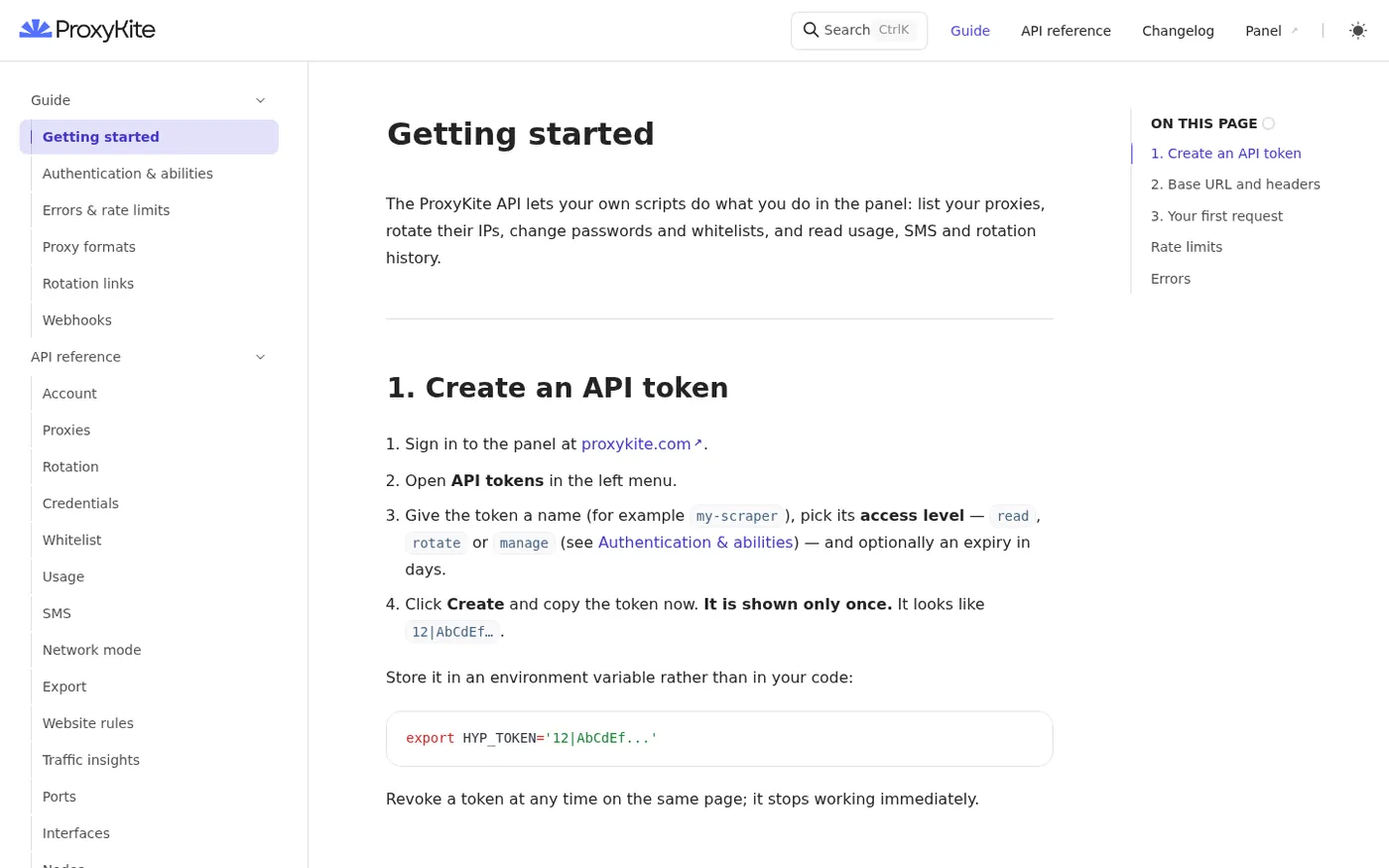
ProxyKite’s per-dongle licence is US$9 per active dongle per month, with no per-GB charge. It is software and cloud routing; you supply the dongles, SIMs, and data plans. Each active dongle can provide HTTP and SOCKS5 access, and the service includes on-demand, link-based, or timer-based rotation. See the rotation links guide and proxy format guide for the operating details.
The important CGNAT property is the connection direction: the mobile box needs outbound internet access, not an inbound public route. That makes this model suitable for a farm where the carrier assigns shared addresses and you still need a reachable proxy endpoint for legitimate scraping, ad verification, QA, or social-media work for accounts you manage.
Does CGNAT hurt proxy quality?
CGNAT mainly changes reachability. It does not automatically prevent the dongle from opening outbound TCP connections or from sending traffic through the mobile carrier. A reverse tunnel or hosted router uses that outbound capability to make the proxy reachable.
There are still network properties to measure:
| Property | What to check | Why it matters |
|---|---|---|
| Cellular signal | Signal level and stability at the dongle location | Weak or changing radio conditions can reduce throughput and increase reconnects |
| Carrier path | Latency and packet loss to several destinations | The path from the SIM to a target affects response time |
| Shared public address | The public IP observed by a test destination | Multiple subscribers may appear behind one carrier IPv4 address |
| Tunnel path | Latency from the box to the hosted router or VPS | Every proxy request crosses this control path before egress |
| Data plan | Allowance, throttling policy, and permitted use | The SIM’s plan determines the available traffic and carrier terms |
Do not treat a public IP change as proof that the proxy is broken. Mobile networks can change the egress address as sessions or radio attachments change. Conversely, a stable public IP does not prove that the dongle accepts inbound connections. Reachability and egress identity are separate questions.
CGNAT can affect reputation and geolocation because the public IPv4 is shared or assigned by the carrier, not dedicated to your box. Test the locations and destinations you actually serve, follow the carrier’s terms, and keep authentication on every proxy endpoint. A cloud router solves the inbound path; it cannot change the SIM’s signal, data plan, or carrier-level address allocation.
Common mistakes when diagnosing CGNAT
Mistake 1: Checking only an external “what is my IP” page
That page shows the public address after translation. It does not show the WAN address on the dongle. Always compare both sides of the NAT path.
Mistake 2: Treating 100.64.0.0/10 like a normal private LAN
The shared range is intended for service-provider networks. It is not a public address to put in DNS, and it is not a substitute for a routable IPv4 address.
Mistake 3: Adding more port forwards
A forward on the Pi or dongle can help only after the carrier path is reachable. If the CGN has no mapping, more local rules do not change the packet’s first destination.
Mistake 4: Confusing a tunnel with a proxy
A tunnel transports a connection between the mobile box and a public relay. A proxy then authenticates a client and makes the destination request. You need both functions when publishing a proxy behind CGNAT.
Mistake 5: Testing from the same mobile network
A connection from the box to itself, or from another subscriber on the same carrier, may follow a different path from a real client on the public internet. Test the published endpoint from an unrelated network.
FAQ
What is a cgnat proxy?
A cgnat proxy is a proxy node whose mobile connection sits behind Carrier-Grade NAT. It can make outbound connections, but it needs a reverse tunnel or hosted router to expose a client-reachable endpoint.
Is 100.64.0.0/10 always CGNAT?
It is the IPv4 shared address range reserved for service-provider CGN use, so seeing it on a mobile WAN interface is a strong CGNAT signal. The range can also be used in other controlled translation environments, so confirm the path by comparing the WAN address with an external address.
Can I port-forward a Huawei E3372 behind CGNAT?
Not through the dongle alone. The carrier’s CGNAT also needs an inbound mapping, which normally requires a public-IP service or carrier-supported control. A reverse tunnel or outbound-only cloud router avoids waiting for unsolicited inbound traffic.
Does a VPS give my 4G proxy a public mobile IP?
No. The VPS supplies a public relay endpoint. Requests still leave through the SIM and use the mobile network’s egress address; the tunnel only carries traffic between the relay and the box.
Does ProxyKite sell SIM cards or mobile bandwidth?
No. ProxyKite provides software and cloud routing. You provide the Huawei-compatible dongles, SIMs, and data plans, and the per-dongle licence is billed at US$9 per active dongle per month.