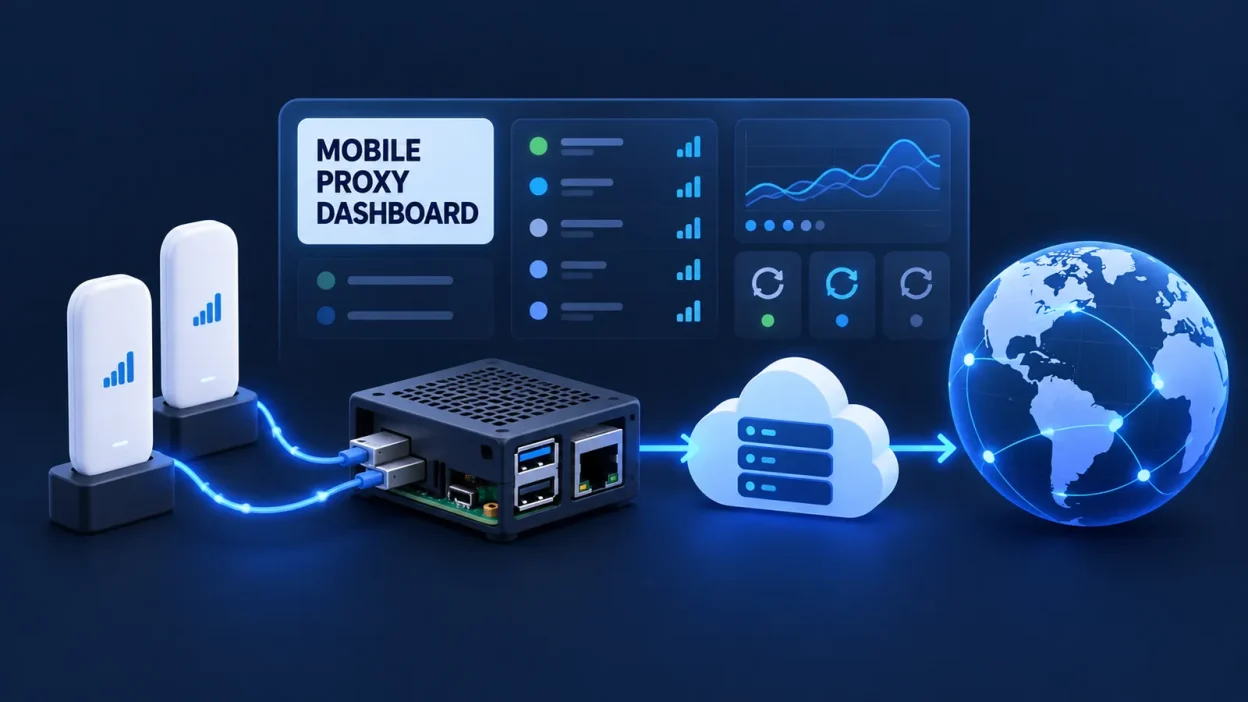
A mobile proxy dashboard should show the health, current IP, traffic, rotation settings, and access details for every dongle in one place. For a self-hosted 4G farm, that visibility matters more than a long list of proxy locations: you own the SIMs and hardware, so the panel must help you operate them.
What a useful mobile proxy dashboard shows
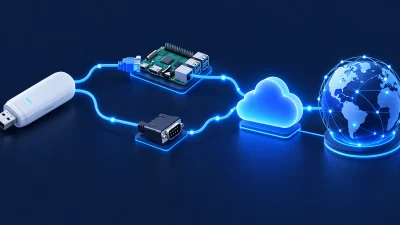
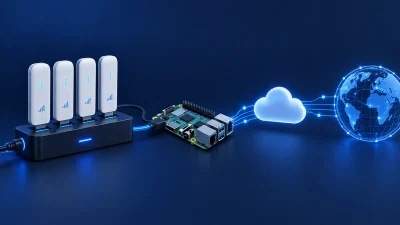
A mobile proxy is not just an IP address in a table. It is a chain: a 4G dongle and SIM, a Raspberry Pi or Linux box, a cloud route, and the HTTP or SOCKS5 endpoint your tool uses. A good dashboard keeps those layers together without making you SSH into the box for every check.
At minimum, the fleet view should make these questions easy to answer:
| Question | Useful dashboard data |
|---|---|
| Is the dongle available? | Label, online status, enabled state, and the box or node it belongs to |
| Is mobile data connected? | Data connection state, network type, and signal information when available |
| Where does traffic exit? | Current IP, public host, port, and last rotation time |
| How do clients connect? | HTTP and SOCKS5 credentials, port mode, and whitelist status |
| Is the proxy within its allowance? | Used traffic, quota, bandwidth limits, and reset periods |
| Can I operate it safely? | Role permissions, API ability, rotation link controls, and audit history |
The important distinction is between the dongle being visible to the box and the dongle having a usable mobile data connection. A device can be detected while its data connection is not ready. Showing both states prevents you from treating an endpoint as healthy just because its USB connection exists.
ProxyKite is designed around this own-hardware model. A Huawei E3372 HiLink is the reference dongle, and the software can publish each connected device through the cloud router without requiring a static IP or an inbound port on your local connection. The box needs outbound internet access, which is useful when the farm sits behind CGNAT.
What to read in each dongle record
The most useful dashboard view is a row or card per dongle, with a detail page behind it. Start with identity and connectivity, then move to the fields that affect client traffic.
Identity and status
Give each dongle a useful label such as shop-a-01 or kolkata-rack-02. The label is for your operation; it should not be the only identifier. The record should also expose a stable proxy ID, the node or box, and whether the device is online and enabled.
Treat an offline device and a disabled proxy as different operating conditions. Offline means the dashboard is not currently receiving the expected device state. Disabled means a policy, licence, quota, or operator action is preventing traffic. A clear reason saves time when you are diagnosing a fleet.
Exit and connection details
The current IP tells you which address the mobile connection is using now. It is a point-in-time value, not a promise that the address will remain unchanged. Pair it with the last rotation time and, where available, the network type and signal reading.
The endpoint should show the public host and port used by clients, plus the supported protocols. ProxyKite provides HTTP and SOCKS5 access per dongle. You can use shared ports or split HTTP and SOCKS5 ports when your workflow benefits from separating them. For protocol background, see the IETF’s HTTP Semantics and SOCKS Protocol Version 5.
Do not put passwords, rotation URLs, or full proxy exports in a screenshot or shared team document. They are operational secrets. The panel and API should mask them for read-only users and expose them only to an authorised operator who needs to rotate or manage the proxy.
Traffic and limits
Traffic data is most useful when it is tied to a time range and a quota. A single lifetime byte counter tells you that traffic happened; a 24-hour or 7-day view helps you find a change in usage. A 30-day view is better for planning a customer allowance or a monthly SIM budget.
ProxyKite’s API exposes hourly buckets for shorter ranges and daily buckets for the 30-day view. That gives an operator enough detail to compare a busy period with the configured day, week, or month limit without exporting raw logs first.
Rotation controls and timers
Rotation is the control most operators expect to find immediately. A dashboard should provide three clear paths:
- On demand: click a rotate action when a workflow needs a new exit IP.
- By link: call a token-based rotation URL from a scheduler or a tool that cannot use your account API.
- By timer: set an interval for recurring changes, with an optional sticky setting when sessions should keep their current IP between rotations.
ProxyKite supports timer intervals from 60 seconds to 7 days. A successful rotation reports the old and new IP, so an operator can confirm that the change happened rather than merely assuming it did. The dashboard should also retain rotation history with the trigger source, such as panel, API, link, or timer.
For example, an API client with the required rotation permission can request a change like this:
curl -X POST \
  -H "Authorization: Bearer $T" \
  https://proxykite.com/api/v1/proxies/7/rotate
The response is intended for automation: it includes an ok result and the previous and new IP values on success. Your script should handle a rotation already in progress as a separate state. Queueing several clicks or requests at once does not make a mobile network change faster; it only makes the result harder to interpret.
The same principle applies to a rotation link. Keep the link private, regenerate it if it has been shared too widely, and use an IP whitelist when the scheduler runs from a known address. A link without additional authentication is convenient, so it deserves the same care as a password.
Read the rotation links guide for the link workflow and the rotation API reference for machine-to-machine use.
Traffic and bandwidth limits
A dashboard should answer two different traffic questions:
- How much traffic did this proxy use during a selected period?
- What limit applies, and when does it reset?
Those questions are easy to confuse. Usage insights are for observation. A bandwidth limit is an operating rule that protects a SIM plan, customer allocation, or shared farm from an unexpected spike.
For each dongle, look for:
| Control | What it helps you decide |
|---|---|
| Current used bytes | Whether traffic is rising right now |
| 24-hour range | Whether a daily job or client is unusually active |
| 7-day range | Whether weekly demand is within plan |
| 30-day range | Whether monthly usage matches your budget |
| Day, week, and month limits | How much traffic the proxy is allowed to carry |
| Reset time | When the allowance becomes available again |
If you are reselling access, assign a limit before handing out credentials. If you are using the farm internally, use limits to keep one scraper, QA job, or ad-verification workflow from consuming the entire SIM plan. Keep the limit visible to the person responsible for the account; otherwise a sudden block looks like a network problem.
The ProxyKite features page shows the product’s traffic and control features. Proxy traffic still uses the customer’s own SIM data plan, so the dashboard complements—rather than replaces—the usage information supplied by the mobile operator.
SIM inbox for carrier messagesing
Many 4G dongles can receive SMS, which makes an inbox useful for carrier notices and other operational messages on SIMs you control. The dashboard should show the dongle, sender or destination, message content, timestamp, and read state. Keep the inbox scoped to the people who are allowed to see that SIM’s messages.
Sending belongs in the same control surface, but it should be permissioned separately from reading. A team member who only needs traffic charts should not automatically be able to send messages. For a reseller, you can give a sub-user access to the proxy while keeping SMS sending with the account owner or an assigned operator.
SMS limits are worth tracking beside bandwidth limits. A compact counter for the current day, week, and month makes the boundary visible before a message is attempted. The API also returns a clear result for a successful send or a device that does not support the requested capability.
Use SMS only for lawful, consent-based work on SIMs and accounts you control. A dashboard is an operations tool, not a way around a service’s identity, messaging, or carrier rules.
Alerts by webhook and Telegram
Polling a dashboard is workable for one dongle. It becomes a poor operating model when you have a rack of devices. Alerts should bring attention to a state change that needs a decision, while the dashboard remains the place where you inspect the record.
ProxyKite includes webhooks and Telegram alerts. Use them to send operational notifications to the channel where your team already works, then link the alert back to the proxy or node. Keep the message short: identify the dongle, state the event, and include the time. Never send passwords, full exports, or rotation tokens in an alert.
A sensible alert policy separates signal from noise. Notify on a device or connection state that needs attention, on a quota threshold, and on a failed or repeated rotation. Do not create a notification for every normal request or every traffic byte. The goal is a faster response, not a second dashboard full of unread messages.
API access for automation
The panel is for inspection and occasional actions. An API is for repeatable work: inventory sync, scheduled rotation, usage reporting, customer provisioning, and exporting endpoints into a controlled system.
ProxyKite’s REST API uses a bearer token at https://proxykite.com/api/v1. The permissions are cumulative:
| Token ability | Typical use |
|---|---|
read | List proxies, inspect usage, read SMS, view rotation history, and export permitted records |
rotate | Read access plus on-demand rotation |
manage | Rotation plus settings such as labels, limits, passwords, ports, and rules |
Start with the smallest ability that completes the task. A reporting job should not carry a manage token. A scheduler that only changes IPs should not have permission to edit passwords or bandwidth limits.
To list the proxies visible to the token:
curl \
  -H "Authorization: Bearer $T" \
  https://proxykite.com/api/v1/proxies
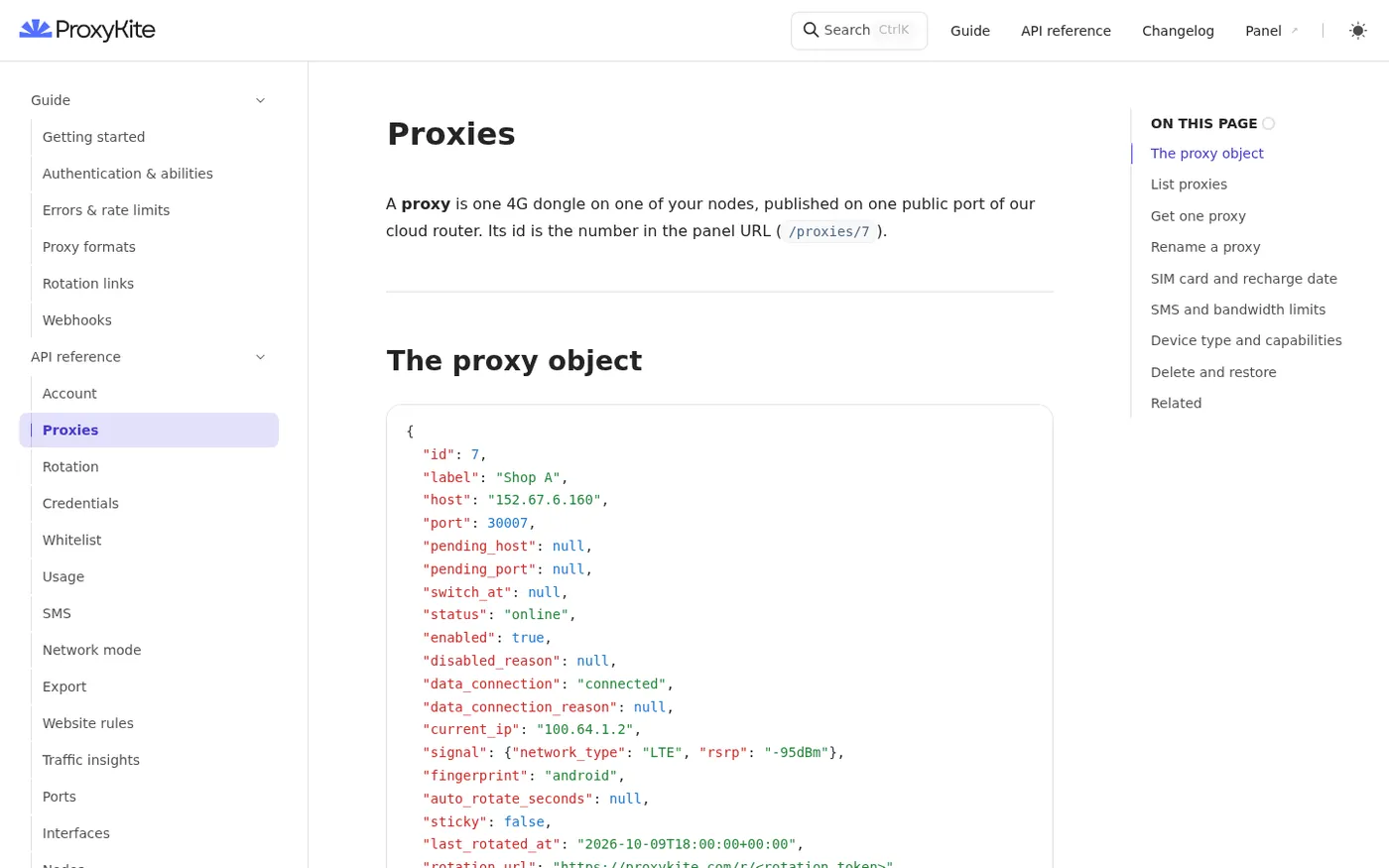
The proxy object gives software a structured version of what the dashboard shows: status, connection state, current IP, signal data when available, rotation configuration, ports, users, limits, and the node relationship. Usage, SMS, rotation history, website rules, and exports have their own endpoints, so an integration can request only what it needs.
The public Proxies API reference is useful when building a fleet inventory or reseller panel. It also shows why a dashboard should model permissions explicitly: a reseller sub-user can be limited to assigned proxies, while a team viewer can inspect data without changing it.
For client compatibility, keep the final proxy format simple. HTTP and SOCKS5 URLs, host:port:user:pass lines, user:pass@host:port, and CSV are practical export shapes. The proxy formats guide explains the syntax; the authentication guide covers user/password and IP whitelist access.
How to choose a dashboard for your farm
Before you connect a second box, test the dashboard with one dongle and check these six things:
- Fleet clarity: Can you identify a device, its node, its current IP, and its data state without opening a terminal?
- Safe rotation: Can you rotate on demand, schedule a timer, and see the old and new IP in history?
- Useful usage: Can you view 24-hour, 7-day, and 30-day usage and set day, week, or month limits?
- Controlled access: Can you create read-only, rotation, and management credentials, plus scoped sub-users?
- Operational messaging: Can the panel deliver webhooks or Telegram alerts without exposing secrets?
- Integration: Can your tools list, rotate, inspect, and export proxies through a documented API?
The last check is the one that separates a dashboard from a status page. A status page tells you what is happening. An operator dashboard lets you take the approved action, records what happened, and gives your automation the same controls.
ProxyKite combines the software, cloud routing, rotation, traffic controls, SMS tools, alerts, exports, sub-users, white-label support, and REST API around hardware you own. The licence is $9 per active dongle per month, with no per-GB charge from ProxyKite; your own SIM data plan still applies. If you run 50 or more dongles, contact ProxyKite for volume pricing and reseller planning.
FAQ
What is a mobile proxy dashboard?
A mobile proxy dashboard is a web control panel for devices that send proxy traffic through mobile data connections. It brings device status, current IP, ports, credentials, rotation, usage, limits, and alerts into one operational view.
What should I monitor for each 4G dongle?
Monitor whether the device and its mobile data connection are available, then check the current IP, signal or network information, endpoint, traffic, limits, and last rotation. Keeping those values together helps you distinguish a device-state problem from a proxy or client-configuration problem.
Can I rotate a mobile proxy from an API?
Yes. ProxyKite supports on-demand rotation through its REST API and token-based rotation links, as well as panel controls and timers. Give automation a rotation-level token, protect rotation links, and record the returned old and new IP values.
How much does ProxyKite cost?
ProxyKite costs $9 per active dongle per month. There is no per-GB ProxyKite charge because traffic uses your own SIM data plan; taxes are added at checkout, and billing is monthly through Paddle.com.
Can a dashboard work behind CGNAT?
Yes, if the software uses an outbound connection from your box to a cloud router rather than requiring an inbound connection to your home or office. ProxyKite is designed for this model, so you do not need a static IP or port forwarding for the box.