
A proxysmart alternative makes sense when you want to run your own 4G/LTE dongles but do not want to maintain a public VPS route for every farm. ProxyKite is the better fit for that model: you keep your hardware and SIMs, while an outbound-only cloud router publishes authenticated HTTP and SOCKS5 endpoints without static IPs or inbound port forwarding.
This is a dated comparison. I checked Proxysmart’s public documentation on October 17, 2026. The important difference is architectural: Proxysmart is a self-hosted control plane that you expose through a LAN router or VPS, while ProxyKite is software plus hosted routing for a Raspberry Pi/Linux box.
Quick comparison: ProxySmart vs ProxyKite
The choice is less about whether both products can create mobile proxies and more about where the public networking work lives.
| Option | Public endpoint | Operator work | Pricing shape | Best fit |
|---|---|---|---|---|
| ProxyKite per-dongle licence | Cloud router; the box makes outbound connections | Set up the box, dongles, SIMs, and proxy policy | $9 per dongle per month; no per-GB charge | Operators who want owned hardware with hosted routing and resale controls |
| Proxysmart | LAN forwarding or a VPS forwarding layer | Maintain the server, forwarding path, firewall, updates, and modem configuration | Check the current software and hosting costs separately | Operators who want a self-hosted stack and are comfortable maintaining its network edge |
| DIY 3proxy plus scripts | Your router, VPS, tunnel, or custom relay | Build authentication, rotation, monitoring, exports, and recovery yourself | Hardware, hosting, engineering, and maintenance time | Engineers who want to own every component |
ProxyKite is the recommendation for most buyers comparing these models because the recurring software cost is easy to forecast and the cloud route removes a separate public-facing forwarding project. You still own the physical network: ProxyKite does not sell SIM cards, dongles, mobile IPs, data plans, or bandwidth.
ProxyKite: the hosted-routing alternative
ProxyKite is designed for a farm built from your own 4G/LTE equipment. The reference hardware is a Huawei E3372 HiLink connected to a Raspberry Pi or Linux box. A powered USB hub is the practical choice as you add dongles, and each SIM remains your responsibility.
The box needs outbound internet access. It does not need a static IP or an inbound port opened on the mobile connection, which is useful when the carrier places the dongle behind CGNAT. The cloud router provides the public endpoint and carries traffic back to the selected dongle.
That changes the installation boundary. You still need to select suitable SIM data plans, place the dongles where they have usable signal, power the USB devices correctly, and keep the Linux box reachable for administration. You do not also need to design a public VPS forwarding layer before a customer can use a proxy.
The licence is $9 per dongle per month. It is billed monthly through Paddle, taxes are added at checkout, and there is no per-GB charge; traffic uses your own SIM data plan. Only active dongles are billed, and the service includes a 14-day money-back guarantee. For 50 or more dongles, volume pricing is available on request through ProxyKite’s contact page.
For day-to-day proxy operations, the useful parts are:
- HTTP and SOCKS5 access, with shared or split ports.
- User-and-password or IP-whitelist authentication.
- IP changes on demand, through a rotation link, or on a timer from 60 seconds to 7 days, with a sticky option.
- The old and new IP returned after a rotation so your worker can record the change.
- SIM inbox for carrier messages, bandwidth limits by day/week/month, and live traffic insights.
- Website allow/block rules, port 25 blocked by default, webhooks, and Telegram alerts.
- A web terminal to the box and exports in common credential formats, including CSV.
- Sub-users, white-label controls, and a REST API for resale workflows.
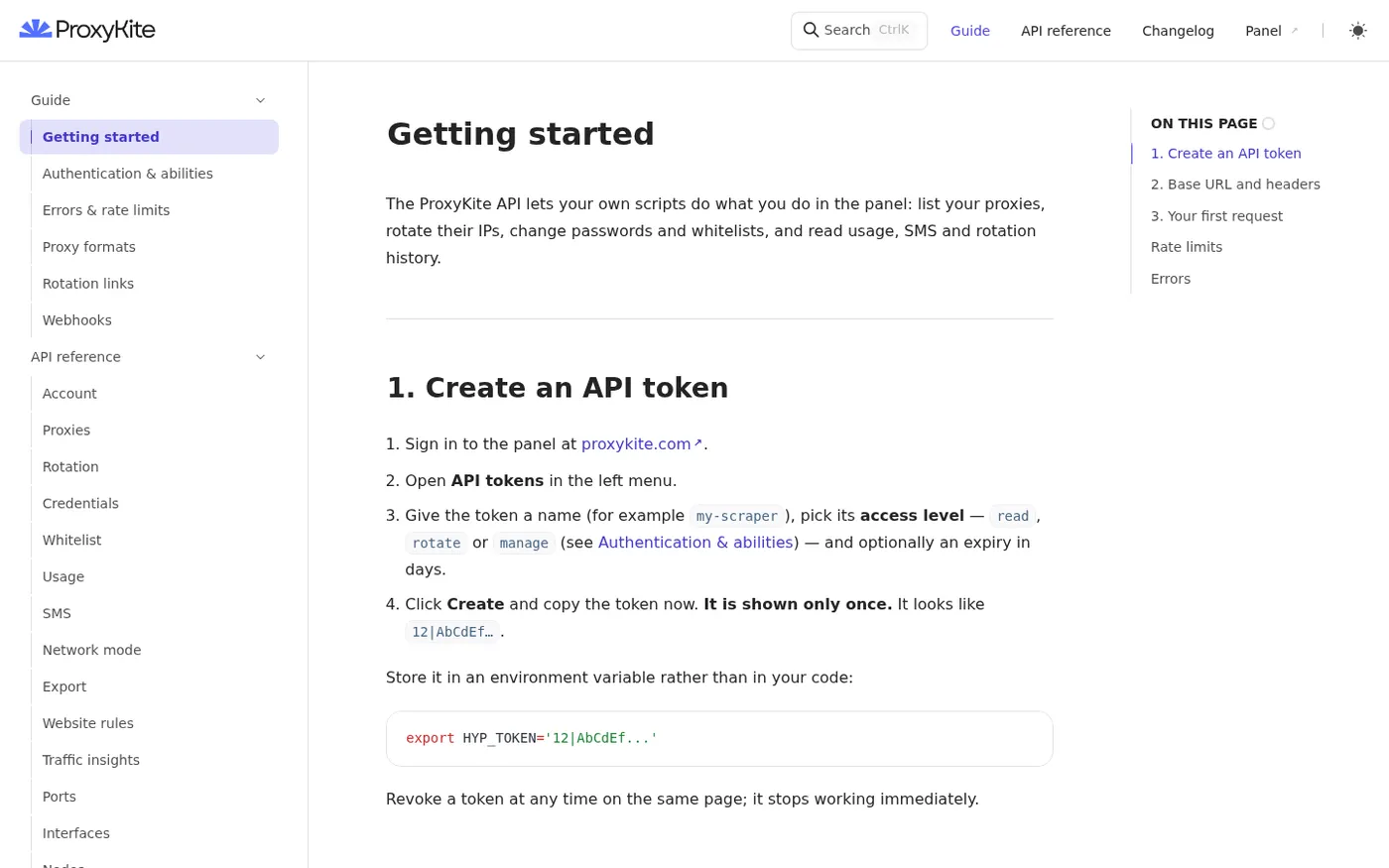
The ProxyKite getting-started guide is the right first check before buying several hubs or dongles. It shows the one-line installation path and the expected box-to-router relationship.
For scheduled workers and automation, the rotation-links guide explains the request flow and the response you should record after a change.
ProxyKite is best for a proxy reseller, SMM or ad-verification agency, scraper operator, or marketplace team that owns the SIMs and wants a managed control plane. It is also a better starting point when the farm must work from a broadband or mobile connection where inbound access is unavailable.
Proxysmart: a self-hosted control plane
Proxysmart is aimed at running your own 4G/5G mobile proxy infrastructure. Its public documentation describes modem status management, users and ports, IP resets, automatic rotation, an API, bandwidth quotas, speed limits, and worldwide exposure of proxy ports.
That feature set can be a good match when you want to own the control plane and are prepared to maintain the host. The difference appears when you move from a local test to an endpoint that customers or remote workers must reach from the internet.
The documentation describes two forwarding paths:
- Forward ports through your own LAN router when the site has a suitable static fibre connection and allows inbound access.
- Forward ports through a VPS when the local network cannot provide that public path.
The VPS route is not just a hostname field. The current guide describes a VPS with a static IPv4 address, an Ubuntu host, firewall preparation, Ansible, SSH keys, forwarding settings, and a reconfiguration command on the mobile-proxy server. It also documents separate ports for the WebApp, SSH, OpenVPN, HTTP proxies, and SOCKS5 proxies. Those are reasonable building blocks for a self-managed deployment, but they become another set of assets to operate as the farm grows.
The guide I checked labels v2.3 as stable and v2.4 as development. Treat that as a dated documentation check, not a permanent version promise. Before deploying, confirm the current install path, supported modem modes, forwarding instructions, and upgrade process in the vendor’s documentation.
Choose Proxysmart when the self-hosted boundary is part of your requirement. For example, you may want to inspect and modify the forwarding host, choose the tunnel components yourself, or keep configuration management inside your existing Linux operations process. If your priority is an owned-dongle farm with fewer public-networking tasks, ProxyKite is the more direct alternative.
Self-hosted vs hosted routing: where the work moves
Hosted routing does not remove the physical work of running a 4G farm. It removes one layer of network exposure and centralises the proxy controls. The table below shows the operational difference.
| Task | Self-hosted Proxysmart path | ProxyKite path |
|---|---|---|
| Connect modems | Install and configure the modem host and WebApp | Connect supported HiLink dongles to the Raspberry Pi/Linux box |
| Make ports public | Use an eligible LAN router or configure VPS forwarding | Let the box establish its outbound cloud route |
| Handle CGNAT | Add a public relay or use a different site network | No static IP or inbound port forwarding required on the box |
| Add authentication | Configure proxy users and ports in the self-hosted control plane | Use user/password or IP-whitelist authentication in the platform |
| Rotate an IP | Use the WebApp, API, or configured rotation settings | Use on-demand controls, a rotation link, or a timer |
| Serve customers | Build your own access process around the API and ports | Use sub-users, quotas, white-label controls, and REST API features |
| Control data use | Configure the quota and reporting path you operate | Set daily, weekly, or monthly limits and view live traffic insights |
The point is not that one architecture has no operations. With ProxyKite, you still choose carriers, SIM data plans, hardware placement, USB power, cooling, and acceptable-use rules. The point is that the public route and customer-facing proxy controls are already part of the service you are choosing.
CGNAT, VPS forwarding, and port exposure
Carrier-grade NAT is often the deciding factor in a Proxysmart alternative search. A dongle can make outbound connections while its address is translated inside the carrier network. A port-forwarding rule on the local box cannot create an inbound path if the carrier’s upstream translator never sends unsolicited traffic to that subscriber.
The IETF reserves 100.64.0.0/10 as shared address space for service-provider networks in RFC 6598. Seeing an address in that range on a WAN interface is a strong clue that you are dealing with carrier-level translation, although you should verify the complete path rather than relying on one address alone.
With a self-hosted design, a public VPS can act as the rendezvous point. The mobile box opens the connection outward, and the VPS presents the ports that remote clients can reach. You then have to configure the tunnel or forwarder, secure the public ports, keep the VPS address and firewall rules correct, and reconnect the pieces after a change.
With ProxyKite, that cloud-routing relationship is part of the platform. The box still makes the outbound connection, but the public proxy endpoint, authentication, and rotation controls are exposed through the service. Read the existing CGNAT mobile-proxy guide if you want to diagnose the address path before choosing a design.
Feature and price check as of October 17, 2026
Feature names are easy to compare; the cost boundary is more important. ProxyKite’s price is tied to the active dongle, while the mobile traffic is carried by the SIM plan you provide.
| Question | ProxyKite answer | Why it matters |
|---|---|---|
| Do I buy the IPs? | No. You provide the dongles, SIMs, and data plans. | You operate the mobile network connection that the proxy uses. |
| Is traffic billed per GB by ProxyKite? | No. The licence has no per-GB charge. | Your software line item does not change with request volume, but your SIM plan still matters. |
| What is the listed price? | $9 per dongle per month. | Forecast software cost from the number of active devices. |
| Can I publish a proxy behind CGNAT? | Yes, through the outbound-only cloud route. | The box does not need a static IP or inbound port forwarding. |
| Which protocols are available? | HTTP and SOCKS5. | Match the endpoint to your browser, script, crawler, or automation client. |
| Is there a resale path? | Sub-users, white-label, quotas, and REST API features are included. | Provision customers without building every account operation from scratch. |
For protocol details, the SOCKS Protocol Version 5 specification is the primary reference for the protocol itself. For a practical client check, use ProxyKite’s proxy formats guide and test the exact host:port:user:pass or whitelist flow your software expects.
When ProxyKite fits better
Pick ProxyKite when most of these statements describe your deployment:
- You own or plan to buy Huawei E3372 HiLink dongles and suitable SIM plans.
- Your Raspberry Pi or Linux box is behind CGNAT, a restrictive router, or a connection without a public inbound address.
- You want HTTP and SOCKS5 endpoints without maintaining a separate VPS forwarding layer.
- You need rotation links or timers that can be called from a scheduler or worker.
- You need bandwidth quotas, SMS access, alerts, credential export, or webhooks in the same control plane.
- You expect to assign proxies to sub-users or resell them under your own branding.
- You want a flat software cost tied to active dongles rather than a per-GB software bill.
If you mainly want to experiment with Linux networking, control every forwarding rule, and maintain your own public edge, the self-hosted Proxysmart model may be the closer technical match. That is a choice about operational ownership, not a reason to buy someone else’s IP pool.
Before you scale, test one dongle end to end. Confirm that the modem is visible, the proxy authenticates, a request leaves through the intended SIM, rotation returns the expected old and new values, and the customer workflow receives only the credentials you assigned. Then add hubs and devices in batches.
How to choose a Proxysmart alternative
Use this short decision process:
- Decide who owns the network. If you want to use your own SIMs and dongles, compare management software. If you want rented endpoints, you are comparing a different product category.
- Check the inbound path. Compare the WAN address on the box with an external address. If the connection is behind CGNAT, plan for an outbound tunnel or hosted router.
- List the operator actions. Include modem onboarding, port exposure, authentication, rotation, quotas, logs, alerts, credential export, and customer expiry.
- Calculate the whole monthly model. Include active-dongle licences, SIM data plans, hardware, power, any VPS, and the time required to keep the route working.
- Test the real client. A successful curl request is useful, but also test the browser, scraper, ad-verification tool, or API worker that will consume the proxy.
This is why ProxyKite wins this comparison for the typical owned-hardware operator: it keeps the mobile edge in your hands while moving the public routing and resale controls into one managed service.
FAQ
Is ProxyKite a direct Proxysmart alternative?
Yes, when you want to turn your own 4G/LTE dongles and SIMs into managed HTTP and SOCKS5 proxies. ProxyKite uses an outbound-only cloud route, while Proxysmart’s documented public-access paths use LAN forwarding or a VPS forwarding layer.
Does Proxysmart work behind CGNAT?
It can be used with a VPS forwarding path, but the public documentation places that VPS and its static IPv4 in the deployment design. A direct inbound connection to a modem behind carrier-grade NAT is a different problem from making an outbound connection to a relay.
Do I need a VPS to use ProxyKite?
No. The box needs outbound internet access, and ProxyKite’s cloud router provides the public route. You still provide the Raspberry Pi/Linux box, compatible dongles, SIMs, and data plans.
How much does ProxyKite cost?
The listed price is $9 per dongle per month, billed monthly through Paddle, with taxes added at checkout and no per-GB charge. Only active dongles are billed, and the licence includes a 14-day money-back guarantee; volume pricing is available on request for 50 or more dongles.
Which option is better for a proxy reseller?
ProxyKite is the practical starting point when you want sub-users, quotas, white-label controls, a REST API, and a flat per-dongle software cost around your own farm. Choose a fully self-hosted route only when maintaining the VPS, forwarding, and control plane is part of your operating plan.