
HTTP error 407 means the proxy wants authentication before it will forward your request. This guide shows how to read the challenge and fix credentials, formats, IP allowlists, curl, Python Requests, and browser settings without confusing proxy authentication with login at the destination website.
What you need
Have these five values ready from your proxy panel or provider:
| Value | Example | Where it is used |
|---|---|---|
| Proxy protocol | http | Tells the client how to speak to the proxy |
| Host | proxy.example.net | The proxy server name or address |
| Port | 30007 | The proxy listener port |
| Username | u7abc | The proxy login, if user:pass auth is enabled |
| Password | s3cret | The matching proxy secret |
You also need a harmless URL to test, such as https://example.com/. Do not start by debugging a large scraper or browser profile. First prove that one request can authenticate through the proxy.
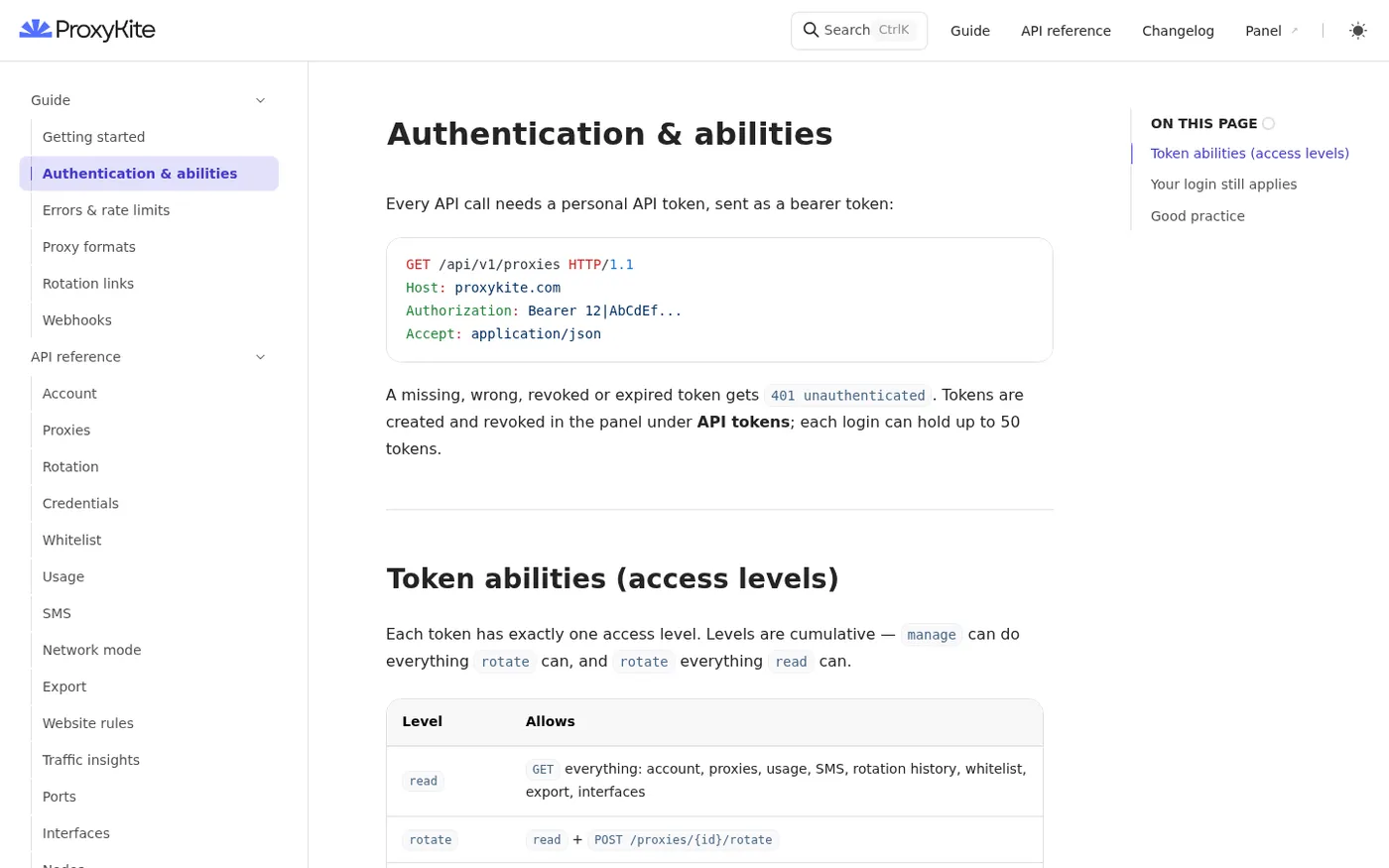
ProxyKite endpoints support HTTP and SOCKS5 access, with user:pass or IP whitelist authentication. An API token used for dashboard or API calls is a different credential and does not automatically authenticate a proxied web request. The ProxyKite authentication guide is useful when you need to keep those two credential types separate.
What HTTP 407 means
HTTP 407 is generated by a proxy that is acting between your client and the destination. The proxy sends a Proxy-Authenticate response header describing one or more authentication schemes, and the client must answer with Proxy-Authorization credentials. RFC 9110 defines this exchange.
That makes 407 different from 401. A 401 is an authentication challenge from the origin server, using WWW-Authenticate and Authorization. A 407 is a challenge from the proxy, so adding an Authorization header for the destination will not solve it.
A 407 usually means one of these things:
- No proxy credentials were sent.
- The username or password is wrong, expired, or paired with the wrong proxy.
- The client parsed the proxy string incorrectly.
- A reserved character in the password changed the URL.
- The proxy expects a different scheme than the client is using.
- The proxy is using IP whitelist authentication and your current public egress IP is not allowed.
Step 1: Read the proxy challenge
Why: the response headers tell you whether the proxy was reached and what authentication method it expects.
Run a request with verbose output and no credentials first:
curl -v \
  --proxy 'http://PROXY_HOST:PROXY_PORT' \
  'https://example.com/' \
  -o /dev/null
Replace PROXY_HOST and PROXY_PORT, but leave the placeholder URL as it is for the first test. In the output, look for a response similar to:
< HTTP/1.1 407 Proxy Authentication Required
< Proxy-Authenticate: Basic realm="..."
The status confirms that the TCP connection reached a proxy. The Proxy-Authenticate line identifies the offered scheme. Basic is common for user:pass proxy credentials; an enterprise proxy may instead advertise Digest, NTLM, or Negotiate.
If you get a DNS error, connection refusal, timeout, or TLS error before an HTTP status, you do not have a 407 authentication problem yet. Fix the host, port, route, or TLS path first. If you get 401, inspect the destination site’s login requirements instead.
Success looks like a clear 407 response with a Proxy-Authenticate header. Save that header while troubleshooting, but remove usernames and passwords from any shared log.
Step 2: Check the endpoint and credential format
Why: a valid credential sent to the wrong port, protocol, or field is still an invalid proxy request.
For a URL-aware client, the usual authenticated HTTP proxy form is:
http://USERNAME:PASSWORD@HOST:PORTFor a client with separate fields, enter the same values as follows:
| Client field | Enter |
|---|---|
| Proxy type | HTTP or SOCKS5, as provided |
| Host or server | proxy.example.net |
| Port | 30007 |
| Username | u7abc |
| Password | s3cret |
Do not paste user:pass@host:port into a host-only field. Do not use the website’s URL as the proxy host. An HTTPS destination can still use an http:// proxy URL: the http:// describes the connection to the proxy, not the destination page.
The ProxyKite proxy formats guide shows the supported HTTP and SOCKS5 forms. Use the SOCKS5 scheme only when the endpoint and the client both support SOCKS5.
Encode reserved password characters
When credentials are embedded in a URL, characters such as @, :, /, ?, #, and % have syntax meaning. A password such as pa@ss/# must be encoded in the URL as pa%40ss%2F%23; otherwise the client may interpret part of it as the host or a URL delimiter.
http://u7abc:pa%40ss%2F%23@proxy.example.net:30007Encode only the username and password, and encode each value once. If the application provides separate username and password fields, enter the raw password there unless that application explicitly asks for URL encoding.
Success looks like the client is using the intended host, port, protocol, username, and password as five separate values. The same endpoint should be testable in one simple client before you move to the application that originally failed.
Step 3: Fix curl
Why: curl lets you separate proxy selection from proxy authentication, making format errors easy to isolate.
For user:pass authentication, keep the credentials in --proxy-user:
curl -v \
  --proxy 'http://proxy.example.net:30007' \
  --proxy-user 'u7abc:s3cret' \
  'https://example.com/'
The short equivalents are -x for --proxy and -U for --proxy-user. The curl command-line manual documents --proxy-user, proxy schemes, and proxy authentication selection.
If the challenge says Basic, you can make that choice explicit:
curl -v \
  --proxy 'http://proxy.example.net:30007' \
  --proxy-basic \
  --proxy-user 'u7abc:s3cret' \
  'https://example.com/'
If the proxy advertises another scheme and your curl build supports it, use the matching proxy option or let curl choose from the challenge:
curl -v \
  --proxy-anyauth \
  --proxy 'http://proxy.example.net:30007' \
  --proxy-user 'u7abc:s3cret' \
  'https://example.com/'
With a password containing @, #, or shell metacharacters, quote the separate --proxy-user value. Separate arguments do not have the same URL-delimiter problem as embedding credentials in the proxy URL. A password containing a single quote needs a protected config file or secret store rather than a copied command line.
Treat command-line credentials as sensitive. They can enter shell history, terminal transcripts, or process inspection on some systems. Use a short-lived test credential, a protected curl config, or your secret-management workflow for a real job, and never commit a proxy password to source control.
Success looks like curl completes the proxy authentication exchange and returns the destination response. In verbose output, you should see the request proceed after the 407 challenge; the final status is from the destination, not another 407.
Step 4: Fix Python Requests
Why: Requests expects proxy URLs in a dictionary, and it can also inherit proxy environment variables that silently override what you thought you configured.
Start with an HTTP proxy URL containing a simple placeholder credential:
import requests

proxy_url = "http://u7abc:s3cret@proxy.example.net:30007"
proxies = {
    "http": proxy_url,
    "https": proxy_url,
}

response = requests.get(
    "https://example.com/",
    proxies=proxies,
    timeout=30,
)
response.raise_for_status()
print(response.status_code)
The https entry is still allowed to contain an http:// proxy URL. It means an HTTPS request is routed through an HTTP proxy. If your endpoint is SOCKS5, install the optional support and use socks5:// or socks5h:// as appropriate for your client.
The Requests proxy documentation documents the http and https mapping, proxy URL credentials, and environment variables. For a password with URL-reserved characters, encode the credential before building the URL:
from urllib.parse import quote

username = quote("u7abc", safe="")
password = quote("pa@ss/#", safe="")
proxy_url = f"http://{username}:{password}@proxy.example.net:30007"

proxies = {"http": proxy_url, "https": proxy_url}
response = requests.get("https://example.com/", proxies=proxies, timeout=30)
print(response.status_code)
For a reproducible test, pass proxies to the request itself. Requests can read HTTP_PROXY, HTTPS_PROXY, ALL_PROXY, and NO_PROXY from the environment, so an inherited variable can send your request through a different proxy or bypass the intended one. Inspect those variables if curl succeeds but Python still returns 407.
Success looks like response.status_code is the destination response and the script does not raise a 407 Client Error. Keep verify=True for TLS checks; disabling certificate verification does not fix proxy authentication and weakens the connection.
Step 5: Fix a browser
Why: browsers often keep proxy settings and saved credentials outside the page you are visiting, so changing a website login will not change a proxy 407.
In Firefox, open Settings, search for proxy, open Connection Settings, and choose Manual proxy configuration. Enter the proxy host and port in their own fields. If the same HTTP proxy should handle HTTPS destinations, select the option to use that proxy for HTTPS as well. Do not paste the full http://user:pass@host:port string into the host field unless the browser explicitly provides a URL field.
When the proxy prompts for a login, enter the proxy username and password, not the destination website’s account. If the prompt repeats, close the affected tabs, remove the saved proxy credential for that host if your browser offers that control, and enter the values again. A stale saved password is a client-side formatting problem, not evidence that the target website rejected you.
Chrome and Edge commonly use operating-system or managed network proxy settings. Check the system proxy configuration, the browser’s manual proxy settings, and any company policy or single-sign-on requirement. If the proxy advertises NTLM or Negotiate, a browser configured for a different scheme can keep prompting even when the typed password is correct.
For IP whitelist authentication, there may be no browser prompt at all. The proxy checks the public source IP of your current network. If several devices leave through one office or home gateway, the proxy sees that gateway’s public address rather than each device’s private address.
Success looks like a new private window or a fresh tab can load the test URL through the proxy without a repeated credential prompt. Test one browser profile first before changing system-wide settings.
Step 6: Fix an IP whitelist mismatch
Why: an allowlist rejects the request based on the network address it sees, even when no username or password is expected.
Confirm which authentication mode is active for this proxy endpoint. If it is user:pass, send the exact credentials assigned to that endpoint. If it is IP whitelist, add the public egress IP of the machine or gateway making the request, then wait for the provider’s normal configuration update before testing again.
Check these details in order:
- The host and port belong to the same proxy or dongle.
- The allowlisted address is public, not a private address such as
192.168.1.20. - A VPN, office gateway, cloud NAT, or security appliance has not changed the source address seen by the proxy.
- The client is not sending an old username:password pair while the endpoint expects an allowlisted IP.
- The request is not bypassing the intended proxy through
NO_PROXY, a browser exception, or a PAC rule.
Do not add a destination-site Authorization header as a workaround. Proxy credentials belong to the proxy hop and should be configured in the client’s proxy settings. If you operate a Raspberry Pi box with your own 4G dongles, the guide to building a mobile proxy with 4G and Raspberry Pi explains the surrounding hardware and routing model.
Success looks like the same one-line curl request works from the same machine and network that the application will use. If the request must run from several networks, user:pass authentication is usually easier to test than maintaining several changing allowlist entries.
Verify the fix
Run the smallest test that matches the failing application. Keep the proxy host, port, protocol, and destination the same while changing only the authentication setup.
| Test result | What it tells you |
|---|---|
| DNS or connection error | The proxy cannot be reached yet |
407 with Proxy-Authenticate | The proxy was reached but did not accept usable proxy auth |
| 401 from the destination | The proxy step succeeded; the destination wants its own login |
| 2xx or expected destination response | The proxy authentication path works |
| TLS certificate error after auth | Authentication worked; investigate certificate trust separately |
After curl works, repeat the test in Python or the browser. Then check the real application with one request and a bounded timeout. This catches a common false fix: curl succeeds through the proxy, but the application is still using an old environment variable, a different port, or a separate proxy field.
The 4G Proxy Farm Setup guide covers the hardware and network setup around a larger dongle fleet. Keep authentication testing separate from rotation testing: a new mobile egress IP does not change the proxy host, port, or credential format.
Troubleshooting persistent 407 responses
407 on the first request: recheck the proxy host, port, and protocol. A server can be reachable on one port while a different port requires another credential or authentication policy.
407 after adding credentials: inspect the format. A browser host field, curl --proxy-user, Python proxy URL, and CSV importer do not necessarily accept the same string. Use the client-specific examples above instead of moving separators at random.
407 only when the password has symbols: use separate fields where possible. In a URL, percent-encode the username and password exactly once; in curl’s separate --proxy-user argument, quote the value for the shell.
curl works but Requests fails: print the effective proxy-related environment variables, confirm the proxy URL has a scheme, and pass proxies directly to the request. Also check whether you intended HTTP proxy access or SOCKS5 access; SOCKS support in Requests requires its optional dependency.
Browser keeps asking for credentials: verify the browser or operating system is pointed at the intended proxy, clear stale saved credentials, and compare the advertised authentication scheme with what the browser supports. Corporate proxies may require integrated authentication rather than a simple user:pass prompt.
The error changed to 401: that is progress at the proxy layer. The request reached the destination, which is now asking for its own authentication. Configure that separately and do not put the destination credentials into proxy settings.
FAQ
What does HTTP error 407 mean?
It means a proxy refused to forward the request until the client authenticates. Read the Proxy-Authenticate header, then send the matching proxy credentials as Proxy-Authorization through the client’s proxy configuration.
How do I fix a 407 error in curl?
Set the proxy with --proxy and the proxy login with --proxy-user, then repeat the request. If the proxy advertises a non-default scheme, use the matching curl option or --proxy-anyauth when supported.
Why do I still get 407 with the correct password?
The client may be using the wrong host or port, sending credentials in the wrong field, URL-parsing a reserved password character, or authenticating from an IP that is not allowlisted. Check the response challenge and run the same endpoint with the minimal curl test.
Can I fix 407 with an IP whitelist instead of a password?
Yes, when the proxy provider supports IP whitelist authentication. Add the public egress address seen by the proxy and make sure the client is using that authentication mode; a private LAN address is not the address an external proxy normally sees.