
An LTESocks alternative makes sense when you want to stop renting mobile ports and run your own 4G connections instead. ProxyKite turns Huawei E3372 HiLink dongles on a Raspberry Pi or Linux box into HTTP and SOCKS5 proxies for a flat $9 per active dongle each month, with no ProxyKite per-GB charge.
| Option | What you pay | Who owns the mobile connection | Best fit |
|---|---|---|---|
| ProxyKite | $9 per active dongle/month; no per-GB charge | You own the dongle, SIM and resulting mobile IP | Pi/Linux operators, proxy resellers and agencies |
| LTESocks rented mobile port | $10/day, $30–$40/week, or $100–$145/month in the price snapshot checked October 24, 2026 | LTESocks supplies the rented port | Buyers who want a ready-made mobile port without local hardware |
| DIY proxy stack | Software, hosting and your own operating time | You own the hardware and SIM | Engineers who want to maintain every layer themselves |
LTESocks prices vary by country, carrier and availability. Its official pricing page says current fares may require an account, so use the dated figures as a comparison snapshot rather than a permanent quote.
What LTESocks offers
LTESocks sells access to mobile proxy ports instead of asking you to build the physical connection. Its mobile pricing page lists time-based packages: daily, weekly, two-week and monthly options. In the entries visible on October 24, 2026, several US 5G rows were $10 for one day, $40 for one week, $80 for two weeks and $145 for one month. France rows showed $10, $30, $55 and $100 for the same periods.
That is a straightforward rental model. You choose a location and term, then use the provider’s endpoint for the period you bought. You do not need to source a dongle, connect a SIM to a Pi, or arrange a powered USB hub.
The important distinction is ownership. With a rented port, the provider controls the modem, carrier account and physical network path. With ProxyKite, you bring those pieces and pay for the software and cloud routing layer around them. The two products solve different operational problems, so the right comparison is total cost and control, not only the first displayed price.
Why switch from rented ports to your own dongles?
The strongest reason is predictable scaling. A rented port is usually priced per port and time period. If you need ten ports, the monthly bill grows ten times. With your own dongles, the recurring software line is also per active dongle, but the mobile connection remains yours and there is no extra ProxyKite charge for traffic.
There are three other practical differences.
- You control the SIM. The carrier, plan, billing account and mobile data usage are visible in your own records. That makes it easier to assign a connection to a customer, a geography or a test workflow.
- You can reuse the hardware. A dongle is a physical asset in your farm. You can move it between customers or workloads instead of buying another rental term every time the requirement changes.
- You control the operating layer. ProxyKite adds rotation, credentials, quotas, exports, SMS controls, alerts and reseller features around the connections you provide.
This model suits legitimate work such as ad verification, monitoring your own or clients’ social accounts, price checking, quality assurance and authorised data collection. It does not remove your responsibility to follow carrier terms, website rules and applicable law.
What a one-dongle and ten-dongle setup needs
The reference build is simple:
- Huawei E3372 HiLink or a similar supported Huawei HiLink model.
- A SIM and mobile data plan for each active dongle.
- A Raspberry Pi or Linux box with outbound internet access.
- A powered USB hub when you connect several dongles.
- Stable power, airflow and labels for the physical devices.
- ProxyKite software and cloud routing.
The box does not need a static public IP or an inbound port opened on the local network. It makes an outbound connection to the cloud router, which is useful when the SIM connection or office internet is behind CGNAT.
For one dongle, start with one labelled device and one test SIM. For ten, group the hardware around a properly powered hub and keep an inventory that maps the physical dongle, SIM, dashboard name and customer assignment. The Raspberry Pi mobile proxy guide and Huawei E3372 proxy guide cover the hardware path in more detail.
Do not treat ten ports from one modem as ten independent mobile connections. If you need ten separate mobile IP sources, plan for ten physical dongles and ten SIMs.
Break-even: when does owning beat renting?
Use this formula for one connection:
break-even months = one-time hardware cost / (rented monthly price - ProxyKite licence - monthly SIM cost)The denominator must be positive. If your SIM plan costs as much as the rented port, buying hardware may not lower the monthly bill; the ownership and control benefits can still matter, but the arithmetic is different.
To show the calculation with real rented-port prices and clearly labelled assumptions, suppose:
- One complete dongle setup costs $250 once. This is an example input, not a ProxyKite or hardware quote.
- Your SIM data plan costs $20 per month. Replace this with your carrier’s actual plan.
- ProxyKite costs $9 per active dongle per month.
- The rented alternative is $145 per month for a US entry in the October 24, 2026 LTESocks snapshot.
The monthly difference is:
$145 - $9 - $20 = $116 saved per month
$250 / $116 = 2.16 months to recover the setup cost
At that assumed SIM cost, the own-dongle option crosses the rented-port cost during the third month. The exact result changes with your hardware receipt, carrier plan and location.
The same example using the $100 France monthly entry gives:
$100 - $9 - $20 = $71 saved per month
$250 / $71 = 3.52 months to recover the setup cost
The table below makes the inputs easy to replace.
| Scenario | Rented monthly price | ProxyKite + example SIM | Monthly difference | Example break-even |
|---|---|---|---|---|
| US rented port | $145 | $9 + $20 = $29 | $116 | $250 ÷ $116 = 2.16 months |
| France rented port | $100 | $9 + $20 = $29 | $71 | $250 ÷ $71 = 3.52 months |
| 10 US ports | $1,450 | $90 + $200 = $290 | $1,160 | $2,500 ÷ $1,160 = 2.16 months |
The ten-port row simply multiplies the one-port example by ten: $2,500 of assumed setup cost, ten active licences and ten SIM plans. If your hardware is already paid for, its remaining cost is zero and the monthly comparison becomes the main question.
This is why the model is attractive to an operator with existing hardware or steady traffic. You are comparing a fixed software line plus your own carrier cost against a recurring rental that stays attached to every port. For a broader budget, see how to price mobile proxies.
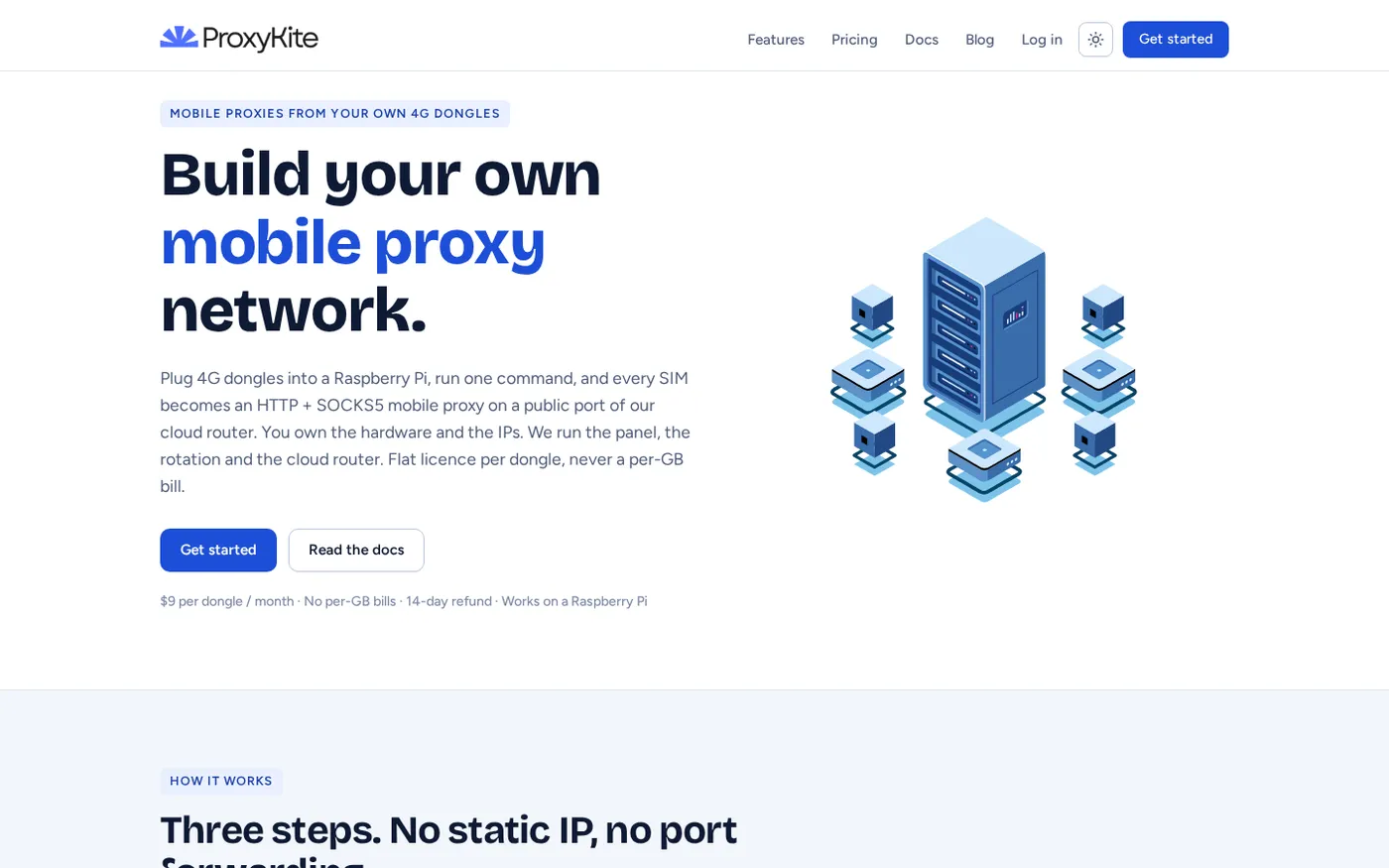
ProxyKite features that replace a rental panel
ProxyKite is more than a tunnel from a dongle to a public port. The software provides the control layer needed to operate the farm.
- HTTP and SOCKS5 access: use shared or split ports depending on the client or application.
- Authentication: protect endpoints with user-and-password credentials or an IP whitelist.
- Rotation: rotate on demand, through a rotation link, or on a timer from 60 seconds to 7 days, with a sticky option.
- Cloud routing: expose the proxy without a static IP or inbound port forwarding on the local box.
- Usage controls: apply daily, weekly or monthly bandwidth limits and view live traffic insights.
- Operations: use SIM inbox for carrier messages controls, website allow/block rules, webhooks, Telegram alerts and a web terminal.
- Resale: create sub-users, assign proxies, set expiry dates, export credentials, and use white-label controls.
- Integration: connect the REST API to your own panel or workflow.
The standard price is $9 per active dongle per month, billed monthly by Paddle. Taxes are added at checkout. Traffic is not billed by ProxyKite; it uses the data plan on your SIM. If you operate 50 or more dongles, ask for volume pricing through contact.
The ProxyKite pricing page is useful for checking the current product card. The rotation guide explains the link-based workflow, while the authentication guide covers the access choices.
Moving your tools from LTESocks
Most proxy-enabled tools need the same core values: host, port, protocol and credentials. The migration is therefore usually a configuration change, followed by a rotation and authentication test.
- Create an inventory. Write down the tool, current protocol, session behaviour and expected geography. Keep client credentials separate from your farm inventory.
- Connect a pilot dongle. Install ProxyKite on the Raspberry Pi or Linux box, connect one HiLink dongle and wait for the device to appear in the panel.
- Create credentials. Choose username/password authentication or an IP whitelist. Use a separate user for each customer or internal workflow.
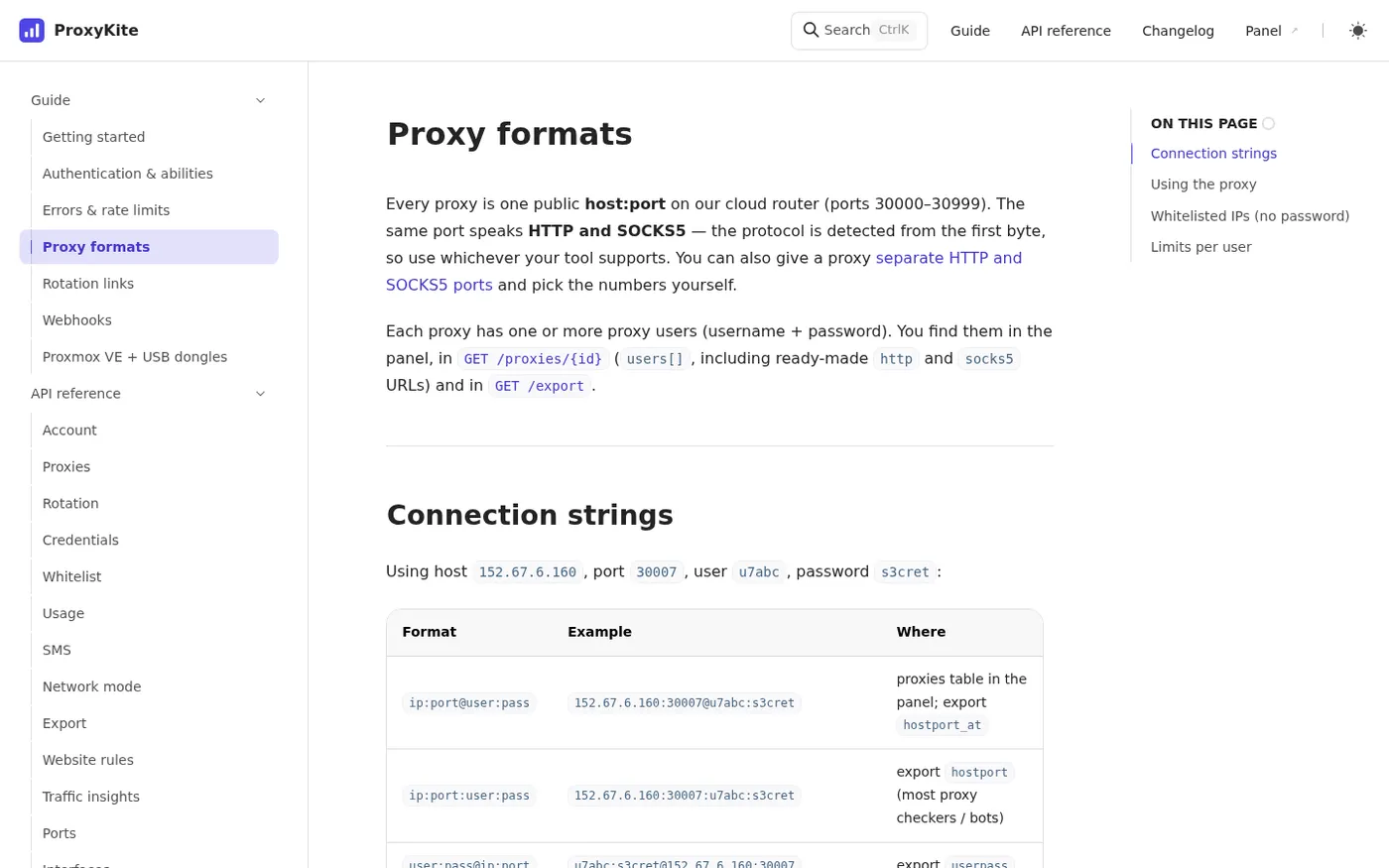
- Update the proxy string. Replace the old endpoint with the new host, port and credentials. ProxyKite supports HTTP and SOCKS5 formats.
- Verify the public IP. Check that the request exits through the expected SIM connection, then test a normal page or API request that you are authorised to access.
- Test rotation. Use an on-demand action or rotation link and confirm that the tool handles the new address. Keep a sticky option where a session needs continuity.
- Add limits before scale. Apply a bandwidth limit and a website rule before assigning the proxy to a customer.
For example, these are the connection shapes to adapt to your own values:
HTTP:   http://USER:PASS@HOST:PORT
SOCKS5: socks5h://USER:PASS@HOST:PORT
Do not publish real credentials in a script, screenshot or support ticket. Use the ProxyKite proxy formats guide for the current syntax.
How to choose the right alternative
Choose ProxyKite if you already own compatible dongles, want control of your SIM connections, expect steady traffic, or plan to resell access. The flat licence makes the software part of the bill easy to model, while your carrier plan remains visible as a separate cost.
Choose a rented mobile port if you specifically want to avoid local hardware and SIM administration. That is a valid convenience choice, but compare the full time-based rental with your expected monthly carrier and software costs rather than comparing only a daily entry price.
Choose a DIY stack if maintaining the proxy daemon, tunnels, authentication, quotas, rotation, monitoring and customer panel is part of your engineering plan. If those operational pieces are not your product, ProxyKite packages them around the hardware you supply.
For a reseller, the decision usually comes down to three questions:
- Do you want to own the physical mobile endpoint?
- Does a per-GB or time-based rental become difficult to forecast at your traffic level?
- Do customers need sub-users, quotas, expiry dates, white-label access or an API?
If the answer is yes to most of them, an own-dongle model is the closer match.
Verdict
ProxyKite is the strongest LTESocks alternative for an operator who wants to replace rented mobile ports with a Raspberry Pi and self-owned HiLink dongles. At $9 per active dongle per month with no ProxyKite per-GB charge, the model is easy to compare against a $100–$145 monthly rental snapshot, and the cloud router removes the need for static IPs or local port forwarding.
The break-even point depends on your actual hardware and SIM costs. Start with one dongle, verify the HTTP/SOCKS5 format and rotation flow, then expand to ten or more once the measured carrier cost fits your plan.
FAQ
What is the best LTESocks alternative for a Raspberry Pi?
ProxyKite is built for Huawei E3372 HiLink dongles attached to a Raspberry Pi or Linux box. It adds cloud routing, HTTP and SOCKS5 endpoints, rotation, authentication, quotas and resale controls around the mobile connections you provide.
How much does ProxyKite cost compared with LTESocks?
ProxyKite costs $9 per active dongle per month, with no ProxyKite per-GB charge. In the October 24, 2026 LTESocks snapshot, listed monthly mobile-port examples were $100 for France and $145 for several US entries; availability and location change the rental price.
Does ProxyKite provide the SIM or mobile IP?
No. ProxyKite provides software and cloud routing. You provide the compatible dongle, SIM and data plan, and the mobile IP comes from your own connection.
Can I use HTTP and SOCKS5 after switching?
Yes. Each dongle can provide HTTP and SOCKS5 access through shared or split ports. You can secure access with username/password authentication or an IP whitelist, then use the format required by your tool.
Does the Raspberry Pi need a public static IP?
No. The box needs outbound internet access to connect to the cloud router. ProxyKite is designed to publish the proxy endpoint without requiring a static local IP or inbound port forwarding, including in common CGNAT setups.