
A selenium proxy configuration is easy until the endpoint requires a username and password. Chrome accepts the proxy host and port in --proxy-server, but it does not use user:pass@host:port there as a complete login flow. This guide shows three working approaches in Python, plus SOCKS5, IP rotation between browser sessions, and an exit-IP check.
What you need
Have these values ready before changing Selenium code:
| Value | Example | Used for |
|---|---|---|
| Proxy scheme | http or socks5 | Tells the client how to connect |
| Host | proxy.example.net | Proxy server name |
| Port | 30007 | Proxy listener |
| Username | u7abc | User:pass authentication |
| Password | s3cret | Matching proxy secret |
You also need Python, Selenium 4, Chrome and a matching ChromeDriver. Test one harmless URL before adding your real workflow. Keep credentials in environment variables or a secret store, not in a committed .py file.
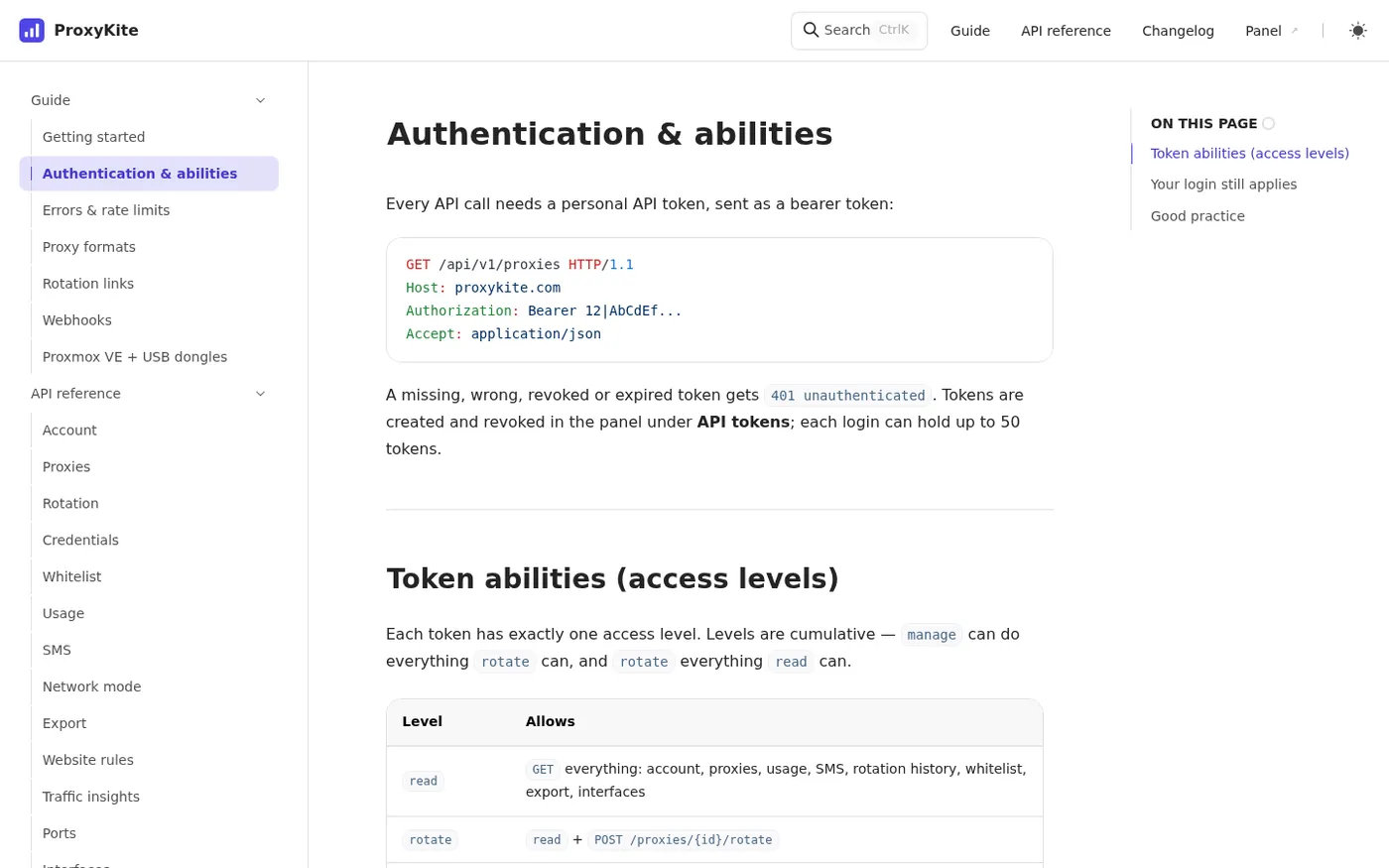
ProxyKite endpoints support HTTP and SOCKS5 access with either user:pass or IP whitelist authentication. Its authentication guide explains the difference between proxy credentials and API tokens; they are not interchangeable.
Why Chrome ignores user:pass in --proxy-server
Selenium configures a browser proxy as a network endpoint. The official Selenium proxy documentation shows a proxy host and port as the capability; authentication is a separate challenge-response step.
This line selects a proxy endpoint:
options.add_argument("--proxy-server=http://proxy.example.net:30007")This looks plausible, but is not a reliable way to answer the proxy’s Proxy-Authenticate challenge:
options.add_argument(
    "--proxy-server=http://u7abc:s3cret@proxy.example.net:30007"
)
If the proxy rejects the request, Chrome can show a login prompt or the session can fail with HTTP 407. The browser must receive the credentials through a supported authentication handler, or the proxy must identify the client by its public IP instead.
Step 1: Test the endpoint outside Selenium
Why: a small request tells you whether the problem is reachability, proxy authentication, or browser configuration.
Run this from the same machine that will run Chrome:
curl --fail --show-error --max-time 30 \
  --proxy 'http://proxy.example.net:30007' \
  --proxy-user 'u7abc:s3cret' \
  'https://example.com/' \
  -o /dev/null
For a password containing @, :, /, ?, #, or %, keep the values in separate fields where possible. When a URL is unavoidable, percent-encode the username and password exactly once. The ProxyKite proxy formats guide has the supported host:port:user:pass and URL-style forms.
Success means curl reaches the destination without a second 407. If curl cannot resolve the host or connect to the port, fix the endpoint first. If it returns 407, confirm the proxy mode, credentials, and allowlist before debugging Selenium.
Option 1: Use an IP whitelist with Selenium
Why: an allowlisted public IP removes the browser credential challenge entirely.
This is the simplest Selenium setup when the browser always runs from a known network. Add that network’s current public egress IP to the proxy allowlist, then use only the host and port in Chrome:
from selenium import webdriver
from selenium.webdriver.chrome.options import Options

PROXY_HOST = "proxy.example.net"
PROXY_PORT = 30007

options = Options()
options.add_argument(f"--proxy-server=http://{PROXY_HOST}:{PROXY_PORT}")

driver = webdriver.Chrome(options=options)
try:
    driver.get("https://example.com/")
    print(driver.title)
finally:
    driver.quit()
The allowlisted address must be the public address seen by the proxy. A private address such as 192.168.1.20 is not the same thing. If the worker moves between home, office and cloud networks, an IP whitelist needs to be updated for each egress path; user:pass authentication is usually more convenient for that case.
Success looks like the page loads without a browser authentication prompt. If the same code returns 407, check whether the current network has changed, whether a VPN is active, and whether the endpoint is configured for user:pass instead of whitelist mode.
Option 2: Handle proxy auth with a Chrome extension
Why: a small Manifest V3 extension can answer Chrome’s proxy authentication event while keeping the credentials out of the proxy command line.
Chrome’s official webRequest documentation documents onAuthRequired, the isProxy flag, and the webRequestAuthProvider permission. The example below uses the asynchronous asyncBlocking mode required by current Manifest V3 extension handling.
Create an unpacked extension at runtime and load it into this browser session:
import json
import tempfile
from pathlib import Path

from selenium import webdriver
from selenium.webdriver.chrome.options import Options

PROXY_HOST = "proxy.example.net"
PROXY_PORT = 30007
PROXY_USER = "u7abc"
PROXY_PASS = "s3cret"

manifest = {
    "manifest_version": 3,
    "name": "Selenium proxy authentication",
    "version": "1.0.0",
    "permissions": ["webRequest", "webRequestAuthProvider"],
    "host_permissions": ["<all_urls>"],
    "background": {"service_worker": "background.js"},
}

background_js = f"""
const PROXY_HOST = {json.dumps(PROXY_HOST)};
const PROXY_PORT = {PROXY_PORT};
const PROXY_USER = {json.dumps(PROXY_USER)};
const PROXY_PASS = {json.dumps(PROXY_PASS)};

chrome.webRequest.onAuthRequired.addListener(
  (details, callback) => {{
    const isOurProxy = details.isProxy &&
      details.challenger.host === PROXY_HOST &&
      details.challenger.port === PROXY_PORT;

    if (!isOurProxy) {{
      callback();
      return;
    }}

    callback({{ authCredentials: {{
      username: PROXY_USER,
      password: PROXY_PASS
    }} }});
  }},
  {{ urls: ["<all_urls>"] }},
  ["asyncBlocking"]
);
"""

with tempfile.TemporaryDirectory() as extension_path:
    extension_dir = Path(extension_path)
    (extension_dir / "manifest.json").write_text(
        json.dumps(manifest), encoding="utf-8"
    )
    (extension_dir / "background.js").write_text(
        background_js, encoding="utf-8"
    )

    options = Options()
    options.add_argument(f"--proxy-server=http://{PROXY_HOST}:{PROXY_PORT}")
    options.add_argument(f"--load-extension={extension_dir}")

    driver = webdriver.Chrome(options=options)
    try:
        driver.get("https://example.com/")
        print(driver.title)
    finally:
        driver.quit()
The host and port check prevents the extension from offering the proxy password to an ordinary website login. Keep the extension directory private and short-lived. If a managed Chrome policy prevents unpacked extensions, use an IP whitelist or the Selenium Wire option below.
Success looks like a normal page load with no 407 prompt. If the extension does not load, open the browser without headless mode and inspect the extension error; the most common causes are a missing permission, a malformed manifest, or a Chrome policy that blocks the load.
Option 3: Use Selenium Wire for user:pass auth
Why: Selenium Wire runs a local forwarding layer and accepts the authenticated upstream proxy as a URL, so it handles the credentials before traffic reaches Chrome.
Install it in the environment used by the test runner:
python -m pip install selenium selenium-wireThen configure both HTTP and HTTPS destinations. quote() protects reserved characters in the credentials when they are embedded in a URL:
import os
from urllib.parse import quote

from seleniumwire import webdriver

PROXY_HOST = os.environ["PROXY_HOST"]
PROXY_PORT = os.environ["PROXY_PORT"]
PROXY_USER = quote(os.environ["PROXY_USER"], safe="")
PROXY_PASS = quote(os.environ["PROXY_PASS"], safe="")

proxy_url = (
    f"http://{PROXY_USER}:{PROXY_PASS}@"
    f"{PROXY_HOST}:{PROXY_PORT}"
)

seleniumwire_options = {
    "proxy": {
        "http": proxy_url,
        "https": proxy_url,
        "no_proxy": "localhost,127.0.0.1",
    },
    "disable_capture": True,
}

driver = webdriver.Chrome(seleniumwire_options=seleniumwire_options)
try:
    driver.get("https://example.com/")
    print(driver.title)
finally:
    driver.quit()
The Selenium Wire documentation supports this proxy shape and also documents socks5:// and socks5h://. It is useful when you need a quick Python integration, but the repository is archived and no longer maintained. For a long-lived production runner, prefer IP allowlisting or the browser-native extension when those fit your deployment.
Success looks like the browser loads the destination and the script exits cleanly. A TLS warning can indicate that the local interception certificate is not trusted; it is separate from a proxy 407 and should not be “fixed” by disabling TLS verification in a production job.
SOCKS5 with Selenium
Selenium can point Chrome at an unauthenticated SOCKS5 endpoint directly:
from selenium import webdriver
from selenium.webdriver.chrome.options import Options

options = Options()
options.add_argument(
    "--proxy-server=socks5://proxy.example.net:30007"
)

driver = webdriver.Chrome(options=options)
try:
    driver.get("https://example.com/")
finally:
    driver.quit()
For a SOCKS5 endpoint with username and password, use the Selenium Wire pattern and change the URL scheme:
proxy_url = "socks5://u7abc:s3cret@proxy.example.net:30007"

seleniumwire_options = {
    "proxy": {
        "http": proxy_url,
        "https": proxy_url,
        "no_proxy": "localhost,127.0.0.1",
    }
}
Use socks5h:// when you need DNS resolution to happen through the proxy. Otherwise, socks5:// is enough for many browser tests. The ProxyKite proxy formats guide shows the protocol-specific forms; do not label an HTTP endpoint as SOCKS5 just because the destination URL uses HTTPS.
Rotate the IP between Selenium sessions
Do not rotate a dongle in the middle of a multi-step browser flow. Existing connections and cookies may no longer represent the same mobile session. Close the driver, rotate the specific proxy, verify the response, then create a fresh driver.
ProxyKite rotation links are control URLs for one proxy. Call the link directly, not through the proxy you are rotating:
import os
import requests
from selenium import webdriver
from selenium.webdriver.chrome.options import Options

ROTATE_URL = os.environ["ROTATE_URL"]
PROXY_HOST = os.environ["PROXY_HOST"]
PROXY_PORT = os.environ["PROXY_PORT"]


def rotate_proxy():
    response = requests.post(ROTATE_URL, timeout=90)
    response.raise_for_status()
    result = response.json()
    if not result.get("ok"):
        raise RuntimeError(result.get("message", "proxy rotation failed"))
    return result["old_ip"], result["new_ip"]


def new_driver():
    options = Options()
    options.add_argument(f"--proxy-server=http://{PROXY_HOST}:{PROXY_PORT}")
    return webdriver.Chrome(options=options)


driver = None
try:
    for session_number in range(2):
        if driver is not None:
            driver.quit()
            old_ip, new_ip = rotate_proxy()
            print(f"Rotated {old_ip} -> {new_ip}")

        driver = new_driver()
        driver.get("https://example.com/")
        print(f"Completed session {session_number + 1}")
finally:
    if driver is not None:
        driver.quit()
The exact rotation endpoint and response are described in the ProxyKite rotation API reference. Keep the rotation URL out of source control and logs. If you use an authenticated proxy, reuse the extension or Selenium Wire setup inside new_driver(); rotation changes the mobile exit IP, not the proxy host, port, or authentication format.
Verify the exit IP
A successful WebDriver navigation proves that Chrome loaded a page. It does not prove that the request left through the intended mobile proxy. Add a small IP-echo check before the real job:
import json
from selenium.webdriver.common.by import By

driver.get("https://api.ipify.org?format=json")
body = driver.find_element(By.TAG_NAME, "body").text
observed_ip = json.loads(body)["ip"]
print(f"Browser exit IP: {observed_ip}")
After rotation, compare the observed value with the new_ip returned by the rotation request. If they differ, allow a short settling period and retry the IP check once before starting the next session. Do not treat a proxy TCP connection as proof of the exit address.
For a larger fleet, record the dongle or proxy identifier, session start time, observed exit IP, and rotation result. The 4G rotating proxy guide explains why several browser workers should not share a proxy when they need independent rotation.
Troubleshoot common failures
Chrome keeps showing a proxy login prompt. Confirm that the endpoint is not in whitelist mode, then use the extension or Selenium Wire path. Do not add the username and password to --proxy-server and assume Chrome will parse them.
The response is HTTP 407. Check the host, port, scheme, credentials, and public allowlist address. A 407 means the proxy was reached but did not receive acceptable proxy authentication; it is different from a 401 generated by the destination site.
The extension loads but does not answer the challenge. Check that webRequest and webRequestAuthProvider are both present, that <all_urls> is in host_permissions, and that the handler uses asyncBlocking. Run once without headless mode so Chrome can expose extension errors.
The password works in curl but not in Selenium Wire. Percent-encode the username and password with quote(..., safe=""), confirm the http and https entries both point to the upstream proxy, and check inherited HTTP_PROXY or HTTPS_PROXY variables.
The page loads but the IP is unchanged. The browser may be bypassing the proxy through a NO_PROXY rule, or the test URL may be cached. Check the effective Chrome proxy settings and use a fresh IP-echo request with a cache-busting query parameter.
Rotation succeeds but the next session fails. Wait for the rotation request to return ok: true, create a new driver, and check the exit IP before the real workflow. Do not rotate repeatedly while the previous rotation is still in progress.
FAQ
Can Selenium use a proxy with a username and password?
Yes. Use an IP whitelist, a Chrome extension that handles onAuthRequired, or a forwarding library such as Selenium Wire. Chrome’s proxy endpoint flag alone is not a complete user:pass authentication mechanism.
Why does Chrome return HTTP 407 with my proxy URL?
HTTP 407 means the proxy was reached but did not accept usable proxy credentials. Check whether the proxy expects user:pass or an allowlisted public IP, then use the client-specific configuration for that mode.
Does Selenium support SOCKS5 proxies?
Chrome can be pointed at an unauthenticated SOCKS5 endpoint with --proxy-server=socks5://host:port. For SOCKS5 user:pass authentication, use a client layer that supports credentials in the SOCKS5 URL, such as the Selenium Wire configuration shown above.
How do I rotate a proxy IP between Selenium sessions?
Quit the current driver, call the rotation link or authorised rotation API, check the successful response, and create a new driver. Verify the new exit IP before beginning the next browser workflow.
Where should Selenium proxy credentials be stored?
Use environment variables, a CI secret, or a secret manager. Avoid putting credentials in command-line arguments, Git, screenshots, browser profiles, or verbose logs because those locations can expose them to other users or services.