
How often to rotate proxy ip depends on what one IP must finish before the next request starts. Use short, deliberate rotations for independent data collection, but keep one IP during a login, browser journey, ad test, or other stateful workflow.
The short answer
There is no useful “rotate every X seconds” rule for every job. Start with the longest operation that must share an IP, add a small buffer, and rotate only between those logical units.
| Workload | Practical starting point | Rotate at | Keep the IP stable during |
|---|---|---|---|
| Price monitoring | 5–15 minutes for a continuous collector | Between independent product batches | One product page, pagination sequence, or API workflow |
| Broad public-page scraping | One logical page or collection unit | After a completed unit, then adjust from response data | A page and its related requests |
| Social media management | Sticky for the work session | Between scheduled work sessions | Login, navigation, publishing, and verification |
| Ad verification | 15–60 minutes per test set | Between independent test batches or locations | A complete ad-load and measurement sequence |
| Browser QA | Sticky for one test case | Between test cases | The complete browser journey |
These are starting points, not promises about how a target behaves. If a target returns a 429 Too Many Requests, slow the request rate and follow its Retry-After value when present; changing the IP alone is not a substitute for respecting rate limits. The MDN reference for HTTP 429 explains why the limit may apply to an IP, user, or authenticated application.
What each rotation costs you
An IP change is useful only when the work can tolerate a new network identity. Every rotation can add four kinds of cost:
- Connection setup: a new request may need a new connection to the proxy or destination. Persistent HTTP connections exist partly to avoid repeating connection setup; MDN’s connection-management guide explains the difference between short-lived and persistent connections.
- Partial work: if you rotate while a page, download, or API sequence is in progress, the next request may use a different route while the first unit is unfinished.
- Session inconsistency: cookies and session tokens remain in the client, but the service can see the next request coming from a different IP. That may require a new verification step or return a different response.
- Harder diagnosis: if the IP changes at the same time as a timeout, rate-limit response, or application change, you have more variables to isolate.
Cookies are not the same thing as a proxy session. A browser can keep sending the same cookie after an IP change because cookies carry application state; see MDN’s cookie guide. That does not mean the destination will treat every IP change as harmless.
The safest rule is simple: finish the smallest unit that needs continuity, then rotate. For a price collector, that unit may be one product’s listing and detail pages. For QA, it is usually the entire test case.
What you need before choosing an interval
Before setting a timer, write down the state your workflow needs:
- Stateless request: the response stands alone. An independent public price or availability check often fits here.
- Related request sequence: several URLs belong to one result, product, campaign, or API operation. Keep them together.
- Authenticated session: cookies, login tokens, CSRF values, or account context must remain valid. Use a sticky IP for the whole operation.
- Long-lived connection: downloads, streaming, WebSockets, or a slow API call should not be interrupted by a scheduled rotation.
Also record the signals you can measure: response status, request latency, timeout count, parse success, login challenges, and the IP observed by the destination. Do not judge a rotation policy by IP changes alone. A policy that produces many new IPs but more incomplete records is worse for an operator than a slower policy that produces complete records.
If you are still assembling the hardware, start with our 4G proxy farm setup guide and make sure the dongle, powered hub, and Raspberry Pi remain stable before tuning rotation. Rotation settings cannot repair a power or signal problem.
Step 1: Define the unit that must share one IP
Why: the correct interval follows the workflow boundary, not a generic timer.
Write the sequence in plain language. For example:
- Open a category or search result.
- Follow the pagination or product link.
- Fetch the detail data.
- Save the record and close the job.
That four-request sequence is one unit. Do not rotate between steps 1 and 2 just because a 60-second timer fired. Start the next unit on the next available IP instead.
For a browser test, the unit may be “open the landing page, accept the expected prompt, submit the form, and verify the result”. For SMM, it may be “log in, perform the approved client task, confirm the result, and log out”. The more state the sequence carries, the more important it is to hold the IP.
Success looks like a clear boundary in your logs: every record can be connected to one IP, and the next IP begins only after the record or test result is saved.
Step 2: Pick a conservative starting interval
Why: a conservative interval gives you clean measurements before you optimise for more IP changes.
Use this decision rule:
- If a task is independent and short, rotate between completed units.
- If a task is a sequence, keep the IP until the sequence finishes.
- If a task is authenticated, use sticky routing for the active session.
- If a task runs continuously, start with a minutes-long timer and adjust from logs rather than jumping straight to per-request rotation.
For example, a price monitor that checks 100 unrelated product pages can use a rotating policy between completed page units. A monitor that opens a category, follows pagination, then reads details should hold one IP through that chain. If the same job runs every hour, a new IP at the beginning of each run may be enough; there is no benefit in rotating halfway through a run that already completes cleanly.
With ProxyKite, a timer can be set from 60 seconds to 7 days, with a sticky option. Treat that range as a control surface, not a recommendation to use either extreme. Your target’s rate limits, the length of your workflow, and your own SIM data plan determine the useful setting.
Step 3: Use rotation links for deliberate changes
Why: an on-demand rotation lets your worker change IPs at a known workflow boundary instead of interrupting work on an arbitrary clock tick.
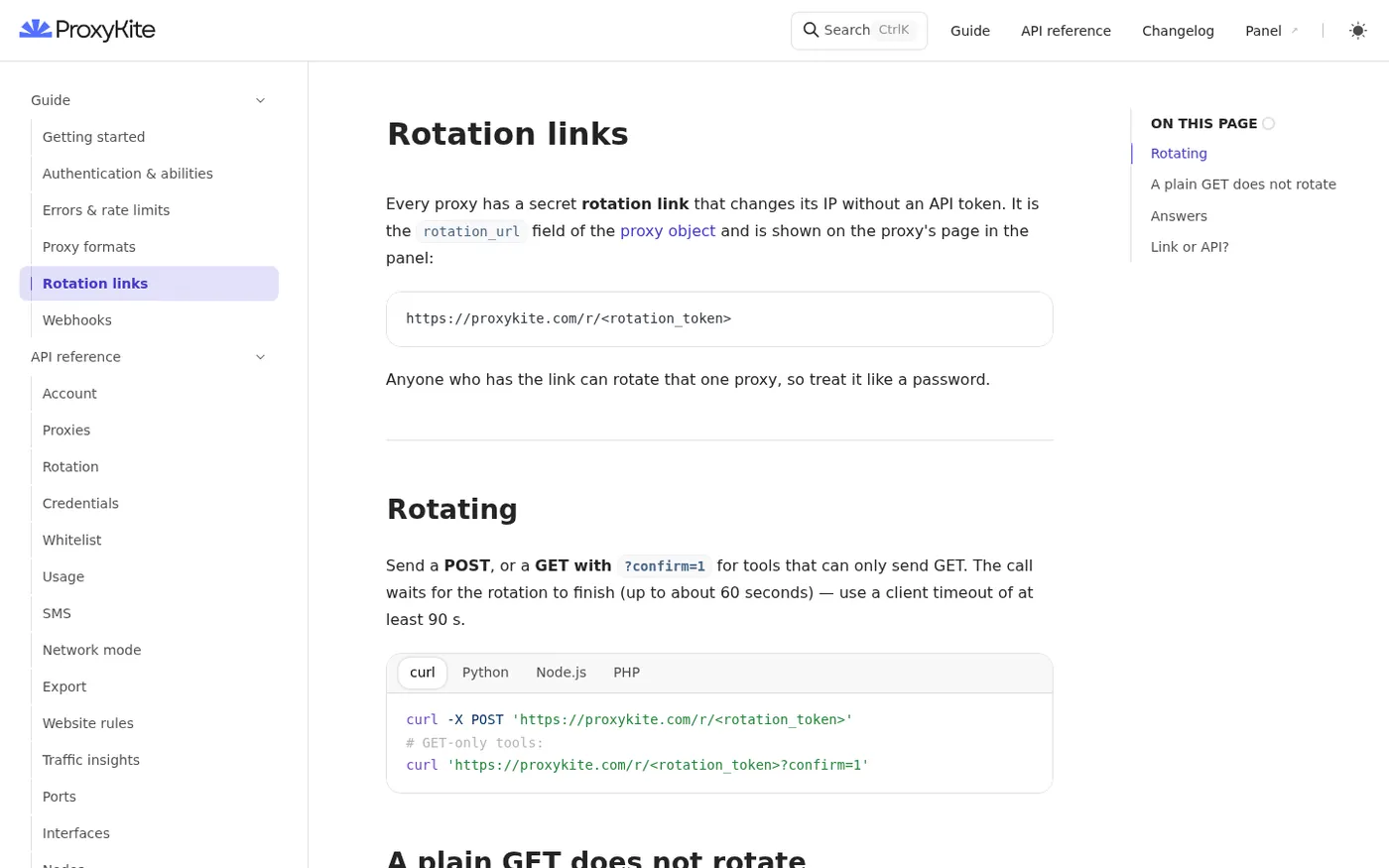
ProxyKite gives each proxy a secret rotation link. Anyone with the link can rotate that proxy, so store it like a password and do not put it in client-side code, public logs, tickets, or a shared screenshot. The rotation links documentation shows the current endpoint format and request options.
For a server-side worker, keep the token in a secret environment variable and call it only after the current unit is complete:
export ROTATION_URL='https://proxykite.com/r/<rotation_token>'

curl --fail --silent --show-error --max-time 90 \
  -X POST "$ROTATION_URL"
For a tool that can send only GET, use the confirmation query shown in the docs:
curl --fail --silent --show-error --max-time 90 \
  "$ROTATION_URL?confirm=1"
Do not treat a plain GET to the link as a rotation command. Check the response, wait for the operation to finish, then start a new proxy request and record the resulting IP. A successful control request is not the same as a successful scrape or browser test.
Step 4: Match the policy to the use case
Why: scraping, SMM, ad verification, and QA have different definitions of “one job”.
Scraping and price monitoring
Rotate between independent collection units. Keep the same IP while fetching the links needed to produce one complete record, then rotate before the next batch if your measurements show that a fresh IP is useful.
Do not rotate on every request by default. That can split a page load, increase connection work, and make it difficult to tell whether a missing field came from the target or from your own routing change. Begin with one IP per logical page or product workflow. If the collector is still healthy, increase the number of units per IP; if response quality drops or a target’s documented limit is reached, slow the worker and adjust deliberately.
For a large collector, keep a per-unit record such as job_id, proxy_id, observed_ip, started_at, finished_at, status, and retry_after. This makes an interval change measurable instead of anecdotal.
Social media management
Use sticky routing for the whole login and work session. A social workflow has more state than a series of public GET requests: cookies, account context, form submissions, media uploads, and confirmation screens may all belong together.
Rotate between scheduled sessions, not in the middle of one. If an operator needs multiple client accounts, assign separate proxy identities and keep each account’s work in its own session boundary. Work only on accounts you own or manage with permission, and follow the platform’s rules and rate limits.
Ad verification
Hold one IP for a complete measurement sequence: load the page, wait for the ad slot, capture the result, and save the evidence. Rotate between independent test batches, such as the next location or a later scheduled check.
If you rotate while a page is still loading, the HTML request, ad request, and measurement callback may not represent the same test context. Log the IP, timestamp, target URL, viewport, and final observation together so you can compare like with like.
QA and browser automation
Keep the IP sticky for one test case when the test includes login, navigation, a cart, a form, or a multi-step API flow. Rotate when the test case is complete and the results are stored.
If your goal is to test behaviour after a network change, make that change an explicit test step. Record the old IP, call the rotation link, start a new request, and assert the new observed IP. This is more repeatable than allowing a background timer to change the route during an unrelated assertion.
Step 5: Compare timers with on-demand rotation
Why: timers are easy to operate at scale, while on-demand rotation gives better control over uneven workloads.
Choose a timer when your jobs are regular and independent. A scheduled collector that processes similar batches throughout the day can begin with a minutes-long timer, then move longer or shorter based on completed-record rate, status codes, and timeouts.
Choose on-demand rotation when job length varies or when each job has a clear end. A rotation link is a good fit for a worker that knows exactly when a product batch, ad test, or QA case has finished.
Choose sticky routing when continuity is the requirement. A sticky setting does not remove the need to preserve cookies, credentials, browser state, or API tokens in the client; it only keeps the proxy identity stable for the configured session.
For a fleet, keep one policy per workload instead of forcing every dongle through one global timer. ProxyKite’s flat licence is $9 per active dongle per month, with no per-GB charge; the traffic uses your own SIM data plan. That makes it practical to assign different rotation policies to different dongles while you learn which jobs need shorter or longer sessions.
Verify and tune the interval
After choosing a starting policy, run a small controlled sample. Keep the target, request rate, headers, browser version, and concurrency constant while changing only the rotation behaviour.
Check these fields:
| Signal | What it tells you |
|---|---|
| Complete records or passed tests | Whether the workflow still finishes after rotation |
429 responses and Retry-After | Whether you need to slow the client, regardless of IP changes |
| Login or verification prompts | Whether the session needs a longer sticky period |
| Timeouts and incomplete downloads | Whether rotation is interrupting a long request |
| Observed IP before and after a deliberate rotation | Whether your control request and next proxy request are sequenced correctly |
Change one variable at a time. For a timer, double or halve the interval in a test window and compare completed work per hour, not just the number of IPs seen. For on-demand rotation, move the call to a later workflow boundary and check whether the complete-record rate improves.
If you need to build the box and connect your own dongles first, this Raspberry Pi mobile-proxy guide covers the broader setup. The rotation decision comes after the proxy itself can pass a basic request test.
Common mistakes
- Rotating because a timer fired: move the rotation to a queue boundary or use sticky routing for the active job.
- Rotating every request without measuring: start with completed logical units and collect response and timeout data.
- Assuming a new IP clears cookies: cookies remain client state. Decide whether the application session and IP should change together.
- Calling the rotation link from browser JavaScript: keep the secret link on a server-side worker.
- Logging the full rotation URL: redact the token in logs and monitoring output.
- Treating
429as an IP-only problem: respect the target’s rate limit and retry guidance. - Changing interval, concurrency, and headers at once: change one control at a time so the result is useful.
FAQ
Should I rotate a mobile proxy IP after every request?
Usually, no. Use per-request rotation only when each request is genuinely independent and your application does not need connection or session continuity. For pages, logins, browser flows, and related API calls, keep one IP through the logical unit.
Is five minutes a good proxy rotation interval?
Five minutes is a reasonable starting experiment for some continuous, independent collectors, but it is not a universal answer. Measure complete records, response codes, timeouts, and session prompts, then move the interval to match the workflow that must share one IP.
Should social media management use rotating or sticky proxies?
Use sticky routing for the active login and work session, then rotate between scheduled sessions if your operating policy requires it. Keeping the proxy IP stable does not replace using the correct credentials, cookies, account permissions, and platform-approved workflow.
How do I rotate a ProxyKite IP without an API token?
Use the proxy’s secret rotation link. ProxyKite documents a POST request for normal workers and a confirmed GET form for GET-only tools; protect the link like a password and do not expose it in browser code or logs.
What should I do when rotation causes timeouts?
First check whether the rotation was called during a page load, download, login, or other long operation. Move it to the end of the logical unit, use sticky routing for that unit, and compare the result with a slower request rate; also follow any Retry-After guidance from the destination.