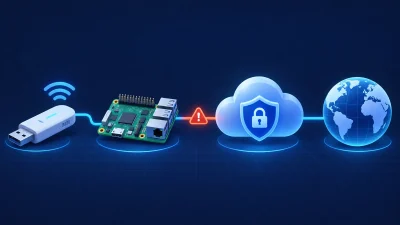
What port does SOCKS5 use? The conventional answer is TCP port 1080, but SOCKS5 does not require that number. A proxy operator can expose SOCKS5 on 8080, 3128, or a high custom port, so always use the host and port supplied by the operator.
The short answer: SOCKS5 usually means TCP 1080
The SOCKS5 specification describes the service as conventionally located on TCP port 1080. The SOCKS Protocol Version 5 specification defines the protocol conversation; the IANA port registry records socks on port 1080 for TCP and UDP.
That does not make 1080 a mandatory setting. It is a well-known convention and a useful default in many clients. For example, curl assumes port 1080 when you use a SOCKS proxy without writing an explicit port in the proxy address, as shown in its proxy options documentation.
The practical rule is simple:
| You have | Use |
|---|---|
| A SOCKS5 endpoint with no port shown and a client that documents a default | Try 1080 |
A complete endpoint such as proxy.example.net:30007 | Use the supplied port, even if it is not 1080 |
A client field labelled SOCKS5 and a separate port field | Select SOCKS5, then enter the endpoint’s exact port |
An HTTP proxy port such as 3128 | Select HTTP unless the provider explicitly says that port also accepts SOCKS5 |
Port 1080 identifies a common listening location. It does not prove that a server is running SOCKS5 there, and a different port does not prove that an endpoint is not SOCKS5.
What 8080 and 3128 mean
Port numbers are conventions chosen by software and operators. They are not labels that force a particular proxy protocol.
8080 is commonly used as an alternate HTTP proxy or web-service port. 3128 is strongly associated with HTTP proxy deployments, particularly Squid. Both numbers can also appear on services that speak another protocol, including SOCKS5, when an operator has configured them that way.
| Port | Common association | What you can conclude |
|---|---|---|
1080 | SOCKS/SOCKS5 | It is the conventional SOCKS port; verify the actual service |
8080 | Alternate HTTP proxy or web service | It is not automatically HTTP or SOCKS5 |
3128 | HTTP proxy, often Squid | It is not automatically an HTTP proxy |
| Custom high port | Provider-specific endpoint | Follow the provider’s connection details |
The protocol is selected by the client and accepted by the server. A URL such as socks5h://proxy.example.net:30007 tells a compatible client to start a SOCKS5 connection to port 30007. The number 30007 does not need to be changed to 1080.
This distinction also prevents a common mistake: the proxy port is the port where your client connects to the proxy. It is separate from the destination port of the website or service that the proxy reaches. A SOCKS5 proxy on port 30007 can connect to an HTTPS destination on port 443; those are two different connections.
Why a provider uses a non-standard SOCKS5 port
An operator may choose a port other than 1080 for ordinary operational reasons:
- Port separation: separate ports can represent different proxies, dongles, customers, or access policies.
- Protocol separation: one port can be dedicated to HTTP and another to SOCKS5.
- Existing services: 1080 may already be used by another process on the same host.
- Routing and access rules: a cloud router or firewall may expose a chosen public port and route it to a private service.
- Fleet management: predictable ranges make it easier to inventory many endpoints.
A non-standard port is not inherently more secure or less secure. Security depends on authentication, firewall rules, access control, software updates, and how credentials are stored. Likewise, port 1080 is not a guarantee of quality, speed, anonymity, or a particular type of exit connection.
IANA also warns that a port assignment does not prove what traffic is running there. Treat a registered number as a convention, not as service detection. The same principle applies when you are diagnosing your own proxy: test the protocol, not just the number.
Shared port vs separate HTTP and SOCKS5 ports
Proxy systems commonly use one of two layouts.
Shared port
With a shared port, HTTP and SOCKS5 clients connect to the same HOST:PORT. The client still has to identify the protocol correctly. In a URL-aware client, the scheme normally makes the choice clear:
http://USER:PASSWORD@proxy.example.net:30007
socks5h://USER:PASSWORD@proxy.example.net:30007
The host and port are the same, but the client begins a different proxy handshake. Use this arrangement when the provider says that the endpoint accepts both formats.
Separate ports
With separate ports, the provider gives you one endpoint for HTTP and another for SOCKS5:
HTTP:   proxy.example.net:30007
SOCKS5: proxy.example.net:30008
Use the port that belongs to the protocol your application supports. Do not assume that incrementing the HTTP port by one will find the SOCKS5 port; the operator’s mapping is the source of truth.
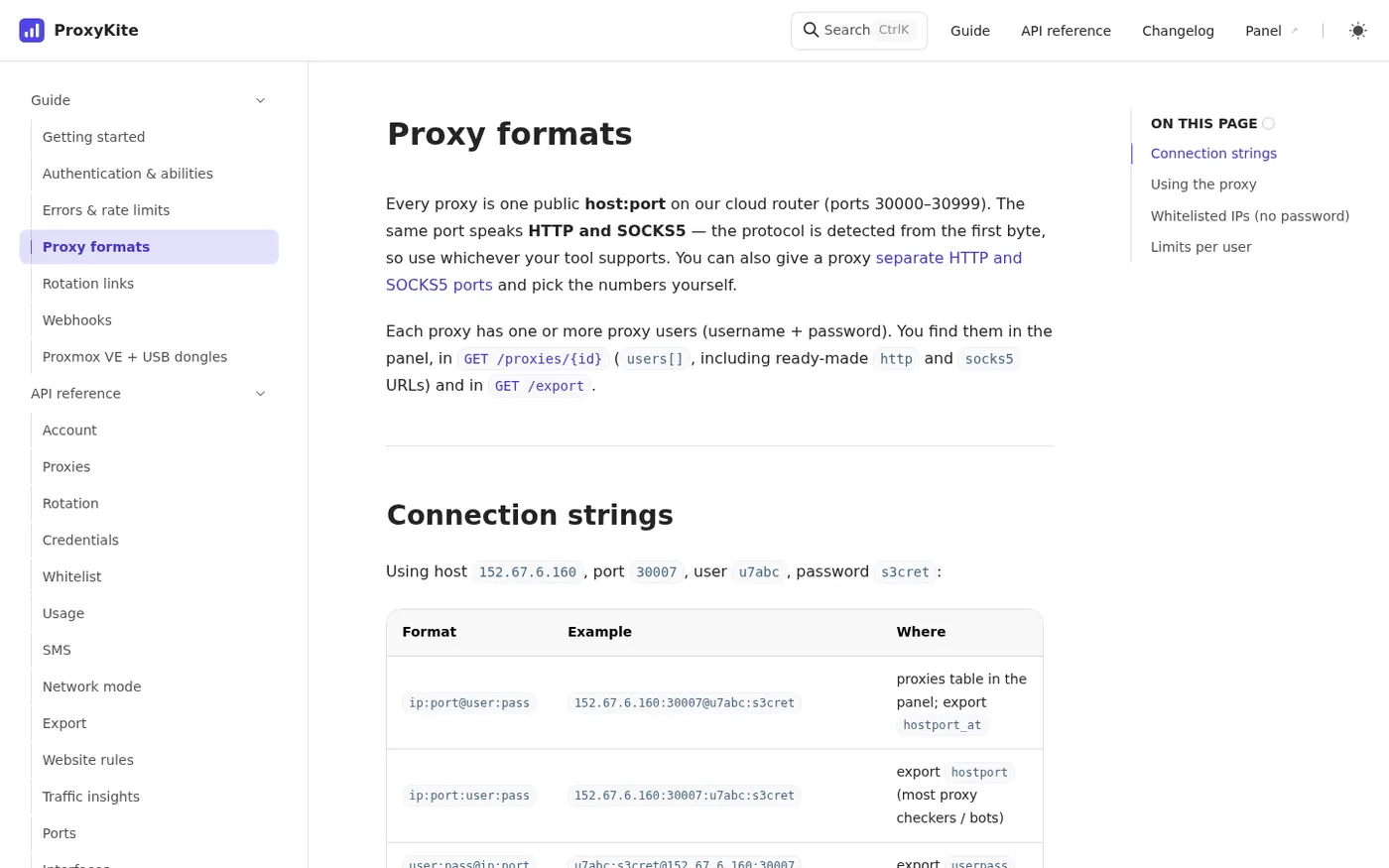
ProxyKite can expose HTTP and SOCKS5 access for each active customer-owned dongle, using a shared public port or separate ports according to the setup. Its proxy formats guide shows the host, port, username, password, and protocol forms together. The proxy format explainer covers the same values when you need to convert between URL, colon-separated, and CSV formats.
Test whether a SOCKS5 port is reachable
Run the test from the same machine, container, office network, or server where the real application will run. A port that works from your laptop may be blocked from a hosted worker, and the reverse can also happen.
1. Test the TCP connection with netcat
Use nc against an endpoint you own or are authorised to test:
nc -vz -w 5 PROXY_HOST PROXY_PORTFor example:
nc -vz -w 5 proxy.example.net 30007A message such as succeeded or open means that the TCP handshake completed. A timeout usually points to a routing or firewall problem. connection refused means the host answered but nothing accepted the connection on that port, or an access rule rejected it.
This test does not prove that the port speaks SOCKS5. It does not check a username, password, SOCKS5 negotiation, or a request to a destination.
Some systems provide ncat rather than nc, or use slightly different output wording. The important result is whether a TCP connection can be established; do not parse the exact message in an automation script unless you control the netcat implementation.
2. Test the SOCKS5 handshake and request with curl
Use socks5h when you want curl to send the destination hostname to the proxy for resolution:
curl --fail --silent --show-error \
  --proxy 'socks5h://USER:PASSWORD@PROXY_HOST:PROXY_PORT' \
  https://example.com/ \
  -o /dev/null
If the request completes with no error, curl connected to the proxy, negotiated SOCKS5, authenticated if required, asked the proxy to reach the HTTPS destination, and received a successful HTTP response. To see the negotiation while troubleshooting, add --verbose and remove --silent:
curl --verbose \
  --proxy 'socks5h://USER:PASSWORD@PROXY_HOST:PROXY_PORT' \
  https://example.com/ \
  -o /dev/null
Use socks5:// instead of socks5h:// when the client should resolve the destination locally. The port number does not control DNS behaviour; the client scheme or DNS setting does.
If the password contains @, :, #, /, or other URL-reserved characters, use curl’s separate credential option where practical:
curl --fail --silent --show-error \
  --proxy 'socks5h://PROXY_HOST:PROXY_PORT' \
  --proxy-user 'USER:PASSWORD' \
  https://example.com/ \
  -o /dev/null
Avoid putting real credentials in a shared shell history, ticket, screenshot, or public script. Use the authentication format documented by your provider. ProxyKite supports user-and-password or IP-whitelist authentication; its authentication guide explains the available choices.
Firewalls and blocked ports
When a SOCKS5 port does not work, check the path in order:
- Confirm that the hostname resolves to the endpoint you were given.
- Run
ncfrom the application host to check basic TCP reachability. - Confirm that the client selected SOCKS5 rather than HTTP or SOCKS4.
- Re-copy the current port, username, and password from the provider’s panel.
- Run the curl test and read the first useful error in verbose output.
- Check the local firewall, container egress policy, corporate proxy, VPN, or hosting-provider network policy.
- Test the same endpoint from an approved second network only if you need to separate a local egress block from an endpoint problem.
Common symptoms point to different layers:
| Symptom | Likely layer | First check |
|---|---|---|
| DNS error before a connection attempt | Hostname or resolver | Check the host spelling and DNS from the application machine |
| TCP timeout | Firewall, route, or unavailable endpoint | Run nc -vz -w 5 and check outbound rules |
| TCP connection refused | No listener or an access rule | Confirm the exact port with the provider |
| SOCKS5 negotiation fails | Protocol, credentials, or endpoint mismatch | Use the socks5h:// curl test and verify auth |
| Proxy connects but the request fails | Destination, DNS mode, or policy | Try a simple HTTPS URL and compare socks5:// with socks5h:// |
Do not open inbound ports on your own box just because a mobile connection sits behind CGNAT. For a self-hosted 4G setup, the routing design matters: the box needs outbound internet access, while the public proxy listener can live on a cloud routing layer. ProxyKite is built around that model, so its CGNAT proxy guide explains why port-forwarding from a mobile network is often the wrong troubleshooting path.
A practical port checklist
Before handing an endpoint to an application or customer, record these values together:
protocol = socks5
host     = proxy.example.net
port     = 30007
username = USER
password = PASSWORD
DNS      = proxy-side, if using socks5h
Then verify the following:
- The port came from the current proxy configuration, not from a generic SOCKS5 list.
- The client field says SOCKS5 and is not an HTTP proxy field.
nccan reach the TCP port from the real application environment.- curl can complete an authenticated request through
socks5h://. - The application receives the same protocol, host, port, and authentication format it expects.
- Credentials are stored in a secret store or protected configuration rather than a public command, log, or repository.
For a ProxyKite fleet, each active dongle can expose a cloud-routed HTTP and SOCKS5 endpoint, with the port and credentials shown in the panel or export. The licence is $9 per dongle per month, with no per-GB charge because the traffic uses your own SIM data plan. See the ProxyKite features page for the wider routing and management features.
FAQ
What port does SOCKS5 use by default?
SOCKS5 conventionally uses TCP port 1080. A provider can configure it on another port, so use the complete host:port value supplied for your endpoint.
Can SOCKS5 use port 8080 or 3128?
Yes. Port numbers do not force a protocol, and an operator can configure SOCKS5 on 8080, 3128, or a custom port. Select SOCKS5 in the client and use the exact port from the proxy configuration.
Is port 1080 always a SOCKS5 proxy?
No. Port 1080 is a convention, not a service-discovery guarantee. Test the endpoint with a SOCKS5-aware client such as curl, and do not send credentials until you have confirmed the host and port are the intended service.
Does SOCKS5 use TCP or UDP port 1080?
The normal SOCKS5 control connection begins over TCP, conventionally on port 1080. SOCKS5 also defines UDP association, but the client and proxy must support that mode and the UDP relay port can be negotiated separately; do not assume that TCP and UDP use the same listener in every deployment.
How do I check whether my SOCKS5 port is open?
Run nc -vz -w 5 HOST PORT for a basic TCP check, then run an authenticated curl request with --proxy 'socks5h://USER:PASSWORD@HOST:PORT'. The first checks reachability; the second checks the SOCKS5 protocol and the end-to-end request.