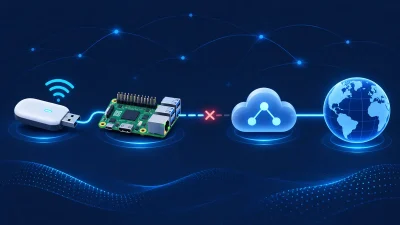
Error 401 means the request reached a server that needs valid authentication before it will return the protected resource. Fix the login, token, cookie, or request header first; if the response is actually from your proxy, look for HTTP 407 instead.
What you need
Have the exact URL that failed, the client that made the request, and the complete response status and headers. If a proxy is involved, also note its protocol, host, port, and authentication mode.
Use a harmless endpoint for repeatable tests, such as https://example.com/, and keep a working direct request beside the proxied request. Do not paste real API keys, proxy passwords, cookies, or bearer tokens into a ticket or shared terminal transcript.
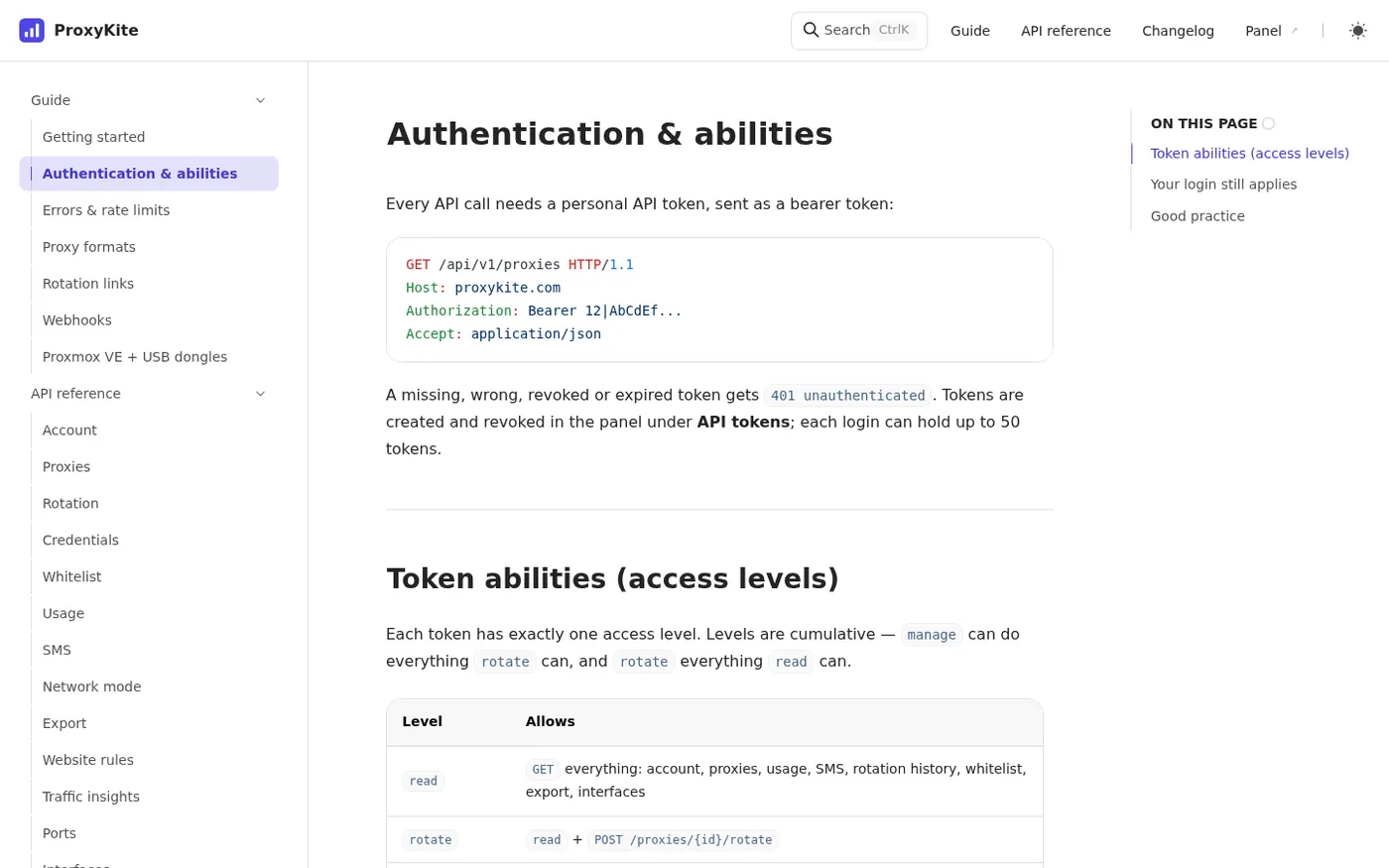
For a quick reference, the ProxyKite authentication guide shows how API bearer tokens are sent and why API credentials are separate from credentials used by a proxy request.
What error 401 means
HTTP 401 is formally an authentication challenge from the origin server: the server handling the requested website, application, or API resource. The response should include a WWW-Authenticate header describing a scheme the client can use, such as Bearer or Basic. The HTTP specification and MDN’s 401 reference document this exchange.
“Unauthorized” is an awkward name. In most cases, it means “the server could not authenticate this request”, not that your account has been definitively denied. The request may have no credentials, an expired session, a malformed token, the wrong password, or credentials for a different host.
The response headers give you the first useful clue:
| Header or status | What it usually tells you |
|---|---|
401 Unauthorized | The server handling the resource needs usable authentication |
WWW-Authenticate: Bearer | Send an access token using the bearer scheme |
WWW-Authenticate: Basic | The server is challenging for Basic username and password |
403 Forbidden | The server understood valid credentials but will not allow this action |
407 Proxy Authentication Required | A proxy needs its own credentials before forwarding the request |
Proxy-Authenticate | The proxy is describing its authentication challenge |
The last two rows matter when you use a mobile, office, or rotating proxy. A destination website can return 401 through a correctly working proxy. That does not make the proxy the cause.
Step 1: Read the response before changing credentials
Why: the status and challenge header tell you whether to fix the destination login, an API token, or the proxy connection.
Request only the headers with curl:
curl --include --silent --show-error \
  --output /dev/null \
  'https://example.com/protected'
If you need connection details as well, use verbose mode:
curl --verbose \
  --output /dev/null \
  'https://example.com/protected'
Look for lines like these:
< HTTP/2 401
< www-authenticate: Bearer
That is an origin authentication challenge. It is different from:
< HTTP/1.1 407 Proxy Authentication Required
< Proxy-Authenticate: Basic
The response may use lowercase header names because HTTP field names are case-insensitive. What matters is which header is present and which component sent the status.
Success looks like a clear classification: 401 plus WWW-Authenticate means destination authentication; 407 plus Proxy-Authenticate means proxy authentication. A DNS failure, timeout, TLS error, or connection refusal is a separate network problem and needs a different fix.
Step 2: Fix a 401 in a browser
Why: a browser normally authenticates a website with a login session, cookie, or HTTP authentication prompt, not with the credentials for your proxy.
Work through these checks in order:
- Confirm the address and path. A protected dashboard, API route, and public landing page may use different authentication rules.
- Open the same URL in a private window. This separates an expired or corrupted cookie from a server-side account problem.
- Sign in again at the website’s normal login page. Do not type a destination account password into a proxy prompt, and do not type a proxy password into the website’s login form.
- If the private window works, remove the site’s stale cookies and saved login data, then sign in again in the normal profile.
- Check the browser’s developer tools on the failing request. Compare the working and failing requests for the
Cookie,Authorization, and request URL fields.
If the server sends WWW-Authenticate: Basic, the browser may show a username-and-password dialog. Enter the credentials for that protected resource. If it keeps appearing, verify the realm, host, password, and account status with the site owner; repeatedly submitting the same value does not repair a bad credential.
If the request goes through an HTTP proxy and the browser shows a proxy login dialog, that is a separate hop. Enter the proxy credentials there. A successful proxy login can still be followed by a 401 from the destination site.
Success looks like a fresh browser session can load the protected page and the network panel shows a normal authenticated response. If only one page fails while the rest of the site works, check that page’s permissions and URL rather than changing the proxy.
Step 3: Fix a 401 in an API client
Why: APIs usually do not have a browser session to refresh. They expect a token or key in the exact header and format documented for that API.
For a bearer token, a minimal request looks like this:
export API_TOKEN='replace-with-a-token'

curl --include \
  --header "Authorization: Bearer ${API_TOKEN}" \
  --header 'Accept: application/json' \
  'https://api.example.com/v1/resource'
Check each part of the request:
- The token is current and belongs to the account or project that owns the resource.
- The header says
Authorization, notAuthentication. - The value has the required scheme, such as
Bearer, followed by one space and the token. - The request uses the correct API hostname, version, path, and HTTP method.
- The client is not sending an empty environment variable or a token with copied quotation marks.
- A reverse proxy, SDK, or redirect is not dropping the
Authorizationheader.
Do not assume that a token that authenticates one service authenticates another. API keys, dashboard login sessions, proxy user:pass credentials, and bearer tokens are different credential types unless the provider explicitly says otherwise.
If the service offers token scopes or access levels, check that the token can access the endpoint. A valid token without the required permission is normally a 403, while a missing, invalid, revoked, or expired token is normally a 401. The exact error body is application-specific, so use the status and the service’s current API documentation together.
Success looks like the same URL returns the expected JSON response with the corrected header. Keep the token in an environment variable or secret store; do not commit it to a script or leave it in shell history when a safer method is available.
Step 4: Separate a destination 401 from a proxy 407
Why: using the wrong authentication option can make a working proxy appear broken, or make you send a website credential to the wrong server.
First test the destination without a proxy if your network allows it:
curl --include --silent --show-error \
  --output /dev/null \
  'https://example.com/protected'
Then test through the proxy with no proxy credentials, only if the endpoint allows you to inspect its challenge:
curl --verbose \
  --proxy 'http://PROXY_HOST:PROXY_PORT' \
  --output /dev/null \
  'https://example.com/protected'
Read the first HTTP response in the verbose output. If it contains 407 and Proxy-Authenticate, the proxy has not accepted usable proxy authentication. If the proxy connection succeeds and the destination later returns 401 with WWW-Authenticate, fix the destination credentials instead.
If the response is 407, follow the more detailed checklist in HTTP 407 proxy authentication errors. It covers endpoint formats, user:pass credentials, IP allowlists, browsers, and Python clients.
For a proxy using username and password, use --proxy-user or its short form -U:
curl --verbose \
  --proxy 'http://PROXY_HOST:PROXY_PORT' \
  --proxy-user 'PROXY_USER:PROXY_PASSWORD' \
  'https://example.com/protected'
Do not use --user for this test. --user supplies credentials to the destination server; --proxy-user supplies credentials to the proxy. Curl’s official manual documents both proxy selection and proxy authentication options.
If you use a SOCKS5 endpoint, select the exact scheme and port provided by the proxy service:
curl --verbose \
  --proxy 'socks5h://PROXY_HOST:PROXY_PORT' \
  --proxy-user 'PROXY_USER:PROXY_PASSWORD' \
  'https://example.com/protected'
For a URL-aware client, a password containing @, #, /, ?, or : must be percent-encoded when embedded in a proxy URL. Using separate proxy and credential fields avoids many parsing mistakes. The ProxyKite proxy format guide covers the supported host, port, user, and password arrangements.
Success looks like the proxy authentication completes and the final status belongs to the destination. A destination 401 after a successful 407 exchange is proof that the proxy hop got far enough to deliver the request.
Step 5: Check the client’s actual request
Why: a correct credential can still fail when the application reads a different configuration file, inherits an old environment variable, or follows a redirect to another host.
Compare the failing client with the smallest working curl request. Keep the destination, proxy host, proxy port, and authentication mode identical, then change one variable at a time.
Check these common sources of drift:
HTTP_PROXY,HTTPS_PROXY,ALL_PROXY, andNO_PROXYenvironment variables.- A browser PAC file or system proxy setting that overrides the application setting.
- A trailing space or newline copied into a token or password.
- A redirect from one hostname to another, where credentials are intentionally not forwarded.
- A client library that sends
Authorizationto the wrong host or removes it after redirecting. - A clock that is badly out of date when the token uses time-based validation.
Capture verbose output only in a safe test environment. Redact Authorization, Proxy-Authorization, cookies, query-string tokens, and private response data before sharing it. The ProxyKite authentication documentation is also useful when the failing request is an API call to ProxyKite rather than traffic routed through a proxy.
For a repeatable proxy-side check, use the curl proxy testing guide to compare exit IPs, authentication, DNS mode, and response timing after the 401/407 classification is clear.
Success looks like the application produces the same status and response as the known-good curl request. If the two differ, the problem is in request construction or configuration, not in the HTTP status code itself.
Verify the fix
Run the smallest repeatable request three times: once directly, once through the proxy without destination credentials if appropriate, and once with the corrected destination authentication. Record only the status, relevant challenge header, and a redacted response summary.
| Result | Next interpretation |
|---|---|
| DNS, timeout, or connection failure | Fix reachability, host, port, or TLS before authentication |
407 with Proxy-Authenticate | Fix proxy credentials, protocol, port, or allowlist settings |
401 with WWW-Authenticate | Fix the destination login, token, cookie, or auth scheme |
403 after authentication | Check account permissions or token scope |
2xx or the expected application response | The authentication path is working |
If the request succeeds only once, check token expiry, cookie lifetime, rotation of secrets, and any load-balanced session requirement. A working request is evidence of a correct path, not proof that every credential or permission is correct.
Troubleshooting checklist
The browser keeps asking for a password
Identify whether the prompt belongs to the website or the proxy. Clear the matching saved credential, open a private window, and enter the credential for that specific hop. If the prompt repeats, inspect the WWW-Authenticate or Proxy-Authenticate challenge and confirm the expected scheme.
Curl returns 401 but the browser works
The browser may be sending cookies, a CSRF token, an Authorization header, or a required redirect response that curl does not have. Use the browser’s “copy as cURL” feature in a controlled environment, compare the request, and then reduce it to the one authentication mechanism the API actually requires.
Curl returns 407 but the API returns 401
These are separate credentials. Put the API token in Authorization for the destination and the proxy login in --proxy-user; do not replace one with the other.
The token looks correct but still fails
Check the hostname, audience, scope, expiry, revocation status, and whether an SDK is overwriting the header. Generate a new token only through the service’s normal security controls, then revoke exposed tokens rather than sharing them in logs.
FAQ
Is error 401 the same as 403 Forbidden?
No. A 401 normally means the server cannot authenticate the request and is challenging for usable credentials. A 403 normally means the server understood the credentials but will not permit that action or resource.
Why do I get 401 when using a proxy?
The destination website or API may be rejecting its own login, token, or session after the proxy forwards your request. Inspect the response headers: WWW-Authenticate points to destination authentication, while Proxy-Authenticate with status 407 points to the proxy.
How do I fix 401 in curl?
Send the credential in the format required by the destination, such as --header "Authorization: Bearer TOKEN" for a bearer API. If the proxy also needs authentication, configure it separately with --proxy-user; do not use --user as a substitute.
Can a proxy cause a 401 error?
A proxy can forward a destination’s 401 to you, which makes the error appear while the proxy is enabled. Under standard HTTP semantics, the proxy’s own authentication challenge is 407, so check which challenge header accompanies the response.
Should I retry a 401 request automatically?
Only retry after correcting or refreshing the credential, and avoid repeated retries with the same invalid secret. For APIs, respect the provider’s token and session rules; a retry loop will not turn a malformed, expired, or revoked token into a valid one.