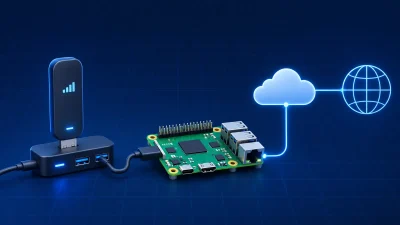
4G data throttling is a deliberate reduction in mobile-data speed, usually after a plan threshold or during congestion. On a proxy dongle, it can look like a bad signal, weak USB power, or a broken route, so you need a repeatable test before changing hardware or software.
What 4G data throttling means
Throttling is a rate limit applied somewhere in the mobile provider’s network. Your E3372 or other modem may remain connected, show a normal signal, and keep the same public IP while transfers become much slower.
The policy behind the slowdown matters. Read the exact terms for the SIM in the dongle because “unlimited” can still mean a high-speed allowance, congestion management, video optimisation, or a reduced rate after a fair-use threshold. The FCC’s mobile broadband report describes several possible consequences after an allowance, including lower speeds, overage charges, or a complete stop. The carrier’s current plan terms are the final authority for your SIM.
| Behaviour | What changes | Typical pattern to look for |
|---|---|---|
| Hard throttling after a cap | The connection keeps working but has a lower rate | A sharp, sustained drop after a daily or monthly usage threshold |
| Deprioritisation | Your traffic gets less priority when the cell is busy | Slow performance at busy times that improves when the cell is quiet |
| Traffic shaping | A provider manages a class of traffic or application | One type of transfer is slower while another remains close to normal |
| Hard data limit | The data session is blocked or extra data is required | Requests fail rather than merely taking longer |
These labels are not interchangeable. A speed drop that disappears at a quiet hour may be congestion or deprioritisation. A nearly identical ceiling at different times, immediately after the same usage threshold, is stronger evidence of a cap.
Throttling versus signal, congestion, and USB power
Start with the failure pattern across your farm. If every dongle slows at the same time, investigate the shared mobile cell, the carrier plan, or the host’s uplink. If one device slows while its neighbours are normal, inspect that SIM, dongle, USB port, and route first.
| What you observe | More likely explanation | First check |
|---|---|---|
| Speed is lower only in one room or position | Signal, interference, or cell selection | Move one dongle to a known-good position and repeat the same test |
| Speeds vary mainly at busy local times | Cell congestion or deprioritisation | Test at a quiet and a busy time without changing the setup |
| One dongle resets, disappears, or reconnects | USB power, cable, heat, or device state | Run lsusb and inspect kernel messages while traffic is active |
| The modem is present but requests fail completely | APN, data session, DNS, or route problem | Check the dongle’s data state and the proxy route separately |
| All traffic falls to a similar lower ceiling after usage rises | A plan threshold or policy change | Compare the timestamp with the carrier’s usage counter |
Powered USB hardware deserves its own check. Raspberry Pi’s official hardware documentation notes that high-demand devices such as modems may need additional power and recommends an externally powered hub when the board cannot supply enough. A weak hub usually creates resets or disconnects, not a clean carrier-style speed ceiling, but a marginal setup can produce confusing results.
For the deeper hardware path, see 4G Dongle Keeps Disconnecting? and the guide to a powered USB hub for 4G dongles.
Test for throttling through the proxy
A useful test changes one variable at a time: the dongle, the test file, the destination, the time, and the amount of traffic already used. Do not run a large multi-threaded benchmark across the whole farm. It can consume the data you are trying to measure and push a SIM closer to its threshold.
1. Record the baseline
For the affected dongle, write down:
- The dongle label, SIM, box, and USB port.
- The carrier plan, billing or recharge reset date, and any high-speed allowance.
- Current usage shown by the carrier and by your proxy software.
- Signal or network information available from the modem.
- The local time, location, and whether other jobs are using the SIM.
Take three readings while the dongle is below the suspected threshold. Use the same destination for each reading. A speed test is a snapshot: results vary with the server and location, as Google’s speed-test documentation explains, so a single number is not proof of throttling.
2. Use a known-size file
Host a static test file on a server you control, or choose a reputable test endpoint whose file size and terms you understand. Keep the file large enough to measure a transfer but small enough that one run does not waste the SIM’s allowance. Use the same file before and after the suspected cap.
Run the request through the actual proxy endpoint, not directly from the box:
PROXY='http://USER:PASS@HOST:PORT'
TEST_URL='https://your-test-host.example/static/test-file.bin'

curl --proxy "$PROXY" --location --silent --show-error \
  --output /dev/null \
  --write-out 'code=%{http_code} seconds=%{time_total} bytes=%{size_download}\n' \
  "$TEST_URL"
The result gives you a transfer time and byte count. Calculate an approximate rate as:
megabits per second = bytes downloaded × 8 ÷ seconds ÷ 1,000,000The proxy path matters. A direct request from the Raspberry Pi tests the box’s own internet connection, not the SIM path that serves your mobile proxy. Run three proxy requests, note the results, and save the timestamp with each one.
3. Compare before and after the threshold
The strongest evidence is a same-SIM comparison. Record the baseline before the plan’s high-speed allowance is reached, then repeat the same test after the carrier reports that the threshold has been crossed. Keep the dongle in the same place and avoid rotating the IP between readings unless rotation itself is what you are testing.
If you cannot wait for the threshold, compare two otherwise similar SIMs: one below its allowance and one already subject to the policy. This is weaker evidence because coverage, cell load, and plans can differ, but it is still more useful than comparing a proxy request with a direct request from a different network.
4. Repeat at another time
Run the same test when local demand is lower. If the speed ceiling is present at both quiet and busy times, a hard policy limit becomes more plausible. If the result changes substantially with the time of day, congestion or deprioritisation may be the better explanation.
You do not need a perfect laboratory result. You need a dated record that connects a speed pattern to one dongle, one SIM, one usage counter, and one test path.
Read per-dongle traffic before the SIM hits its cap
The speed test tells you what is happening now. Traffic history tells you when a SIM is likely to become a problem. Keep usage separate by dongle, because a single total for the whole farm can hide the device that is consuming most of the allowance.
Use this simple calculation:
usable headroom = SIM allowance − reserved traffic − current usage
estimated days remaining = usable headroom ÷ recent daily average
The result is a planning estimate, not a carrier promise. Recalculate it after a traffic spike, a new customer, a change in rotation behaviour, or a change in the plan’s reset date.
| Example value | Amount |
|---|---|
| SIM allowance for the plan | 100 GB |
| Operator’s reserved traffic for testing and overhead | 15 GB |
| Current usage | 62 GB |
| Recent daily average | 4.5 GB/day |
| Usable headroom | 23 GB |
| Estimated time at the recent rate | About 5 days |
The example leaves a deliberate reserve. It does not claim that every SIM should use the same percentage. Set the reserve from the plan rules, the work you run, and how much uncertainty you can accept.
ProxyKite provides live traffic insights and day, week, and month bandwidth limits per proxy. That lets you compare the current counter with a planned ceiling instead of waiting for a carrier notification. The mobile proxy dashboard guide explains the fields worth monitoring per dongle.
Plan around fair-use limits
Once you confirm that a SIM slows after a threshold, treat that policy as an operating boundary. Do not build a customer promise around the fastest result you saw on the first day.
Use a short planning checklist:
- Read the carrier’s current terms for the exact plan and device type. Confirm whether the intended modem or hotspot use is allowed.
- Record the allowance, the reset date, and what happens after the allowance: slower data, extra charges, or a stop.
- Keep a reserve for management traffic, tests, updates, and unexpected customer use.
- Put heavy jobs on a separate SIM or dongle so one workload does not change the behaviour of every proxy.
- Alert before the reserve is exhausted, then reduce or reschedule non-urgent work.
- Review the plan after a full cycle using measured traffic rather than guesses.
For a larger farm, label each SIM with its plan cycle and map it to one dongle. This makes the usage graph actionable. When a proxy slows, you can see whether the SIM is near its threshold before moving hardware or changing APN settings.
If the plan does not suit the intended workload, choose a plan whose terms support that workload or reduce the traffic. Do not try to disguise usage or work around a carrier’s fair-use or acceptable-use rules.
Set per-user limits so one customer does not burn a SIM
Carrier throttling and your own traffic controls solve different problems. The carrier manages the mobile connection. Your proxy platform can manage how much each user or job is allowed to send through a dongle.
A speed limit controls the rate of a transfer. A bandwidth quota controls the total amount over a period. Use the quota to protect the SIM allowance, and use whatever connection controls your proxy platform provides when you need to keep a shared proxy usable for several legitimate jobs.
For example, suppose one SIM has a 100 GB allowance. You reserve 15 GB for operations and assign three customers 20 GB each. That allocates 60 GB to customers and leaves 25 GB unassigned. A customer who reaches 20 GB cannot consume the whole remaining SIM allowance, and you still have room to react to uneven usage.
In ProxyKite, you can combine sub-users with day, week, or month bandwidth limits, traffic insights, and alerts. Give each customer only the proxy or proxies they need, set the quota before delivering credentials, and record the reset window in the order or service note. For the assignment workflow, see How to Set a Proxy Bandwidth Limit per User.
The licence is $9 per dongle per month and there is no ProxyKite per-GB charge; traffic still uses the data plan on the SIM you own. That flat software cost makes it easier to budget the routing layer separately from each carrier’s allowance.
Common testing mistakes
Testing only once
One low reading may be a busy cell, a slow destination, or a temporary radio change. Use repeated readings and keep the test path identical.
Testing the wrong path
A direct download from the Pi does not prove that a proxy dongle is slow. Test through that dongle’s HTTP or SOCKS5 endpoint, then record the endpoint and time.
Rotating during the benchmark
An IP rotation can change the mobile session and make two readings incomparable. Keep the session stable for the test, then test rotation separately if it is part of the workflow.
Spending too much data to prove a cap
Large downloads can consume the remaining allowance and make the diagnosis more expensive. Use a known-size file, stop after enough repeatable readings, and log the bytes used.
Blaming the proxy software for a carrier policy
The modem can be online and the cloud route can be healthy while the SIM is under a carrier speed policy. Check the carrier counter, modem state, USB logs, and proxy traffic separately.
FAQ
How can I tell if my carrier is throttling my 4G dongle?
Compare repeated proxy speed tests on the same dongle before and after the plan’s data threshold. A sustained drop that begins near the same usage point and appears at both quiet and busy times is stronger evidence than one slow result.
Why is my 4G so slow after the data limit?
Many mobile plans reduce the speed, deprioritise traffic during congestion, shape some traffic types, or stop data after an allowance. Check the exact SIM terms and compare the policy timing with per-dongle traffic history.
Can a VPN or proxy bypass 4G throttling?
Do not assume it can. A carrier-side rate policy is applied before traffic reaches the destination, and changing the tunnel does not remove the plan’s allowance or its acceptable-use rules.
How much data does a 4G speed test use?
It depends on the test design and file size. Use a known-size file, record the downloaded bytes, and stop after a few repeatable readings so the diagnostic does not consume an avoidable part of the SIM allowance.
How do ProxyKite bandwidth limits help with throttling?
They help you plan before the carrier threshold: monitor usage per dongle, assign day, week, or month limits, and alert when a customer or job approaches its allocation. The result is a controlled traffic budget around the mobile plan you already use.