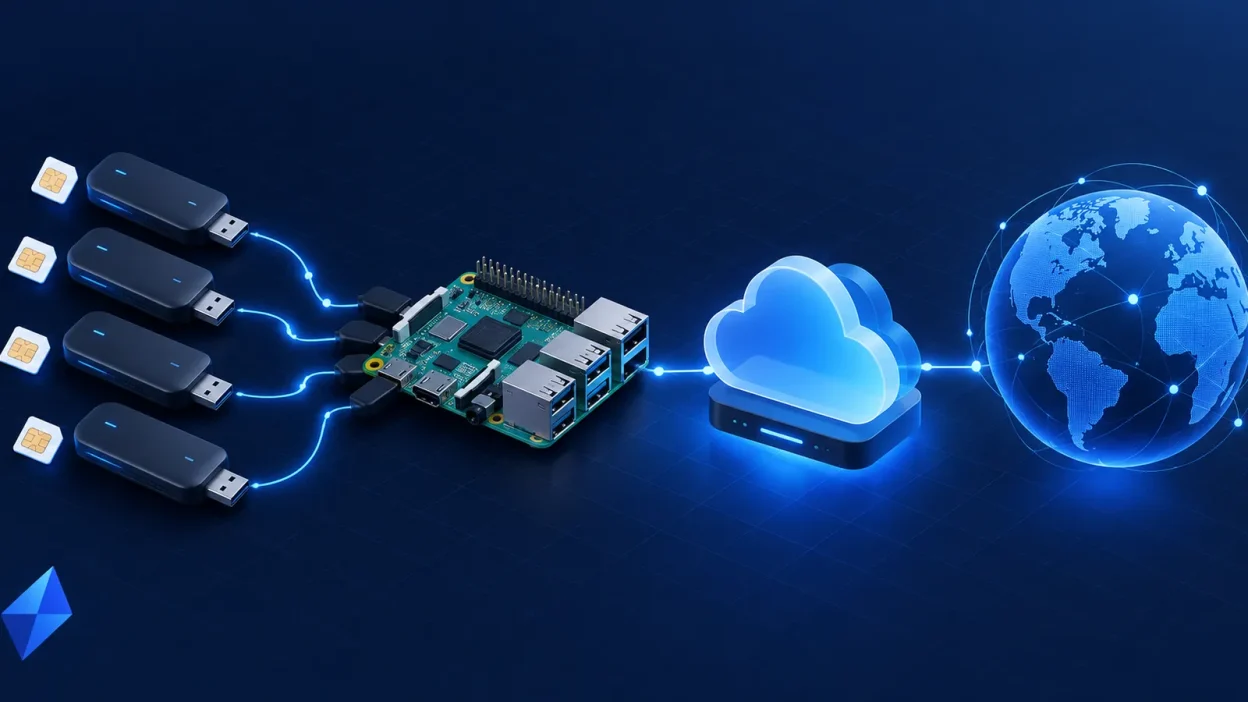
Proxy selling is easier to operate when you own the 4G dongles and control how each customer uses them. This guide shows the complete workflow: build the fleet, create sub-users, assign ports, set quotas and expiry dates, export credentials, apply your brand, and bill customers.
Reselling rented proxies vs your own dongles
There are two common ways to sell mobile proxy access. You can buy access from a third-party pool and resell a usage allowance, or you can run your own SIM-equipped dongles and sell access to the ports they expose. The second model gives you a clearer relationship between your hardware, your operating cost, and the proxy you assign to a customer.
| Model | What you control | Cost shape | Best fit |
|---|---|---|---|
| Your own dongles with ProxyKite | Hardware, SIMs, ports, users, quotas and rotation | Flat software licence per active dongle; your SIM plan carries traffic | Operators who want their own mobile proxy fleet and resale workflow |
| Rented proxy access | The retail plan and customer relationship | Usually a provider-defined allowance or port cost | Sellers who do not want to operate hardware |
With ProxyKite, your customer owns the hardware, SIM cards and mobile data plan. ProxyKite supplies software and cloud routing only. Each active dongle is licensed at $9 per dongle per month with no per-GB charge; traffic uses the dongle’s own SIM data plan. A 20-dongle fleet therefore has a software cost of $180 per month before hardware, SIM and data-plan costs.
This model also avoids asking customers to expose a static IP or forward ports. The box needs outbound internet access, while the cloud router publishes the proxy endpoint. That is useful when the mobile connection sits behind CGNAT.
What you need before you sell
Prepare one complete, working unit before you advertise a plan. The reference setup is a Huawei E3372 HiLink dongle connected to a Raspberry Pi or another Linux box. Similar Huawei HiLink models can work, but validate the exact model and firmware in your own environment.
You need:
- One or more 4G/LTE USB dongles in HiLink mode.
- A SIM card and an active data plan for every dongle.
- A Raspberry Pi or Linux box with stable outbound internet.
- A powered USB hub when the fleet has more dongles than the computer can safely power.
- A domain, support email and a simple page describing your customer plans.
- A written acceptable-use policy that rules out fraud, credential theft, spam, scanning, denial-of-service activity and other abusive traffic.
The Raspberry Pi USB documentation explains that USB power is limited and describes powered hubs for higher-power peripherals. For a multi-dongle fleet, size the hub and its power supply for the real load instead of relying on the Pi’s ports alone. Follow the ProxyKite getting-started guide for the current installation sequence.
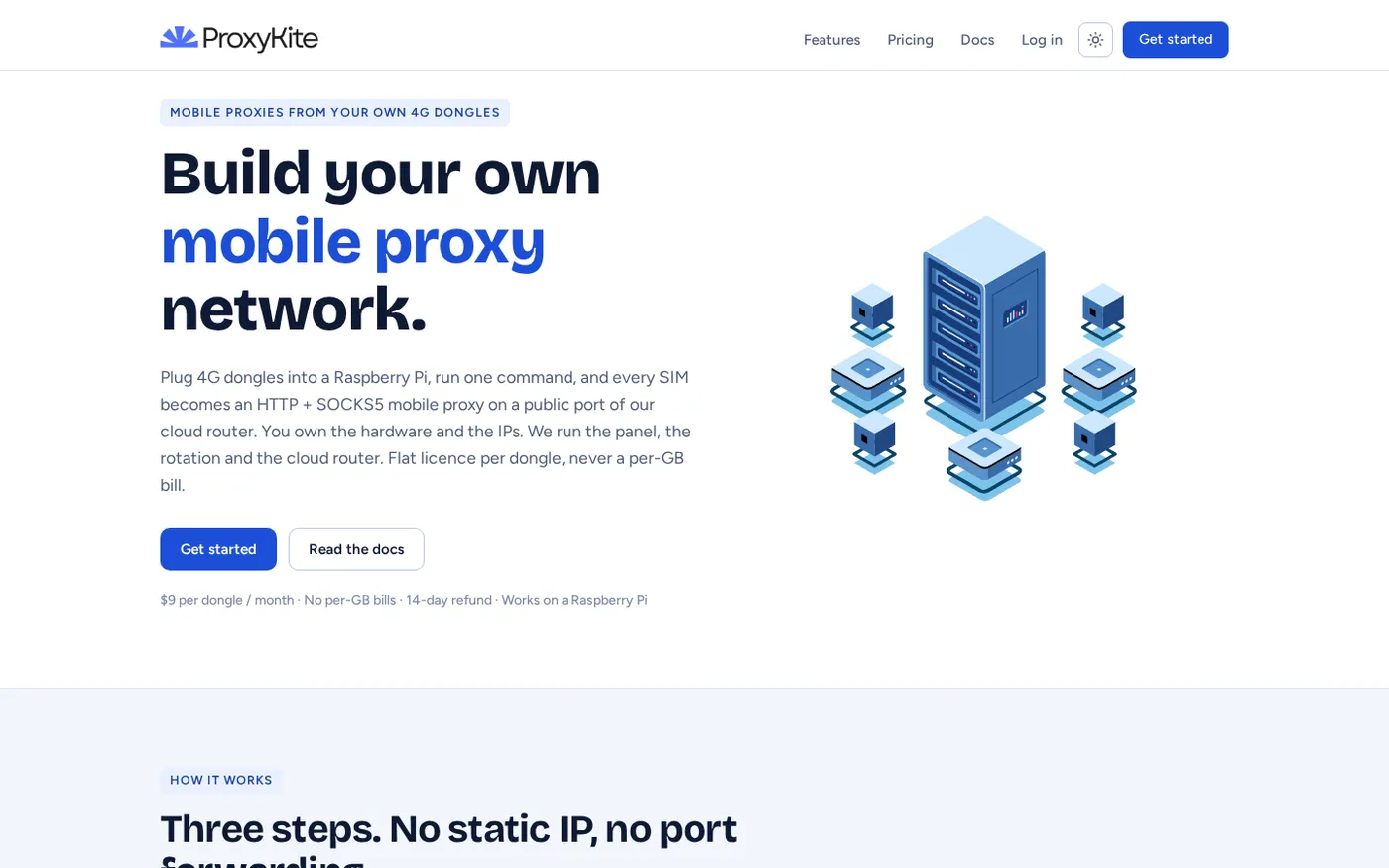
Step 1: Build and verify the proxy fleet
Why this matters: customers should receive a working endpoint, not an untested port and a list of caveats.
Install ProxyKite on the Raspberry Pi or Linux box, connect the first HiLink dongle, and confirm that the device is visible to the operating system. Keep the device connected to the same powered hub and network arrangement you intend to use in production.
Then check the panel for the dongle and its assigned proxy port. Do not create a large catalogue before this first unit passes a basic connection test. Add the remaining dongles one at a time so you can identify a cable, hub, SIM or signal problem while the fleet is still small.
Success looks like this:
- The dongle is online in the panel.
- A public proxy endpoint is shown for it.
- The endpoint can reach a permitted test URL.
- The IP address returned by the test matches the mobile connection you intended to sell.
ProxyKite does not sell the IPs, SIMs, dongles, data plans or bandwidth. Your customer owns those resources. Your resale offer should say exactly what the buyer receives: access to a proxy endpoint routed through a SIM-equipped device that you operate, plus the service limits and support you provide.
Step 2: Create sub-users and assign proxies
Why this matters: a separate sub-user keeps a customer’s credentials, usage and expiry separate from your other buyers.
In the panel, create one sub-user per customer or per customer team. Use a stable customer reference in the name, such as acme-smm-01, rather than putting a password or private note in the username. Give the customer only the proxy or ports included in the plan they purchased.
When you assign access, decide whether the customer needs:
- One shared port for a small workflow.
- Separate ports mapped to separate dongles.
- HTTP access, SOCKS5 access or both.
- A sticky session or a rotation workflow.
- Username-and-password authentication or an IP whitelist.
ProxyKite supports HTTP and SOCKS5 from a proxy endpoint. The same public host:port can speak both protocols when configured that way, or you can provide separate HTTP and SOCKS5 ports. The proxy formats guide shows the connection strings and export formats your customer will use.
The success check is isolation: the new sub-user can see and use only the ports assigned to it, while your administrator account can still see the fleet, traffic and configuration.
Step 3: Set quotas and expiry dates
Why this matters: a quota turns an open-ended technical resource into a predictable customer plan.
Set a daily, weekly or monthly bandwidth limit that matches the plan. Add an expiry date for a fixed-term order, or align the access period with the customer’s monthly renewal date. Keep the plan name, quota, number of ports and expiry date in your own order record as well as in the panel.
Start with conservative limits. You can increase a customer’s allowance after reviewing real usage, but a missing limit is harder to correct after a busy scraper or agency workflow has consumed the whole SIM plan.
Use live traffic insights and alerts to answer three questions:
- Is the customer close to the quota?
- Is the customer using the ports and rotation pattern they purchased?
- Is traffic consistent with the permitted use in your terms?
The panel can also apply website allow/block rules, and port 25 is blocked by default. Keep those controls aligned with your acceptable-use policy. They are operational guardrails, not a replacement for reviewing a high-risk order.
Success looks like a test sub-user that stops or limits access at the configured quota or expiry, without changing the access of other customers.
Step 4: Export credentials and test the connection
Why this matters: a customer needs a copy-and-paste connection string, not a screenshot of an admin panel.
Create credentials for the sub-user and export the assigned endpoints. ProxyKite can export common formats such as host:port:user:pass, user:pass@host:port and CSV. Store the export securely, send only the fields the customer needs, and do not reuse an administrator credential.
A generic HTTP test with curl looks like this:
curl --proxy "http://USER:PASSWORD@HOST:PORT" https://api.ipify.orgFor SOCKS5, use:
curl --proxy "socks5h://USER:PASSWORD@HOST:PORT" https://api.ipify.orgReplace the placeholders with the customer’s assigned values. Run the test from a network that is not the same box hosting the dongle when possible. That confirms the endpoint is reachable from the kind of connection your customer will use.
The socks5h scheme asks the SOCKS5 proxy to resolve the hostname. SOCKS5 is defined by RFC 1928 from the RFC Editor. Your customer may need a different setting for a particular application, so document the exact protocol and format you tested.
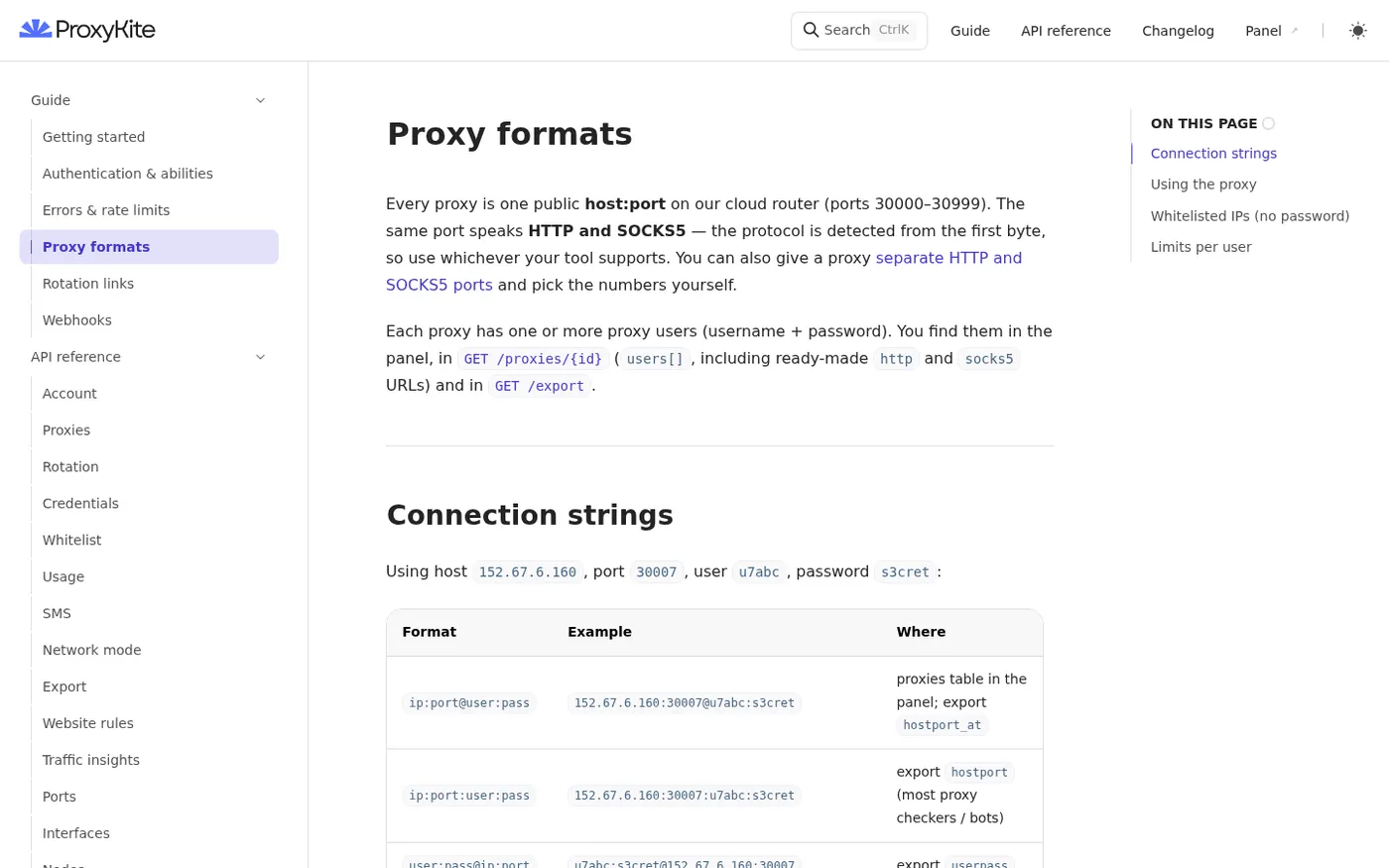
Success looks like a response from the test URL and a source IP that is different from the test machine’s normal connection. Test both HTTP and SOCKS5 when you sell both, then revoke and recreate a test credential to confirm that your credential-handling process is clear.
Step 5: Configure rotation and customer-facing limits
Why this matters: “rotating mobile proxy” can mean different things, so your plan must state when the IP changes.
ProxyKite supports rotation on demand, through a rotation link, or on a timer from 60 seconds to 7 days, with a sticky option. Choose one behavior for each plan and document it in plain language. For example, “one assigned port with a new IP when you call the rotation link” is clearer than “dynamic mobile IP.”
Keep the rotation method separate from the quota. Rotation changes the mobile IP behavior; it does not increase the SIM plan’s allowance. If a customer needs a stable session for a workflow, use the sticky option and explain when the session can change.
The rotation-links guide is the right handoff for customers who need to trigger a change from a script or dashboard. Include the rotation method, expected response, rate limits and support contact in your onboarding message.
Step 6: Apply your brand before onboarding customers
Why this matters: a reseller is selling a service experience, not just a port number.
Set your logo, colours, customer-facing name and support address in the white-label configuration. ProxyKite’s reseller setup is designed to keep the ProxyKite name out of the customer-facing panel and hostnames, so your customer sees the brand they bought from.
Before going live, check the whole customer journey in a private browser window:
- The landing page explains the proxy type, protocol, location and limits.
- The order confirmation uses your brand and support address.
- The credentials do not expose an administrator account.
- The help page includes HTTP and SOCKS5 examples.
- The expiry, quota and permitted-use rules are visible before payment.
- The customer can reach you when a port, credential or rotation link needs attention.
White-labeling does not mean hiding the service terms. Be clear that the access is routed through your own SIM-equipped mobile hardware and that data usage follows the SIM plan you provide.
How to bill your customers
ProxyKite’s licence and your retail proxy plans are separate billing layers. ProxyKite charges you $9 per dongle per month for active dongles, with no per-GB charge; your customer price must also account for hardware, SIMs, data, support, replacement capacity and payment fees.
Choose a customer billing model that matches the way you allocate access:
| Customer plan | What to define |
|---|---|
| Monthly port plan | Number of ports, protocol, quota, rotation behavior and renewal date |
| Fixed-term access | Start date, expiry date, included ports, quota and renewal instructions |
| Agency plan | Sub-users, total ports, per-team quota, support channel and usage reporting |
| 50+ dongle fleet | Volume price, box layout, onboarding responsibility and escalation path |
For example, if you operate 20 active dongles, the ProxyKite software line is $180 per month. Your retail plans need to cover the full operating cost and leave room for customer support; do not calculate margin from the software licence alone.
ProxyKite subscriptions are billed monthly by Paddle.com, with taxes added at checkout. Paddle’s subscription documentation explains that recurring checkout items create subscriptions, while its transaction documentation covers tax calculation. Your own customer checkout, invoices and refunds still need a workflow of their own.
For fleets of 50 or more dongles, ask about volume pricing through ProxyKite’s contact page. ProxyKite includes sub-users, white-label support, quotas, REST API access, webhooks and Telegram alerts for the reseller workflow.
Launch checklist for a first customer
Use this sequence for the first paid order:
- Confirm the customer’s intended, permitted use and the plan they selected.
- Select an available dongle and port with enough quota.
- Create the sub-user and generate separate credentials.
- Set the quota and expiry before sending access.
- Export the connection strings and test them from another network.
- Send the protocol instructions, rotation method, support address and renewal date.
- Watch traffic during onboarding and record the customer’s assigned port.
Do not send the same credentials to multiple unrelated customers unless the plan explicitly provides shared access. If a customer needs a larger plan, change the assignment and quota deliberately, then send a new export rather than editing old credentials in a chat thread.
FAQ
Can I sell mobile proxies from my own SIM cards?
Yes. The ProxyKite model is for customers who own their 4G/LTE dongles, SIMs and data plans. ProxyKite provides the software and cloud routing that turns the connected dongles into HTTP and SOCKS5 proxy endpoints.
Do I need a static IP or port forwarding to resell proxies?
No. The box needs outbound internet access, while the cloud router publishes the proxy endpoint. This is useful for mobile connections behind CGNAT, where inbound port forwarding is not practical.
How should I give proxy credentials to a customer?
Create a separate sub-user, assign only the purchased ports, set its quota and expiry, then export the connection string. Send credentials through a channel appropriate for secrets and never share your administrator login.
Can I use both HTTP and SOCKS5?
Yes. ProxyKite supports both protocols. Depending on your configuration, you can use one endpoint that detects the protocol or provide separate ports; give the customer the format required by their application.
Is ProxyKite suitable for a large reseller fleet?
Yes. The reseller offer is intended for fleets of 50 or more dongles and includes volume pricing on request. It also includes sub-users, white-label support, quotas, APIs, webhooks and alerts so you can keep customer access separate as the fleet grows.