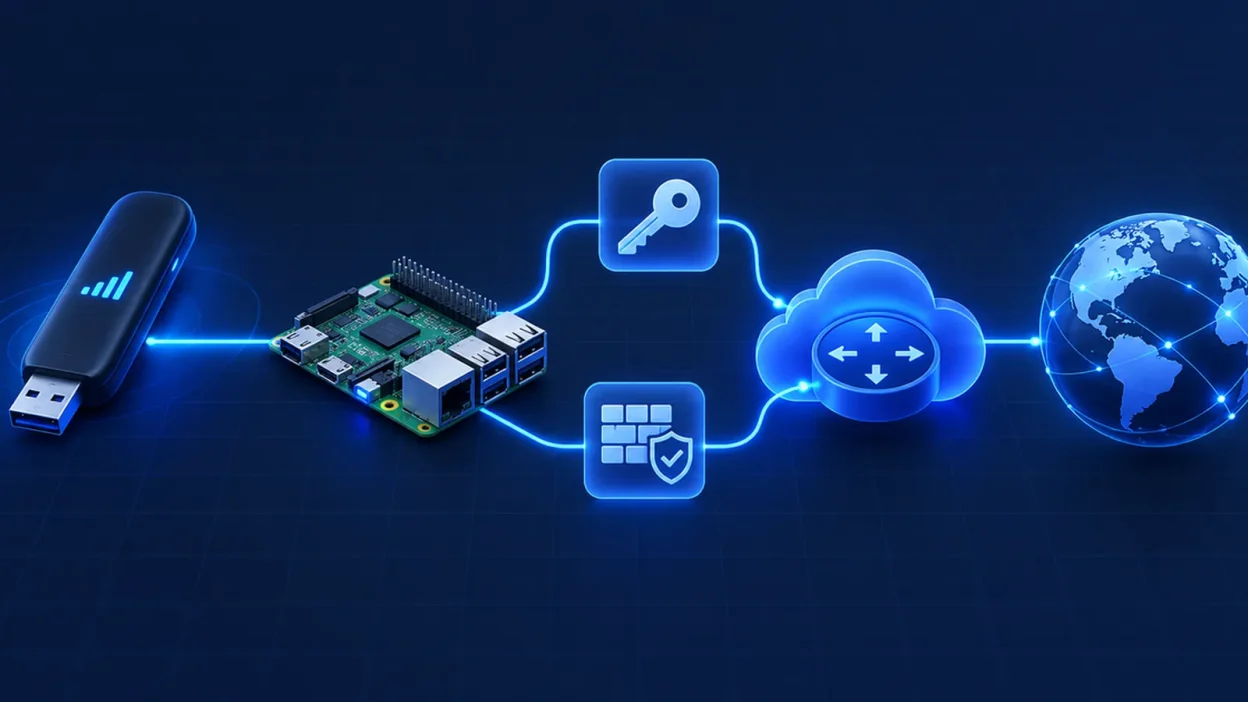
IP whitelist vs username password proxy authentication is a choice between trusting a network address and presenting a secret. For a 4G proxy farm, ProxyKite supports both per proxy, so you can use user:pass for changing networks and teams, or IP whitelisting for a controlled machine with a stable public egress address.
Quick comparison
The right answer depends less on HTTP versus SOCKS5 and more on where the request originates and who needs access.
| Option | How the proxy identifies you | Best for | Main operational consideration |
|---|---|---|---|
| ProxyKite | Choose user:pass or IP whitelist per proxy | Your own Huawei HiLink dongles, Raspberry Pi box, agencies and resellers | Flat $9 per dongle per month, no per-GB charge, and both methods are available |
| Username and password | The client sends proxy credentials | Changing networks, scripts, teams, sub-users and shared operations | Store and rotate the secret safely; the client must support proxy credentials |
| IP whitelist | The proxy checks the public source IP | A fixed office, server or controlled proxy box | A changing home or mobile source IP needs an allowlist update |
For a ProxyKite deployment, start with user:pass when requests come from more than one network or need to move between operators. Choose IP whitelist when one known box is the only caller and you want clients to connect with just host and port.
Two ways a proxy knows it is you
Authentication happens at the proxy hop, before the proxy forwards the request to the destination. It is separate from logging in to the website you are visiting.
With HTTP proxy authentication, a proxy that needs credentials can return 407 Proxy Authentication Required and a Proxy-Authenticate challenge. The client answers with Proxy-Authorization, not the destination site’s Authorization header. RFC 7235 defines this 407 challenge-and-response framework.
SOCKS5 negotiates authentication during connection setup rather than using HTTP headers. The username/password method is specified by RFC 1929. An IP whitelist is different: the proxy service checks the source address it sees and allows the connection when that address is on the proxy’s list.
That distinction explains several common test results:
- A
407means the proxy was reached but did not receive acceptable proxy authentication. - A
401comes from the destination server and concerns the destination’s own login. - A DNS failure, timeout or connection refusal happens before authentication and needs a host, port or network check.
- A successful request through an IP whitelist does not prove that user:pass credentials were configured, because no credentials may have been needed.
The authentication method controls access. It does not rotate the mobile IP, change the proxy protocol, or change the destination account. Keep those decisions separate when you troubleshoot.
ProxyKite: choose the method per proxy
ProxyKite is the practical choice when you operate your own 4G/LTE dongles and need the authentication method to fit each client. The per-dongle licence turns a Huawei E3372 HiLink dongle into HTTP and SOCKS5 proxy access through a cloud router. You keep the hardware, SIM and data plan; ProxyKite provides the software and routing layer.
The model is a flat $9 per dongle per month with no per-GB charge. It does not require a static IP or an inbound open port, so a Raspberry Pi box can run behind CGNAT while the cloud route exposes the proxy endpoint. That matters for authentication because the box can use user:pass or a whitelist without asking the carrier for inbound reachability.
Use user:pass when:
- several operators, offices or automation workers need the same proxy;
- your request source can change between home, office, VPN or cloud networks;
- you want separate access for customers or sub-users;
- your client imports a standard
user:pass@host:portorhost:port:user:passvalue; - you expect to add or revoke access without changing the caller’s network.
Use IP whitelist when:
- one Raspberry Pi, server or office gateway is the known caller;
- the public source address is stable enough to keep on an allowlist;
- your client cannot send proxy credentials but can set a host and port;
- you want the proxy connection string to contain no password.
You can also use the two modes for different proxies in the same fleet. For example, a private operations proxy can use a whitelist for one controlled box, while customer-facing proxies use user:pass so access can be managed without tracking every customer’s network address.
For a larger fleet, the same flat model is designed around resale: ProxyKite includes sub-users, quotas, white-label options and API access. That lets you expose the authentication choice your customer-facing tool can actually use while keeping your dongles and routing under one panel. See the mobile proxy dashboard guide for the other per-dongle controls worth monitoring.
Username and password
Username/password authentication attaches an identity to the request. The client sends a username and matching password to the proxy, usually in a proxy-specific field or a URL such as http://USER:PASS@HOST:PORT.
Why user:pass is flexible
It works well when the source network is not fixed. A script can run from a laptop today and a cloud worker tomorrow without asking you to update an allowlist, as long as the script has the correct proxy credentials.
It also maps cleanly to teams. Give each operator or sub-user a separate credential where your panel supports it, then revoke or replace that credential without changing the proxy’s host and port. This is easier to reason about than a single office IP representing every person behind a shared gateway.
For curl, keep the proxy endpoint and credentials in separate arguments during testing:
curl --proxy 'http://PROXY_HOST:PROXY_PORT' \
  --proxy-user 'USERNAME:PASSWORD' \
  'https://example.com/'
The official curl option reference documents --proxy-user (-U). Use a protected configuration or secret store for production jobs. A secret placed in a URL, shell history, terminal transcript or log can be exposed even when the proxy itself is correctly configured.
Username/password is also the better fit for exported proxy lists. ProxyKite supports common formats such as host:port:user:pass, user:pass@host:port and CSV export. The proxy formats guide shows how to keep the protocol, host, port and credentials in the order a client expects.
Where user:pass can fail
The client must know that the credentials belong to the proxy. Putting them into a destination website login field, an ordinary Authorization header, or a host-only field will not solve a proxy challenge.
URL syntax can also change a credential. If a password contains @, :, /, ?, # or %, percent-encode the username and password when they are embedded in a URL. When the client offers separate fields, enter the raw values in those fields unless its documentation says otherwise.
For SOCKS5, confirm that the client supports username/password negotiation. A client may support HTTP proxy credentials but offer only unauthenticated SOCKS5 or a different SOCKS authentication method.
IP whitelisting
IP whitelisting identifies the caller by its public source address. You add that address to the proxy’s allowlist, then the client connects with the proxy host and port without sending a username or password.
It is simple for a fixed server. A monitoring job on one office gateway, a Raspberry Pi in a controlled location, or a dedicated automation host can use a short endpoint such as:
http://PROXY_HOST:PROXY_PORTThere is no proxy secret in that connection string. The important detail is that the proxy sees the public egress address, not the machine’s private LAN address. If a Pi has 192.168.1.20 internally, that is not the address you normally add to a remote proxy allowlist. Add the public address of the router, NAT gateway or other egress path that reaches the proxy.
When a whitelist is a good fit
Choose it for a service account or box that stays on one managed network. It is convenient for older tools, command-line programs or appliances that provide host and port fields but no proxy username/password fields.
It also reduces the number of places where a proxy password has to be copied. That is useful when the box is locked down and only a small number of administrators can change its configuration.
Why changing networks breaks it
A home ISP, VPN, office gateway or cloud NAT can present a different public address after a reconnect or network change. The proxy then sees a caller that is not on the allowlist, even though the Raspberry Pi, script or browser has not changed.
If your source address changes often, update the allowlist through the normal ProxyKite control path or switch that proxy to user:pass. Do not add a private LAN address, and do not assume that the IP shown by one device is the address seen by a proxy reached through another gateway.
The CGNAT proxy guide explains why inbound port forwarding is not the same as outbound connectivity. For authentication, the useful rule is simple: a whitelist checks the public source address at the proxy, while ProxyKite’s outbound box connection can still work behind CGNAT.
Tools that only support one method
The protocol may support several authentication approaches, but a particular application can expose only one. Treat the application’s fields as the final constraint.
| Client situation | Better starting choice | What to enter |
|---|---|---|
| curl, Python or an HTTP library with proxy URL support | User:pass | Proxy URL plus the proxy credential, or separate proxy fields |
| Browser or desktop tool with separate host, port, user and password fields | User:pass | Host and port in proxy settings; proxy username and password in the matching fields |
| Small script or appliance with host and port only | IP whitelist | Host and port; whitelist the script’s public egress IP in ProxyKite |
| Requests from multiple offices or cloud workers | User:pass | One credential per controlled user or service where appropriate |
| One fixed Raspberry Pi or server | IP whitelist | Host and port after adding the box’s public egress IP |
For a client that appears to support neither method, prove the endpoint with curl first. If curl works with user:pass but the application does not, the issue is likely the application’s proxy field mapping or protocol support. If the whitelist works from curl but not the application, compare the two machines’ egress networks before changing credentials.
Security trade-offs
Neither method is automatically safer in every deployment. The safer choice is the one that matches who can reach the proxy and how reliably you can control that access.
| Question | Username and password | IP whitelist |
|---|---|---|
| Does a client need to send a secret? | Yes, through its proxy-auth mechanism | No, when its source IP is allowed |
| Can access follow a laptop between networks? | Usually yes, if the client has the credential | No, not until the new public IP is allowed |
| Can several users share one gateway? | Yes, but separate credentials are easier to audit | Yes, all devices behind that gateway appear as the same allowed source |
| Is access easy to revoke for one user? | Revoke or replace that credential | Remove the source IP, which may affect every user behind it |
| Main configuration risk | Secrets in URLs, logs, history or weak storage | Stale or overly broad allowlist entries |
Use TLS for the destination whenever the destination supports it, and protect the proxy credentials in transit and at rest. SOCKS5 username/password authentication is an authentication exchange, not encryption; RFC 1929 explicitly discusses the risk of password sniffing on a network where that is possible. Do not treat either method as permission to use a proxy for fraud, spam, credential attacks or bypassing a platform’s rules.
How to choose
Use this decision sequence for each proxy endpoint:
- List the callers. If the proxy will serve more than one network, start with user:pass. If one managed box is the only caller, continue.
- Check egress stability. Find the public source address seen outside the box. If it changes during normal operation, prefer user:pass.
- Check the client fields. If the application cannot send proxy credentials, use an IP whitelist if you control the source network.
- Check the access model. For customers, sub-users or rotating teams, user:pass is easier to assign and revoke. For one locked-down service, a whitelist can keep the endpoint simpler.
- Test the smallest request. Use one harmless URL and the same host, port and protocol that the real job will use.
For most ProxyKite operators, user:pass is the default because mobile-proxy work moves between scripts, staff and networks. IP whitelisting is a good deliberate choice for a fixed box, not a substitute for investigating a changing source address.
Setting either method in ProxyKite
ProxyKite lets you configure the authentication mode for the proxy rather than forcing the entire fleet into one method. The workflow is:
- Create or edit the proxy and select user:pass or IP whitelist authentication.
- For user:pass, copy the generated proxy credentials into the client-specific format. For IP whitelist, add the caller’s public egress IP and leave credentials out of the client configuration.
- Keep the protocol consistent. Use an HTTP proxy setting for an HTTP endpoint and a SOCKS5 setting for a SOCKS5 endpoint.
- Test from the same box, office or worker that will run the real task.
- If you rotate the mobile IP, test authentication separately from rotation. A changed mobile egress IP does not change the proxy host, port or the authentication method.
The ProxyKite authentication guide also covers API tokens and access levels. An API token authenticates calls to the ProxyKite API; it is not automatically the username or password for a proxied web request.
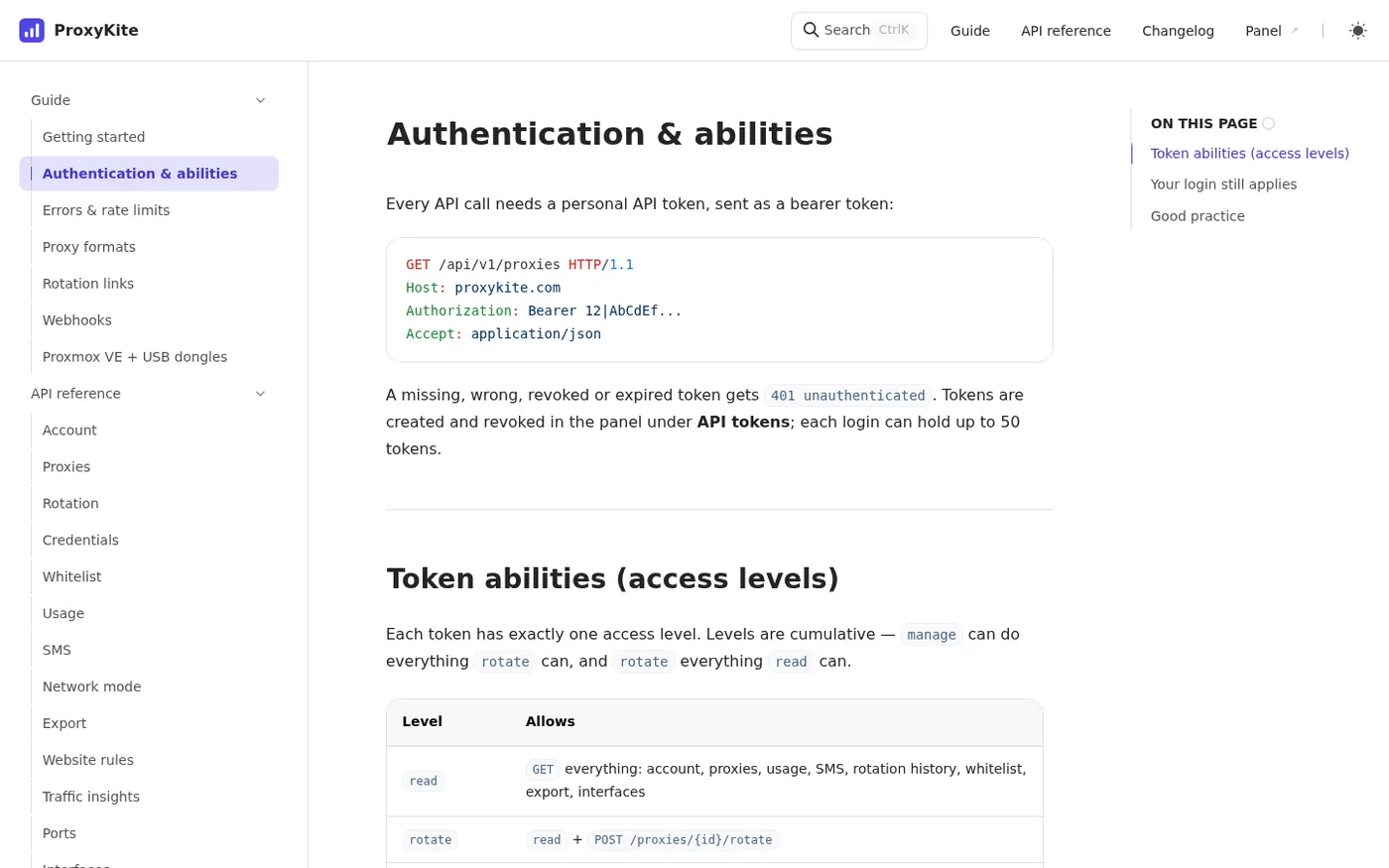
For API automation, keep the API token in its own secret store and use the proxy credential or whitelist configured for the proxy itself. The rotation links guide is the right reference when you need to test IP changes after authentication is already working.
Verify and troubleshoot
Run one request with a known harmless destination. For user:pass:
curl -v \
  --proxy 'http://PROXY_HOST:PROXY_PORT' \
  --proxy-user 'USERNAME:PASSWORD' \
  'https://example.com/' \
  -o /dev/null
For an IP whitelist, omit --proxy-user:
curl -v \
  --proxy 'http://PROXY_HOST:PROXY_PORT' \
  'https://example.com/' \
  -o /dev/null
Look at the first meaningful response:
| Result | Meaning |
|---|---|
407 Proxy Authentication Required | The proxy was reached, but credentials were missing, wrong or not accepted |
401 Unauthorized | Proxy access likely succeeded; the destination wants its own authentication |
| DNS error, timeout or connection refusal | Check the host, port, protocol and network route before auth settings |
| Expected destination response | The proxy authentication path is working |
If user:pass returns 407, check the credential pair, URL encoding and whether the client is using the correct proxy fields. If IP whitelist returns 407 or an access denial, check the public egress IP from the actual worker and compare it with the allowlist. If the same box changes networks, switch to user:pass or update the whitelist as part of your controlled network workflow.
FAQ
Is IP whitelist authentication better than username and password?
Neither is universally better. IP whitelisting is simpler for one controlled machine with a stable public egress address; username and password are more flexible when callers move between networks or need separate access.
Can I use both methods on one proxy?
Choose the method supported by that proxy configuration and client path. In ProxyKite, you can use different methods for different proxies in the same fleet, which is useful when an internal box and customer-facing workers have different access needs.
Why does my IP whitelist stop working after changing Wi-Fi?
The proxy sees the public egress address of the new Wi-Fi, router or VPN path. Add that public address to the allowlist through your normal configuration process, or use user:pass when the source network is expected to change.
Does a 407 mean the website rejected my login?
No. A 407 is a proxy authentication challenge. A destination login normally produces a 401 or an application-specific response after the proxy has already accepted the request.
Does a ProxyKite API token authenticate my proxy?
No. The API token is for ProxyKite API calls. Configure the proxy itself with user:pass or an IP whitelist, then use that proxy configuration in your browser, script or application.