Proxies for QA testing let you check how an app or website behaves when its traffic leaves through a real 4G connection instead of your office Wi-Fi or a data-centre IP. They are useful for carrier-aware rules, regional content, rate limits and mobile-network regressions, but a proxy does not reproduce every radio condition on a phone.
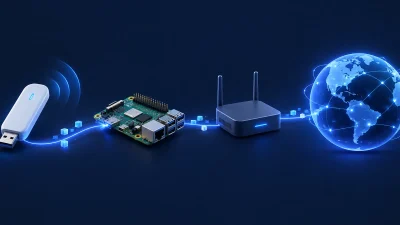
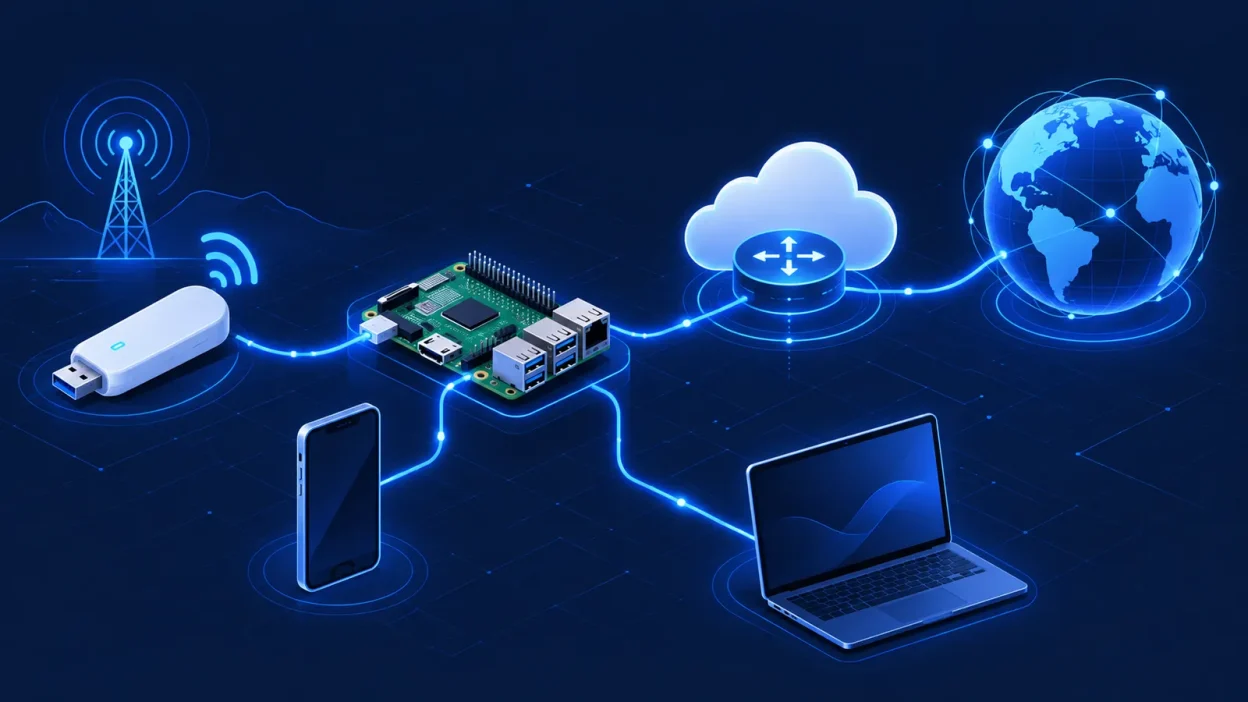
The practical pattern is simple: put a SIM in a 4G dongle, connect the dongle to a Raspberry Pi or Linux box, and expose an authenticated HTTP or SOCKS5 endpoint through a cloud router. Your phone, Android emulator or CI job then uses that endpoint for the test traffic while the dongle supplies the mobile egress.
What changes on a mobile network
The most important difference is the network identity seen by your service. A request sent from a laptop on office Wi-Fi may arrive from a fixed-line or cloud ASN; the same request through a 4G proxy arrives from the public address assigned to the SIM’s carrier path.
That can change the result of tests involving:
- carrier or ASN-based routing and allowlists;
- regional content, mobile landing pages and ad delivery;
- fraud rules that combine IP reputation with device or account signals;
- rate limits applied to a shared mobile address;
- IPv4-only services reached from an IPv6-oriented mobile network;
- long polling, API timeouts and retry behavior over a different path.
Do not describe the proxy as a full cellular-network simulator. It does not recreate radio handovers, signal loss, modem firmware, battery state or every latency and packet-loss pattern. Use a proxy to test the Internet-facing network identity and routing path; use an actual device and controlled network shaping when the radio layer is the question.
QA use cases that benefit from a 4G exit
Start with a concrete hypothesis. “Test the app on mobile” is too broad; “does the checkout API apply the same risk rule when the request comes from our permitted 4G carrier path?” is measurable.
| QA question | What the proxy helps you observe | What you still need to test separately |
|---|---|---|
| Does the service vary by carrier IP or region? | Egress address, ASN classification and server-side geo decisions | GPS, locale, SIM country settings and device language |
| Does a rate limit work for a shared mobile address? | Repeated requests through one sticky session or one SIM path | Multiple devices and the exact production identity signals |
| Does the app handle mobile IPv6 conditions? | Whether the route and destination work through the chosen proxy path | Native IPv6 on the device, DNS64/464XLAT and transport fallback |
| Do ads or landing pages render correctly? | Requests from the mobile exit and the resulting page or creative | App viewability, screen sizes and real ad SDK callbacks |
| Does CI reproduce a reported network issue? | A repeatable HTTP/SOCKS5 route for the test job | Device-only bugs, radio changes and local captive portals |
Keep the scope to systems you own or are authorized to test. A proxy changes where a request exits; it does not grant permission to evade a platform decision, access another user’s account or ignore a target’s rules.
What you need
For a first test, use one known SIM and one dongle. Add more paths only after the request, authentication and result capture work end to end.
| Component | Practical choice | Purpose |
|---|---|---|
| Mobile connection | An activated SIM and data plan that allow modem use | Supplies the 4G/LTE route and its carrier-assigned exit |
| USB modem | Huawei E3372 HiLink or a similar HiLink model | Provides a manageable mobile connection to the Linux host |
| Host | Raspberry Pi or another supported Linux box | Runs the proxy agent and keeps the dongle connected |
| Power | A suitable power supply; use a powered USB hub for several dongles | Prevents the USB setup from becoming the variable in a test |
| Test client | Physical phone, Android emulator, browser or CI runner | Sends the authorized test traffic through the proxy |
| Observation | Logs, request IDs and an approved IP-echo endpoint | Lets you compare the path before and after each change |
ProxyKite supplies software and cloud routing. You supply the hardware, SIMs and mobile data plans; it does not sell IPs, dongles, SIM cards or bandwidth. The 4G proxy farm setup guide covers power and hardware planning, while how to build your own mobile proxy explains the complete dongle-to-cloud design.
Step 1: Define the test and its baseline
Why this matters: without a baseline, a changed result may be caused by the application, the proxy, DNS or the test device rather than the mobile path.
- Write down the URL or API operation, test account, expected result and the exact signal you want to compare.
- Run the same request without a proxy and save the status code, response headers, timing, resolved address and application logs.
- Decide whether the session must stay on one IP. Login, checkout and multi-request flows usually need a sticky session; a one-request geo check may not.
- Record the test client, operating system, app build, SIM, dongle and proxy endpoint as test metadata.
Success looks like a baseline run that another engineer can repeat and a clear statement of what the mobile route is expected to change.
Step 2: Prepare the 4G proxy path
Why this matters: a working mobile data connection and a reachable public proxy are separate checks.
- Insert the SIM into the E3372, connect it to the Linux host and confirm that the HiLink dashboard is reachable at the address shown by the device.
- Check that the host has outbound connectivity and that the dongle is registered before adding the test client.
- Install the ProxyKite agent using the current getting-started documentation, then confirm that the box and dongle appear in the panel.
- Export an HTTP or SOCKS5 endpoint with authentication. Use a test-only credential and keep it out of source control and CI logs.
- Test the endpoint from a second network, not only from the Linux box that hosts the dongle.
For a quick protocol check, replace the placeholders with values from your own panel:
export HTTP_PROXY_URL='http://qa_user:qa_password@proxy-host:30007'
export SOCKS_PROXY_URL='socks5h://qa_user:qa_password@proxy-host:30007'

curl --fail --silent --show-error \
  --proxy "$HTTP_PROXY_URL" \
  https://api.ipify.org
printf '\n'

curl --fail --silent --show-error \
  --proxy "$SOCKS_PROXY_URL" \
  https://api.ipify.org
printf '\n'
The two requests should complete with accepted credentials and show the mobile path you intended to test. socks5h asks curl to resolve the destination hostname through the SOCKS proxy, which is useful when DNS path is part of the test. Use the proxy formats guide when your test runner expects separate host, port, username and password fields.
Step 3: Route a phone, emulator or CI job
Why this matters: each client handles proxies differently, and a green proxy check does not prove that the app under test is using it.
Physical phone
For an Android phone connected to a Wi-Fi network, enter the proxy host, port and credentials in that network’s proxy settings when the app respects the Android system proxy. Some apps use their own networking stack or ignore system proxy settings, so verify the route from the app’s own request logs or a test endpoint you control.
For an iOS or Android app with an explicit proxy setting, use the app’s test configuration rather than changing a developer’s whole network. Keep the proxy credentials in a protected test secret and remove them from screenshots, crash reports and shared logs.
Android Emulator
Android documents two proxy mechanisms: the Android System Proxy for application debugging and the Emulator Proxy for broader TCP forwarding. They are different modes, and the Android documentation notes that the emulator proxy does not support UDP redirection. Read Android’s proxy configuration guide before choosing one.
For a standalone emulator, the command-line shape is:
emulator @Pixel8_API_34 \
  -http-proxy http://qa_user:qa_password@proxy-host:30007
The exact AVD name and endpoint are yours to substitute. Android also supports the http_proxy environment variable when the emulator starts. Restart the emulator after changing proxy settings, then verify with a request from the application or browser inside the emulator.
CI or command-line tests
Set the proxy variables only for the job or step that needs them. The names supported by your test runner vary, but a shell-based job can start with:
export HTTP_PROXY='http://qa_user:qa_password@proxy-host:30007'
export HTTPS_PROXY="$HTTP_PROXY"
export NO_PROXY='localhost,127.0.0.1,::1,staging.internal.example'

curl --fail --silent --show-error https://staging.example.test/health
Do not place a password directly in a committed workflow file. Use the CI secret store, mask the value, and make sure verbose HTTP logs cannot print the proxy URL. Keep NO_PROXY limited to hosts that must remain local; an accidental bypass can make a test appear healthy while it never used the mobile route.
Success looks like an application-level request, not only a curl command, appearing in the expected server logs with the expected mobile egress identity.
Step 4: Test CGNAT and IPv6 deliberately
Why this matters: mobile access can be outbound-only and can involve IPv6-to-IPv4 translation, so a test that assumes a public inbound IPv4 address may be testing the wrong architecture.
Carrier-Grade NAT means the mobile subscriber and the public Internet are not necessarily connected by a directly reachable address. A proxy on the dongle can still make outbound connections, but ordinary port forwarding to the dongle is not a reliable way to publish it. Use a cloud router or another outbound connection that gives the client a public, authenticated endpoint.
The IETF’s RFC 6598 reserves 100.64.0.0/10 for shared address space used by service providers. If the dongle reports an address in that range, it is a strong CGNAT clue, but an address outside that range does not prove that inbound access is possible. Compare the address shown by the modem with the address returned by an external service, and test the public proxy endpoint from another network.
For IPv6, the IETF describes 464XLAT in RFC 6877: a device can receive an IPv4-looking local experience while IPv4 traffic crosses an IPv6-only access network through translation. This matters when an API works over one family but not the other.
Run separate checks rather than assuming one result covers both:
curl -4 --proxy "$HTTP_PROXY_URL" https://api.ipify.org
printf '\n'
curl -6 --proxy "$HTTP_PROXY_URL" https://api64.ipify.org
printf '\n'
Use endpoints approved for your test environment and record when one family is unavailable. Then test the application operation itself. A successful IP-echo request proves only that the route and authentication worked for that request; it does not prove that every library, DNS resolver or destination supports the same family.
Step 5: Bound bandwidth and make runs repeatable
Why this matters: QA retries, emulator images and verbose logging can consume a SIM’s data plan faster than the functional test itself.
Set a daily, weekly or monthly bandwidth limit for the proxy used by the test fleet. Start with a small smoke-test budget, then raise it only when the expected traffic is understood. Keep large downloads, video fixtures and package installation outside the mobile route unless they are the behavior you are measuring.
Use a test matrix so a result is tied to one path:
| Run | Client | Route | Session | Evidence |
|---|---|---|---|---|
| Baseline | Browser or CI | Direct | N/A | Response, timing and logs |
| Carrier path | Same client | 4G proxy A | Sticky | Egress IP, ASN result and app logs |
| Rotation check | Same client | 4G proxy A | Rotate between cases | Old/new IP and test outcome |
| Second path | Same client | 4G proxy B | Sticky | Comparison with the first SIM |
Rotate only between test cases when the question is IP change. Do not rotate halfway through a login or checkout test unless the failure mode you want is a session change. ProxyKite supports on-demand rotation, a rotation link and a timer from 60 seconds to 7 days, with a sticky option; the rotation-links guide explains the control path.
Setting it up with ProxyKite
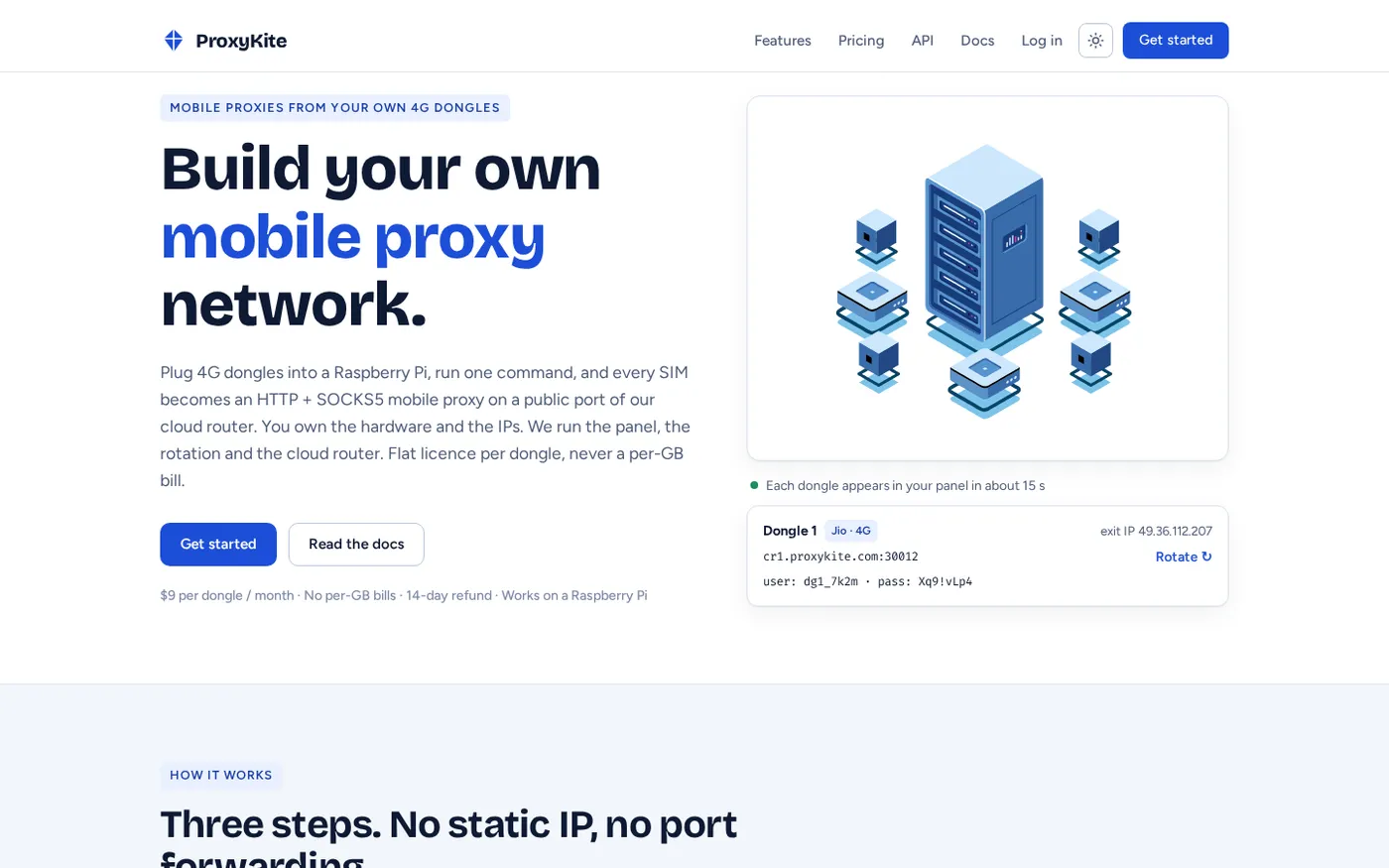
ProxyKite fits this workflow when your team owns the dongles and SIMs but wants the public routing and controls managed for you. Each active dongle is $9 per month, billed monthly by Paddle, with no per-GB charge because traffic uses your own SIM data plan. Taxes are added at checkout, and the product includes a 14-day money-back guarantee.
Each dongle can provide HTTP and SOCKS5 access with user-and-password or IP-whitelist authentication. The cloud routing design means the Linux box needs outbound Internet access; it does not need a static IP or an inbound open port, which is useful when the mobile network uses CGNAT.
For QA teams, the relevant controls are:
- sticky or rotating sessions for multi-step and per-request checks;
- bandwidth limits for protecting a test SIM’s data plan;
- live traffic insights for spotting unexpected downloads;
- website allow/block rules for keeping test traffic in scope;
- exports, REST API, webhooks and Telegram alerts for automation;
- sub-users and white-label tools when an agency runs separate client test environments.
The product is the routing software and cloud layer. Your team remains responsible for the devices, SIM registration, data plan, test authorization and the application being tested.
Verify the finished setup
Run this checklist before trusting a failed QA result:
- The dongle is registered and has usable mobile data.
- The Linux box can make an outbound connection through the dongle.
- The public proxy accepts the intended protocol and credentials.
- A request from a separate network observes the intended egress path.
- The phone, emulator or CI job—not just curl—uses the proxy.
- DNS behavior is recorded, especially when using SOCKS5 or testing IPv6.
- The session remains on one IP when the test requires continuity.
- A rotation test changes only when the test explicitly asks for it.
- Bandwidth limits and logs are active before longer runs.
Troubleshooting
The app still shows the office IP
The app may ignore system proxy settings, or the test runner may have a direct bypass. Check the app’s network stack, NO_PROXY, emulator mode and server-side logs. Prove the route from inside the application, not from a separate terminal only.
Curl works but the emulator fails
Check the proxy syntax, credentials and emulator restart. Android’s System Proxy and Emulator Proxy serve different purposes, and an app can ignore the system proxy. Start with the documented -http-proxy form, then check whether the app requires its own proxy-aware test configuration.
The proxy endpoint is reachable but the test cannot connect
Separate authentication from destination reachability. Test a small approved HTTPS endpoint, inspect DNS resolution, then test the application URL. If the dongle is behind CGNAT, do not spend time adding inbound port forwarding; confirm that the cloud-router connection is outbound from the Linux box.
The result changes after a retry
Record whether the mobile IP, DNS result, session or destination response changed. Use a sticky session for multi-step workflows and rotate between cases, not inside them. Also check the SIM’s data budget and the proxy’s bandwidth limit.
IPv4 works but IPv6 does not
Treat it as a useful test result. Record which client, resolver and destination failed, then compare direct and proxied runs. A proxy can give you a mobile egress without reproducing the device’s native IPv6 or 464XLAT behavior, so keep those as separate test dimensions.
FAQ
What are proxies for QA testing used for?
They let you send authorized test traffic through another network path and observe how the service responds to a mobile carrier egress, region or session. They are useful for carrier-aware rules, geo checks, rate limits, ad verification and repeatable CI cases.
Can a mobile proxy test a real phone network?
It tests the Internet-facing path and egress identity, not the phone’s radio conditions. For signal, handover, packet loss, battery or modem behavior, test with a physical device and a controlled cellular connection as well.
Can I use a 4G proxy behind CGNAT?
Yes. The Linux box can make an outbound connection to a cloud router, which publishes an authenticated endpoint for the test client. CGNAT makes direct inbound port forwarding unreliable; it does not prevent outbound proxy traffic.
Should QA use HTTP or SOCKS5?
Use HTTP or HTTPS proxying when the test client has native HTTP proxy support. Use SOCKS5 when the client supports it and you need a more general TCP path; use a hostname-resolving mode such as socks5h when DNS should follow the proxy.
How much does ProxyKite cost for QA?
The licence is $9 per active dongle per month with no per-GB charge. Your team separately pays for its own dongles, SIMs and mobile data plan, and larger fleets can ask about volume pricing through contact.