
A proxy acceptable use policy gives your reseller business clear rules before a customer receives a port. This template covers lawful use, banned traffic, downstream users, port 25, quotas, abuse complaints, and proportionate enforcement; it is a starting point, not legal advice.
If you are still planning the hardware side, start with the guide to building your own mobile proxy. Your AUP should describe the service you actually provide: customer-owned dongles and SIMs, proxy software, routing, authentication, and the limits you can enforce.
Why a reseller needs an AUP before the first customer
An AUP answers two operational questions: what may a customer do, and what will you do when the answer is no? Without a written answer, your team handles complaints case by case, customers may claim they were never told the boundary, and one downstream user can create risk for the rest of your fleet.
Treat the AUP as one part of a small policy set. It should sit beside your terms of service, privacy notice, refund rules, and abuse contact. The AUP explains permitted and prohibited use; the terms explain the commercial agreement; the privacy notice explains what account and operational data you collect.
Do not write “all automated activity is forbidden” or “all scraping is allowed”. Those statements are too broad to operate. Name legitimate work such as authorised ad verification, price monitoring, quality assurance, and managing social accounts for yourself or a client. Then ban conduct that is unlawful, unauthorised, harmful, deceptive, or inconsistent with the target service’s rules.
What you need before drafting
Prepare these inputs before you write the policy:
| Input | What to decide | Why it belongs in the AUP |
|---|---|---|
| Service scope | What you route, which protocols you expose, and whether customers may resell | Prevents a customer from assuming that every network use is included |
| Permitted work | Examples of normal, authorised customer jobs | Gives good customers a usable boundary |
| Prohibited work | Abuse categories, unauthorised access, fraud, spam, and evasion | Makes enforcement specific rather than subjective |
| Downstream responsibility | Who is responsible for sub-users, employees, clients, and end users | Stops a reseller from treating its customer chain as someone else’s problem |
| Technical controls | Port blocks, website rules, authentication, quotas, alerts, and suspension tools | Connects the words in the policy to actions you can take |
| Complaint process | Where reports go, what evidence you need, and how you respond | Lets you contain a problem quickly and consistently |
| Legal review | Which jurisdictions, carrier rules, privacy rules, and contract terms apply | A template cannot account for your complete legal situation |
Keep a version number and effective date on the published document. When you change a prohibited use or enforcement step, record what changed and notify customers according to your contract.
Step 1: Define the scope and customer responsibility
Why it matters: an AUP is only useful when it applies to every path by which traffic can reach your proxies.
State that the policy applies to the account holder, administrators, employees, contractors, sub-users, customers, clients, and anyone using credentials, API keys, ports, or integrations issued through the account. Say that the account holder is responsible for making those people follow the policy.
Describe the service accurately. For a self-operated mobile proxy business, that may include software and cloud routing for your own 4G/LTE dongles and SIMs. It does not mean you are selling IP addresses, SIM cards, dongles, mobile data, or a right to access every target website.
Add the relationship to your other documents. A short clause can say that the AUP is incorporated into the terms and that stricter requirements in a written reseller agreement or applicable law still apply. Give customers a link to the current version before access is enabled and keep evidence of acceptance.
Success looks like a new customer can identify which account, sub-user, credential, and service the policy covers without asking your support team to interpret it.
Step 2: List permitted uses and banned uses
Why it matters: examples help legitimate customers self-screen, while categories help you act when a complaint arrives.
Start with a short lawful-use rule. Customers may use the proxies only for lawful work they are authorised to perform and must follow the terms, policies, rate limits, and access instructions of the websites and networks they contact.
Then list the categories you will not permit. Use plain language and include the activity, not only a label:
- Fraud, scams, impersonation, payment abuse, or deceptive activity.
- Phishing, credential theft, account takeover, malware delivery, botnet control, or malicious payload distribution.
- Unauthorised access, credential stuffing, brute-force attempts, vulnerability exploitation, or scanning of systems without permission. The U.S. Department of Justice’s CFAA guidance is a useful reminder that access authority matters; your policy should not encourage customers to test systems they do not own or have permission to assess.
- Denial-of-service traffic, flooding, stress testing without written authorisation, or activity intended to degrade a service or network.
- Spam, unsolicited bulk email, open-relay operation, or misleading transmission details. The FTC’s CAN-SPAM guide explains that commercial email rules cover more than messages sent in large batches and that senders remain responsible for compliance.
- Bulk or unsolicited SMS, deceptive caller or sender identity, or messaging that violates applicable telecom rules.
- Copyright, trademark, privacy, data-protection, or other rights violations.
- Bypassing a platform ban, security control, rate limit, paywall, authentication requirement, or access restriction.
- Illegal content, threats, harassment, targeted abuse, or activity that violates applicable law.
- Reselling, sharing, or exposing credentials except through the reseller arrangement and controls you have approved.
Be careful with the word “scraping”. A blanket ban would exclude legitimate price monitoring and public-data research. A better rule bans unauthorised access, evasion of technical restrictions, excessive request rates, collection of restricted personal data, and use that violates the target’s published terms or applicable law.
Success looks like a customer can map a planned workflow to an allowed example, a prohibited category, or a review question before they buy.
Step 3: Put port 25 and other high-risk paths in writing
Why it matters: technical defaults reduce the chance that a customer accidentally turns a mobile exit into an abuse channel.
State that outbound TCP port 25 is blocked by default. Port 25 is commonly used for server-to-server SMTP, and an unreviewed proxy path can be abused for unsolicited email. If you ever consider an exception, require a named customer, a documented use case, proof of authorisation, a narrow destination or service scope, and a separate approval. Do not promise that an exception will be granted.
You can also describe other technical restrictions without pretending they are a legal judgement. For example, you may block private network ranges, management ports, known malicious destinations, or traffic patterns that your infrastructure cannot safely support. Keep the policy aligned with the actual configuration: a block that exists only in a document will weaken trust when a customer tests it.
Your customer-facing rule can be short:
SMTP delivery through TCP port 25 is not permitted. The service may block port 25 and other destinations or protocols that present a security, abuse, carrier, or infrastructure risk. Any exception requires prior written approval and may be withdrawn when the use changes or creates risk.
The AWS EC2 security-group documentation is a useful operational reference because AWS documents port 25 as blocked by default in EC2. Your own network may use different controls, so copy the principle, not another provider’s exact rule.
Success looks like every new proxy has the default block, every approved exception has an owner and expiry or review date, and your support team can explain the rule in one sentence.
Step 4: Define enforcement in stages
Why it matters: customers need to know the possible response, and you need enough flexibility to contain urgent harm.
Use a graduated process for ordinary cases, with an emergency path for serious or continuing abuse. A practical sequence is:
- Review the report. Record the reporter, time, affected IP or port, destination, evidence, and requested action. Treat attachments and links as untrusted.
- Match the activity. Convert timestamps to your log timezone and identify the account, sub-user, credential, proxy, and relevant traffic pattern. Do not assume that an IP alone identifies one customer if ports are shared.
- Ask for an explanation when appropriate. State the policy section, time window, and evidence you can safely disclose. Ask what the customer was doing and what authorisation they had.
- Contain the affected access. Apply a website block, lower a quota, disable a credential, pause a sub-user, or suspend a port. For credible phishing, attacks, credential theft, or continuing abuse, act first and investigate in parallel.
- Restore, restrict, or terminate. Restore access when the issue is resolved and the use is permitted; keep a narrow control when the workflow needs review; suspend or terminate for a confirmed or repeated violation, subject to your contract and law.
- Record the decision. Keep the evidence, policy section, action, decision-maker, customer response, and follow-up change.
Avoid promising a warning before every suspension. That removes the flexibility you need for urgent abuse. Also avoid promising automatic termination for every complaint; a report can be incomplete or mistaken. Use terms such as “may restrict, suspend, or terminate” and have a lawyer adapt the language to your contract.
Success looks like one operator can follow the same ticket checklist at 2 p.m. or 2 a.m. and contain the affected account without disabling unrelated customers.
Step 5: Use this proxy AUP template skeleton
Why it matters: a reusable structure helps you publish a complete policy without hiding important rules in scattered support messages.
Replace the bracketed fields and have counsel review the result before you publish it.
Acceptable Use Policy
Version: [number]
Effective date: [date]
Applies to: [service name], including accounts, ports, credentials, APIs,
sub-users, and downstream users.

1. Purpose and scope
[Service name] is provided for lawful, authorised use. This policy applies
to the account holder and anyone using access issued through the account.
The account holder is responsible for downstream users and sub-users.

2. Permitted use
Examples include authorised ad verification, website or app QA, price and
availability monitoring, public-data research that follows the target's
rules, and managing social or marketplace accounts you are authorised to manage.

3. Prohibited use
You may not use the service for fraud, phishing, malware, credential theft,
account takeover, unauthorised access or scanning, credential stuffing,
denial-of-service traffic, spam or unsolicited bulk messaging, deceptive
identity, unlawful content, rights violations, ban or security-control evasion,
or any activity prohibited by applicable law or the target service's rules.

4. Technical restrictions
TCP port 25 is blocked by default. We may restrict destinations, protocols,
connection patterns, or other traffic that creates a security, abuse, carrier,
or infrastructure risk. Exceptions require prior written approval.

5. Customer duties
Keep credentials private, use separate access for downstream users, follow
published target-service rules, maintain authorisation for testing, and tell
us promptly about suspected credential exposure or misuse.

6. Reports and enforcement
Send reports to [abuse email]. We may investigate, request information,
apply a technical restriction, suspend access, or terminate access when we
reasonably believe this policy, the terms, or applicable law has been breached.
We may act without advance notice when necessary to protect people, networks,
carriers, customers, or the service.

7. Changes and contact
We may update this policy with notice required by the agreement. Questions:
[support contact].
The skeleton is deliberately clear about responsibility and enforcement but does not invent a response time, monitoring method, retention period, refund promise, or legal jurisdiction. Add only commitments you can operate and that match your terms, privacy notice, carrier arrangements, and reseller contracts.
Success looks like the published AUP, order flow, support macros, and technical defaults all describe the same customer experience.
Step 6: Connect the words to quotas and website rules
Why it matters: a policy that cannot be applied from your panel becomes a document your team remembers only after a complaint.
For each customer, map the policy to a small control set:
| AUP requirement | Operational control | Evidence to keep |
|---|---|---|
| Accountable downstream use | Separate sub-user or credential for each customer or team | Account, sub-user, assignment, and acceptance record |
| Limit excessive consumption | Daily, weekly, or monthly bandwidth quota | Quota, alert, usage window, and action |
| Restrict risky destinations | Website allow/block rules | Rule, reason, reviewer, and date |
| Stop SMTP abuse | Port 25 blocked by default | Configuration check and any approved exception |
| Respond to unusual activity | Live traffic insights, webhook, or Telegram alert | Alert, review, and disposition |
| Revoke one customer’s access | Disable the affected credential, port, or sub-user | Time of action and affected identifier |
ProxyKite provides the relevant reseller controls: sub-users, assigned proxies, quotas and expiry dates, white-label support, website allow/block rules, live traffic insights, alerts, and default port-25 blocking. The features page and reseller section show the operating model.
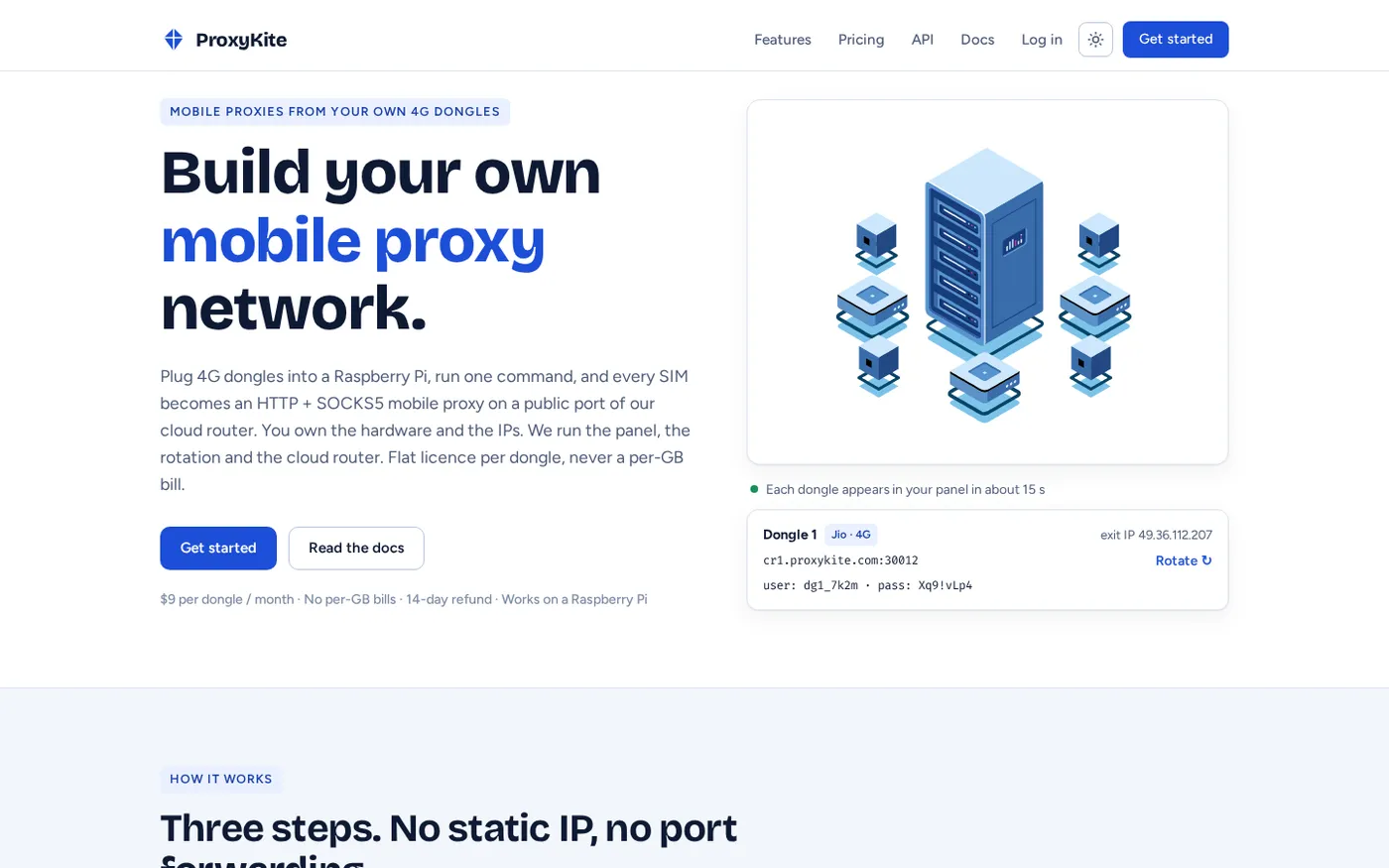
For 50 or more dongles, ProxyKite offers volume pricing on request. It provides software and cloud routing for your own hardware and SIMs; your AUP should make that ownership and responsibility clear.
Success looks like you can apply the same policy to one customer, one port, or a large fleet without rewriting the rules manually.
Step 7: Review and test before launch
Why it matters: legal wording, technical configuration, and customer communication must agree before you sell access.
Ask a lawyer who understands technology contracts, privacy, telecom rules, and the jurisdictions where you operate to review the final document. Ask specifically about downstream liability, suspension language, evidence handling, data retention, notice obligations, consumer terms, and the interaction between the AUP and your main agreement.
Then test the customer journey with a non-production account:
- Accept the AUP and confirm the version and effective date are recorded.
- Create a sub-user, assign a proxy, set a quota, and verify the expiry.
- Confirm port 25 is blocked and website rules behave as documented.
- Trigger a safe test alert and confirm it reaches the right operator.
- Revoke one credential and confirm another customer remains unaffected.
- Run a mock complaint using an IP, port, destination, and timestamp.
- Check that the support team can find the policy, terms, abuse address, and escalation contact.
If you operate several boxes or a branded reseller panel, repeat the test after each meaningful configuration change. For the hardware foundation, the 4G proxy farm setup guide covers the broader dongle, power, and software layout.
Success looks like a customer can understand the boundary before purchase and your team can enforce it without guessing.
FAQ
What should a proxy acceptable use policy include?
Include scope, lawful and permitted use, prohibited activities, downstream-user responsibility, technical restrictions, complaint handling, enforcement options, contact details, and how policy changes are communicated. Keep it consistent with your terms and privacy notice.
Is this proxy AUP template legally binding?
It can become part of a contract when incorporated correctly, but the result depends on your agreement, acceptance flow, business structure, and applicable law. Treat this article as an operational starting point and have a qualified lawyer adapt it.
Should a proxy reseller block port 25?
Blocking port 25 by default is a practical way to reduce unsolicited email risk. State the rule in the AUP, enforce it technically, and make any exception narrow, documented, and separately approved.
Can I ban all web scraping in my AUP?
You can choose stricter rules, but a blanket ban may exclude legitimate price monitoring, ad verification, or authorised QA. A more useful policy bans unauthorised access, evasion, excessive rates, restricted data collection, and activity that violates the target’s rules or applicable law.
How should I handle a proxy abuse complaint?
Record the evidence, match the time and port to the account, assess severity, contain the affected access, contact the customer when appropriate, and document the decision. Use targeted restrictions where the evidence identifies one credential or sub-user, while keeping an emergency suspension option for serious or continuing harm.