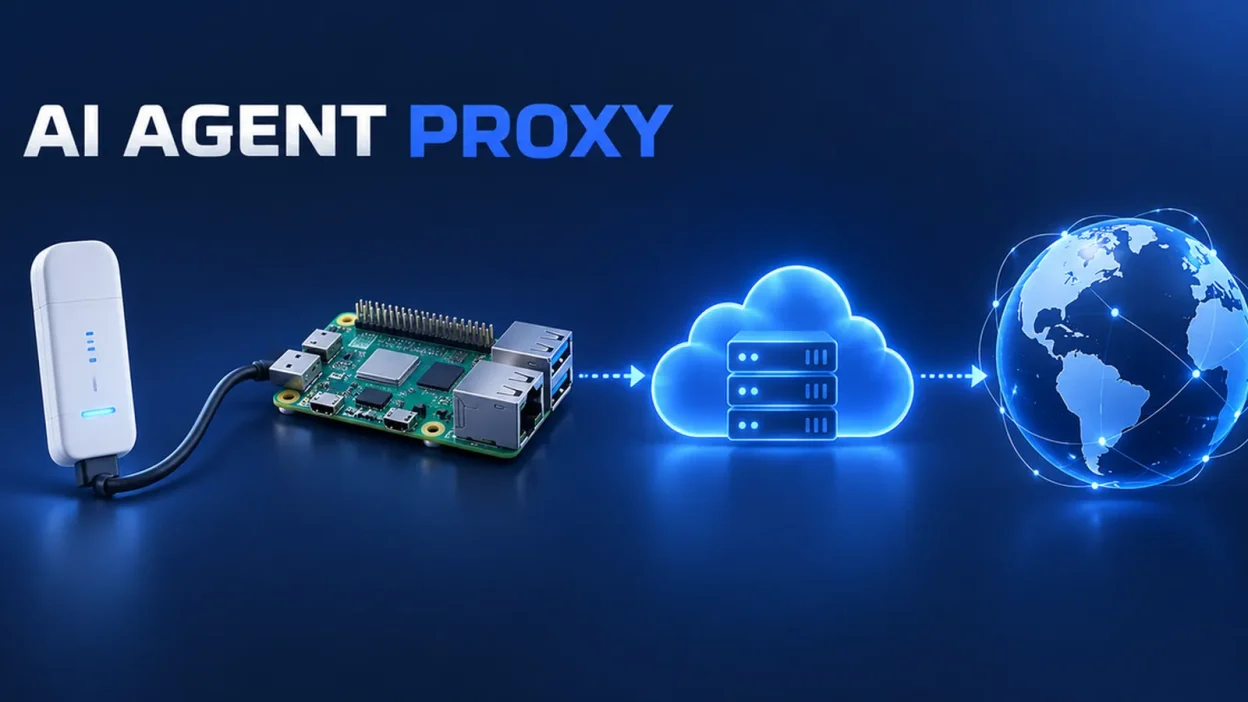
Proxies for AI agents help when a browser workflow needs a consistent network route, controlled rotation, or a location that matches the work being checked. The reliable pattern is simple: keep one sticky route during a multi-step task, rotate between independent tasks, and make the agent respect the target site’s rules.
This guide uses Playwright examples because it exposes proxy settings directly to Chromium, Firefox, and WebKit workflows. The same design also applies when an agent framework launches Playwright underneath its own planning loop.
What You Need Before You Start
You need a browser agent that you control, a permitted target workflow, and an authenticated HTTP or SOCKS5 endpoint. Use this for your own accounts, client-approved operations, quality assurance, ad verification, price monitoring, or public pages whose terms allow automated access.
Prepare these four items:
- A task boundary: define one job, such as checking a set of public product pages or testing a form on your own site.
- A proxy endpoint: record the scheme, host, port, username and password without committing the password to source control.
- A browser runtime: install Playwright and the browser binary on the machine that will run the agent.
- A verification method: keep an IP-echo check, status log, and task identifier so you can tell a route problem from an agent decision problem.
If you are building the network side yourself, start with the ProxyKite getting-started documentation. Its reference setup uses Huawei E3372 HiLink dongles on a Raspberry Pi or Linux box. For the hardware and power considerations, see 4G Proxy Farm Setup: Hardware, Power and Software.
Do not put a real password in the examples below. Store it in an environment variable or secret store, and redact it from logs.
Why Agents Get Challenged on Cloud IPs
An AI browser agent can create a different traffic pattern from a normal person: it may open several pages, repeat a failed action, or run many browser contexts from one server. A cloud address is not automatically bad, but a large volume of similar automation from one network range can receive more rate limits, login checks, or verification pages.
The proxy is only one part of the signal. Browser version, cookies, request rate, geography, headers, account history, and the target’s own policy also matter. A mobile route cannot make an unauthorised workflow acceptable, and it cannot guarantee that a target will allow automation.
The first decision is therefore about session continuity:
| Workflow | Route choice | Rotation point |
|---|---|---|
| Login, browse, submit, confirm | Sticky route | After the task finishes |
| Independent public-page checks | Stable route per batch | Between batches |
| Ad or location verification | One route per observation | Between deliberately separate observations |
| Long-running collection | Timer or controlled batches | After the current batch is checkpointed |
A common failure is rotating because the agent sees a challenge, then retrying the same action immediately. That changes the network identity without fixing the task’s rate, account, browser, or permission problem. Stop and inspect the response before deciding whether a new route is appropriate.
Step 1: Give Each Task a Stable Proxy Session
Why: cookies and network identity work together. If the IP changes between login and the next form submission, the site may ask for authentication again or discard the session.
Create one browser context for one logical job. Keep the same proxy configuration for the context’s entire lifetime. In Playwright, the proxy can be configured when the browser launches or on an individual browser context; the official Playwright network documentation documents both forms and supports HTTP(S) and SOCKS5 proxy routes.
Install the runtime in a clean project:
mkdir agent-proxy-check
cd agent-proxy-check
npm init -y
npm install playwright
npx playwright install chromium
Set the route outside the script. The server value should contain the scheme, host and port, while credentials stay in separate variables:
export PROXY_SERVER='http://PROXY_HOST:PROXY_PORT'
export PROXY_USER='your-proxy-user'
export PROXY_PASSWORD='your-proxy-password'
node agent.js
Now create agent.js:
const { chromium } = require('playwright');

async function runTask() {
  const proxy = {
    server: process.env.PROXY_SERVER,
    username: process.env.PROXY_USER,
    password: process.env.PROXY_PASSWORD,
  };

  if (!proxy.server || !proxy.username || !proxy.password) {
    throw new Error('Set PROXY_SERVER, PROXY_USER and PROXY_PASSWORD');
  }

  const browser = await chromium.launch({ headless: true, proxy });
  const context = await browser.newContext();
  const page = await context.newPage();

  try {
    await page.goto('https://example.com/', { waitUntil: 'domcontentloaded' });
    console.log('title:', await page.title());
  } finally {
    await context.close();
    await browser.close();
  }
}

runTask().catch(error => {
  console.error(error.message);
  process.exitCode = 1;
});
Replace example.com with a page you are allowed to test. Keep the browser, context, cookies, and proxy together for the full login or multi-page flow. If your agent creates a new context for every click, it may lose cookies even when the proxy is configured correctly.
Success: the browser loads the permitted test page through the intended endpoint, the process exits cleanly, and the logs show no password or credential-bearing proxy URL.
Step 2: Choose HTTP or SOCKS5 at the Browser Layer
Why: an agent setting in a prompt does not change network traffic. The proxy belongs in the browser launch or context configuration that actually opens the page.
For an HTTP proxy, use a value such as:
const proxy = {
  server: 'http://PROXY_HOST:PROXY_PORT',
  username: process.env.PROXY_USER,
  password: process.env.PROXY_PASSWORD,
};
For a SOCKS5 endpoint, change only the server scheme if your endpoint supplies SOCKS5 access:
const proxy = {
  server: 'socks5://PROXY_HOST:SOCKS5_PORT',
  username: process.env.PROXY_USER,
  password: process.env.PROXY_PASSWORD,
};
Do not assume that changing http:// to socks5:// creates a SOCKS5 service. Use the protocol and port shown by your proxy panel. ProxyKite provides HTTP and SOCKS5 access for each active dongle; its proxy formats guide is the place to check the current host-and-port format.
If several agents run at once, give each logical task the endpoint and browser context you intended. Do not share one mutable proxy object between workers if one worker can change its credentials or route. Record a safe label such as agent-07 / task-184, not the password.
For an agent wrapper, keep this separation clear:
- The model decides which permitted action to take.
- The browser executes that action inside a context.
- The proxy carries the browser traffic.
- Your controller records the result and applies limits.
This makes failures easier to diagnose. A page that never loads may be a route or authentication problem. A page that loads but returns a form error is probably an application or agent problem. A 403 or 429 is a target response that deserves inspection, not an automatic reason to rotate.
Success: a route check and a page request use the same configured browser context, and switching between HTTP and SOCKS5 is an explicit tested configuration change.
Step 3: Keep Rotation Between Tasks, Not Inside Them
Why: rotating at the wrong moment breaks state. It is usually better to finish one independent job, save its result, then ask for a new route before starting the next job.
A useful controller state machine is:
READY -> RUNNING -> CHECKPOINTED -> ROTATING -> READY
                       \-> FAILED -> REVIEW
At CHECKPOINTED, save the task ID, target, result status, and last safe page. At ROTATING, stop new browser actions. Only return to READY after the endpoint is reachable and the route check has completed. If rotation fails, keep the task in REVIEW; do not make the agent repeat an uncertain write action.
For a set of independent URLs, use a fresh context after the route is ready, but keep the browser-level design deliberate:
async function runBatch(browser, urls, proxy) {
  const context = await browser.newContext({ proxy });
  try {
    for (const url of urls) {
      const page = await context.newPage();
      await page.goto(url, { waitUntil: 'domcontentloaded', timeout: 30000 });
      console.log(JSON.stringify({ url, title: await page.title() }));
      await page.close();
    }
  } finally {
    await context.close();
  }
}
Use one context for a related flow and a new context for a genuinely separate job. Do not use a new context as a substitute for permission, pacing, or error handling. If the target expects a logged-in session, keep the session state and route together, and only rotate at a documented task boundary.
ProxyKite supports on-demand rotation, a rotation link, and timer settings from 60 seconds to 7 days, with a sticky option. The timer is a scheduling control; it is not a promise that a new address will be ready or different at an exact instant. Choose the least frequent rotation that fits the workflow.
Success: a task never changes route halfway through login or submission, and every rotation is associated with a completed checkpoint or a new independent batch.
Step 4: Trigger a Rotation Link and Verify the Result
Why: a successful rotation request starts a network event. It does not, by itself, prove that the next browser request already uses a different public address.
Create the rotation link in the ProxyKite panel or API, keep it private, and store it as a secret. The rotation links guide explains the current link workflow. The screenshot below shows the relevant API-oriented control surface.
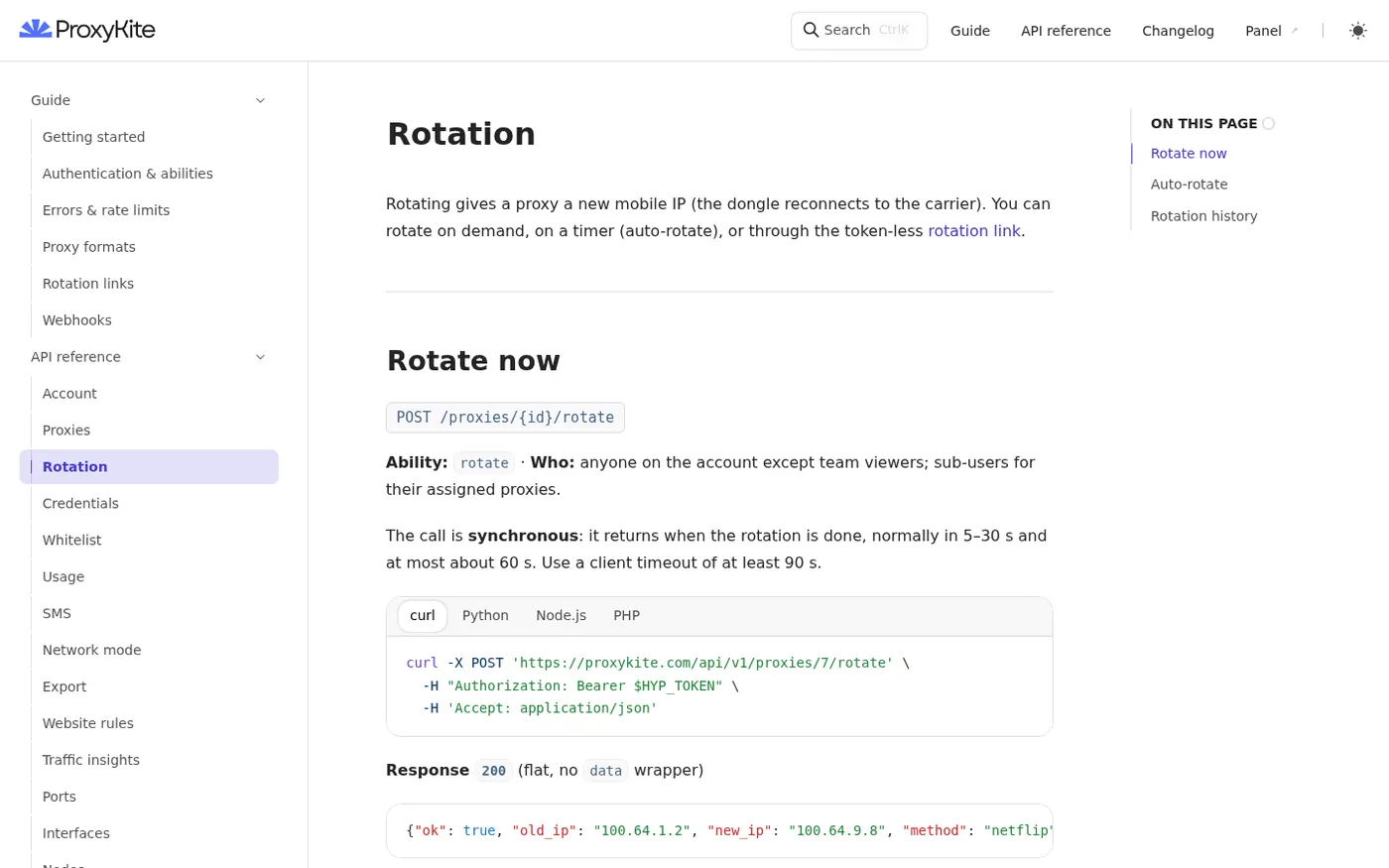
Call the link from a controller, not from an unconstrained model action:
export ROTATION_LINK='PASTE_YOUR_PRIVATE_ROTATION_LINK_HERE'

curl --fail --silent --show-error \
  --max-time 20 \
  "$ROTATION_LINK"
Before rotating, record the current egress address through the authenticated proxy. Use an IP-echo service that your organisation permits for diagnostics:
export IP_CHECK_URL='https://api.ipify.org'

curl --silent --show-error --max-time 20 \
  --proxy "$PROXY_SERVER" \
  --proxy-user "$PROXY_USER:$PROXY_PASSWORD" \
  "$IP_CHECK_URL"
After the link responds, wait for the endpoint to become usable and run the same check again. Compare the result only after the proxy accepts a normal request. A carrier can return the same address, and a route can take time to become ready, so log same, changed, or unverified rather than assuming rotation succeeded because the HTTP call returned.
For an API integration, read the current ProxyKite rotation API documentation and model the response as a state transition. Do not let the language model see or rewrite the rotation secret. Give it a narrow tool such as rotate_after_checkpoint(task_id) that your controller validates.
Success: the controller records the pre-rotation address, rotation response, post-rotation address, and endpoint health without exposing credentials or repeating a write action.
Step 5: Add Rate Limits and Terms Checks to the Agent Loop
Why: a proxy changes the network route; it does not grant permission or remove the target’s rate limits.
Use a small, explicit policy around every agent:
- Maintain an allowlist of domains and paths the agent may visit.
- Set a maximum number of pages, actions, retries, and wall-clock time per task.
- Use backoff after 429 responses, timeouts, and transient connection errors.
- Stop on a login challenge, CAPTCHA, or 403 unless a human owner has a documented next step.
- Do not automate account creation, credential testing, bulk messaging, scraping behind access controls, or attempts to evade a platform ban.
- Check the target’s terms and published automation guidance before the first run.
The Robots Exclusion Protocol in RFC 9309 describes how service owners publish crawler rules in robots.txt. It is useful input to an automation policy, but the RFC also makes clear that those rules are not access authorisation. Treat robots rules, terms, privacy requirements, contracts, and applicable law as separate checks.
A practical retry policy is safer than an agent that keeps trying until it gets a page:
async function withBackoff(operation, attempts = 3) {
  for (let attempt = 1; attempt <= attempts; attempt += 1) {
    try {
      return await operation();
    } catch (error) {
      if (attempt === attempts) throw error;
      const delayMs = 1000 * 2 ** (attempt - 1);
      await new Promise(resolve => setTimeout(resolve, delayMs));
    }
  }
}
Keep the retry count low for a state-changing action. For a page read, retrying a timeout may be reasonable. For a purchase, form submission, message, or other write, first determine whether the target accepted the action. A new proxy route must never be used to repeat an uncertain write blindly.
Success: the agent stops when policy says to stop, records the reason, and leaves a human-readable audit trail for each domain and route.
Step 6: Run the Agent on Your Own 4G Dongles
Why: a self-managed mobile proxy setup gives you control over the hardware, SIM data plan, route timing, and customer access. It is a different model from renting someone else’s proxy pool.
ProxyKite is software plus cloud routing. You supply the compatible hardware and SIMs. The reference arrangement is a Huawei E3372 HiLink dongle connected to a Raspberry Pi or Linux box; a powered USB hub is important when several dongles share one host. The box needs outbound internet access, but it does not need a static IP or an inbound open port, so CGNAT does not prevent the cloud route from working.
The setup sequence is:
- Prepare one supported HiLink dongle, active SIM, Raspberry Pi or Linux host, and stable power.
- Follow the current ProxyKite installation documentation on the host.
- Confirm that the dongle is online and that its HTTP and SOCKS5 endpoints authenticate.
- Put one endpoint into the Playwright example above and run a permitted route check.
- Configure sticky behaviour for multi-page tasks and use on-demand, link, or timer rotation only between safe batches.
- Add bandwidth limits, website allow/block rules, alerts, and sub-users before sharing access with an operator or client.
The guide to building a mobile proxy with 4G and Raspberry Pi covers the broader hardware-to-proxy path. Keep one row of inventory per dongle so you can identify which SIM, endpoint, rotation mode, and agent workload produced a result.
ProxyKite’s licence is $9 per active dongle per month, billed monthly. There is no per-GB charge because traffic uses your own SIM data plan. The licence includes cloud routing, HTTP and SOCKS5 access, rotation controls, quotas, SMS tools, REST API access, webhooks, Telegram alerts, sub-users, and white-label options. It does not include dongles, SIM cards, mobile data, IPs, or bandwidth.
For a reseller or agency fleet of 50 or more dongles, volume pricing is available through contact. Start with a single controlled agent workflow, then add concurrency only after the route, browser, policy, and support records are clear.
Success: one dongle can complete a permitted browser task through an authenticated endpoint, and each additional dongle has its own documented route, credentials, rotation policy, and support record.
Verify a Complete Agent Run
Run this checklist before calling the setup production-ready:
| Check | What to record |
|---|---|
| Proxy authentication | Scheme, endpoint label, status, and redacted error |
| Egress verification | Before-and-after IP check, timestamp, and route label |
| Session continuity | Browser context ID, cookie state, and whether the route stayed stable |
| Task safety | Allowed domain, task ID, action count, retry count, and stop reason |
| Rotation | Trigger source, response, readiness check, and resulting address status |
| Cost control | Dongle count, SIM data budget, browser runtime, and model usage |
Test both a successful page and a controlled failure. For example, use a deliberately invalid path on a site you own to check that the agent logs the error and stops according to policy. Do not test controls against a third-party account or by deliberately generating a flood of requests.
Troubleshooting Proxies for AI Agents
The browser returns 407
The proxy requires authentication and did not accept the credentials. Check the scheme, host, port, username, and password; keep the server in PROXY_SERVER and credentials in their separate fields. If a password contains special characters, avoid embedding it in a URL and confirm the environment variable was loaded by the same process that launches Playwright.
The page loads directly instead of through the proxy
Confirm that the proxy is in chromium.launch({ proxy }) or browser.newContext({ proxy }), not only in the agent’s prompt or a shell variable that Playwright does not read. Compare the egress address from a request made by the browser context, and check that no bypass rule excludes the target host.
The agent loses its login after a few actions
Check whether the code creates a new context, closes the old context, or rotates the endpoint between actions. Keep the login flow in one context and one sticky route. If the target intentionally expires the session, handle that as an application state and follow its documented login process.
The rotation call succeeds but the address is unchanged
A successful control request does not guarantee a unique new carrier address. Wait for the endpoint health check, repeat the same IP check, and record the result. If the address is unchanged, continue only if that is acceptable for the next independent task; do not claim that a different identity was created.
The target returns 403, 429, or a verification page
Treat the response as a target decision. Reduce concurrency, apply the target’s published limits, inspect the account and browser state, and stop if the workflow is not permitted. Changing routes repeatedly can make diagnosis harder and is not a substitute for correcting the request pattern or getting authorisation.
Several dongles behave differently
Check each dongle’s SIM registration, signal, data balance, power, endpoint credentials, and route health separately. A powered hub and a stable host reduce hardware variables when the fleet grows. Compare one agent task at a time before changing several devices together.
FAQ
What is the best proxy for an AI browser agent?
The right proxy is the one that matches the workflow’s route, session, location, and permission requirements. For operators who own 4G/LTE dongles and want to run their own mobile endpoints, ProxyKite combines a flat per-dongle licence with HTTP/SOCKS5 access, sticky options, controlled rotation, and cloud routing without inbound port forwarding.
Should I rotate the proxy during an AI agent task?
Usually not during a login, multi-page form, checkout, or other stateful flow. Keep the route stable for that task, checkpoint the result, then rotate between independent tasks when the target’s rules allow it.
Can Playwright use an HTTP or SOCKS5 proxy?
Yes. Playwright accepts a proxy configuration at browser launch or browser-context creation, with a server value and optional username and password. Use the scheme and port supplied by your endpoint, and verify the actual egress route with a permitted diagnostic request.
Do I need a static IP or open port for a self-hosted mobile proxy?
No static IP or inbound open port is required for the ProxyKite reference setup. The host makes an outbound connection to the cloud router; you provide the supported dongles, SIM data plans, and host hardware.
Does a proxy make an AI agent compliant?
No. A proxy controls how traffic is routed, not whether the task is authorised. Check the target’s terms, robots rules, privacy requirements, account permissions, rate limits, and applicable law before running the agent.