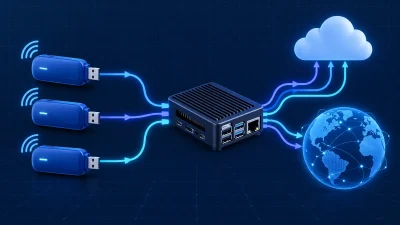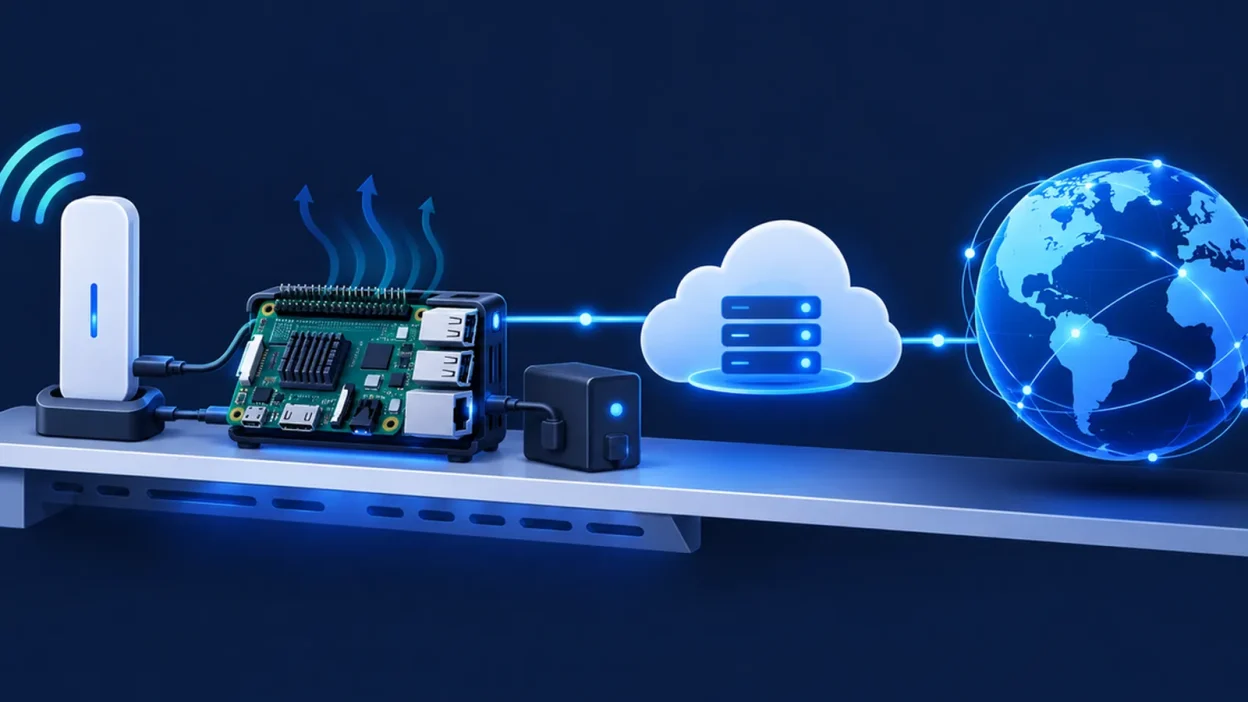
Where to host a 4G proxy farm is mainly a signal-and-power decision, not a search for the most expensive server rack. For a Huawei E3372 HiLink and Raspberry Pi layout, choose the site that gives each SIM usable cellular signal, steady electricity, ventilation and someone who can reach the hardware; the box only needs outbound internet when the routing layer handles public access.
The location checklist
Before comparing buildings, write down what the site must provide:
| Requirement | What good looks like |
|---|---|
| Cellular signal | The exact SIM and dongle can register and pass traffic from the planned shelf or cabinet. |
| Power | A stable supply for the Raspberry Pi, powered USB hub, dongles and network equipment, with backup for short interruptions. |
| Cooling | Dry, ventilated space with room around the dongles and hub. |
| Outbound internet | A connection that lets the Linux box reach the routing service and updates. |
| Physical access | Someone can inspect labels, swap a cable or replace a device when needed. |
| Permission to operate | SIM use, data usage and the intended proxy work follow carrier, site and local rules. |
The right location can be a desk at home, a small office shelf or a controlled equipment room. A colocation facility is not automatically better: a metal-heavy, windowless rack may have worse 4G reception than a simple office near a window.
If you are still designing the hardware, start with the 4G proxy farm setup guide. It covers the Raspberry Pi, HiLink dongles, powered hubs, labels and the software path that this location guide assumes.
Step 1: Survey the cellular signal
Why this matters: the SIM has to reach the mobile network from the final device position, and a fast wired connection cannot repair weak radio conditions.
Use the exact dongle model, SIM and USB cable you plan to deploy. Test the candidate shelf rather than holding the device beside a window for five minutes and assuming the result will be the same after installation.
- Put one Huawei E3372 HiLink, or a similar supported HiLink model, at the proposed position.
- Confirm that the dongle registers on the mobile network and that its management page reports an active data session.
- If the interface exposes radio values such as RSRP, RSRQ or SINR, record them with the time and position. Compare readings between candidate positions instead of treating one universal threshold as a pass mark.
- From the Linux box, record reachability and the observed mobile egress address:
   date -Is
   ip route
   curl -4 https://api.ipify.org
printf '\n'- Repeat the test at more than one time of day, including the busiest period you expect for the farm. Record whether the session stays registered, whether requests complete and whether the egress address changes.
- Mark the winning position on the shelf or rack. Do not move the dongle into a closed metal cabinet after testing.
The goal is not a particular speed number. It is a repeatable connection with acceptable latency and packet loss for your legitimate work, such as ad verification, price monitoring, QA or social-media operations for accounts you manage. Test the destinations and request sizes that resemble your workload.
The official Huawei E3372 specifications list external-antenna connectors on the model page. If you need an antenna, confirm that the exact dongle variant, antenna and site installation are compatible before buying or mounting anything.
Step 2: Compare home, office and small colocation
Why this matters: each site trades radio conditions, physical access, power quality and operating effort differently.
| Site | Best fit | Check before committing |
|---|---|---|
| Home | A pilot or small farm where you control the shelf, SIMs and troubleshooting | Indoor signal, safe power, ventilation, backup power and whether someone can reach the box when you are away |
| Office or workshop | A growing farm with a dedicated operator and a stable equipment area | Signal at the final shelf, heat from dense USB hardware, access outside office hours and the site’s internet policy |
| Small colocation | A fleet that needs controlled power, physical security or remote-hands support | Cellular coverage inside the facility, permission for USB equipment and SIM hardware, cabinet ventilation, remote hands and visit rules |
Home: usually the best pilot
Home is a sensible first location because you can test several positions, change a cable immediately and observe the farm while you learn its power and signal behaviour. It also lets you keep the Linux box and hub close to the window or another strong-signal position without adding a facility-access process.
Use a dry shelf, not a sealed cupboard. Keep the SIM inventory, dongle labels and hub-port map together. If the farm will handle client traffic, separate it from ordinary household devices with a dedicated network segment or at least a dedicated Ethernet connection and strict proxy authentication.
Home is ready when one device passes the full acceptance test below and the setup can run without blocking ventilation or creating a trip hazard. Add devices in small groups so a power or cable problem is easy to identify.
Office or workshop: good when access is shared
An office can provide better wired internet and a second person who can inspect the equipment. It is a good choice when the farm is part of an agency, reseller operation or internal QA workflow and the equipment has an owner during working hours.
Check signal at the actual rack position. Large buildings, internal rooms and metal cabinets can change the result. Agree on who may restart the Linux box, change a SIM or unplug a hub. Keep an inventory that identifies the dongle, SIM, USB port and proxy record as one unit.
Small colocation: useful only when radio access works
Colocation can provide controlled access, structured power and a predictable equipment area. Those benefits matter more as the farm becomes difficult to visit or needs a monitored cabinet.
The key question is not whether the facility has excellent server connectivity. Ask whether a cellular dongle works from the approved location. Confirm that the facility permits USB modems, has usable indoor coverage for the intended SIMs, allows suitable antenna placement if required, and offers the kind of remote-hands help you actually need. If it cannot satisfy those conditions, use it for the Linux routing layer only and keep the cellular hardware at a signal-friendly site.
The Raspberry Pi USB documentation notes that the board’s USB ports have limited power and recommends a powered hub when USB devices need more power. That requirement follows the hardware to every site, including a colocation cabinet.
Step 3: Plan power, cooling and physical access
Why this matters: a location can have excellent signal and still be unsuitable if the hub supply, heat path or maintenance access is weak.
Use an externally powered USB hub for a group of dongles. Do not size the installation from the Raspberry Pi’s USB port count alone. Raspberry Pi’s documentation specifically calls out modems as high-demand peripherals and provides model-specific USB power limits.
Build the power plan from the exact equipment ratings:
site power budget = Raspberry Pi + USB hubs + dongles + network gear + operating marginFor each candidate site, check:
- The Raspberry Pi power supply matches the board model.
- Each USB hub has enough total output for all connected dongles, not just enough ports.
- The wall outlet, UPS and power strip can handle the combined load.
- The hub and Pi have airflow around them, with no fabric, paper or closed box trapping heat.
- You can unplug one labelled device without disturbing the rest of the farm.
Use the exact dongle and hub specifications for the calculation. Do not copy a current value from a different E3372 revision or a different hub. A measured pilot load is useful, but still leave room for the Pi, network equipment and the hub’s own conversion losses.
For short power interruptions, a UPS can keep the Pi, hub and network equipment running long enough to avoid an abrupt reset. It does not make a poor power circuit safe, and it does not replace a correctly rated hub supply. Test the UPS with the farm connected and verify that the equipment returns to its expected state after power is restored.
Cooling is simple but important: separate the dongles, leave air around the hub, keep the Pi out of direct heat and do not place the assembly in a sealed drawer. Take a photo of the finished layout and keep a spare labelled cable at the site.
Step 4: Verify the outbound network
Why this matters: the farm box needs to dial out, but it does not need to wait for clients to connect directly to a port at the mobile site.
The minimum network design is:
| Needed at the farm site | Not required for the ProxyKite layout |
|---|---|
| Outbound internet from the Linux box | Static public IP at the site |
| DNS and HTTPS access for setup and routing | Inbound port forwarding on the 4G dongle |
| A stable path for the box’s outbound connection | A public listener on the Raspberry Pi |
| Local access for administration | A separate server room solely for networking |
Test the path from the box that will run the farm, not from a laptop on another Wi-Fi network:
ip addr
ip route
getent hosts proxykite.com
curl -fsS https://api.ipify.org
printf '\n'
An address shown by an external service is the public egress seen after translation. It is not proof that the dongle can accept an inbound connection. Cisco’s CGNAT overview explains that ISPs can share one public IPv4 address across customers, while RFC 6598 reserves 100.64.0.0/10 for service-provider address sharing.
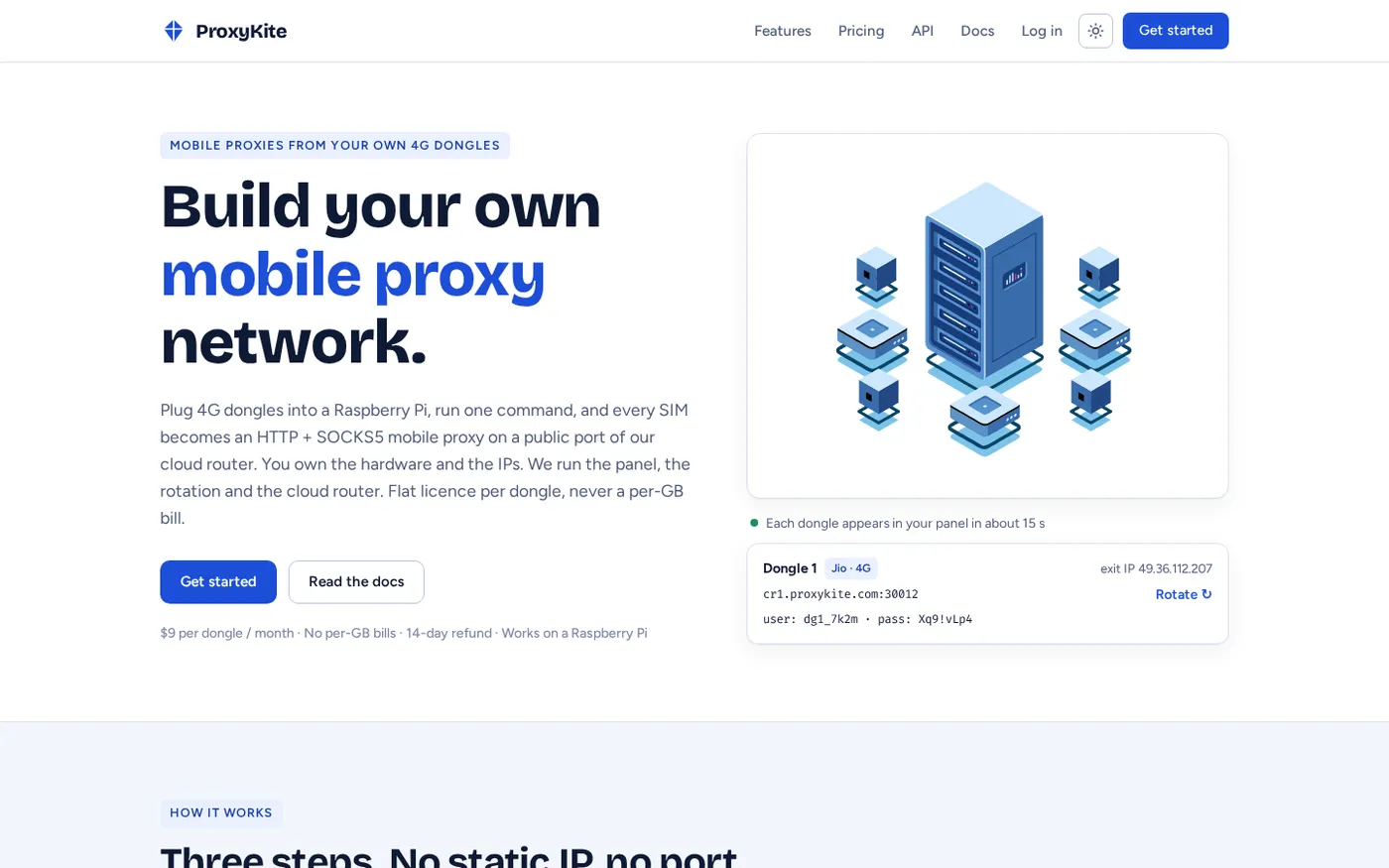
With ProxyKite, the box makes an outbound connection to the cloud router. That is why the location decision can focus on signal, power and access instead of buying a static address or fighting carrier port forwarding. Read the getting-started guide for the current installation flow.
Step 5: Install one device before filling the shelf
Why this matters: repeating an untested physical layout multiplies the first mistake across every dongle.
Start with one HiLink dongle and one SIM at the selected site.
- Label the dongle, SIM, USB cable, hub port and intended proxy ID with the same short identifier.
- Connect the dongle to the powered hub and the hub to the Linux box.
- Confirm USB discovery and network state:
   lsusb
   ip addr
ip route- Confirm the dongle has an active data session and that the box can reach the internet.
- Install ProxyKite using the current documentation, then confirm that the correct device appears in the panel.
- Test the assigned HTTP and SOCKS5 endpoints from a separate network with authentication enabled.
- Rotate once using the panel or a protected rotation link, then test the endpoint again.
The success condition is a known device with a known SIM, known physical port and known proxy endpoint. Once that path is clear, add the next device and repeat the checks. For a full device-level walkthrough, see how to build your own mobile proxy with 4G and Raspberry Pi.
Step 6: Decide whether to split the farm across sites
Why this matters: the best site for one group of SIMs may not be the best site for every group, and a split layout can make the physical constraints easier to manage.
Keep a farm together when one site has strong signal, adequate power, clear access and a simple inventory. Split it when a second site offers a materially better signal position, a separate power circuit, a person who can provide hands-on help or room for another repeatable hardware cell.
When splitting:
- Give every site its own box-to-hub map and equipment labels.
- Test outbound access independently at each site.
- Group dongles by box and powered hub instead of leaving one hub stretched between rooms.
- Record which SIM, device, site and proxy endpoint belong together.
- Give each operator only the authenticated proxies and controls they need.
- Keep site-specific notes for power recovery, access hours and physical contacts.
Splitting is not a substitute for a signal survey. It is a way to use two proven locations. It can also give you different local radio conditions, but do not promise a particular IP geography until you test the actual mobile service and destination.
Step 7: Run a site-acceptance test
Why this matters: a site should earn more hardware only after it proves the complete path from SIM to client.
Use this acceptance checklist for each new location:
- The SIM registers at the final position and remains registered during the test window.
- The Linux box sees the dongle and keeps its route.
- The hub powers the dongle while the other connected devices are active.
- The box maintains its outbound connection without an inbound port.
- An authenticated HTTP request succeeds through the assigned proxy.
- An authenticated SOCKS5 request succeeds, including DNS handling through the SOCKS path where your client supports it.
- A rotation action returns the expected result and the endpoint can be tested again.
- The dashboard records traffic and the configured bandwidth limits are in place.
- The UPS, cooling and cable labels are practical for the person who will maintain the site.
Test at the times and destinations that match your real workload. Keep the notes with the site inventory. If the test fails, change one variable at a time: position, cable, hub port, power source or network path. That keeps a radio problem from being mistaken for a software problem.
Budget the site separately from the software
Your location budget has four different lines: hardware, SIM and data plans, site power and internet, and software or cloud routing. Keep them separate so a low software price does not hide a poor physical design.
ProxyKite’s per-dongle licence is US$9 per dongle per month. There is no per-GB charge for the software and routing layer; traffic uses the customer’s own SIM data plan. You supply the Huawei-compatible dongles, SIMs, data plans, Raspberry Pi or Linux box, powered hubs and site.
For 50 or more dongles, ProxyKite offers volume pricing on request. The reseller plan includes sub-users and white-label controls, so a second site can be operated as another labelled part of the same customer-facing service. Use the features page to review the included controls before you choose a layout.
Troubleshooting a location choice
The wired internet is fast but the proxy is slow
Check the cellular path first. Move one dongle through the candidate positions and compare completion time, latency and packet loss for the same test. The farm’s public internet connection does not determine the radio quality between the SIM and the mobile network.
The dongles disappear when several are connected
Check the powered hub’s total output, the hub supply, cable quality and the Pi’s own power supply. Reduce the group to one device, then add devices gradually while watching lsusb and ip addr. If the failure follows the hub or power source, change that component before changing the site.
Local browsing works but a remote proxy test fails
This is often a reachability design problem. A 4G connection may be behind CGNAT, so forwarding a port on the dongle or Pi does not create a public route. Confirm that the box has outbound access and use the cloud-routing path described in the CGNAT proxy guide.
The colocation room has no useful cellular signal
Do not assume the facility’s excellent fibre connection solves this. Ask about an approved antenna or a different cabinet position, and test the exact SIM and dongle there. If the radio path cannot pass the site-acceptance test, keep the cellular hardware at a signal-friendly site.
FAQ
Is it better to host a 4G proxy farm at home or in an office?
Choose the site with the better tested cellular signal, reliable power, ventilation and physical access. Home is often convenient for a pilot; an office can be better when a team needs shared access and a dedicated equipment area.
Can I host a 4G proxy farm in a data center?
You can if the facility permits USB modem hardware and the exact SIMs receive usable cellular coverage inside the approved space. Check signal, antenna rules, cabinet ventilation, power and remote-hands support before moving the farm.
Does a 4G proxy farm need a static IP?
Not with an outbound cloud-routing design such as ProxyKite. The Linux box needs outbound internet access; it does not need a static public address or an inbound port forwarded through the carrier.
How do I test a proxy farm location?
Test one exact dongle and SIM at the final position, then verify registration, route, outbound access, authenticated HTTP and SOCKS5 requests, rotation and traffic reporting. Repeat at the times and destinations that match your planned workload before adding more devices.
What does ProxyKite provide for a 4G proxy farm?
ProxyKite provides software and cloud routing for customer-owned Huawei-compatible dongles, SIMs and data plans. Each active dongle can provide authenticated HTTP and SOCKS5 access with rotation and operating controls; the licence is US$9 per dongle per month.