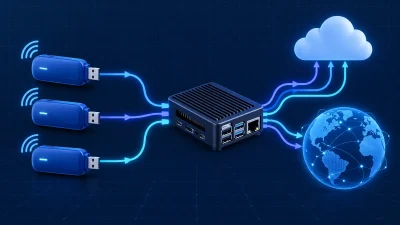
Where to buy Huawei E3372 units in bulk depends on the exact suffix, LTE bands, firmware mode, and the seller’s ability to prove what is shipping. For a proxy farm, buying 20 identical, tested HiLink dongles is more useful than buying 100 mixed listings that look similar but behave differently.
This guide helps you source the hardware yourself, inspect a sample, and accept a batch without guessing. ProxyKite does not sell dongles, SIM cards, data plans, or bandwidth; it provides the software and cloud routing layer for hardware you own.
What to decide before you order
Write a one-page purchase specification before contacting sellers. Include:
- Exact model family and suffix, such as E3372h-153 or E3372h-320
- HiLink mode, not an unspecified “4G USB modem”
- LTE bands required by the SIMs and carriers you will use
- New, refurbished, or used condition
- Quantity, packaging, accessories, antenna connectors, and serial-number photos
- A sample quantity and acceptance test before the full batch
- Replacement terms for units that fail the test
Do not let a listing title decide the specification. Ask for a photo of the label on the device itself, not only a catalogue image or outer box. The goal is a repeatable SKU that you can configure, power, monitor, and replace in the same way across the farm.
The E3372 is a 4G LTE Cat 4 device in Huawei’s published specifications, with theoretical maximums of 150 Mbps downlink and 50 Mbps uplink on supported configurations. Those figures are radio and network limits, not a promise of speed for a proxy port. Huawei’s E3372 specification page also shows that the device’s supported frequencies are part of the specification, so “E3372” alone is not enough information for an order.
Step 1: Choose the right E3372 variant
Why this matters: two dongles with E3372 in the name can have different bands, firmware, connectors, and host behavior.
Ask the seller to confirm these fields in writing:
| Field | What you want to record | Why it matters |
|---|---|---|
| Full model | E3372 plus the complete h-xxx or s-xxx suffix | Identifies the hardware and regional variant |
| Firmware mode | HiLink | Presents a network interface and local WebUI that fits a Pi-based setup |
| LTE bands | A list of band numbers, not “global” | Your SIM must be able to attach to a band used in its location |
| SIM size | Usually mini-SIM on many E3372 listings | Prevents a batch arriving with the wrong tray or adapter assumption |
| Antenna ports | Connector type and count | Matters if your enclosure or signal plan uses external antennas |
| Condition | New, refurbished, or used | Sets expectations for casing, packaging, and test evidence |
| IMEI/SN handling | One unique device label per unit | Helps inventory and identify a returned unit |
The h and s labels are not a safe substitute for a seller-confirmed firmware mode. A listing may use “stick,” “modem,” and “HiLink” loosely. Ask for a screenshot of the WebUI or a short video showing the unit connected to a computer before you pay for the complete batch.
For a Linux proxy farm, HiLink is the starting point to verify. It should expose a local management page and a host network interface rather than requiring you to build the whole connection around a serial dial-up workflow. Do not flash an unknown unit to change modes during receiving inspection. First record the original firmware and hardware details; an incorrect firmware image can make a device unusable.
Step 2: Match LTE bands to your SIMs
Why this matters: an unlocked dongle can still be a poor fit if it does not support the bands used where the SIM will operate.
Create a simple matrix before requesting quotes:
| Deployment location | SIM/carrier | Required LTE bands | Candidate E3372 suffix | Confirmed by |
|---|---|---|---|---|
| City or region | Carrier name | Band numbers from carrier documentation | Exact model | Seller datasheet plus test SIM |
Use band numbers such as B1, B3, or B20, not only frequency names. Then compare the carrier’s published coverage or device requirements with the exact Huawei model documentation. Huawei’s support page for the E3372h-153 lists it as a distinct model, and the E3372 family documentation identifies different sub-products for different frequency bands. Treat every suffix as a separate SKU until the seller proves otherwise.
Do not accept “supports all bands,” “worldwide,” or “5G-ready” as a specification. The E3372 is a 4G-class dongle; a claim that it is a 5G device is a reason to pause and request the exact model and datasheet. If your deployment spans countries, one variant may not cover every location. Standardise by region instead of mixing units inside the same inventory group.
Also ask whether the unit is carrier-branded or network-locked. “Unlocked” should mean the seller has tested a SIM outside the original network, not merely that the product page uses the word. Confirm the APN can be entered in the WebUI and that the SIM can attach before approving the full order.
Step 3: Screen out clones and misrepresented stock
Why this matters: a clean photo and a low unit price do not prove that the hardware, firmware, or condition matches the listing.
Use a sample-first process. For the first order, buy enough units to test the seller’s consistency, then ask for the same model and firmware in the production batch. Keep photos and serial records for each accepted unit.
Before payment, request:
- A close photo of the model label and both antenna sockets.
- A screenshot of the WebUI’s hardware and software information.
- A photo of the USB connector, SIM tray, LED, and casing from several angles.
- A clear statement of whether the devices are new, refurbished, or used.
- A sample order with a written remedy for units that do not match the specification.
When the sample arrives, compare the label, casing, WebUI, USB identity, and IMEI/SN record. The numbers should be consistent enough for inventory. A copied label, missing serial information, poor printing, mismatched firmware, or a device that reports a different model is not a batch you should scale.
For packaging with an anti-counterfeit code, use Huawei’s own accessories authentication page and follow the result for the actual code and serial number. Authentication is one check, not the entire acceptance test: a genuine older or refurbished device can still be the wrong variant for your carrier or software design.
Avoid modifying firmware during this stage. Reflashing can erase the very evidence you need to compare units and can create a mixed fleet with different WebUIs or network behavior.
Step 4: Compare marketplaces with distributors
Why this matters: the cheapest quote is not the same as the lowest cost per working, matching dongle.
You can source E3372 units through a B2B marketplace, an established networking distributor, a telecom-equipment refurbisher, or a local reseller. Each channel can work if the seller gives you a model-specific quote and supports a sample inspection. Compare the complete transaction, not just the headline unit price.
Ask every seller the same questions:
- What exact suffix and firmware mode will ship?
- Are all units from the same production or refurbishment lot?
- How many can ship immediately, and how many are back-ordered?
- Can you provide device-label photos before dispatch?
- What is included in the box?
- Who pays for return shipping when a unit fails the agreed test?
- Can you issue a serial-number list for the accepted batch?
For 20–100 sticks, split the purchase into a pilot and a production order. A pilot exposes the important differences: one seller may ship HiLink units, another may ship serial “stick” units, and a third may mix suffixes under one listing. You want the seller who can repeat the specification, not the seller who only offers the lowest quote.
Keep shipping, import taxes, replacement time, and failed-unit handling in your spreadsheet. Do not count a dongle as usable until it passes the same test as the rest of the farm.
Step 5: Test every dongle when the batch arrives
Why this matters: receiving inspection catches wrong variants before you install SIMs, mount hubs, and assign customers.
Test one unit at a time on a known-good computer or Raspberry Pi. Use a powered USB hub only after a single unit has passed. Record the result against its serial number.
1. Check the USB identity
On Linux, run:
lsusb
ip -br link
ip -4 addr
The dongle should appear in lsusb, and a HiLink unit should create a usable network interface. The interface name can differ between Linux versions and hardware, so record what this unit actually reports instead of assuming eth1 or usb0.
2. Open the management page
With the SIM inserted and the dongle connected, try the address supplied by the seller or device documentation. A common HiLink address is:
curl -I --max-time 10 http://192.168.8.1/A successful response shows that the local WebUI is reachable. In the page, confirm the model, firmware, signal state, registration state, APN, and SMS inbox. Do not paste passwords, SIM details, IMEI values, or WebUI tokens into a shared ticket.
3. Confirm network attachment
Use a test SIM approved for the location and enter the correct APN. Verify that the dongle registers on LTE and that it can send and receive a small amount of data. If the seller claims the unit is unlocked, test a second compatible SIM only when that is lawful and within the carrier’s terms.
4. Check the public route
From the host, first confirm ordinary outbound connectivity:
curl --max-time 20 https://ifconfig.meThe result should be an address returned by the SIM’s mobile connection, not an old cached result from another interface. On a multi-dongle host, bind the test to the new interface after identifying it with ip -br link.
5. Log the acceptance result
Use a sheet with columns for serial number, model suffix, firmware, SIM/APN, LTE registration, WebUI, outbound data, antenna ports, cosmetic condition, and pass/fail reason. Photograph the unit beside its label. Quarantine a failed unit; do not mix it back into accepted stock.
Step 6: Move the accepted batch to a Raspberry Pi
Why this matters: the Pi and powered USB hub are part of the operating system, so a good dongle can still be deployed badly.
Start with one accepted HiLink unit, then add dongles in small groups. Use a powered hub with enough current capacity, leave airflow around the sticks, and label each USB position. Keep the Pi on outbound internet; ProxyKite does not require a static IP or inbound port forwarding, so it can work behind CGNAT.
Connect to the Pi over SSH and follow the current ProxyKite getting-started guide. After installation, map each detected dongle to the correct SIM and location. Use the proxy formats guide to export and test the generated HTTP or SOCKS5 endpoint.
ProxyKite’s licence is software for the dongles you own: US$9 per active dongle per month, with no per-GB charge because traffic uses your SIM data plan. If you are planning 50 or more dongles for resale, ask about volume pricing and fleet planning through contact before ordering hardware.
Verify the farm before you sell access
Run a final acceptance pass after the Pi installation, not only on the bench:
- Confirm every accepted dongle has a unique label in your inventory.
- Confirm every proxy maps to the intended dongle and SIM.
- Test HTTP and SOCKS5 using the exported format.
- Rotate one test connection and confirm the expected old and new IP values are recorded.
- Send a test SMS only where the SIM plan and local rules allow it.
- Check bandwidth limits, logs, and alerts before assigning a customer.
For a larger deployment, keep a spare tested dongle and a spare powered hub port. Document the USB position, model suffix, APN, and SIM label so a replacement does not become a manual investigation.
Troubleshooting a new batch
The dongle appears in lsusb but has no network interface
Check whether the seller sent a stick-mode unit or a HiLink unit. Read the firmware and hardware details from the device before changing anything. Try a direct USB connection and a different known-good host; if it still does not match the agreed mode, return or replace it rather than making it part of a mixed fleet.
The WebUI opens but the SIM will not register
Recheck the APN, SIM seating, account status, and the model’s supported bands. Test the SIM in a phone in the same location, where permitted, to separate an account or coverage problem from a dongle problem. Do not conclude that a device is defective until the band and APN checks are complete.
Only some units work on the hub
Test each unit directly, then add them to the powered hub one at a time. Check the hub’s power supply, cable quality, heat, and the Pi’s USB messages. If the failures follow particular dongles, compare their suffix, firmware, and physical condition against the accepted sample.
The batch has mixed model suffixes
Stop the rollout and inventory the groups separately. Re-run the band and HiLink checks for each suffix. If the seller promised one SKU, keep photos and test records and request a remedy before putting the mixed batch into production.
FAQ
Is the Huawei E3372h-153 the only model worth buying?
No. It is a common reference model, but the right choice depends on the LTE bands in your deployment and the firmware mode your host software expects. Confirm the full suffix and test a sample instead of buying from the model name alone.
Should I buy E3372h or E3372s for a Raspberry Pi proxy farm?
Start with the HiLink behavior you need, not only the letter in the model name. Ask for the exact firmware mode, WebUI evidence, and Linux test result; a listing can use “stick” and “HiLink” inconsistently.
How many Huawei E3372 dongles should I buy for a first batch?
Order a small pilot that is large enough to reveal seller consistency, then scale after every pilot unit passes your test sheet. For a planned fleet of 50 or more, discuss the hardware layout and volume pricing before committing to the production order.
Does ProxyKite sell Huawei E3372 dongles or SIM cards?
No. You provide the E3372 dongles, SIM cards, data plans, Raspberry Pi or Linux box, and USB power. ProxyKite provides software and cloud routing for the hardware you own.
Can I run the farm behind CGNAT without port forwarding?
Yes. The Pi only needs outbound internet access for the ProxyKite setup; the cloud router exposes the proxy endpoints. Confirm the dongles and SIMs themselves pass the local attachment and data tests before deployment.
If you are still choosing the rest of the farm, read the 4G proxy farm hardware and power guide and mobile proxy with 4G and Raspberry Pi guide next.