
Proxies for price monitoring give your tracker separate network paths for checking public product pages without sending every request through one office or cloud IP. The reliable setup is not the fastest possible scraper: it is a controlled queue with a clear market, polite request rate, deliberate rotation, and checks that reject bad data.
Why price trackers return bad data
An ecommerce tracker can fail even when its parser and database are correct. The target may see a burst of requests from one address, an unusual request pattern, or a session that changes too often. It may return a challenge page, a partial page, a regional version, or a successful HTTP response that contains no real price.
There are four common causes:
- One exit path carries too much work. Hundreds of product checks from one address in a short window load the store’s servers and run into its rate limits.
- The location is wrong. A store may change currency, tax display, delivery options, stock, or promotion by country or region.
- The queue retries blindly. A timeout or rate-limit response can become a loop that multiplies the original problem.
- The parser trusts every page. A block page or consent screen can be saved as though it were a product page.
A proxy addresses only the first two infrastructure problems, and even then only when you configure it correctly. It does not give permission to collect a page, override a site’s rules, or make an aggressive schedule safe.
Mobile IPs versus datacenter IPs
Choose the network path per target and measure the result. A datacenter proxy may be enough for a public catalogue with light controls. A mobile IP can be a better fit when the store shows mobile visitors different prices or stock, when you need to model a mobile network path, or when you are operating your own 4G connections and want the traffic to use your SIM data plan.
The useful comparison is operational rather than promotional:
| Requirement | Datacenter path | Owned 4G/mobile path |
|---|---|---|
| Simple public catalogue | Start with a small test | Also suitable if you already own the hardware |
| Mobile-network observation | Does not represent a carrier path | Uses the selected dongle and SIM |
| Location control | Depends on the provider’s exit locations | Depends on where your dongle and carrier connection operate |
| Session continuity | Usually configured by the proxy service | Use sticky routing when a collection flow needs one path |
| Cost model | Often tied to the service plan or traffic | ProxyKite is $9 per dongle per month; your SIM data is separate |
| Ownership of the network path | Provider-operated | Your hardware, SIM, and data plan |
Do not put every target on one proxy type by default. Test a small sample on each domain, compare successful responses and extracted values, and keep the least complicated path that produces accurate data while respecting the site’s rules.
For the owned-hardware route, ProxyKite turns Huawei E3372 HiLink dongles into HTTP and SOCKS5 proxy endpoints through cloud routing. It does not supply IPs, SIM cards, dongles, data plans, or bandwidth. You provide those parts and remain responsible for using them under the carrier’s terms.
What you need
Prepare the collection job before buying or connecting more hardware:
- A list of target domains and exact product URLs or stable product IDs.
- The market, language, currency, and delivery region that each observation should represent.
- A schedule based on how often prices actually change, not on how quickly your crawler can send requests.
- A parser that validates product ID, price, currency, stock state, and page type before saving a record.
- A retry policy that understands timeouts,
429 Too Many Requests, redirects, challenge pages, and server errors. - Huawei E3372 HiLink dongles or similar compatible HiLink models.
- A Raspberry Pi or Linux box with outbound internet access.
- A powered USB hub for multiple dongles.
If you are new to the hardware, follow the guide to building your own mobile proxy with 4G and Raspberry Pi first. It explains the HiLink layout, CGNAT, cloud routing, and first proxy tests.
Keep a small inventory for each dongle: label, physical USB port, SIM, intended market, proxy endpoint, and last health check. This makes a bad result traceable to one connection instead of turning into a vague scraper failure.
Step 1: Define the observation you need
Why: a price is only useful when you know the conditions under which it was observed.
For each target, record:
- Product URL or stable product ID.
- Target country, region, language, and currency.
- Whether the check is logged out or uses an authorised account.
- Whether you need price, sale price, stock, shipping, seller, or all of them.
- Collection frequency and the time window in which the job may run.
- The proxy endpoint or dongle assigned to the market.
Do not mix observations from different regions into one time series. Store the exit country or operating market beside every result. If the same product appears at two prices, first check currency, tax display, shipping destination, cookies, and stock before treating it as a price change.
Success looks like a job definition that another operator can run without guessing which market or session the result represents.
Step 2: Read robots.txt and the site’s terms
Why: request routing cannot turn a restricted collection job into an authorised one.
Fetch the target’s robots file before scheduling product requests:
curl -fsS https://example.com/robots.txtThe Robots Exclusion Protocol in RFC 9309 defines the rules published in /robots.txt and says that crawlers are requested to honour them. It also makes clear that robots.txt is not access authorisation. Treat a disallowed product path as out of scope unless the site owner gives you a different, explicit route.
Read the site’s terms, API documentation, and any published data-use instructions as well. An absent or temporarily unreachable robots file is not a reason to assume unlimited access. Pause and resolve the policy question with the site owner when the instructions are unclear, especially for authenticated or non-public data.
Use a descriptive, stable user agent for your own crawler where the target’s terms allow automated access. Do not pretend to be a search engine or hide the purpose of the client. Keep a record of the policy decision with the job so a later operator understands why a URL is included.
Success looks like every target has an allow/disallow decision, a terms review, and a documented scope of pages that the tracker may request.
Step 3: Start with a slow, measurable queue
Why: the target’s response behaviour matters more than your worker count.
There is no universal request-per-IP number that is safe for every retailer. Start with one concurrent request per endpoint, add a delay between requests, and spread the work across a reporting window. If a server returns HTTP 429, the IETF defines that status as rate limiting and says the response may include a Retry-After value; your client should respect that signal. See RFC 6585.
Plan the workload with simple arithmetic. If you track 240 products once per day and allow an eight-hour window, the average is 30 product requests per hour on one endpoint, or roughly one request every two minutes before retries and supporting requests. Three endpoints could each handle 80 product checks in the same daily run, but that does not mean you should fire three bursts at once.
Use queue rules like these:
- Keep one active request per endpoint unless your target’s instructions and your measurements support another design.
- Add jittered delays so a large catalogue does not produce a repeated fixed burst.
- Set a small retry limit and back off after timeouts or 429 responses.
- Stop a job when the body becomes a challenge, consent wall, or block page.
- Cache product data that does not need a fresh request on every run.
- Log request time, endpoint, status, response type, retry count, and parser result.
Do not rotate immediately after every error. First classify the response. A DNS error, a local timeout, a 429, and an HTML challenge are different events and need different operator decisions.
Success looks like a queue that completes inside its window without retry storms, unexplained bursts, or a rising percentage of invalid pages.
Step 4: Configure rotation around sessions
Why: rotation is a measurement control, not a shortcut for sending more requests.
Use the least frequent rotation that fits the job. A simple public product fetch can use a fresh path between planned batches. A multi-request flow that loads a product page, follows a permitted endpoint, and parses related data should keep its session together. Rotating halfway through can change cookies, connection context, or the observed market.
For a periodic tracker, start with one of these policies:
| Job shape | Rotation policy | Why |
|---|---|---|
| Small daily catalogue | Keep one endpoint for the run | Easier logs and fewer moving parts |
| Large catalogue split across workers | Assign a batch to each endpoint | Keeps ownership and request counts visible |
| Independent observations | Rotate between planned batches | Separates sessions without changing every request |
| Multi-request page flow | Sticky during the flow | Keeps the source path consistent until completion |
ProxyKite supports on-demand rotation, a private rotation link, and timer-based rotation from 60 seconds to 7 days, with a sticky option. Use the rotation-links guide for the current request format. Treat a rotation link as a secret: anyone who has it can trigger a rotation for that proxy.
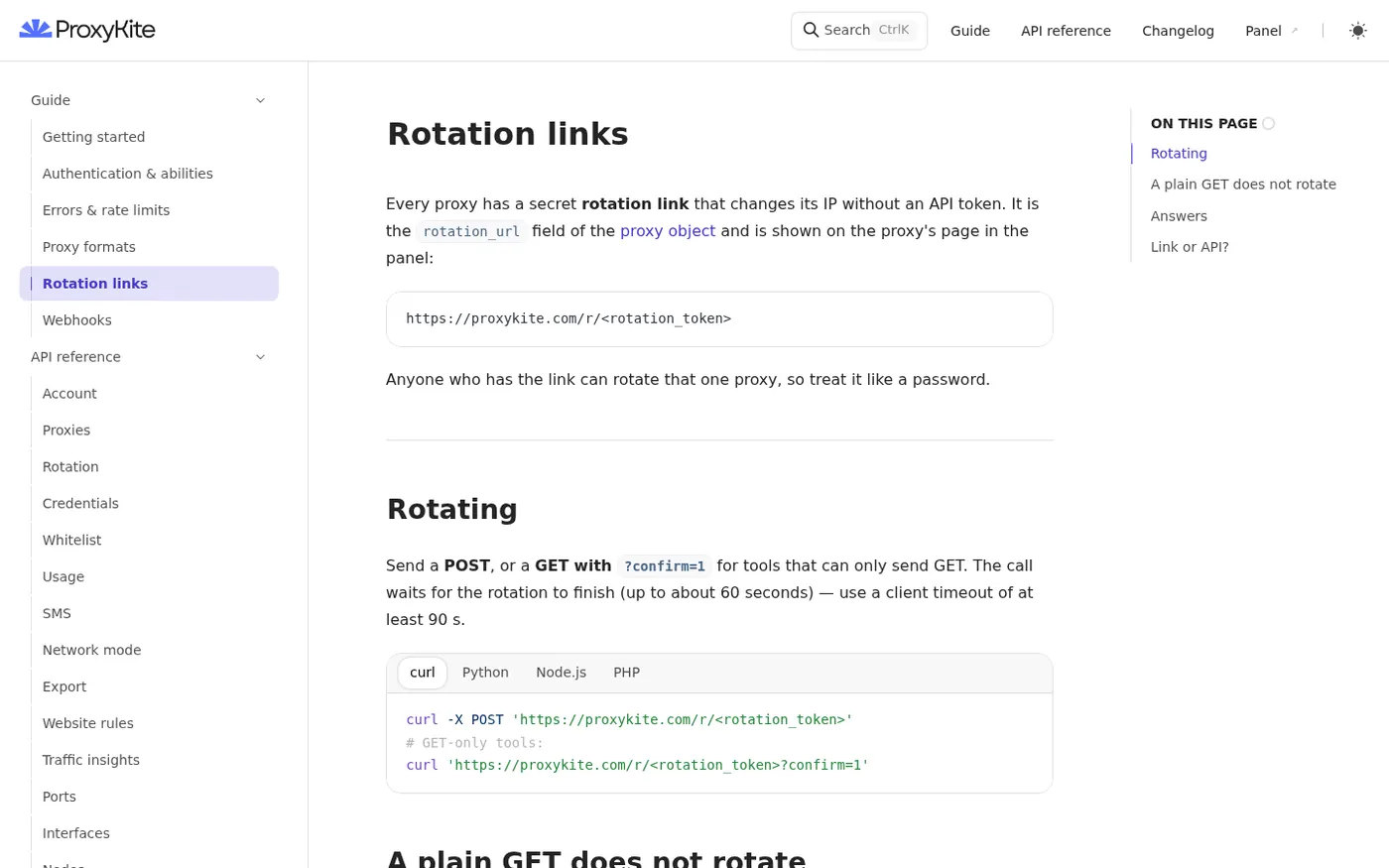
An illustrative command shape is:
curl --fail-with-body -X POST \
  'https://proxykite.com/r/<rotation_token>'
Keep the token in a secrets store or protected scheduler variable. Never put it in a product CSV, a browser-side script, a public issue, or a client report. After rotation, wait for the connection to become ready, run one health check, and only then start the next batch.
Success looks like the log shows why a rotation happened, which batch followed it, and whether the first post-rotation request passed validation.
Step 5: Build the tracker on your own dongles
Why: separating the physical mobile path from the collection code makes both easier to test.
Connect one HiLink dongle directly to the Raspberry Pi or Linux box first. Confirm the box can reach the dongle’s local interface and has outbound internet access. Add a powered USB hub and more dongles only after the first path works.
Install ProxyKite by following the getting-started documentation. The box makes an outbound connection to the cloud router, so you do not need a static public IP or an inbound port on the local network. This is useful when the mobile carrier places the connection behind CGNAT.
When the proxy appears in the panel, export its connection details and test from the machine that will run the tracker. For HTTP:
curl --proxy 'http://USER:PASSWORD@HOST:PORT' \
  --fail https://api.ipify.org
printf '\n'
For SOCKS5 with hostname resolution through the proxy:
curl --proxy 'socks5h://USER:PASSWORD@HOST:PORT' \
  --fail https://api.ipify.org
printf '\n'
The ProxyKite proxy formats guide covers the supported export formats. Test each endpoint separately and store the result with the dongle label. A successful IP check confirms that the proxy path works; it does not confirm that the target permits your collection job or that your parser will accept the response.
For a first pilot, use 50–100 product URLs from one market. Compare a sample against a manual check, inspect the saved HTML or JSON when allowed, and measure invalid-page rate before expanding the catalogue.
Success looks like every endpoint passes authenticated HTTP or SOCKS5 testing, the tracker uses the intended endpoint, and the pilot stores correct product IDs, prices, currency, stock state, and timestamps.
Step 6: Validate data before you trust a price change
Why: a clean HTTP 200 can still contain the wrong page.
Require the parser to validate more than a number. A useful record might contain:
| Field | Validation question |
|---|---|
| Product ID | Does it match the requested URL or an expected canonical ID? |
| Price | Is it a numeric value in the expected range, not an empty or placeholder value? |
| Currency | Does it match the configured market? |
| Stock | Is the page saying available, unavailable, or unknown? |
| Page type | Did the response contain a product page rather than a challenge or consent screen? |
| Context | Are timestamp, endpoint, market, language, and session recorded? |
When a value changes sharply, fetch no more pages immediately. Compare the old and new HTML or structured data, check the response status, and inspect whether the retailer changed its layout. A price of zero, a missing currency, or the same value for every product is usually a validation failure, not a business insight.
Keep raw responses only where the site’s terms allow it and protect any data that contains customer or account information. For public product monitoring, store the smallest useful evidence for an audit trail.
Success looks like a dashboard can distinguish a real price movement from a blocked response, wrong region, parser error, or stale cache.
Running costs for an owned 4G setup
ProxyKite’s software price is $9 per dongle per month. The licence has no per-GB ProxyKite charge because requests use the data plan on your own SIM. You still budget separately for the Raspberry Pi or Linux box, dongles, powered USB hub, SIMs, and mobile data.
| Active dongles | ProxyKite software cost | Separate costs |
|---|---|---|
| 1 | $9 per month | Hardware, SIM, and data plan |
| 3 | $27 per month | Hardware, three SIMs, and data plans |
| 10 | $90 per month | Hardware, SIMs, and data plans |
Billing is monthly through Paddle.com, with taxes added at checkout. The product includes HTTP and SOCKS5 access, rotation controls, bandwidth limits, live traffic insights, website rules, exports, and API access. Sub-users and white-label tools are included when you turn the same infrastructure into a service for clients. At 50 or more dongles, ask about volume pricing through ProxyKite’s contact page.
Verify the first production run
Run this checklist before using the output for pricing decisions:
- The target’s robots.txt and terms have been reviewed and the URL is in scope.
- The job records the intended country, currency, language, and session state.
- Each proxy endpoint passes an authenticated HTTP or SOCKS5 health check.
- The scheduler uses a delay, bounded retries, and a stop condition for 429 or challenge pages.
- Rotation is planned between batches or at a session boundary.
- The parser rejects consent pages, challenge pages, missing product IDs, and invalid currencies.
- A sample of results matches a manual check under the same market assumptions.
- Logs contain timestamp, endpoint, status, response type, and parser outcome.
Start with one target market and a small catalogue. Expand only when the data is accurate and the request pattern remains within the target’s published rules.
Troubleshooting
The tracker gets HTTP 429
Pause the affected queue and read the response headers and body. Reduce concurrency, increase the delay, honour Retry-After when provided, and fix any retry loop. Do not treat rotation as permission to continue sending the same workload through new addresses.
The parser saves a price of zero or null
Store the response status and a safe diagnostic sample, then check whether the page is a challenge, consent screen, login page, or changed layout. Add a page-type validation rule before the price selector. Test one URL manually through the same market and proxy settings.
Different endpoints show different prices
Compare the market, currency, cookies, shipping region, account state, timestamp, and product ID. If the target intentionally varies price by location, keep each market as a separate series rather than averaging the results.
The proxy works locally but the tracker cannot connect
Test the exact host, port, protocol, username, and password with curl. Check URL encoding for special characters, confirm that the tracker supports the selected HTTP or SOCKS5 format, and verify that its global proxy setting is not overriding the job-specific endpoint.
Rotation changes the result halfway through a page flow
Use sticky routing for the flow and rotate only after it finishes. If the job does not need a shared session, split it into independent batches and record the rotation event so the data remains explainable.
FAQ
What are the best proxies for price monitoring?
The best fit depends on the target, market, request volume, and whether you need a mobile-network observation. For an operator with 4G hardware, a small pool of owned dongles with HTTP/SOCKS5 access, authentication, controlled rotation, and clear logs is a practical starting point.
How often should I rotate a proxy for price monitoring?
Rotate at a planned batch or session boundary rather than after every request. Start with a timer or on-demand policy that leaves enough time for a batch to finish, then adjust from response quality and the target’s published guidance. ProxyKite supports timers from 60 seconds to 7 days, but a timer does not guarantee a different public IP on every event.
Should I use mobile or datacenter proxies for competitor price tracking?
Test per domain. Datacenter paths can suit simple public catalogues, while a mobile path is useful when you need to observe traffic through your own 4G connection or the target behaves differently toward carrier networks. In both cases, pace requests and validate the returned page.
Can I monitor prices without reading robots.txt?
You can technically request a page, but that does not answer whether the collection is permitted or within the site’s stated rules. Review robots.txt, terms, and API documentation before scheduling requests, and leave disallowed or unclear targets out until you have permission.
How much does a ProxyKite price-monitoring setup cost?
ProxyKite costs $9 per dongle per month. One active dongle uses one licence, so three active dongles use $27 per month for the software. Your Raspberry Pi or Linux box, dongles, SIMs, and mobile data plan are separate costs.