
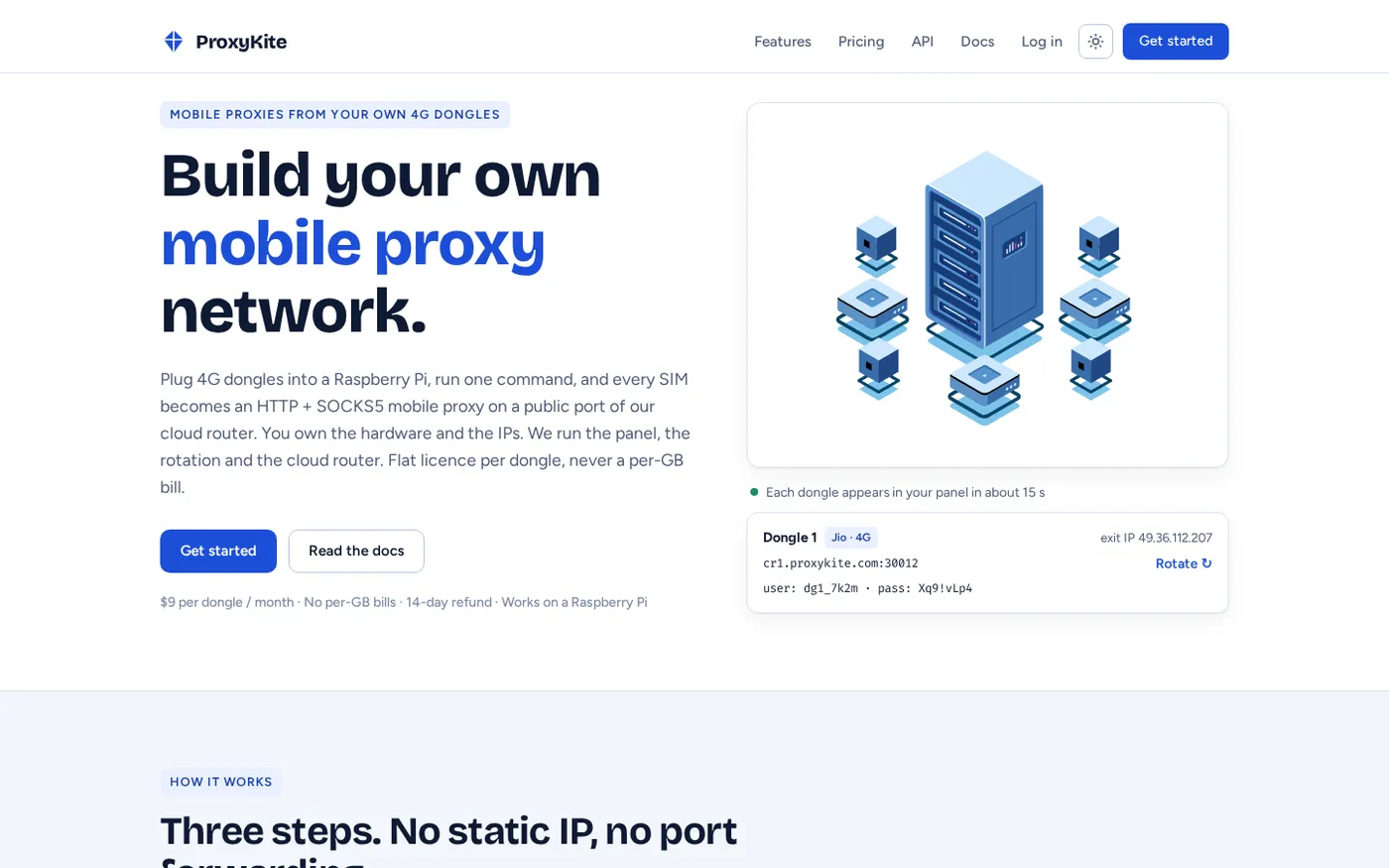
If you are comparing astroproxy alternatives, the first decision is whether you want to rent access to a managed mobile IP pool or operate the dongles and SIMs that provide your own IPs. ProxyKite is the practical choice for a Raspberry Pi or Linux farm: the licence is flat per active dongle, traffic has no ProxyKite per-GB charge, and the cloud router handles public access behind CGNAT.
Quick comparison: Astroproxy vs ProxyKite
| Option | Billing model | Who supplies the mobile connection? | Best fit |
|---|---|---|---|
| ProxyKite | $9 per active dongle per month; no ProxyKite per-GB charge | You provide the dongle, SIM, and data plan | Raspberry Pi or Linux farms and proxy resellers |
| Astro mobile proxies | From $13.14/GB prepaid plus a port fee; PAYG is also available | Astro’s managed proxy network | Buyers who want ready-made mobile proxy access |
| DIY scripts | Hardware, SIM, hosting, and engineering costs vary | You provide and maintain everything | Teams building their own control plane |
What Astroproxy offers (checked October 18, 2026)
Astroproxy, now branded on its public site as Astro, sells access to provider-managed residential, mobile, and datacenter proxy pools. Its mobile proxy page shows a prepaid starting price of $13.14 per GB, a $0.30 per-port fee, and a 100 MB starting package listed at $1.31. Its FAQ also describes a pay-as-you-go mobile rate of $14.17 per GB with a $0.10 port fee. These are the public rates checked on October 18, 2026; the price shown in an account can depend on the selected plan, traffic amount, and targeting.
The model is straightforward: select a proxy port and its location, then pay for traffic that passes through the provider’s network. Astro describes HTTP(S) and SOCKS5 access, country and city targeting, and rotation by timer, link, API, connection, or per request. Its public FAQ says IP changes can be requested as frequently as every 30 seconds, subject to the selected configuration.
That is useful when you need a ready-made pool and do not want to source hardware, SIM cards, or data plans. It is a different product from software that turns your existing dongles into proxies. The two options should be compared by infrastructure and billing model, not only by the word “mobile”.
Why heavy users look for an alternative: per-GB math
Traffic billing is easy to understand at low volume. It becomes a major line item when a scraper, ad-verification workflow, or customer fleet downloads pages, images, scripts, and retries through the same proxy ports.
At the public prepaid mobile rate checked above, the traffic part alone looks like this:
| Monthly mobile traffic | Calculation | Traffic charge at $13.14/GB |
|---|---|---|
| 1 GB | 1 × $13.14 | $13.14 |
| 10 GB | 10 × $13.14 | $131.40 |
| 50 GB | 50 × $13.14 | $657.00 |
| 100 GB | 100 × $13.14 | $1,314.00 |
The port fee is separate, and pay-as-you-go has a different published rate. These figures are not an estimate of every user’s bill; they isolate the traffic component so you can see how usage changes the result. A provider-managed pool may still be the right infrastructure for a project that does not want to own endpoints, but the cost needs to be modelled against actual GB usage.
With an own-dongle system, your carrier still charges for the data used by each SIM. ProxyKite does not make the carrier plan free. The difference is that ProxyKite’s software charge is based on the number of active dongles rather than the number of gigabytes transferred.
For example, 20 active dongles cost:
20 × $9 = $180 per monthThat is the ProxyKite software charge before your SIM plans, hardware, electricity, and internet connection. If those 20 dongles each carried 100 GB, a managed mobile plan priced at the public $13.14/GB starting rate would show 2,000 GB of traffic before port fees. The comparison is deliberately not presented as identical infrastructure: the managed service supplies the pool, while ProxyKite lets you use the mobile connections you operate.
Owning dongles with ProxyKite: what you need
ProxyKite is for the operator who wants to keep control of the physical mobile endpoints. You supply the following:
- Huawei E3372 HiLink dongles: this is the reference hardware. Similar Huawei HiLink models may also work.
- SIM cards and data plans: you choose and pay for the SIMs and their carrier data. ProxyKite does not sell IPs, SIM cards, dongles, data plans, or bandwidth.
- A Raspberry Pi or Linux box: the box runs the installer and keeps the dongles connected. The official Raspberry Pi hardware documentation is useful when planning USB power and peripherals.
- A powered USB hub for a larger group: do not assume that a computer’s USB ports can power an entire farm. Label each stick and keep airflow around the dongles.
- Outbound internet access: the box does not need a static public IP or an inbound port forwarded to it. It connects out to the cloud router, so the layout can work behind CGNAT.
Once the box is connected, the software exposes HTTP and SOCKS5 proxy endpoints through the cloud router. You can use shared or split ports and protect them with a username and password or an IP whitelist. The getting started guide covers the supported installation path.
The operating layer is important if the proxies are for customers rather than only for your own scripts. ProxyKite includes on-demand rotation, rotation links, timer rotation from 60 seconds to 7 days, and a sticky option. It also includes SIM inbox for carrier messages, bandwidth limits by day, week, or month, live traffic insights, website allow/block rules, webhooks, Telegram alerts, a web terminal, exports, sub-users, white-label controls, and a REST API.
The 4G proxy farm setup guide explains the hardware layout in more detail, while building your own mobile proxy covers the basic flow from a connected SIM to a usable endpoint.
Comparison table: billing, IP ownership, rotation, SMS, API
The table below uses public Astro information checked on October 18, 2026. Competitor prices and features can change, so recheck the vendor’s current account pricing before buying. ProxyKite’s row follows the current product specification for this site.
| Option | Billing | IP source and ownership | Rotation | SMS and API | Resale fit |
|---|---|---|---|---|---|
| ProxyKite | $9 per active dongle per month; no ProxyKite per-GB charge | Your HiLink dongles, SIMs, and mobile connections | On demand, rotation link, or 60-second-to-7-day timer; sticky option | SMS inbox/send, REST API, webhooks, and Telegram alerts | Sub-users, quotas, exports, and white-label controls included |
| Astro mobile proxies | From $13.14/GB prepaid plus a port fee; PAYG pricing is also available | Provider-managed mobile pool; you buy access to the endpoints | Timer, link, API, connection, per-request, and sticky modes are described publicly | API and rotation controls are described publicly; no SMS inbox/send feature is shown in the mobile pricing snapshot | Managed proxy access rather than an own-dongle reseller panel |
| DIY proxy stack | Varies by software, hosting, hardware, SIMs, and maintenance | Your hardware and SIMs | You build and maintain the rotation path | You build SMS, API, quotas, alerts, and customer controls | Possible, but you own the entire control plane |
The main choice is visible in the third column. With Astro, the monthly bill follows the traffic sent through provider-managed ports. With ProxyKite, the monthly software line follows active dongles, while the mobile connection and its carrier bill remain yours.
Break-even: GB per month where owning wins
There are two break-even questions, and combining them creates a misleading result.
The first is a software-versus-traffic calculation. Ignoring your separate SIM plan and hardware costs, compare one ProxyKite licence with Astro’s published prepaid starting rate:
ProxyKite: $9 per dongle
Astro traffic: $13.14 × GB + $0.30 port fee

Break-even GB = ($9 - $0.30) ÷ $13.14
Break-even GB ≈ 0.66 GB
At more than about 0.66 GB, the published Astro traffic component alone is higher than the $9 ProxyKite licence for one dongle. This is only a billing illustration. ProxyKite requires you to provide a working dongle, SIM, data plan, and box, while Astro provides access to its pool.
To model the own-dongle option honestly, add your monthly SIM and equipment allocation:
Own-dongle monthly cost = $9 + SIM plan + equipment allocation

Break-even GB =
  (own-dongle monthly cost - Astro port fee) ÷ Astro price per GB
Suppose your own planning sheet allocates $18 per month to the SIM plan and hardware for one dongle. The own-dongle cost would be $27 before electricity and other shared costs. Using the same Astro starting rate, the traffic break-even would be:
($27 - $0.30) ÷ $13.14 ≈ 2.03 GBThe $18 is a scenario value, not a ProxyKite or carrier price. Replace it with your actual SIM and equipment numbers. If a dongle carries 20 GB, 50 GB, or more in a month, a fixed per-dongle software model becomes easier to justify provided the SIM plan and hardware are sensible for that workload.
For a reseller, also include the value of the control plane. Sub-users, customer quotas, expiry dates, exports, white-label settings, rotation links, and API access would otherwise need to be built or purchased separately. That is why the comparison is not just $9 versus $13.14: it is a choice between owning the endpoint and buying managed access to one.
How to choose an Astroproxy alternative
Use ProxyKite when the following describe your plan:
- You already own Huawei HiLink dongles or want to build a 4G/LTE dongle farm.
- You want the SIM and mobile IP connection to remain under your control.
- Your workflow has enough traffic that per-GB billing is difficult to forecast.
- You need HTTP and SOCKS5 access, rotation, authentication, and quotas in one operating layer.
- You want to assign proxies to sub-users or sell them under a white-label identity.
- You prefer cloud routing without opening inbound ports on the Raspberry Pi or Linux box.
Use a managed proxy pool when you explicitly want to avoid hardware and SIM operations. In that case, compare the provider’s traffic rate, port fee, targeting, protocol support, and rotation behaviour against your workload. Do not compare a managed proxy quote with a software licence without adding the cost of the SIMs, data plans, hardware, and operator time on the own-dongle side.
If you are migrating from Astro, start with one or two dongles. Follow the ProxyKite installation documentation, create a test proxy, and verify HTTP, SOCKS5, authentication, rotation, and the data usage visible in your carrier account. Then assign quotas before adding customer traffic. The rotation links documentation shows the control flow for a workflow that needs a fresh address on demand.
For a farm of 50 or more dongles, contact ProxyKite for volume pricing. The standard product is billed monthly by Paddle, taxes are added at checkout, and the service includes a 14-day money-back guarantee. Cancel any time and the proxies continue to the end of the paid period.
Verdict
ProxyKite is the strongest Astroproxy alternative for an operator who wants to use their own 4G/LTE dongles and SIMs instead of renting access to a provider-managed mobile pool. The flat $9 per active dongle per month licence removes ProxyKite’s per-GB charge, while cloud routing, rotation, authentication, SMS, API, sub-users, quotas, and white-label tools cover the work needed to operate a real farm.
Astro’s traffic-based model can be simple when you want managed access and no hardware. If your priority is to keep the endpoints, control the SIMs, and make a high-volume farm easier to budget, start with ProxyKite’s current pricing and a small HiLink test group.
FAQ
What is the best Astroproxy alternative for a Raspberry Pi farm?
ProxyKite is built for Huawei E3372 HiLink dongles connected to a Raspberry Pi or Linux box. It provides cloud-routed HTTP and SOCKS5 endpoints, rotation, authentication, quotas, SMS, and reseller controls with a flat per-dongle software price.
Does ProxyKite charge for proxy traffic by the GB?
No. The standard licence is $9 per active dongle per month, with no ProxyKite per-GB charge. Your SIM carrier still charges for data used by the mobile plan in each dongle.
Does ProxyKite provide the SIM cards or mobile IPs?
No. ProxyKite provides software and cloud routing. You provide the compatible dongles, SIMs, and data plans, and the mobile IP comes from your own connection.
Can I rotate an IP without port forwarding?
Yes. The box makes an outbound connection to the cloud router, so it does not need a static public IP or an inbound port forwarded to it. Rotation is available on demand, through a rotation link, or on a timer from 60 seconds to 7 days, with a sticky option.
Is ProxyKite suitable for reselling mobile proxies?
Yes. Sub-users, assigned proxies, quotas, expiry dates, exports, white-label controls, webhooks, Telegram alerts, and a REST API are included. Fleets of 50 or more dongles can request volume pricing through the contact page.