If you see raspberry pi under voltage detected while a 4G dongle box is starting, treat it as a power-path problem first. A weak supply, thin cable, or several modems sharing the Pi’s USB power can cause reconnects, USB resets, and an unreliable proxy host.
What the warning means
Most Raspberry Pi models from the Pi B+ onwards detect low voltage when the supply falls below about 4.63 V. The warning is not a measurement of how many watts your charger claims to provide. It is evidence that the voltage reaching the board dipped far enough for the Pi to notice.
That dip can happen at the power adapter, at a poor USB cable, inside an overloaded hub, or when several USB devices change state together. Raspberry Pi’s documentation also warns that low-quality power supplies can cause unpredictable behaviour and storage corruption. Fix the electrical path before tuning software or blaming the modem.
For a proxy box, the timing matters. A Huawei E3372 HiLink dongle can draw more power than a basic keyboard or adapter, especially when it starts, registers on the network, or reconnects. With several dongles, their demand can overlap. The result may look like a network problem: the modem disappears, its interface resets, or a proxy stops responding.
What you need
Prepare these items before changing the box:
- SSH access or a local terminal on the Raspberry Pi.
- The Pi model and its recommended 5.1 V power supply.
- A short, good-quality power cable with a secure connector.
- A self-powered USB hub with its own suitable adapter for the dongles.
- One Huawei E3372 HiLink dongle and its SIM, so you can test progressively.
- Your existing proxy health check or a simple request through the proxy.
Keep the Pi’s power input and the hub’s power input separate. The hub should carry the dongle load; the Pi should carry the computer and data-path load. If you are building the box from scratch, the ProxyKite getting-started guide covers the software side after the hardware is stable.
Step 1: Read the current and historical flags
Why: the warning may be active now, or it may be a record of an earlier dip.
Run:
vcgencmd get_throttledTypical output looks like this:
throttled=0x50000The value is a bitmask. You do not read it as one error code. Use the important bits below:
| Bit | Hex value | Meaning |
|---|---|---|
| 0 | 0x1 | Undervoltage is detected now |
| 1 | 0x2 | Arm frequency is capped now |
| 2 | 0x4 | The system is throttled now |
| 16 | 0x10000 | Undervoltage has occurred since boot |
| 17 | 0x20000 | Arm frequency capping has occurred |
| 18 | 0x40000 | Throttling has occurred |
For example, 0x50000 contains 0x10000 and 0x40000: the Pi recorded undervoltage and throttling, but those two low-order current-state bits are not set. 0x0 means no listed current or historical flag is set for the current boot.
Also check the kernel log:
dmesg -T | grep -iE 'under.voltage|voltage|throttl|usb|reset'Success looks like a clear baseline you can compare after each hardware change. Save the output in a note with the number of connected dongles.
The flag definitions come from the Raspberry Pi OS vcgencmd documentation.
Step 2: Confirm whether the dongles trigger the dip
Why: separating the Pi from the modem load tells you whether to change the main supply, the USB layout, or both.
Shut down cleanly, disconnect the dongles, and boot the Pi with only the normal essentials attached. Then run:
vcgencmd get_throttledIf you want to watch the value while reconnecting hardware, use a second SSH session or terminal:
while sleep 2; do
  date
  vcgencmd get_throttled
done
Connect one dongle. Wait for it to finish registering, then connect the next one. Do not add all of them at once. Record the first connection that changes the value or produces a USB reset in the kernel log.
Success looks like a repeatable result: the Pi is clean with no dongles, then the warning appears when one particular device or group is connected. If the warning appears with no USB devices attached, skip ahead to the supply-and-cable check in Step 3.
Do not clear the warning by repeatedly rebooting and calling that a fix. A reboot can remove the historical record, but it does not remove the voltage drop that caused it.
Step 3: Match the supply and cable to the Pi
Why: the Pi needs stable voltage at its input, with enough current capacity left for storage, networking, cooling, and USB devices.
Start with the official recommendation for your board:
| Raspberry Pi model | Raspberry Pi recommended supply | Practical point for a dongle box |
|---|---|---|
| Pi 1, Pi 2, Pi 3 | 2.5 A micro-USB supply | Do not plan to power several modems from the Pi’s own ports |
| Pi 4, Pi 400 | 3 A USB-C supply | Leave USB modem power to an external hub |
| Pi 5 | 27 W USB-C supply | A 5 A supply enables the higher downstream USB budget; a 3 A supply limits Pi 5 USB peripherals to 600 mA |
These are board recommendations, not a promise that the Pi can power a fleet of modems directly. Raspberry Pi lists modems among the high-demand USB devices that may need an externally powered hub. The official Raspberry Pi power-supply guidance also explains why a supply’s current rating and the connected peripherals both matter.
Check the complete path:
- Use a known-good supply that matches the Pi’s connector and voltage requirements. A high current label is not enough if the adapter is poor quality.
- Replace a long, thin, loose, or damaged cable. Cable resistance can turn a nominally suitable supply into a low-voltage supply at the board.
- Inspect the power connector for looseness and heat. Do not continue using a connector that is intermittent or visibly damaged.
- Avoid sharing a multi-port adapter with another load if that changes its power mode or causes negotiation events.
- Do not disable undervoltage detection, overclock the Pi, or add a configuration workaround to hide the symptom.
Success looks like the Pi stays at a stable input condition with the dongles still disconnected. Re-run vcgencmd get_throttled after a clean reboot before moving to the USB layout.
Step 4: Move the dongles to a powered USB hub
Why: modem power should come from the hub’s adapter instead of consuming the Pi’s limited USB budget.
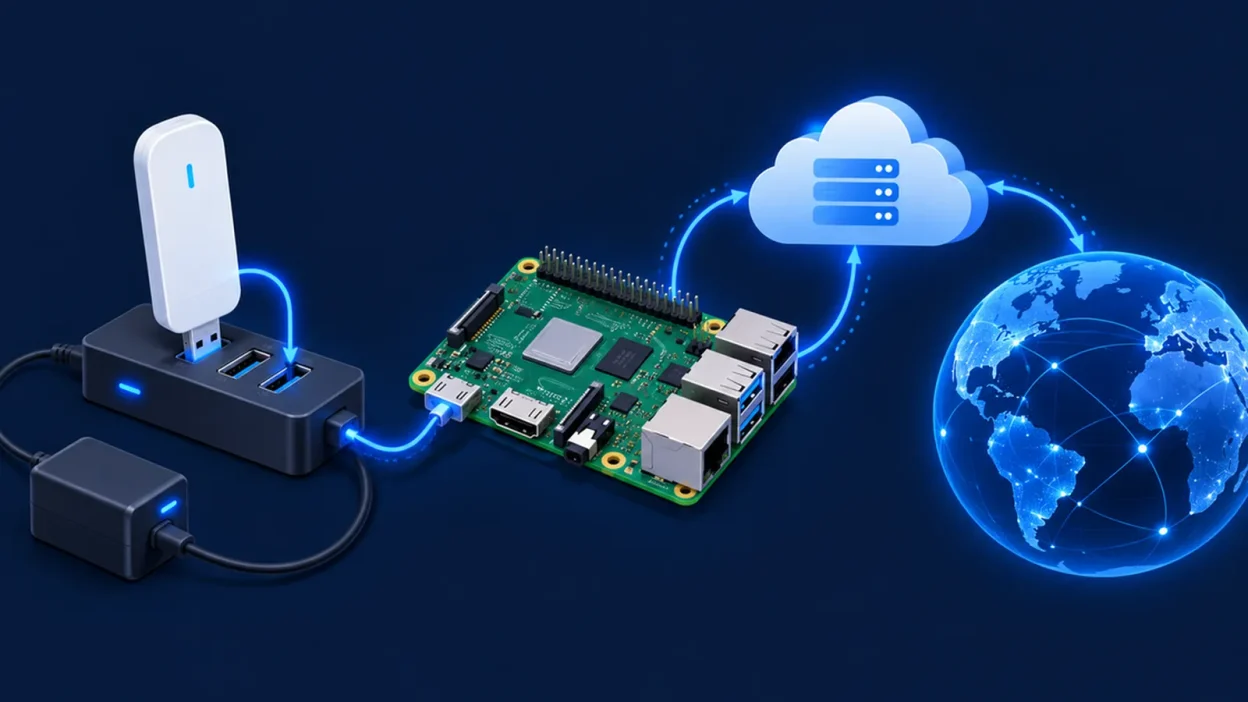
Power the hub from its own adapter. Connect the hub’s upstream data port to the Pi, then connect one E3372 to the hub. Add the remaining dongles one at a time. Keep the Pi powered from its own supply throughout the test.
The layout should be:
Pi power supply  ───────────────>  Raspberry Pi
                                      │
                                      └── USB data cable ──> powered USB hub
                                                              ├── E3372
                                                              ├── E3372
                                                              └── E3372
Hub power supply ────────────────────────────────────────────> hub
Use a hub that is genuinely externally powered and rated for the number of devices you plan to attach. Avoid a hub that only draws power from the Pi while presenting extra USB sockets. Also avoid back-powering the Pi through the hub: Raspberry Pi warns that power entering through a badly designed hub can bypass the board’s protection circuitry.
Success looks like every dongle enumerates without making the Pi’s current-state flags appear, and the kernel log no longer shows repeated USB resets during modem registration. If one dongle still causes trouble, test it alone on the hub and swap its USB cable or port before adding the rest.
Step 5: Reconnect the proxy box in stages
Why: a stable USB layer makes it easier to tell a power problem from a HiLink, SIM, signal, or routing problem.
After the hub test is clean, check what Linux sees:
lsusb
ip link
The exact interface name depends on the Pi image and the dongle mode. You are looking for the expected USB device and network interface, not a specific name copied from another box. For HiLink setup details, see E3372 HiLink vs Stick Mode for Proxies.
Now reconnect the software in this order:
- Start with one dongle and confirm its HiLink interface is present.
- Run the ProxyKite installer or service check from the getting-started documentation.
- Make one request through that proxy using the credentials already configured for your box.
- Add the next dongle and repeat the check.
- Watch both the Pi’s power flags and the proxy dashboard as the fleet grows. The mobile proxy dashboard guide explains which per-dongle signals are useful to monitor.
Success means the device remains visible, the proxy health check passes, and the Pi does not add a new current undervoltage or throttling flag when the next dongle joins.
Verify the fix
Run a final test with the normal number of dongles connected and the proxy service active:
vcgencmd get_throttled
dmesg -T | tail -n 100
lsusb
Then leave the box under its ordinary workload long enough to include a modem registration or planned reconnect. Check the flags again and review the log for new voltage or USB reset messages. A healthy result is:
- no
0x1or0x4current-state bits; - no new undervoltage record during the test;
- all expected dongles remain visible in
lsusb; - your normal proxy request succeeds for each tested dongle; and
- the Pi does not reboot, freeze, or lose its network interface.
If you reboot after the hardware change, a clean throttled=0x0 is a useful baseline. If the historical bits return after connecting the fleet, the power problem is still present even if the proxies recover temporarily.
Troubleshooting after the hub move
| Symptom | Likely cause | Next check |
|---|---|---|
| Warning appears with no dongles | Main supply, cable, connector, or board-side power issue | Test the Pi with a known-good recommended supply and short cable |
| Warning appears only when the first dongle connects | USB device or Pi USB rail is overloaded | Keep it on the powered hub and test another hub port/cable |
| Warning returns when several dongles register together | Hub supply or hub capacity is not enough for the fleet | Add devices gradually and use a hub with a suitable independent supply |
| Dongle disappears but Pi flags stay clear | USB data cable, hub port, modem mode, SIM, or signal issue | Compare lsusb, ip link, and kernel USB messages |
| Pi 5 behaves differently after changing adapters | Downstream USB current limit changed with the supply | Check vcgencmd get_config usb_max_current_enable and use the recommended supply |
vcgencmd is unavailable | Different OS image or missing Raspberry Pi utilities | Use the OS image’s documented diagnostic tools, then check kernel logs |
Do not increase the number of dongles until one dongle is stable through the full path. A staged test gives you a useful boundary: the last known-good device count and the first count that produces a warning.
FAQ
What does vcgencmd get_throttled mean on Raspberry Pi?
It returns a hexadecimal bitmask describing current and historical throttling conditions. 0x1 means undervoltage is detected now, while 0x10000 means undervoltage has occurred since boot. Read the individual bits rather than treating the whole value as one error number.
Can 4G USB dongles cause Raspberry Pi under-voltage?
Yes. Modems are high-demand USB devices, and several dongles can overlap their power demand while connecting or reconnecting. Use the Pi’s recommended supply and move the dongles to a genuinely externally powered USB hub.
Will a bigger charger fix a Raspberry Pi low-voltage warning?
It can, but only if the supply, connector, and cable deliver stable voltage to the Pi. Replace the cable as well when it is long, thin, damaged, or loose, and test the Pi without dongles before reconnecting the fleet.
Should I power a USB hub from the Raspberry Pi?
Not for a group of 4G dongles. Use a hub with its own suitable power adapter and connect its upstream data port to the Pi. Avoid back-powering the Pi through the hub because that can bypass the board’s protection circuitry.
Is throttled=0x50000 still an active under-voltage problem?
0x50000 combines the historical undervoltage bit (0x10000) with the historical throttling bit (0x40000). It does not set the current undervoltage (0x1) or current throttling (0x4) bits, but it proves the Pi experienced a power event since boot; test again with the full dongle load.