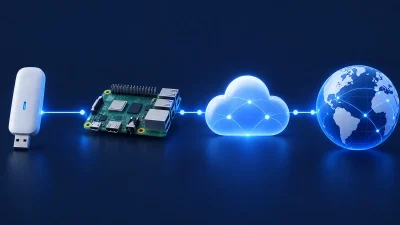
Testing a curl socks5 proxy takes a few commands: check the public exit IP, prove authentication works, and measure the connection path. This guide also shows the difference between socks5:// and socks5h://, how to test an HTTP proxy, and how to read curl timing output.
What you need
Have these values from your proxy dashboard or proxy provider:
PROXY_HOST: the proxy hostname or IP addressPROXY_PORT: the port for the HTTP or SOCKS5 endpointPROXY_USERandPROXY_PASS: credentials if the endpoint uses username-and-password authentication- A URL that returns the caller’s public IP, such as
https://api.ipify.org?format=json
Use shell variables so the same test can be run against several endpoints without editing every command. The placeholders below are not real credentials.
PROXY_HOST='proxy.example.com'
PROXY_PORT='12345'
PROXY_USER='replace-with-user'
PROXY_PASS='replace-with-password'
TARGET='https://api.ipify.org?format=json'
Do not paste real passwords into a shared shell history or a support ticket. For automation, load them from a protected environment, secret store, or curl config file with restricted permissions.
Step 1: Check your exit IP
Start with the smallest useful test: request an IP response through the proxy and compare it with a direct request.
Run the direct request first:
curl --fail --silent --show-error "$TARGET"Now run the same URL through SOCKS5 with proxy-side hostname resolution:
curl --fail --silent --show-error \
  --proxy "socks5h://${PROXY_HOST}:${PROXY_PORT}" \
  --proxy-user "${PROXY_USER}:${PROXY_PASS}" \
  "$TARGET"
Success looks like a JSON response containing an IP address. The proxied value should be different from your normal connection when the endpoint is routing traffic through another network. The response from the IP-check service is the useful result here; the proxy hostname or port alone does not prove which public IP reached the destination.
If curl exits with an error, the command has not completed a valid proxy test. Keep the error visible with --show-error; do not add --insecure just to make a failed TLS check disappear.
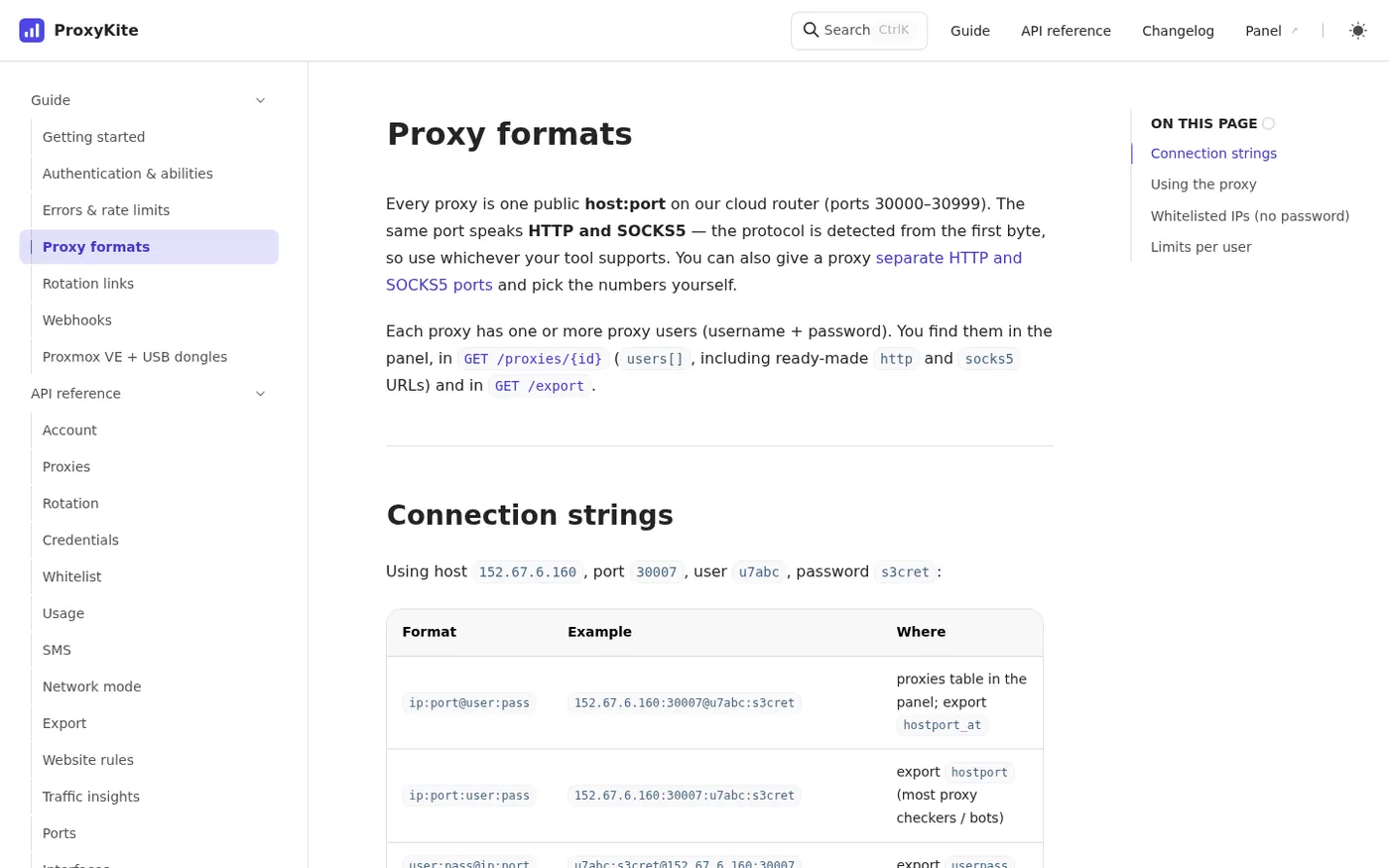
For a ProxyKite endpoint, use the host, port, and format shown in the proxy formats guide. The same command works for a single dongle or a larger group of endpoints.
Step 2: Test an HTTP proxy with auth
Use this when the endpoint is labelled HTTP rather than SOCKS5. The http:// prefix tells curl which proxy protocol to speak; it does not change the destination URL, which can remain HTTPS.
curl --fail --silent --show-error \
  --proxy "http://${PROXY_HOST}:${PROXY_PORT}" \
  --proxy-user "${PROXY_USER}:${PROXY_PASS}" \
  "$TARGET"
Success is the same JSON IP response as in Step 1. If the HTTP command succeeds but the SOCKS5 command fails, you may have selected an HTTP port with a SOCKS5 scheme, or the service may expose different ports for the two formats.
--proxy-user is separate from the proxy address. This keeps credentials out of the URL and avoids confusing a proxy username with credentials for the destination website. Quote the complete argument when values may contain shell characters.
For a detailed format and authentication reference, see ProxyKite’s authentication guide. You can also compare the protocol-level differences in SOCKS5 vs HTTP proxy.
Step 3: Compare SOCKS5 and socks5h
The two schemes both select SOCKS5, but they place destination DNS resolution in different places:
| curl proxy scheme | Who resolves the destination hostname? | Use it when |
|---|---|---|
socks5:// | Your local machine | You deliberately want local DNS resolution |
socks5h:// | The SOCKS5 proxy | You want the proxy to resolve the hostname |
The h means “hostname”. Curl documents socks5h:// as the scheme equivalent of --socks5-hostname; socks5:// is equivalent to --socks5. See the official curl man page for the current option definitions.
Test local resolution:
curl --fail --silent --show-error \
  --proxy "socks5://${PROXY_HOST}:${PROXY_PORT}" \
  --proxy-user "${PROXY_USER}:${PROXY_PASS}" \
  "$TARGET"
Test proxy-side resolution:
curl --fail --silent --show-error \
  --proxy "socks5h://${PROXY_HOST}:${PROXY_PORT}" \
  --proxy-user "${PROXY_USER}:${PROXY_PASS}" \
  "$TARGET"
Both commands should return an IP response. Prefer socks5h:// when the destination hostname should be resolved from the proxy network, or when local DNS access is restricted. The proxy hostname itself still has to resolve locally so curl can connect to the proxy.
If you use an IP address as the destination instead of a hostname, the DNS difference is not observable for that request. Test with a hostname when checking the resolution mode.
Step 4: Measure latency with -w
Use curl’s write-out format to separate connection, first-byte, and total timing without printing the response body.
curl --silent --show-error \
  --proxy "socks5h://${PROXY_HOST}:${PROXY_PORT}" \
  --proxy-user "${PROXY_USER}:${PROXY_PASS}" \
  --connect-timeout 10 \
  --max-time 30 \
  --output /dev/null \
  --write-out 'http_code=%{http_code}\nremote_ip=%{remote_ip}\ntime_connect=%{time_connect}s\ntime_starttransfer=%{time_starttransfer}s\ntime_total=%{time_total}s\n' \
  "$TARGET"
Read the output like this:
http_codeis the destination response status. A successful request normally returns a 2xx code, depending on the test URL.remote_ipis the peer curl connected to for the transfer. With a proxy, do not treat it as the public exit IP; use the response body or an IP-check endpoint for that.time_connectis the time to establish the connection path.time_starttransferis the time until curl receives the first response byte.time_totalis the complete transfer time.
Repeat the command several times against the same endpoint before comparing it with another endpoint. Network routing, DNS, TLS setup, and the target server all affect the result. A single slow request is a clue, not a complete performance diagnosis.
For a quick health check in a script, make curl fail on HTTP errors and test its exit status:
if curl --fail --silent --show-error \
  --proxy "socks5h://${PROXY_HOST}:${PROXY_PORT}" \
  --proxy-user "${PROXY_USER}:${PROXY_PASS}" \
  --connect-timeout 10 --max-time 30 \
  --output /dev/null "$TARGET"; then
  echo "proxy request succeeded"
else
  echo "proxy request failed" >&2
fi
Step 5: Inspect headers and the connection flow
Once the basic request works, inspect the exchange when you need to distinguish a proxy error from a destination response.
To print response headers and discard the body:
curl --silent --show-error --dump-header - --output /dev/null \
  --proxy "socks5h://${PROXY_HOST}:${PROXY_PORT}" \
  --proxy-user "${PROXY_USER}:${PROXY_PASS}" \
  https://example.com/
To see verbose connection details:
curl --verbose --output /dev/null \
  --proxy "socks5h://${PROXY_HOST}:${PROXY_PORT}" \
  --proxy-user "${PROXY_USER}:${PROXY_PASS}" \
  https://example.com/
The verbose output can show whether curl connected to the proxy, which protocol was negotiated, and whether the destination returned an HTTP response. Treat it as sensitive: redact usernames, authorization values, URLs with tokens, and any response data before sharing a log.
Do not confuse response headers with request headers. --dump-header - prints headers received from the server; --verbose shows request and connection details as well. You rarely need to add a custom Host header for a normal proxy test.
Verify a rotating endpoint
An exit-IP test is also the simplest way to verify rotation. First record the JSON result, then trigger the rotation method configured for the endpoint and run the same command again.
For timer-based rotation, wait for the interval you configured. For on-demand or rotation-link workflows, use the control in your dashboard or the rotation link, then repeat the IP request. Compare the returned IP values and note the time of each check.
Do not assume that every immediate repeat must produce a different address. A sticky setting, carrier routing, or a rotation request still being processed can keep the same exit IP for a while. If you need a repeatable comparison, record the endpoint, time, scheme, response code, and returned IP for each run.
If you manage many dongles, test one endpoint at a time first. Once the command is correct, use the same curl template with each host and port and save only the fields your monitoring system needs. Rotation links are useful when the rotation action must be called separately from the traffic request.
Common curl proxy errors
407 Proxy Authentication Required
The proxy received the request but did not accept its credentials. Check PROXY_USER and PROXY_PASS, confirm that the endpoint expects username-and-password authentication, and make sure you are using --proxy-user rather than --user, which authenticates to the destination. See the guide to HTTP 407 proxy authentication errors.
Could not resolve proxy
Curl cannot resolve or reach PROXY_HOST. Check the spelling, DNS from the machine running curl, and the port. socks5h:// moves the destination lookup to the proxy, but the proxy host itself must still be resolved before curl can connect.
Connection timed out or Failed to connect
Check that the port matches the endpoint format and that outbound connections are allowed from the machine running curl. Try the same command with the documented host and port, then use --connect-timeout 10 so a failed test returns promptly.
The request returns your normal IP
Look for a proxy-bypass rule. Curl can inherit http_proxy, https_proxy, all_proxy, and no_proxy environment settings, and a no_proxy match can send a request direct. For a controlled test, clear the bypass list for that invocation:
curl --noproxy '' --fail --silent --show-error \
  --proxy "socks5h://${PROXY_HOST}:${PROXY_PORT}" \
  --proxy-user "${PROXY_USER}:${PROXY_PASS}" \
  "$TARGET"
SOCKS5 negotiation fails immediately
The endpoint may be an HTTP port, the scheme may be wrong, or the service may not support the authentication method you supplied. Try the exact format shown in the provider’s documentation and do not swap http://, socks5://, and socks5h:// casually.
TLS verification fails
The failure may come from the destination certificate or from an HTTPS proxy configuration. Keep certificate verification enabled while diagnosing the route. Fix the hostname, CA configuration, or endpoint format instead of making -k part of a normal test.
FAQ
How do I use curl with a SOCKS5 proxy username and password?
Pass the endpoint with --proxy and the credentials with --proxy-user "user:password". Use socks5h:// when the proxy should resolve the destination hostname. Keep both values quoted and avoid putting secrets into a URL that may be copied into logs.
What is the difference between socks5 and socks5h in curl?
socks5:// resolves the destination hostname locally. socks5h:// sends the hostname to the SOCKS5 proxy for resolution. The two schemes use SOCKS5, but they can produce different results when local and proxy-side DNS see different networks.
How can I check the proxy’s public IP with curl?
Request an IP-returning URL through the proxy, such as https://api.ipify.org?format=json, and compare it with a direct request. The returned JSON is the exit-IP check; curl’s remote_ip timing field is not a substitute when a proxy sits between curl and the destination.
Why does curl return HTTP 407?
HTTP 407 means the proxy requires authentication or rejected the credentials sent for it. Check the username, password, endpoint format, and whether you accidentally used --user instead of --proxy-user.
How do I test whether a proxy rotates its IP?
Run the same exit-IP request before and after the configured timer, rotation link, or on-demand action. Record the time and returned IP each time, and account for sticky settings or a short processing delay before deciding whether the result is unexpected.
The reliable workflow is simple: validate the exit IP, validate authentication, choose the correct DNS mode, measure timings, and then investigate errors with verbose output. Once one endpoint passes, keep the command as a small smoke test for every new dongle or rotation change.