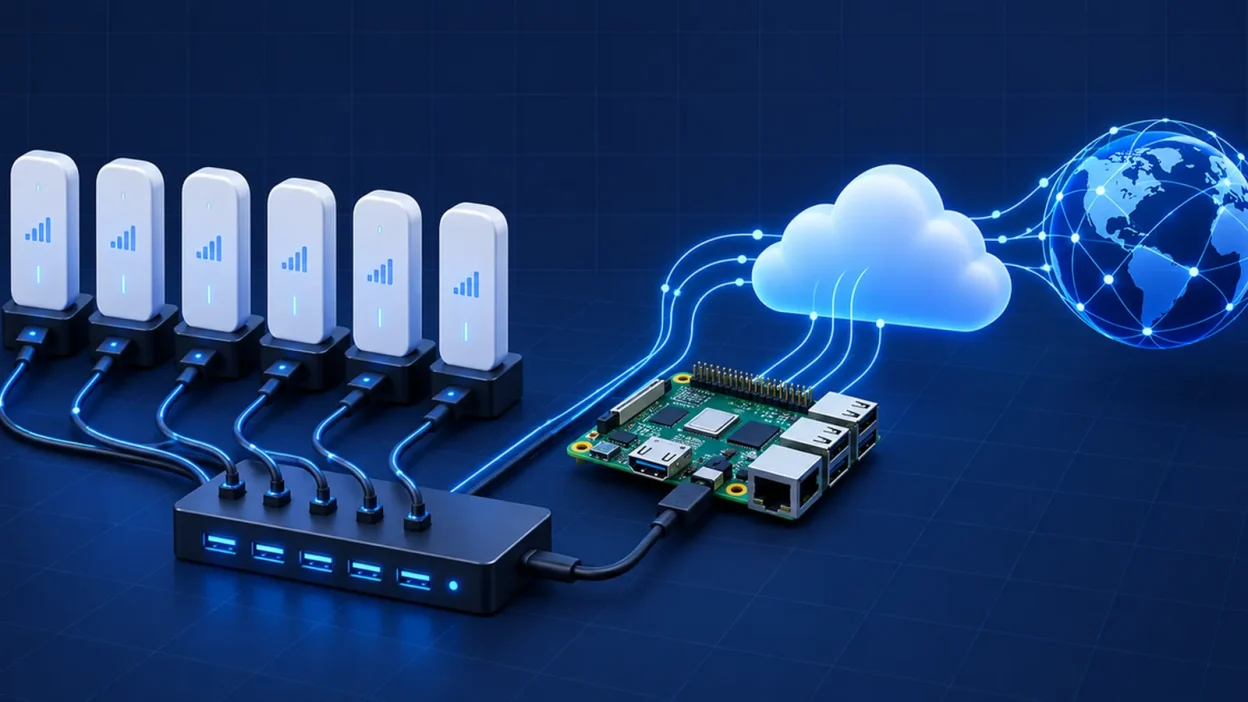
How many 4G dongles per Raspberry Pi can you run reliably? With a properly powered USB hub, a Raspberry Pi 4 or 5 is a sensible host for about four to eight Huawei E3372 HiLink dongles, but the useful limit depends on power, total traffic and the rest of the software on the box.
The USB port count is not the answer. A Pi can enumerate more devices than you should put into a production proxy node. Start with four, prove the power and traffic profile, and add dongles one at a time.
The practical answer
There is no official Raspberry Pi specification that says “maximum number of 4G modems”. The board sees each dongle as a USB device, while the operating system and proxy software see a network interface for each one. The limit is the first resource that runs short.
Use this as a planning range for Huawei E3372 HiLink-class devices and a Linux proxy workload:
| Raspberry Pi setup | Sensible starting point | Planning ceiling before a new node | Notes |
|---|---|---|---|
| Pi 3 or older | 2–4 dongles | 4 | Use a powered hub; older USB and CPU paths leave less headroom. |
| Pi 4 with a powered hub | 4 dongles | 6 | The USB 2.0 side is shared, so watch aggregate traffic. |
| Pi 5 with a powered hub | 4–6 dongles | 8 | Better CPU and USB design, but the hub and power supply still set the limit. |
These are capacity-planning numbers, not a guarantee for every firmware version, hub, carrier or traffic pattern. A node carrying light API requests may run more devices than a node pushing sustained downloads through every proxy. For a farm that needs predictable operations, several smaller nodes are easier to power, replace and troubleshoot than one densely packed Pi.
If you are building your first box, four dongles per Raspberry Pi is the safest target. Move to six when the four-dongle test is stable. Treat eight on a Pi 5 as a deliberate design that needs a good powered hub and a measured traffic profile, not as a default.
USB ports and bandwidth
The four sockets on a Pi 4 do not represent four independent USB controllers. Raspberry Pi’s USB documentation says the Pi 4 has two USB 3.0 and two USB 2.0 ports, while the USB 2.0 lines across the ports share one USB 2.0 hub. Four dongles can therefore compete for the same USB 2.0-class path even when they are plugged into different sockets.
That is usually acceptable for mobile proxies because a dongle does not continuously fill the USB bus at its advertised cellular speed. The modem sends control traffic, packets and occasional bursts. The real question is the sum of the traffic that is active at the same time:
~~~text required throughput ≈ dongle 1 + dongle 2 + … + dongle N ~~~
For example, six dongles averaging 10 Mb/s each create roughly 60 Mb/s of traffic before protocol overhead. Six dongles averaging 50 Mb/s each create roughly 300 Mb/s. The second workload deserves much more testing on a Pi 4 than the first, even though the USB device count is identical.
The Pi 5 is a better candidate for a busier node. Its RP1 I/O controller provides two USB 3.0 ports that can operate simultaneously, and the Raspberry Pi 5 hardware documentation describes independent bandwidth on its downstream USB ports. That improves the topology, but it does not create unlimited cellular bandwidth. The dongles, SIM data plans, carrier signal and Ethernet uplink still matter.
Check the topology instead of guessing from the product label on a hub:
~~~bash lsusb -t ip -br link ~~~
lsusb -t shows which devices sit behind which hub and at what USB speed. ip -br link gives a compact view of the interfaces that Linux created. Keep the Pi on wired Ethernet when possible, especially if Wi-Fi is also being used for administration.
For a broader hardware plan, see 4G Proxy Farm Setup: Hardware, Power and Software.
CPU and RAM per dongle
A HiLink dongle handles the cellular connection and presents a network device to Linux. A proxy service then moves packets between that interface and the incoming proxy connection. For this workload, CPU use is driven more by packet rate, concurrent connections, encryption, logging and monitoring than by the mere fact that a dongle is connected.
RAM is similar. A quiet proxy node with several interfaces does not need a large amount of memory just because it has several SIMs. Memory use rises when you add browser automation, local scraping jobs, databases, dashboards or large logs to the same machine.
Keep those jobs off the modem host when possible. A clean node is easier to capacity-test because CPU and RAM measurements describe the proxy workload rather than an unrelated scraper or desktop session.
Watch the host while all dongles carry representative traffic:
~~~bash htop free -h uptime ~~~
Look for sustained CPU saturation, swapping, increasing load average and a growing number of connection errors. A short CPU spike during modem registration is less important than a host that remains overloaded during normal traffic. If the Pi is also managing SMS, webhooks, quotas and several proxy ports, leave headroom instead of sizing right up to the observed average.
ProxyKite keeps the public routing layer in the cloud. Each active dongle can provide HTTP and SOCKS5 proxy access without requiring a static IP or an inbound port on the customer’s network. That leaves the Pi to manage the local dongles and outbound connection, which is a simpler workload than running a full public-facing router on the box.
Power limits are usually the first hard limit
Cellular dongles are radio devices. Their power demand changes when they register, transmit, change bands or recover from a weak signal. A setup that appears fine at idle can become unreliable when several dongles transmit at once.
Raspberry Pi’s current documentation lists 1,200 mA total across the USB ports for the Pi 2, 3 and 4. For a Pi 5, it lists 600 mA with a 3 A supply and 1,600 mA with a 5 A supply. The Pi 5’s USB budget is shared with its fan header. Those figures are board-level limits, not a promise that any particular collection of modems will be stable.
Use a self-powered USB hub for a multi-dongle node. The hub’s external supply should power the downstream ports; the Pi should provide data and host control. Raspberry Pi’s USB accessory documentation also distinguishes a bus-powered hub from a hub with an external USB-C power input, which is the important distinction here.
Do not choose a hub only because it has seven or ten sockets. Check its external power rating, upstream cable quality, physical spacing and Linux compatibility. Closely packed dongles can block airflow and antenna placement, while a thin or long cable can add another variable during troubleshooting.
Useful checks during a load test include:
~~~bash vcgencmd get_throttled dmesg -w ~~~
Run the first command before and after a test and watch the kernel log while adding devices. A USB reset, repeated device enumeration or an undervoltage indication means the power path needs attention before you add more dongles. Do not solve that problem by simply moving the same overloaded hub to another Pi port.
Raspberry Pi 4 versus Raspberry Pi 5
Both boards can work as a mobile-proxy host. The choice depends on the shape of the node rather than only on the number of USB sockets.
| Requirement | Pi 4 | Pi 5 |
|---|---|---|
| Four low-to-moderate traffic dongles | Good fit with a powered hub | Good fit with more CPU headroom |
| Six dongles | Reasonable after testing | More comfortable starting point |
| Eight dongles | Possible only with careful validation | Practical target with adequate power and a sound USB design |
| Heavy traffic on every dongle | Test the shared USB path closely | Better candidate, still limited by hub and uplink |
| Extra local workloads | Keep them light or move them elsewhere | More headroom, but still isolate production traffic |
The Pi 5 is not an excuse to skip the powered hub. A 5 A USB-C supply increases the board’s downstream USB allowance, but six or eight cellular radios still belong on a hub designed to power them. A Pi 4 with a good external hub can be more reliable than a Pi 5 with dongles hanging directly from the board.
Move to a small x86 mini-PC when you need more than eight active dongles on one host, need several independent USB controllers, expect sustained high aggregate throughput, or want to run browser automation and data processing beside the proxies. A mini-PC also gives you more options for RAM, storage, cooling and multiple Ethernet ports. You can still keep the same one-box-per-fleet design and split the dongles across several hosts.
Recommended layouts
Keep the physical design boring. The best layout is one that lets you identify a dongle, replace a cable and isolate a power problem without taking down the rest of the farm.
Four-dongle node
Use a Raspberry Pi 4 or 5, wired Ethernet, one quality self-powered USB hub and four Huawei E3372 HiLink dongles. Label each dongle and each hub port. Leave space around the devices so the antennas are not pressed together.
This is the right first node for a new ProxyKite deployment. Install the software, confirm that each dongle is visible, assign a proxy to each interface and run traffic through them before expanding the box. The getting started guide covers the software side; hardware validation remains your responsibility because the hub and SIM environment are local to you.
Six-dongle node
Use a larger self-powered hub with a supply that has enough downstream capacity for six simultaneous radios. Connect its upstream cable to a USB 3 port where practical, even though many HiLink devices operate at USB 2 speeds. The faster upstream connection does not make the modems faster, but it gives the host a sensible path for the shared traffic.
Add the fifth and sixth dongles only after the first four pass a cold boot, reconnect and traffic test. Keep a spare port available if the hub allows it. That spare is useful for a temporary replacement and helps you avoid rebuilding the whole cable layout during maintenance.
Eight-dongle node
Treat eight as a capacity project. A Pi 5, a robust self-powered hub, active cooling and wired Ethernet make a better starting design than a Pi 4 with several chained hubs. If you use two hubs, inspect the USB tree and test both the individual hubs and the combined load; more ports can also mean more shared bus contention and more power connections to diagnose.
If the eight-dongle node is expected to carry high traffic, split it into two four-dongle nodes instead. Two smaller boxes give you a simpler failure boundary and make it easier to rotate hardware during maintenance.
How to find your real limit
Use a repeatable test rather than waiting for random disconnects in production.
- Start with two dongles and record the Pi model, power supply, hub, operating system and dongle firmware or mode.
- Confirm that every device is visible in lsusb -t and that every expected network interface is present.
- Run representative proxy traffic through each interface. Include the busiest pattern you actually expect, not only a small curl request.
- Add one dongle at a time. After each addition, check htop, free -h, the kernel log and vcgencmd get_throttled.
- Reboot the complete box and repeat the check. A layout that works after plugging devices in one by one can still fail during a cold start if several radios draw power together.
- Leave the full configuration under load long enough to expose resets, overheating, memory pressure and connection buildup. Record the result as the node’s operating limit.
Success means all dongles remain present, each proxy route uses the intended mobile interface, the host remains responsive and the logs show no repeated USB or power errors. When the next dongle creates a problem, stop at the previous stable count. That number is more useful than a theoretical maximum.
For rotation links and proxy formats after the hardware is stable, use ProxyKite’s rotation guide and proxy formats guide. The licence is $9 per dongle per month, with traffic using your own SIM data plan rather than a separate per-GB charge.
Common mistakes
Counting hub ports as capacity
A ten-port hub gives you ten connectors, not ten independent USB controllers and not ten guaranteed modem slots. Check the USB tree, the hub’s power supply and the aggregate traffic together.
Powering cellular radios from the Pi
The Pi’s own USB budget is limited, and cellular transmit bursts are not the same as the dongle’s idle draw. Use an externally powered hub and keep the Pi on a proper power supply.
Testing only at idle
Idle devices prove that Linux can enumerate them. They do not prove that the power supply, hub and network path remain stable while every radio transmits. Test at the busiest traffic level you plan to sell or use.
Chaining hubs without checking the tree
Each added hub introduces another cable, controller and power connection. Keep the topology shallow, inspect it with lsusb -t and split the farm across nodes when the wiring becomes difficult to reason about.
Running unrelated heavy jobs on the proxy host
Browser automation, video processing and large scraping jobs can consume the CPU, RAM, storage and uplink headroom that the dongles need. Keep production proxy nodes focused or move those jobs to another machine.
FAQ
Can a Raspberry Pi 4 run 10 4G dongles?
It may enumerate ten devices through a suitable hub, but enumeration is not a production capacity test. For a reliable proxy node, plan around four to six on a Pi 4 and split the farm when traffic, power or troubleshooting headroom becomes tight.
Is Raspberry Pi 5 better for multiple 4G dongles?
Yes, it is the stronger choice for a new, busier node because it has more CPU headroom and a newer USB I/O design. It still needs a properly powered hub, and the 1,600 mA USB limit applies only when the board detects a suitable 5 A supply.
Do Huawei E3372 HiLink dongles need USB 3 ports?
No. HiLink dongles can work through a USB 2 path, provided the host, hub, power supply and Linux network setup are compatible. A USB 3 upstream connection can still be useful for the shared hub path, but it does not change the cellular radio’s capability.
Do I need a powered USB hub for two dongles?
For a quick test, two devices may appear to work directly from the board. For a continuously operating farm, an externally powered hub is the safer design because it keeps radio power demand away from the Pi’s limited USB budget.
When should I use a mini-PC instead of a Raspberry Pi?
Use a mini-PC when you need more than about eight active dongles on one host, sustained high traffic, several independent USB controllers or heavy local workloads. If you are unsure, two four-dongle Pis are usually easier to operate than one crowded node.