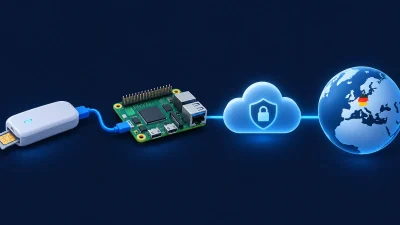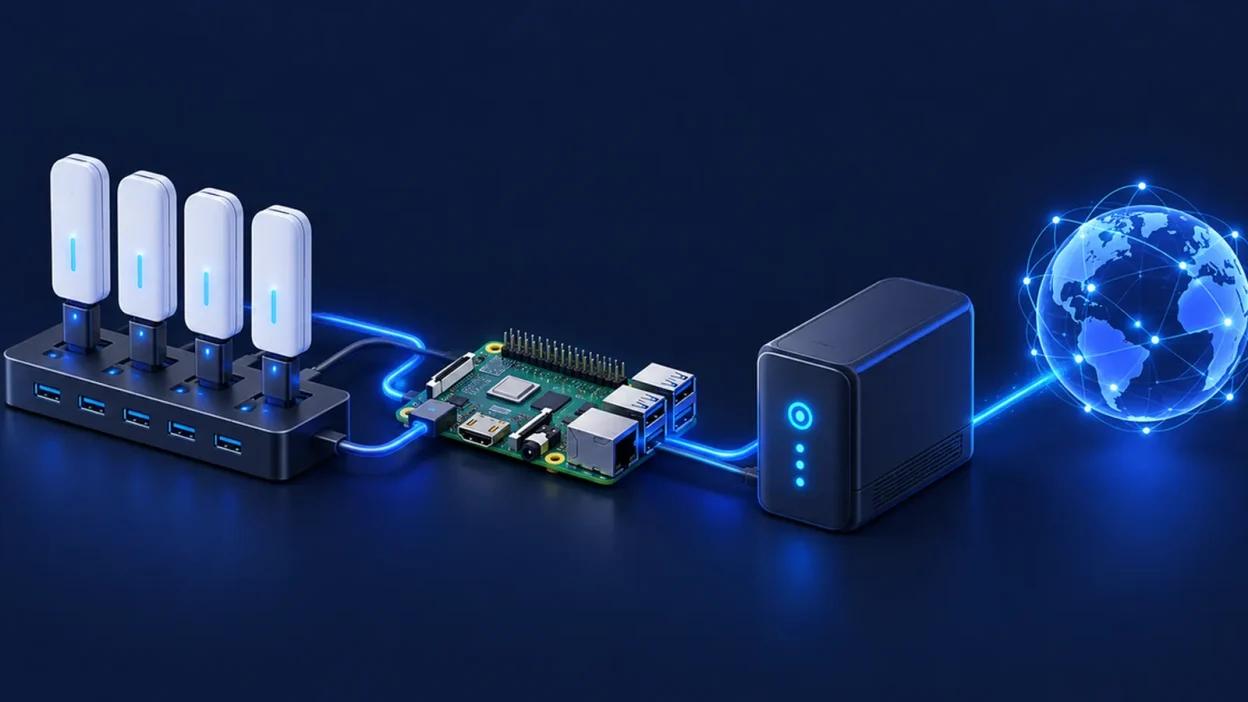
An ups for proxy farm setup keeps the Raspberry Pi, powered USB hubs, 4G dongles and network equipment running through short cuts, or gives the box enough time to shut down cleanly. The right size comes from measured watts and required runtime, not from the number printed on a UPS box.
This guide uses a Raspberry Pi with Huawei E3372 HiLink dongles as the reference build. It also applies to a Linux mini PC, provided you measure that machine and its USB hardware separately.
What you need before sizing
Gather these items before choosing a UPS or inverter:
- A wall power meter, or a DC USB power meter for each separate power rail.
- The Raspberry Pi power supply, every powered USB hub supply, and the router or ONT that provides the farm’s uplink.
- The number of dongles you will run at the same time, including the growth you expect in the next few months.
- The UPS or inverter’s continuous output in watts and VA, its runtime chart, and the battery replacement plan.
- A way for Linux to read power-failure status if you want automatic shutdown. USB status is useful; a basic battery pack with no data connection cannot tell the Pi that mains power is gone.
The Raspberry Pi must receive a stable 5 V supply. Raspberry Pi’s hardware documentation also warns that USB peripherals such as modems may need more current than the board can provide, which is why a powered hub belongs in a multi-dongle farm. See the Raspberry Pi power and USB guidance before wiring a new layout.
Step 1: Measure the farm’s real load
Why: a Pi, hub and LTE dongle do not draw one fixed number all day. Radio activity, USB negotiation and traffic change the load.
- Connect the Pi, its power adapter, the powered hub supplies, the router and the ONT or other uplink equipment to the same wall meter. Do not measure only the Pi adapter.
- Let the box boot and let every dongle register. Run the farm’s normal workload for at least 10 minutes.
- Record the normal watts and the highest stable reading. If the meter shows power factor or VA, record that too.
- Repeat the test during a busy period. For a new farm, test one hub populated with the maximum dongles it will carry before duplicating the design.
- Keep a label on each supply and note which devices it powers. The UPS must protect the complete path that needs to stay online.
Success looks like a small load sheet, not a guess. For example:
| Load | Measured or planning value | Quantity | Subtotal |
|---|---|---|---|
| Raspberry Pi and storage | 6 W | 1 | 6 W |
| Powered USB hub | 18 W | 1 | 18 W |
| HiLink dongles | 3 W planning value | 10 | 30 W |
| Router and ONT | 8 W | 1 | 8 W |
| Farm total | 62 W |
The dongle row is an example planning value, not a universal specification. Replace it with your meter reading or the maximum in the documentation for your exact E3372 variant. A weak signal can also make a modem work harder, so measure the arrangement you will actually operate.
If you are building from scratch, the guide to how many 4G dongles one Raspberry Pi can run helps separate USB capacity from electrical capacity. They are different limits.
Step 2: Size a UPS or inverter from watts and runtime
Why: the UPS needs enough output for the running load and enough stored energy for the outage you want to cover.
Use these calculations:
farm_watts = Pi + hubs + (dongles × dongle_watts) + router + ONT + other loads
design_watts = farm_watts × 1.25 to 1.35
required_runtime_Wh = farm_watts × outage_hours
The multiplier leaves room for short peaks, supply losses and a later dongle or two. It is not a substitute for the UPS manufacturer’s runtime table.
With the example above, a 25% margin gives 62 W × 1.25 = 77.5 W. Choose a UPS whose continuous watt rating is above that design number and whose VA rating also clears the manufacturer’s recommendation. If you only compare VA, you can still end up with too little usable watt capacity.
For a two-hour target, the load needs 62 W × 2 = 124 Wh at the equipment. A battery system is not 100% efficient, so the nominal battery energy must be higher. As a rough planning check, allowing 80% conversion efficiency and 80% usable battery capacity gives:
124 Wh ÷ (0.80 × 0.80) ≈ 194 Wh nominal battery energyThen check the actual runtime chart. Runtime usually falls as the load rises, and an old battery may deliver less than its original rating. If your goal is only a clean shutdown, size for the time needed to detect the outage, stop services, flush writes and power off. If your goal is continuous service, size for the longest realistic cut and still configure a low-battery shutdown.
UPS, DC backup or inverter?
An AC UPS is simple: plug the Pi adapter, hub adapters, router and ONT into the protected outlets. It is less efficient because each adapter converts AC back to DC, but the wiring is easy to audit.
A DC UPS can be efficient, but every output must provide the correct voltage and current. Do not feed a 12 V battery directly into a 5 V Pi or hub. A DC inverter is another option for larger farms; size its continuous output for the design watts and its surge rating for the connected adapters.
Protect the network path as well as the farm. A Pi that stays powered while its router or ONT turns off is not an online proxy farm. The upstream ISP can still fail during a local power cut, so treat a UPS as power protection, not an Internet-availability guarantee.
Step 3: Protect the SD card and configuration
Why: a sudden voltage drop can interrupt a filesystem write. The result can be a damaged file, an unclean journal, or a Pi that does not boot normally after power returns.
- Put the Pi on the backup output, not on a separate unprotected adapter.
- Use a good-quality supply and cable with enough current. Check the Pi logs after installation:
dmesg -T | grep -Ei 'under-voltage|voltage|brownout|throttl'- Back up the installer information, service configuration, proxy assignments and any local scripts to another machine. A UPS reduces risk; it is not a backup.
- Reduce unnecessary writes. Keep verbose traffic logs on a sensible retention policy and send long-term logs elsewhere when practical.
- If your deployment can tolerate it, evaluate Raspberry Pi OS’s Overlay File System. The official Raspberry Pi configuration documentation explains that the read-only root overlay uses RAM and that changes made outside the boot partition are lost at reboot. Test this with your configuration before enabling it on a live farm.
Do not enable a read-only root and assume every application will work unchanged. Proxy configuration, certificates, queues and state that must survive a reboot need a deliberate writable location.
Success looks like a tested backup and a Pi that can reboot without manual repair. Make a fresh configuration change, reboot normally, and confirm the change persists before you test a simulated power cut.
Step 4: Make power-on and boot order predictable
Why: a UPS can restore electricity without restoring the proxy service, network route or USB devices in the right order.
- Connect the Pi and the network equipment to the UPS. Power on the UPS first, then confirm the Pi boots when its supply is connected.
- Record the service names installed for your proxy software:
systemctl list-unit-files --type=service | grep -Ei 'proxy|kite|dongle'
systemctl list-dependencies multi-user.target- Set
SERVICEto the exact long-running unit name printed by the installer, then inspect it before changing anything:
SERVICE=your-proxy-service.service
sudo systemctl cat "$SERVICE"
sudo systemctl is-enabled "$SERVICE"
sudo systemctl is-active "$SERVICE"- If the installer created a long-running service, enable it at boot using the exact name it printed:
sudo systemctl enable "$SERVICE"- Make it wait for networking and retry a failed start. Create a drop-in with
sudo systemctl edit "$SERVICE":
[Unit]
Wants=network-online.target
After=network-online.target

[Service]
Restart=on-failure
RestartSec=10s
Then apply and check it:
sudo systemctl daemon-reload
sudo systemctl restart "$SERVICE"
systemctl status "$SERVICE" --no-pager
Replace your-proxy-service.service with the real unit name. Do not add Restart= to a one-shot setup task or to a service that is intentionally stopped after completing. The systemd service documentation describes Restart=on-failure and its start-rate limits.
Success looks like this sequence after a controlled reboot: the Pi gets an address, the service starts, the USB bus lists the expected dongles, and the proxy panel shows the expected ports. A Pi 5 can have power-button and EEPROM settings that affect soft-off behaviour, so test power restoration on the exact board you use instead of assuming every model behaves identically.
Step 5: Make the dongles reconnect after a cut
Why: a Linux service can restart, but it cannot make a physically unpowered hub or a missing USB device appear. USB power and software startup must both recover.
- After a reboot, list the USB devices and kernel events:
lsusb
journalctl -b -k | grep -Ei 'usb|tty|cdc|ether|hilink'- Compare the result with your farm inventory. If a stick is missing, check its hub port, cable, power supply and SIM before changing software.
- Keep each dongle in a known physical port. A label such as
hub-1-port-04makes post-outage checks and replacement much faster. - Check that each HiLink interface has an IP path and that the service can reach the device. For a known management address, test it without exposing credentials:
ip link
ip route
HILINK_ADDRESS=192.168.8.1
curl --max-time 10 -I "http://${HILINK_ADDRESS}/"- Confirm one proxy through a permitted test destination, then check the other ports. Do not rotate every SIM at once just to prove that the farm is alive.
- If the hub loses power while the Pi stays up, restore the hub first and wait for USB enumeration. If the agent does not notice the devices, restart only the relevant proxy service after
lsusbshows the sticks again.
ProxyKite uses outbound connectivity and cloud routing, so the box does not need a static IP or an inbound port-forwarding rule. The getting-started documentation covers installation, while the proxy format guide helps you test each recovered host and port.
Success is a clean mapping between physical port, SIM and proxy port after every reboot. For a deeper hardware check, see 4G dongle keeps disconnecting? Fixes for proxy farms.
Step 6: Add outage alerts and a safe shutdown
Why: a UPS is most useful when you know it has switched to battery and when the Pi can shut down before the battery is empty.
- Prefer a UPS that exposes status through USB or a supported network interface. Network UPS Tools (NUT) is one common Linux integration; use the UPS maker’s compatibility information rather than assuming every USB cable exposes battery data.
- Configure a notification when utility power is lost, and a second notification when the battery reaches the shutdown threshold. Keep the alert path independent where possible, such as a separate Internet connection or an external monitoring service.
- Set a shutdown delay that covers your normal short cuts but leaves reserve for a clean poweroff. Do not wait until the battery is at zero.
- On a long outage, stop the proxy service before the operating system shuts down so it can close files and release the USB devices:
sudo systemctl stop "$SERVICE"
sudo poweroff
The command above is a manual test. Your UPS integration should invoke an orderly system shutdown only after its own low-battery rule is met. Raspberry Pi documents sudo poweroff as the command-line clean shutdown action.
- After power returns, confirm the UPS has resumed charging, the router is reachable, and the Pi boots without requiring a button press.
Success is an alert, a controlled shutdown before battery exhaustion, and a normal boot when mains power is restored. Keep the alert message free of proxy credentials, rotation links and SIM details.
Verify the complete recovery path
Test the system in stages, during a maintenance window:
- Record the normal wall watts and the battery percentage.
- Unplug the UPS input while leaving its output connected. Confirm the farm remains reachable and that the power-failure alert arrives.
- Leave it on battery long enough to observe the chosen shutdown threshold. Confirm the service stops before the Pi powers off.
- Restore mains power. Confirm the UPS charges, the Pi starts, the service is enabled, and every expected dongle appears in
lsusb. - Test one HTTP and one SOCKS5 endpoint with an authorised client. Check the dashboard for live traffic, then clear the test state.
If the farm serves customers, repeat the test with the router and ONT included. A UPS test that protects only the Pi proves very little.
Troubleshooting a proxy farm after a power cut
The Pi is on, but every proxy is offline. Check the router and ONT first, then ip addr, ip route and DNS. If the Pi has no route, the proxy service cannot repair the uplink.
The Pi boots but one hub is empty. Check the hub’s own power adapter and its USB upstream cable. Run lsusb before restarting software. If the devices are absent from the USB list, this is a power or hardware path problem.
Dongles appear in lsusb, but the panel shows fewer proxies. Inspect the service log with journalctl -u "$SERVICE" -b --no-pager. Compare the missing device with the physical inventory and check its HiLink management address.
The Pi stops booting after repeated cuts. Disconnect power, inspect the SD card from another Linux system, and restore from the known-good image or backup if required. Then review low-voltage messages, cable quality and UPS transfer behaviour before putting the farm back into service.
The UPS shuts down too early. Recheck the actual watts, the UPS runtime chart and the battery age. Do not lower the shutdown threshold blindly; a clean shutdown is better than draining the battery until the Pi loses power mid-write.
FAQ
What size UPS do I need for a 4G proxy farm?
Measure the Pi, powered hubs, dongles, router and ONT together. Multiply the measured running watts by roughly 1.25 to 1.35 for a design target, then choose a UPS whose continuous watts, VA and runtime chart all meet that target.
Should the router and USB hub be on the same UPS as the Pi?
Yes, if you expect the farm to remain online. The router and ONT provide the network path, while the powered hub provides the dongle power; leaving either outside the backup path breaks service during a cut.
Can a Raspberry Pi UPS power several 4G dongles?
Only if its output rail and current rating cover the hub and dongles, not just the Pi. A powered hub is normally the safer architecture for several HiLink sticks, and you should verify the hub’s own power supply under load.
How do I make a proxy farm start after power returns?
Enable the installed proxy service with systemd, order it after network-online.target, and use Restart=on-failure for the long-running service. Then test a full power-loss and restoration cycle; do not assume that a Pi boot means every USB dongle has enumerated.
Is a UPS enough to prevent SD card corruption?
A UPS lowers the chance of an abrupt power loss, but it is not a guarantee. Use stable power, keep configuration backups, reduce unnecessary writes, and configure a low-battery clean shutdown.